Keeping employee information accurate is essential for smooth operations in Tabit Office. This article will show you how to edit employee roles, permissions, and more
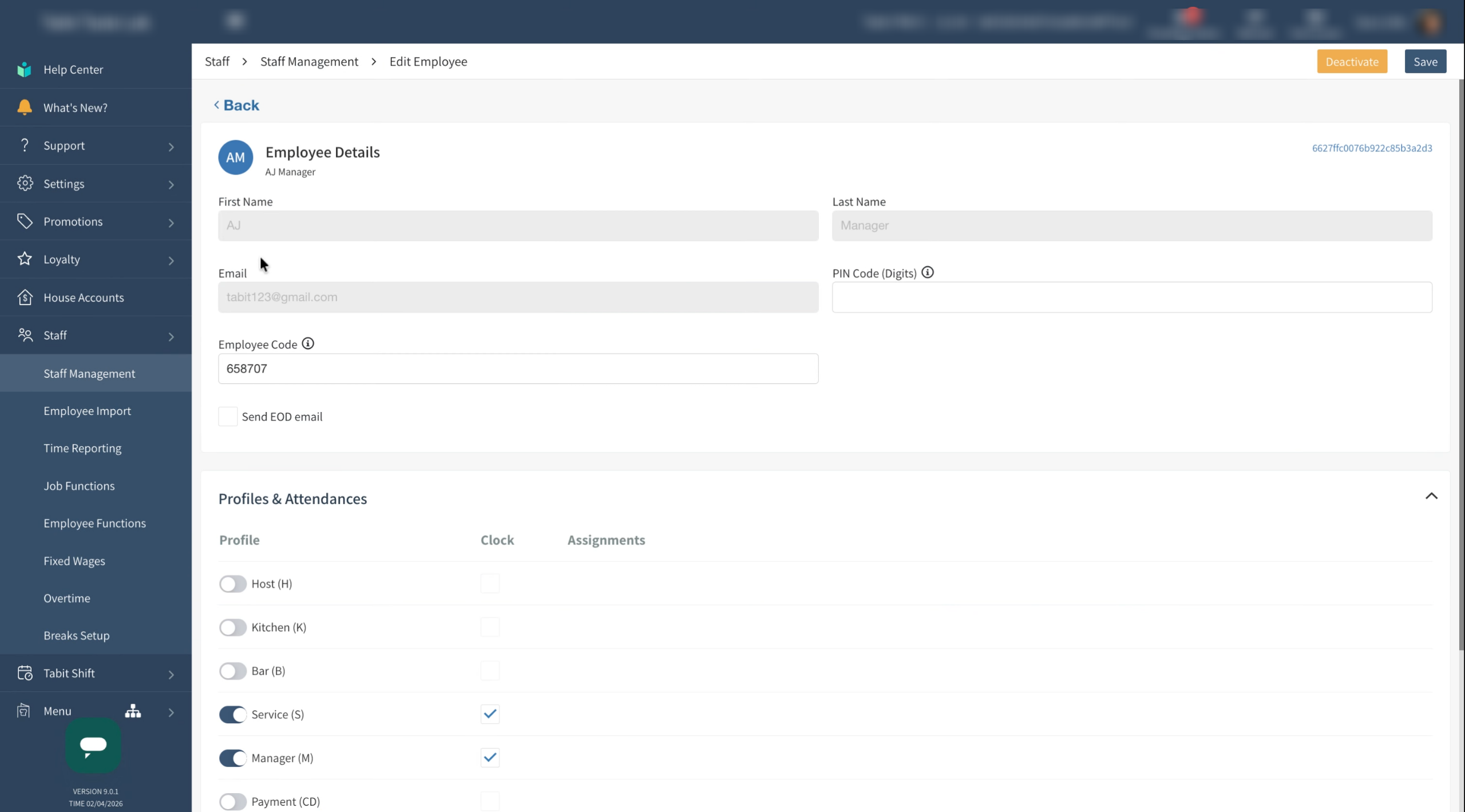
Only users with Employee Management permission can make these changes. Keep in mind that some details, like name and email, cannot be edited. If you need to change these details, please contact our support
Learn how to create a new employee on the PAD or in Tabit Office
Follow the steps below to edit an employee:
-
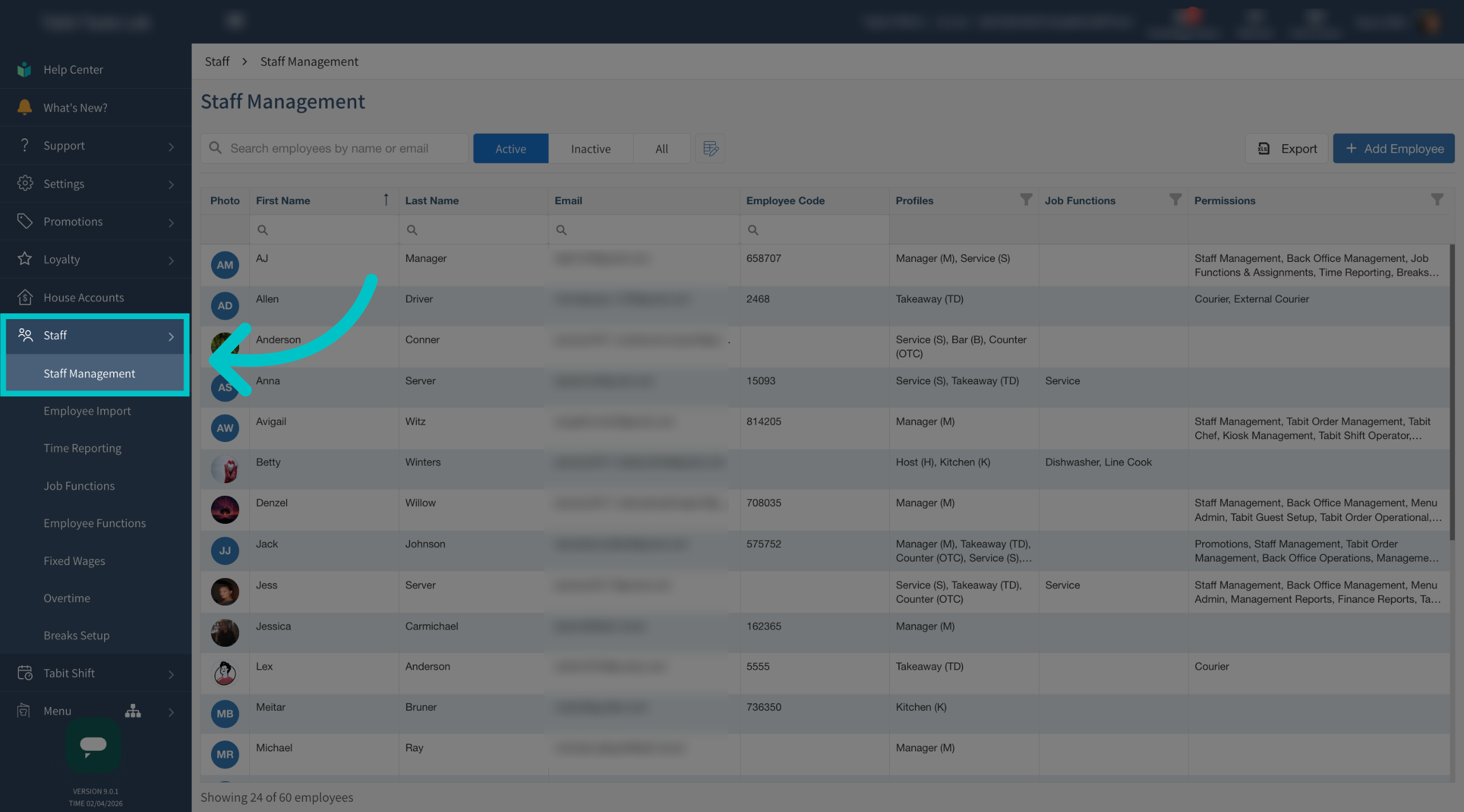
In Tabit Office, go to Staff > Staff Management
-
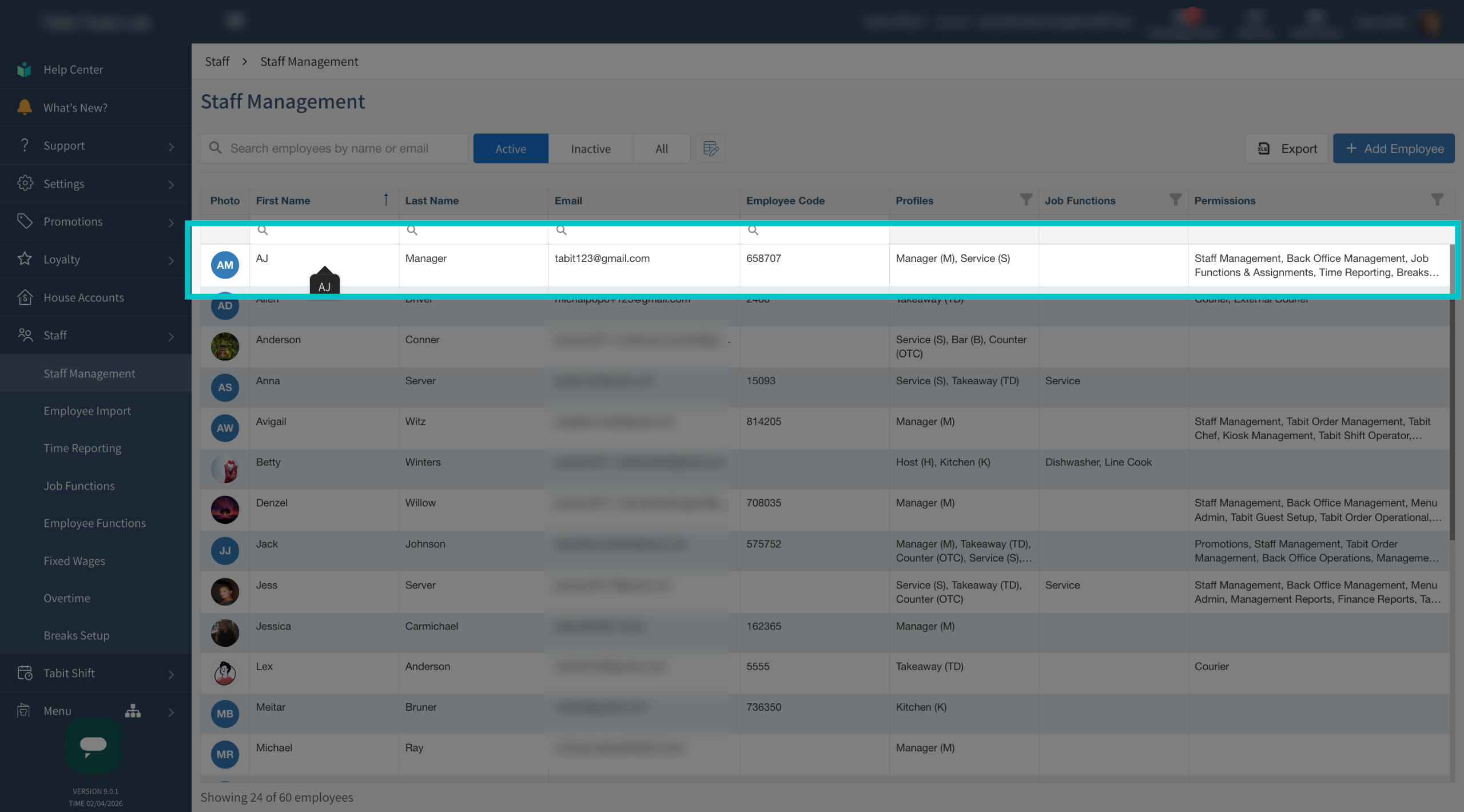
Select the relevant employee by clicking anywhere on their row
-
Make any required updates to the employee profile, noting that the name and email cannot be changed
-
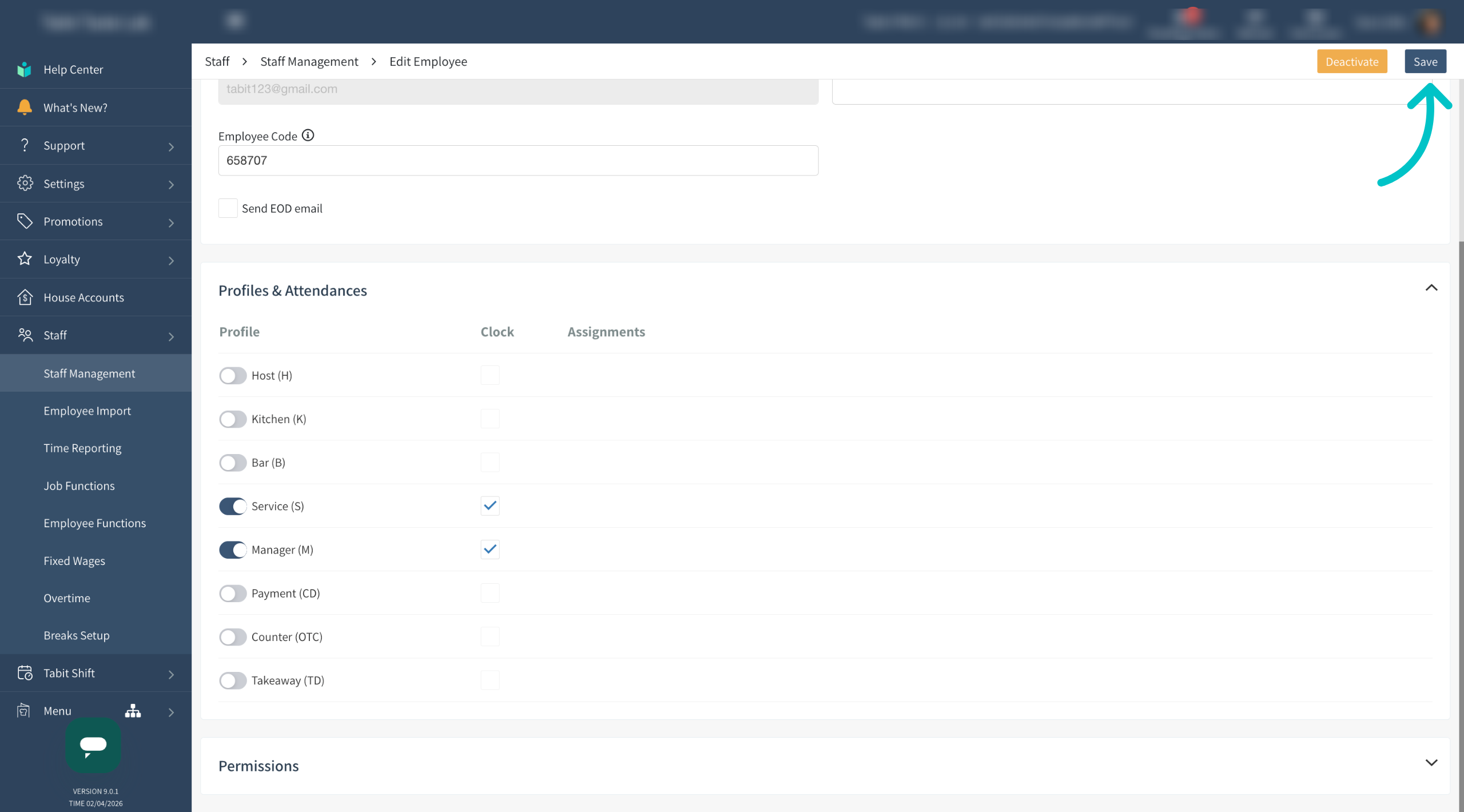
Select Save once all changes have been completed
Now that you know how to edit an employee, learn how to deactivate an employee here