When an employee leaves, their user should be deactivated. Learn how.
Go to us-demo-office.tabit-stage.com
-
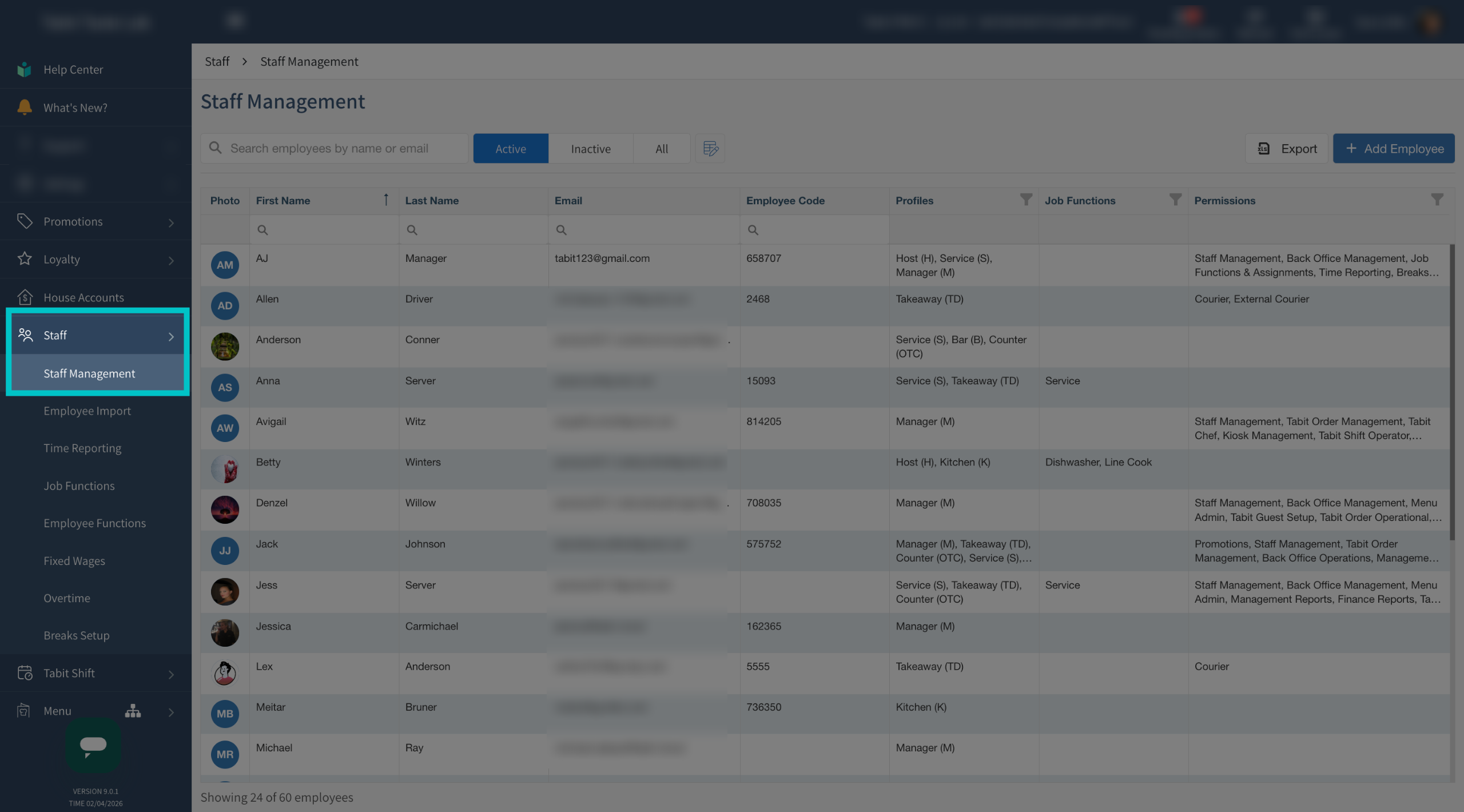
In Tabit Office, go to Staff > Staff Management
-
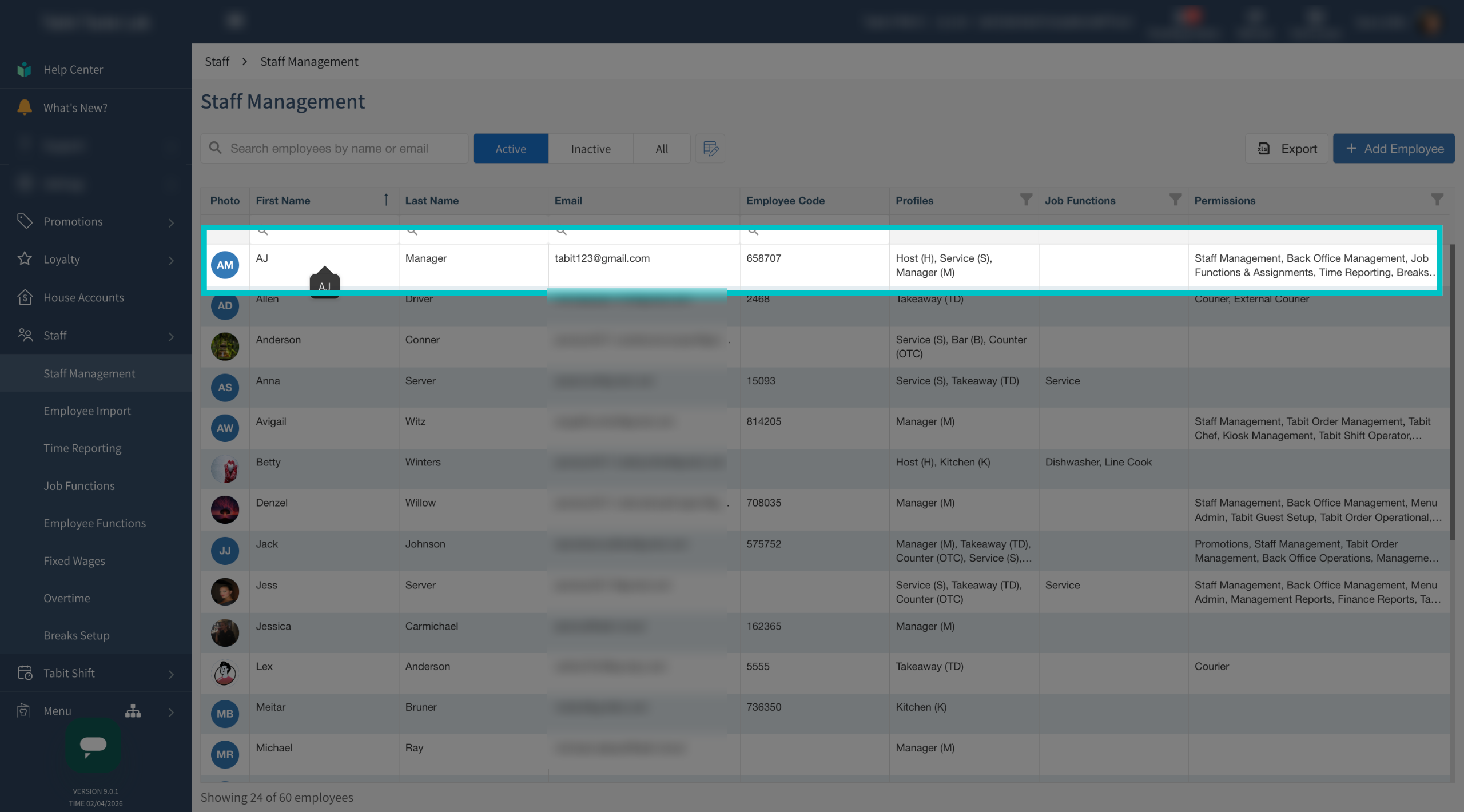
Select the relevant employee. You can click anywhere on the line with their info to edit their user
-
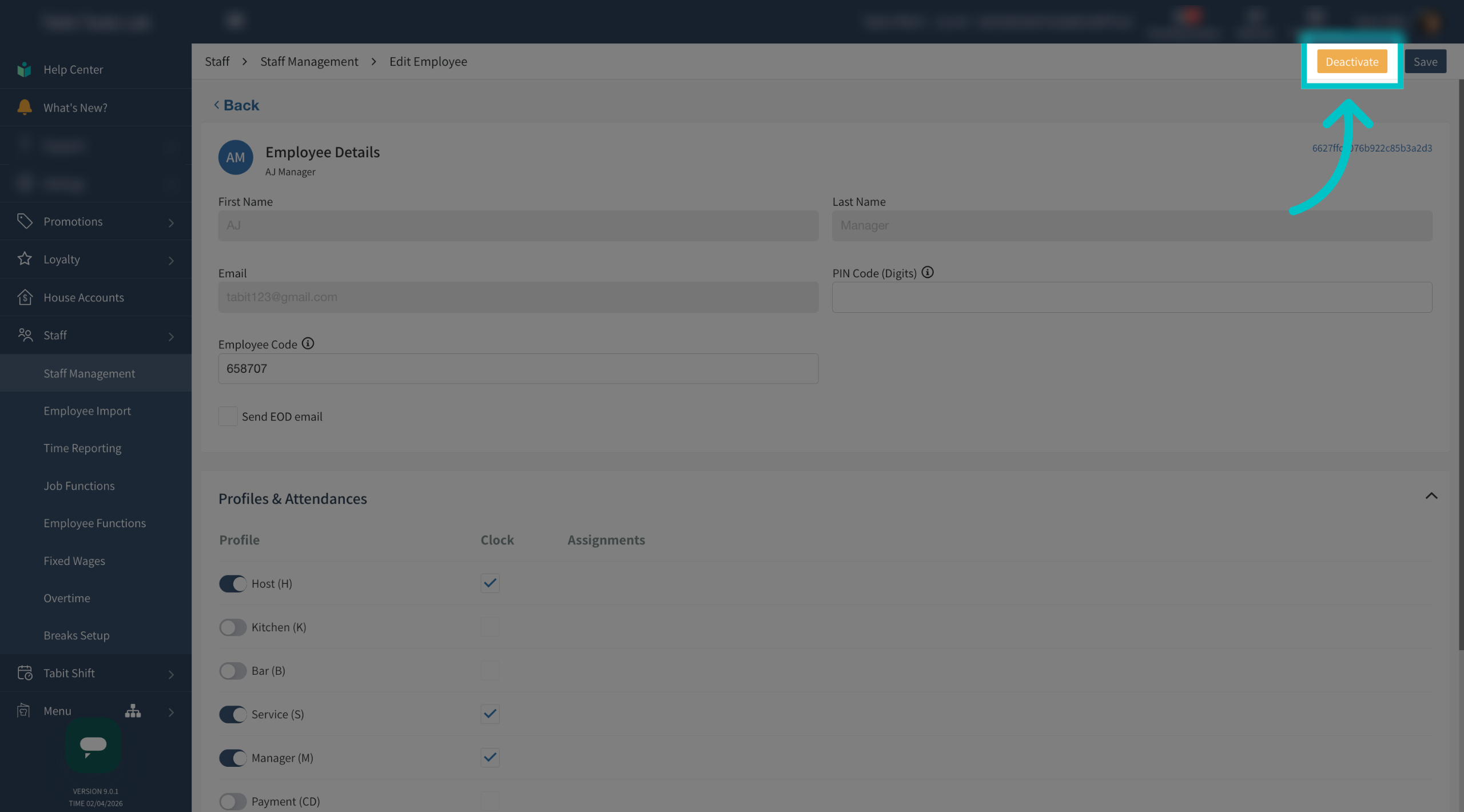
Select Deactivate in the top right corner to deactivate their account
-
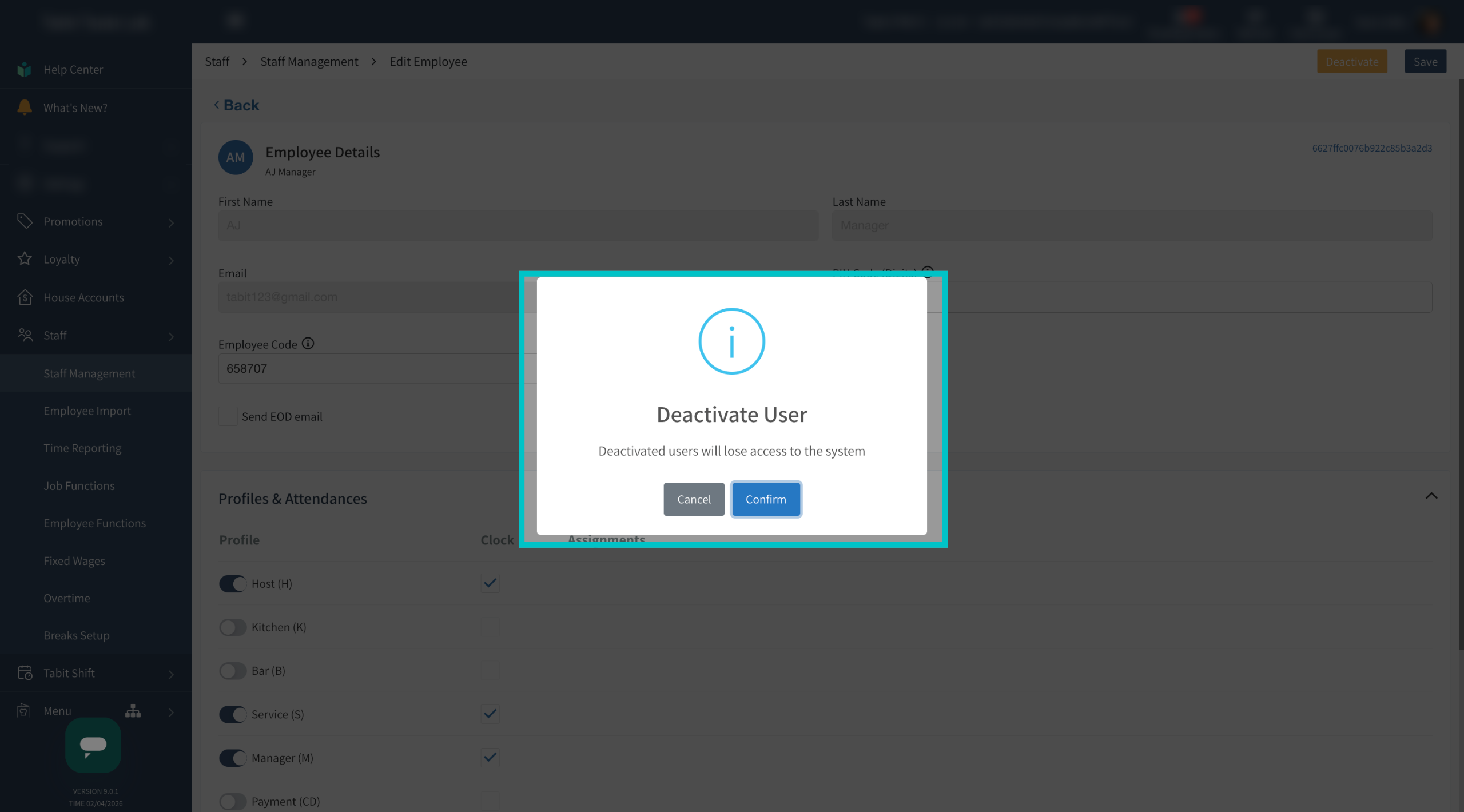
Select Confirm
-
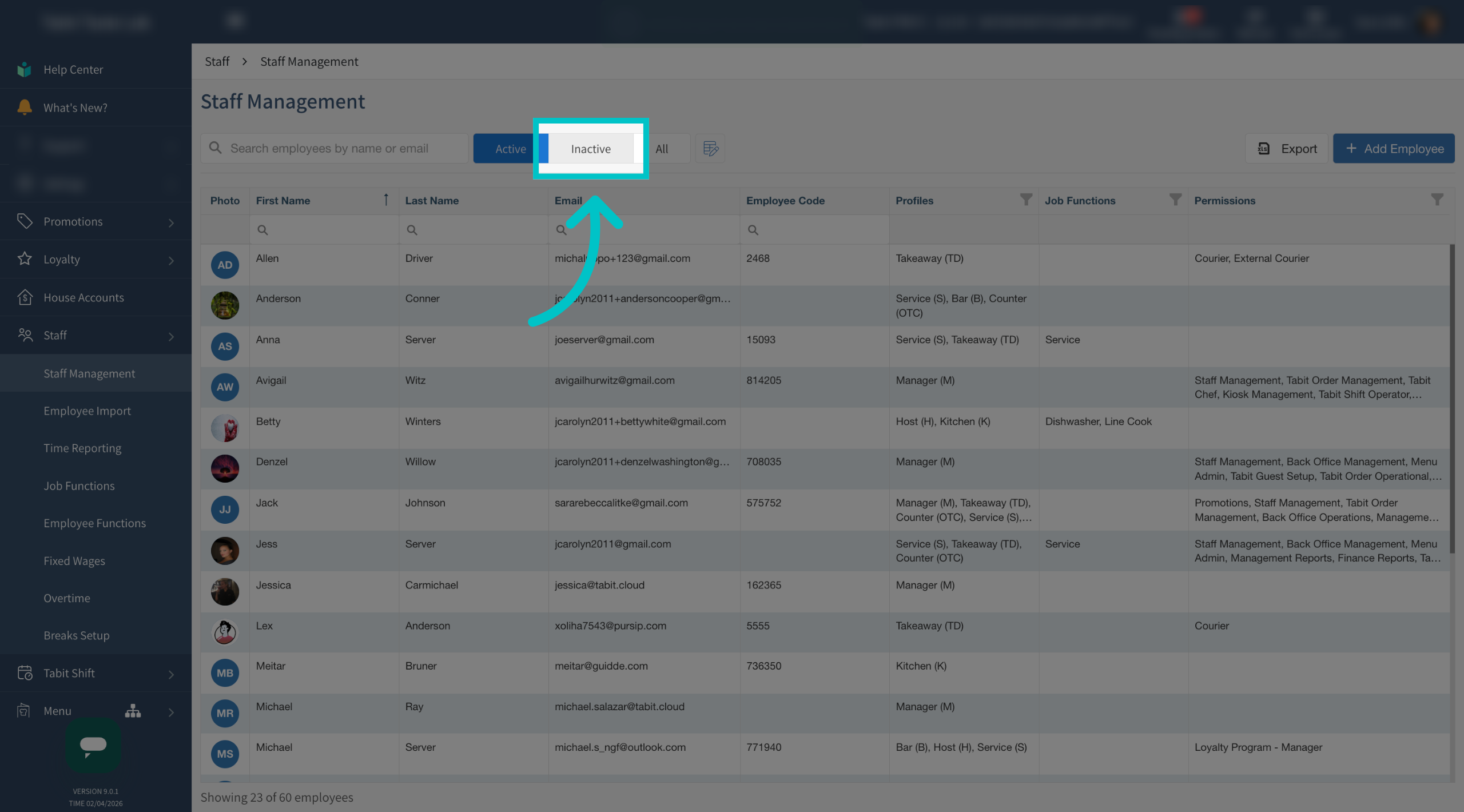
Select the Inactive tab to view employees who are currently deactivated
-
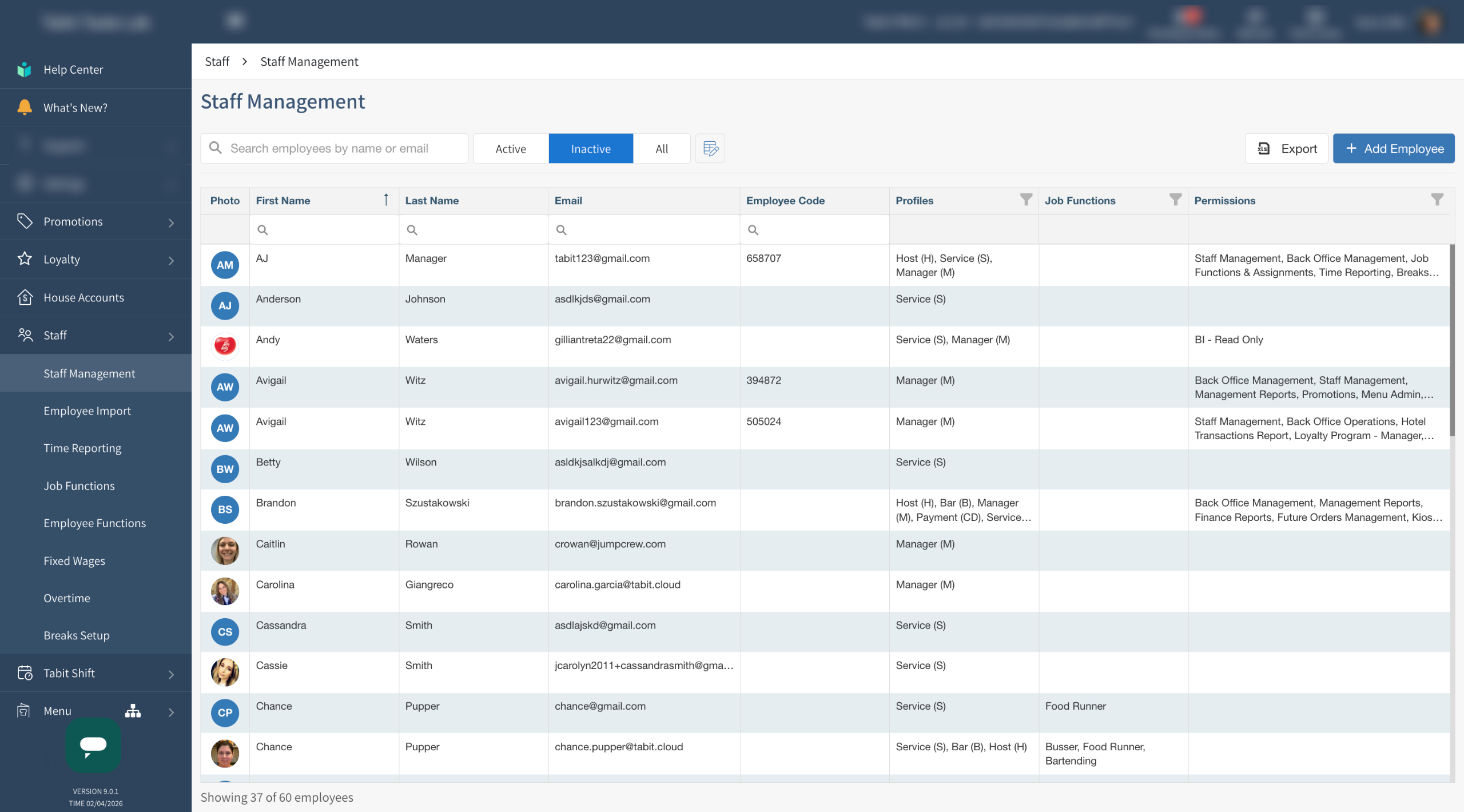
Now the employee will appear on the deactivated list
To learn how to reactivate a deactivated employee, go here