Managers can clock employees in and out from the PAD without requiring their PIN code, giving them control to ensure accurate work hours and avoid any issues with shift records.
Follow the steps below to clock an employee in or out from the PAD:
-
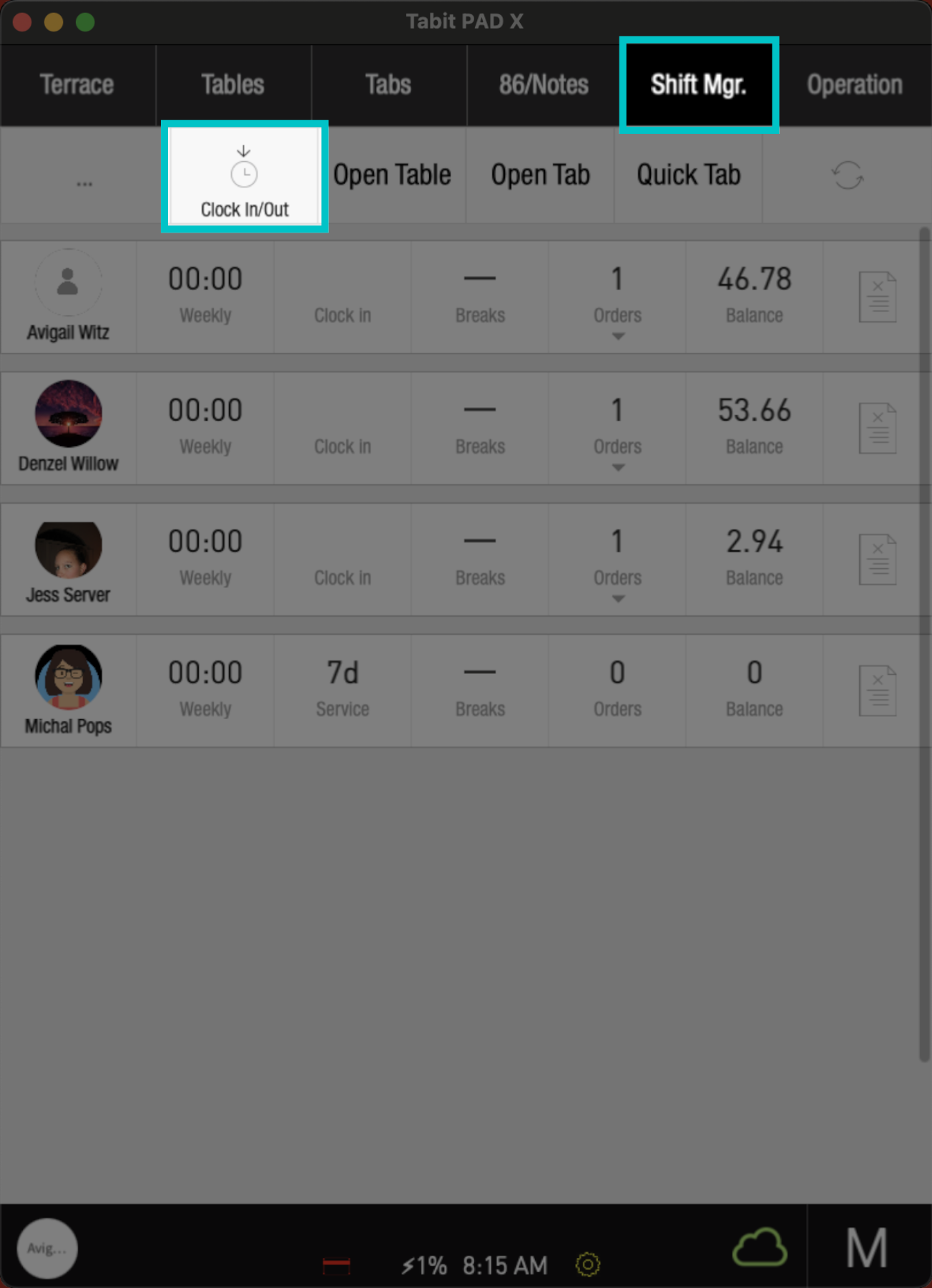
From a manager profile, tap the Shift Manager tab, and select the Clock In/Out icon
-
Search and select the relevant employee, using one of the following options:
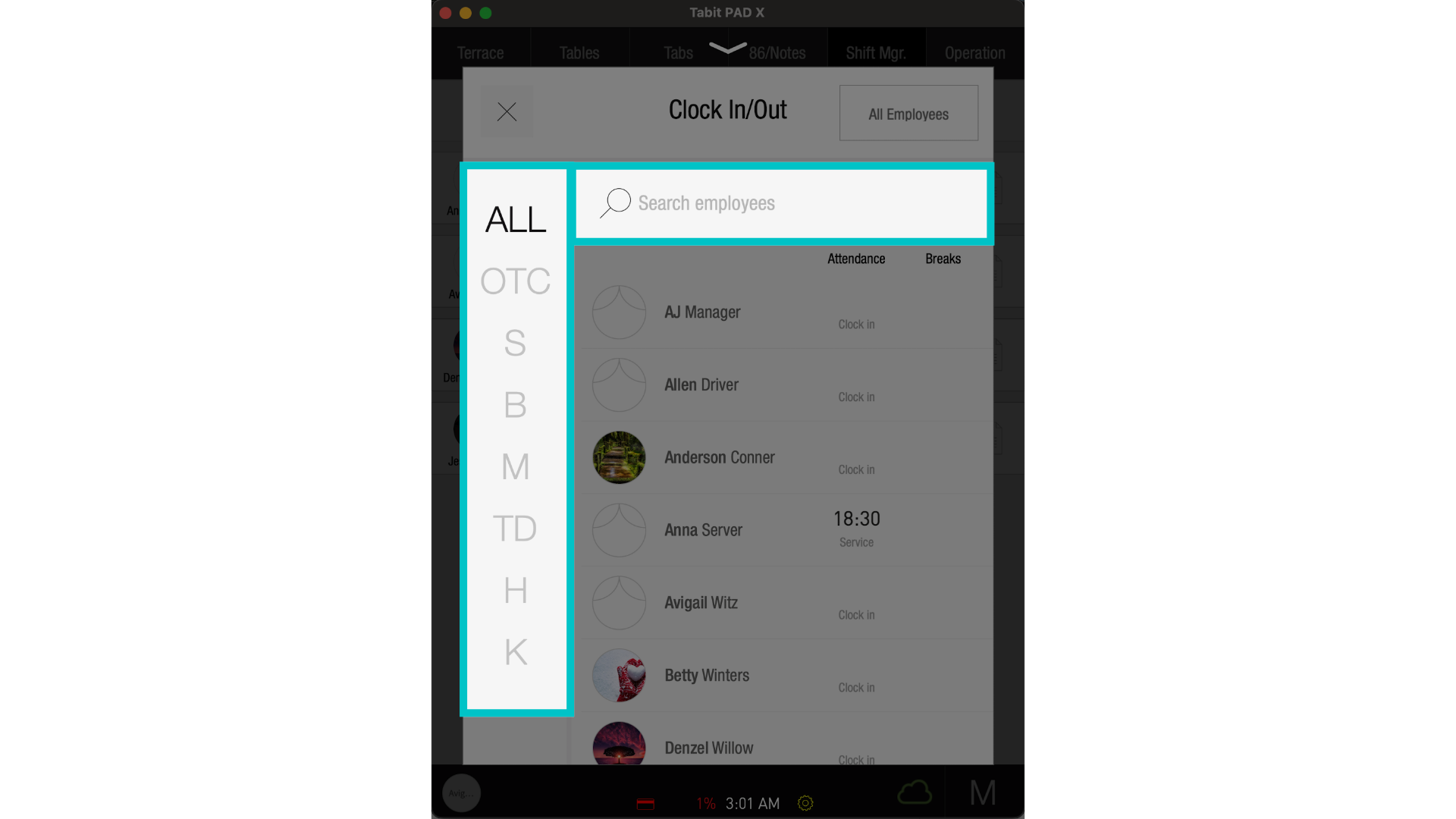
- Under All, filter by work profile and search the employee's name
- Type the employee's name in the Search Employees field
- Scroll through the employee list
-
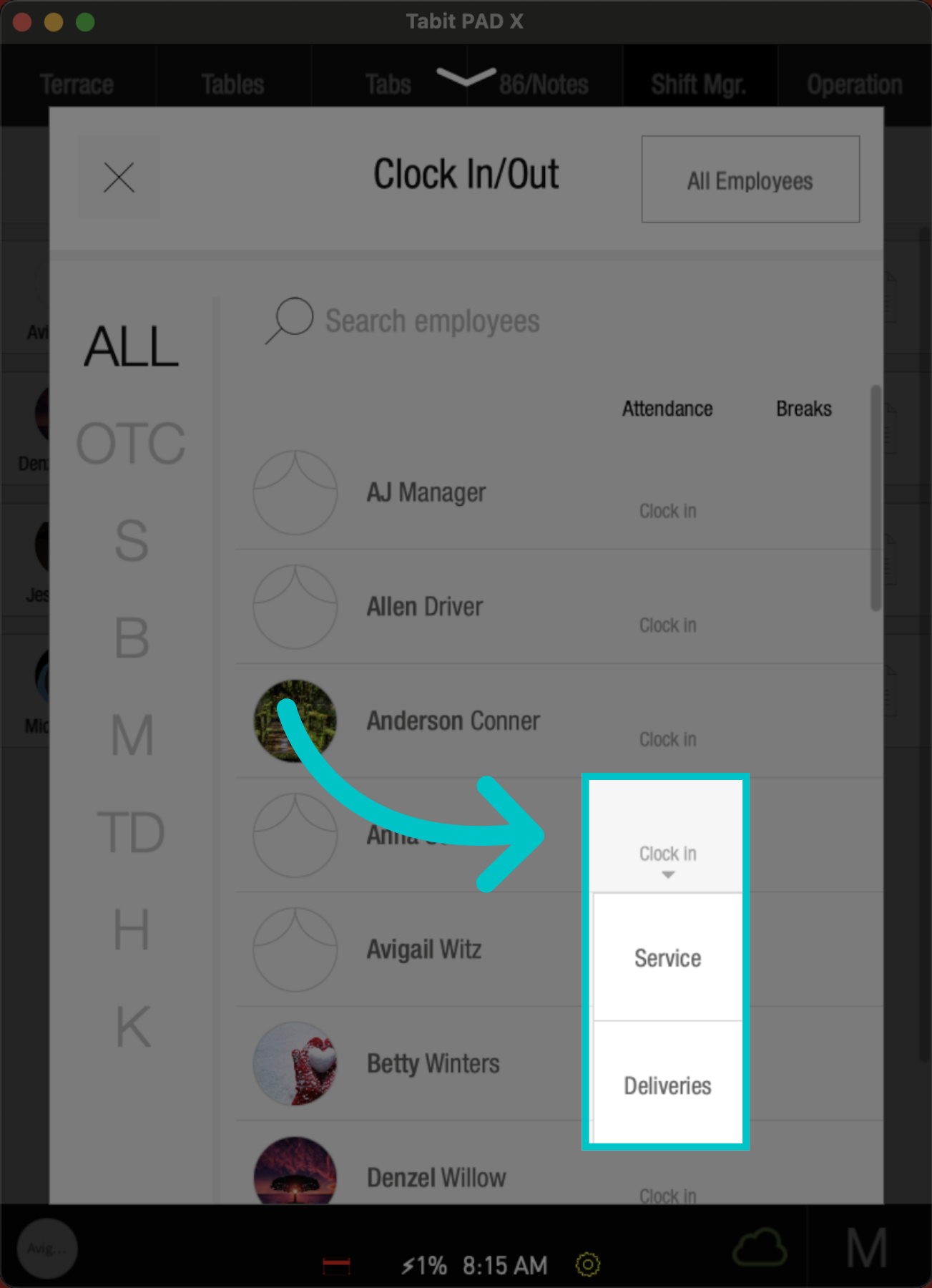
Then select Clock In, and tap the desired Job Function
-
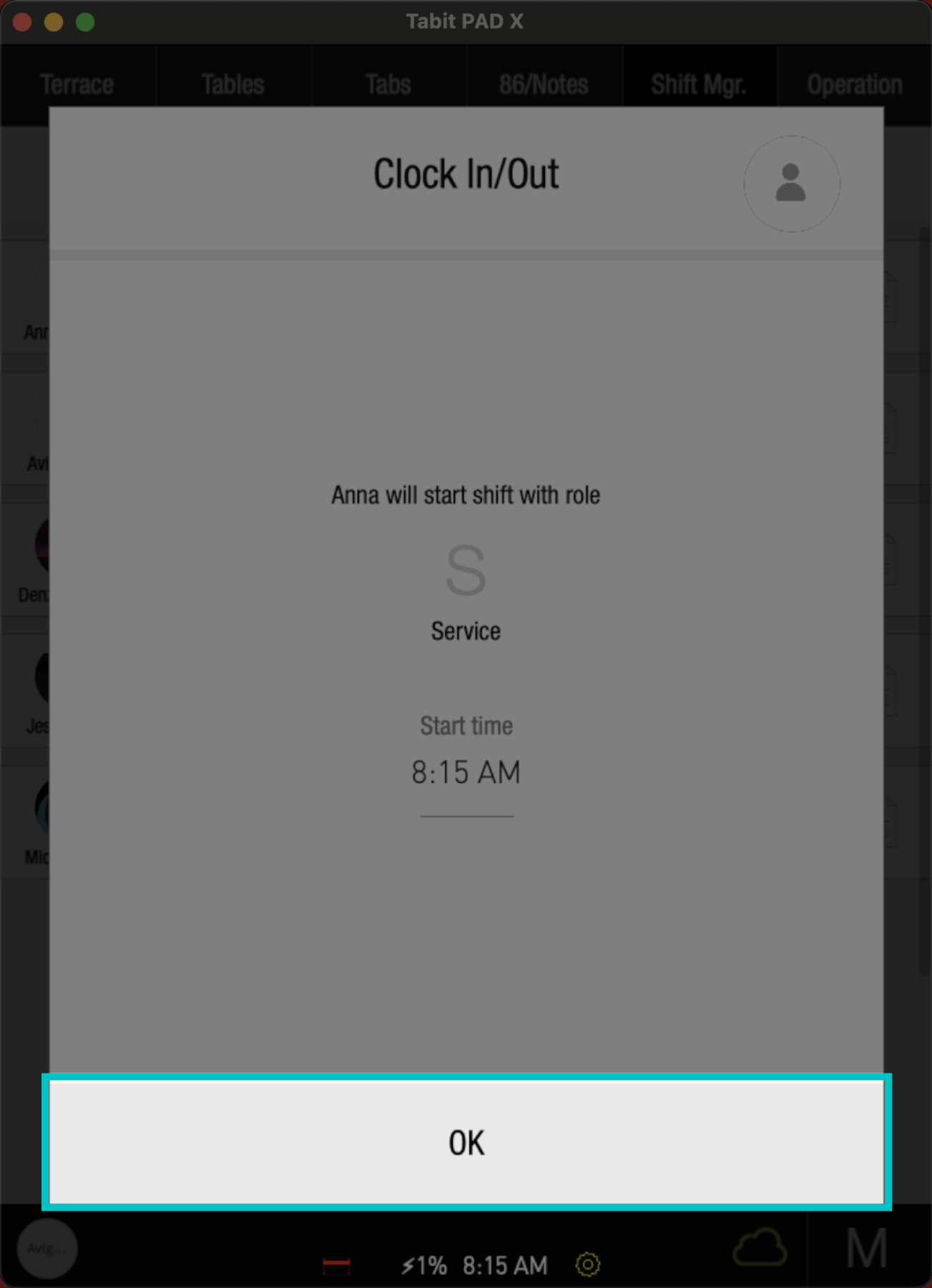
Then, select OK to confirm
-
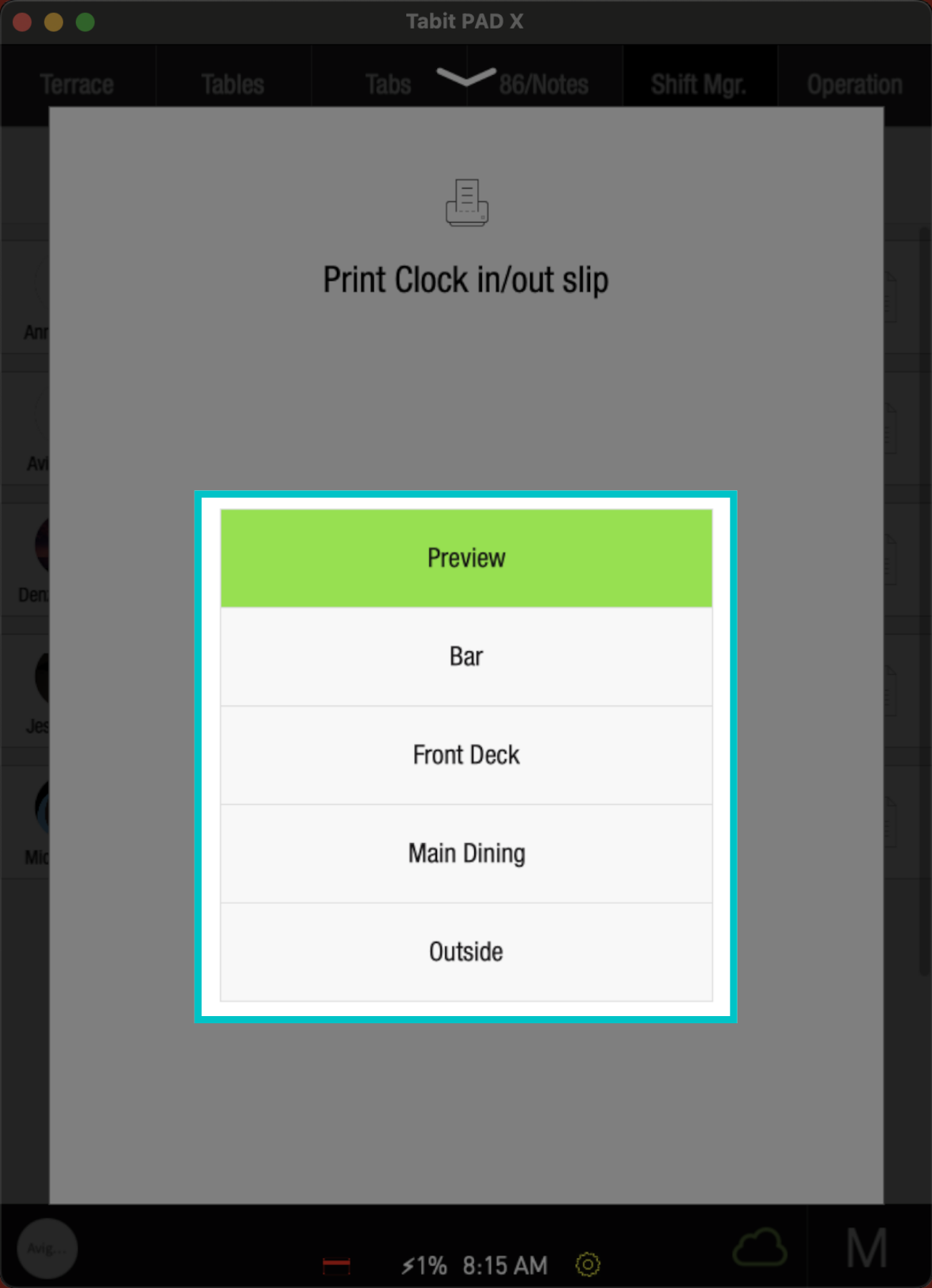
Select the relevant Printer to print the slip
-
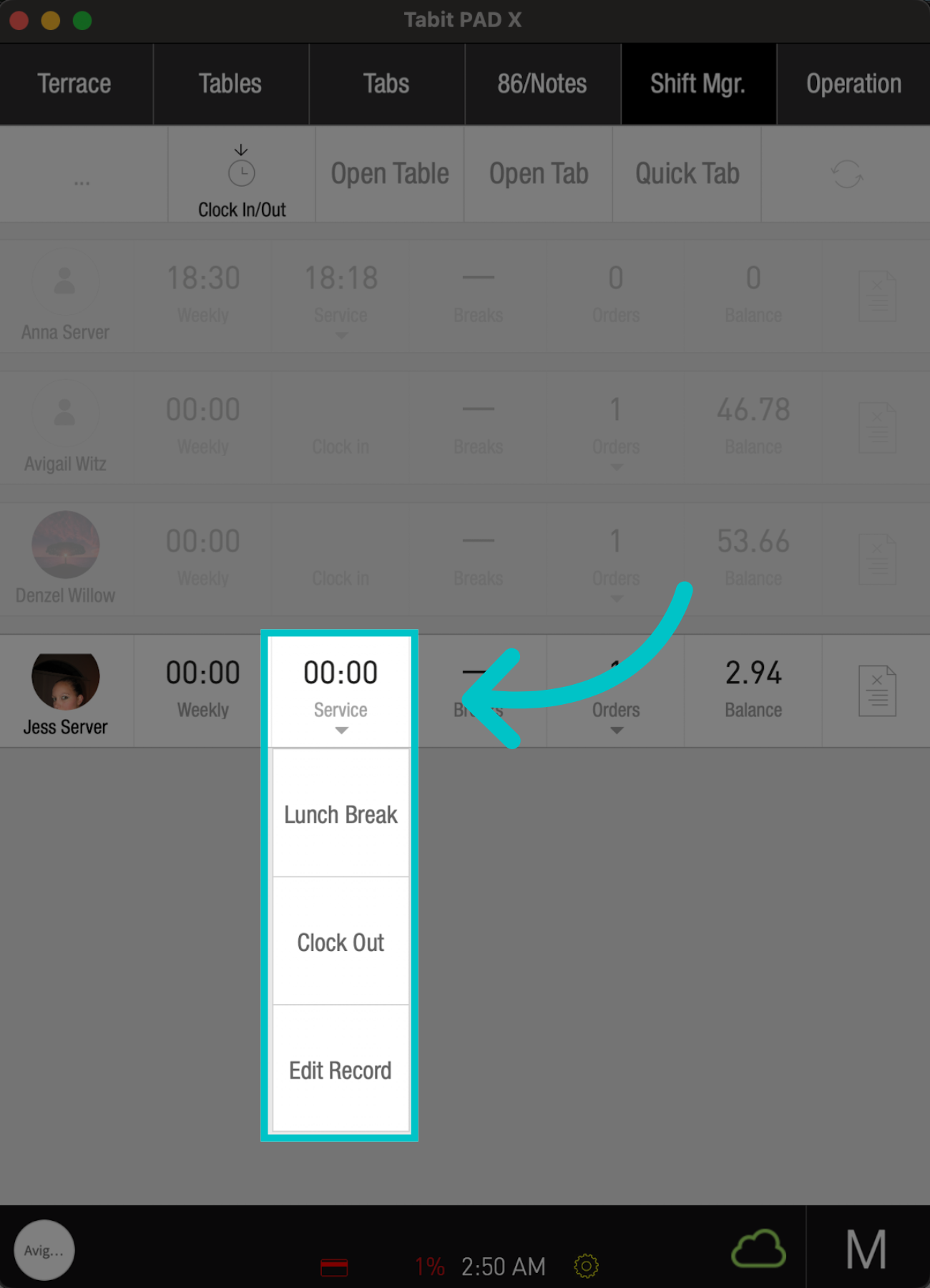
To clock out, tap the employee's shift time, select the Clock Out option, and continue accordingly
Learn here how to change an employee's PIN code from the PAD