86ing items allows you better control and ensures your menu is accurate and up to date.
Follow the steps below to 86 items on the PAD:
-
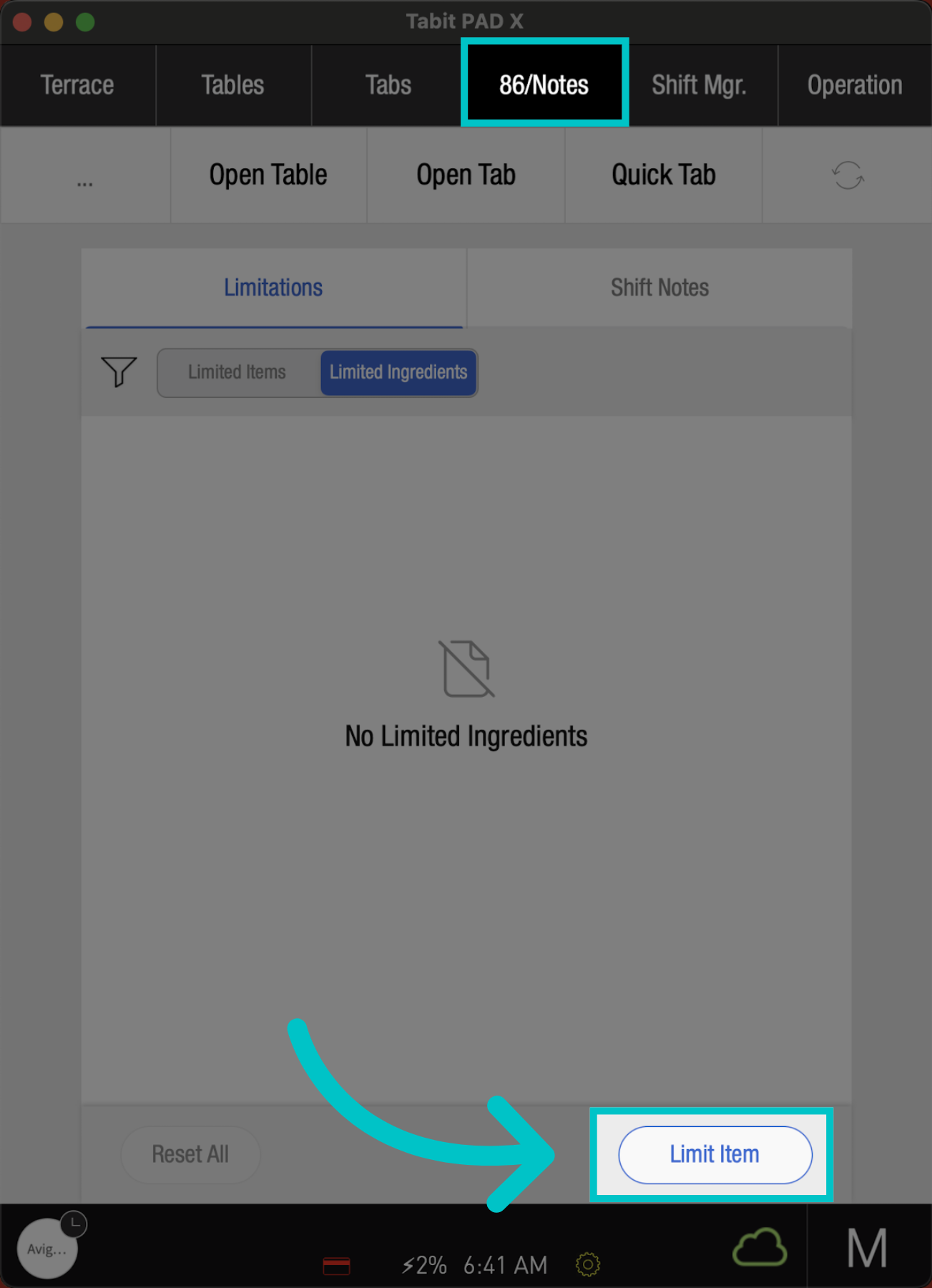
From a Manager profile, go to the 86/Notes screen and select Limit Item
-
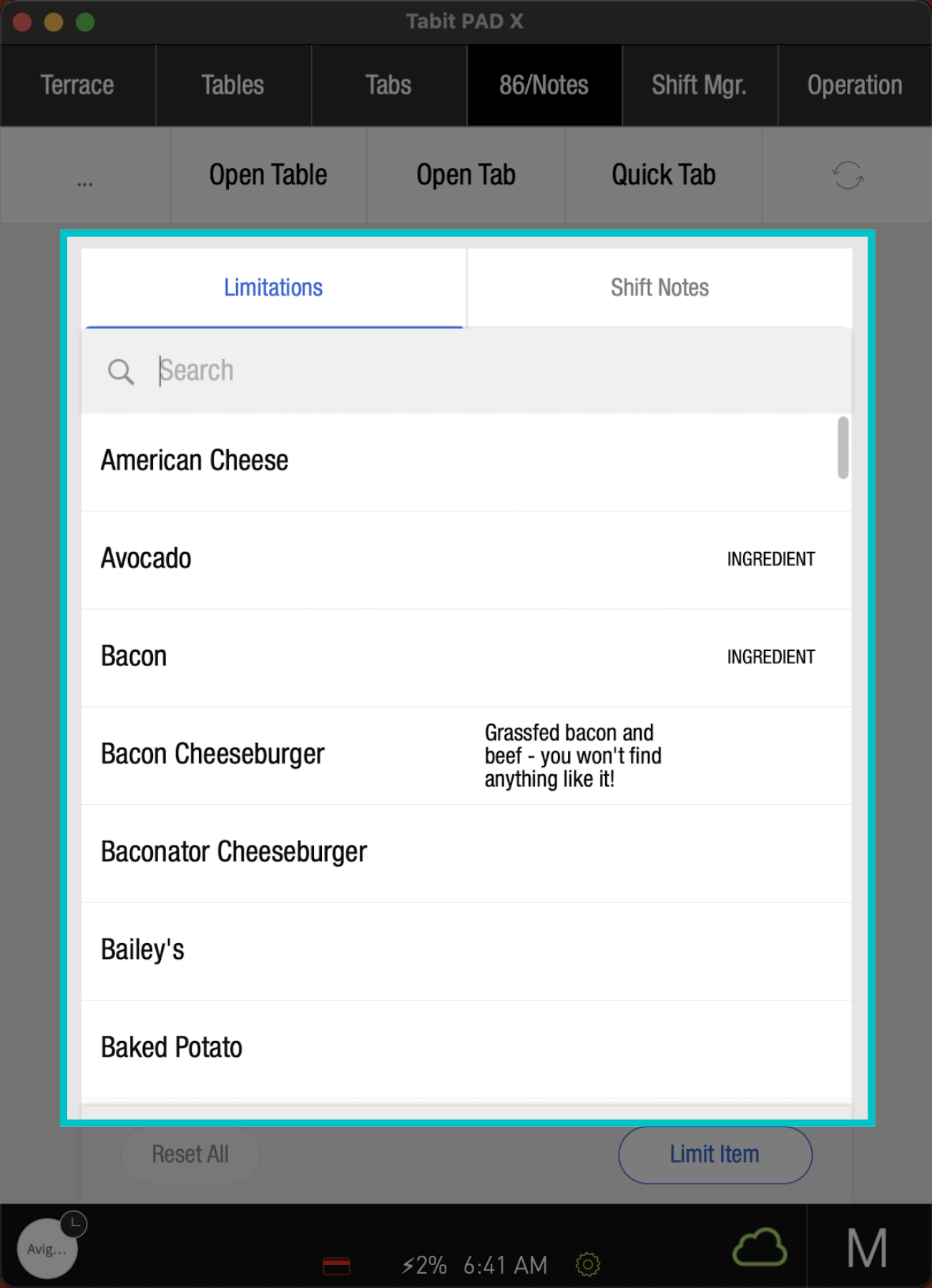
Search and select the item you would like to 86
Items that are ingredients will have the word INGREDIENT next to them. Learn how to limit ingredients here
-
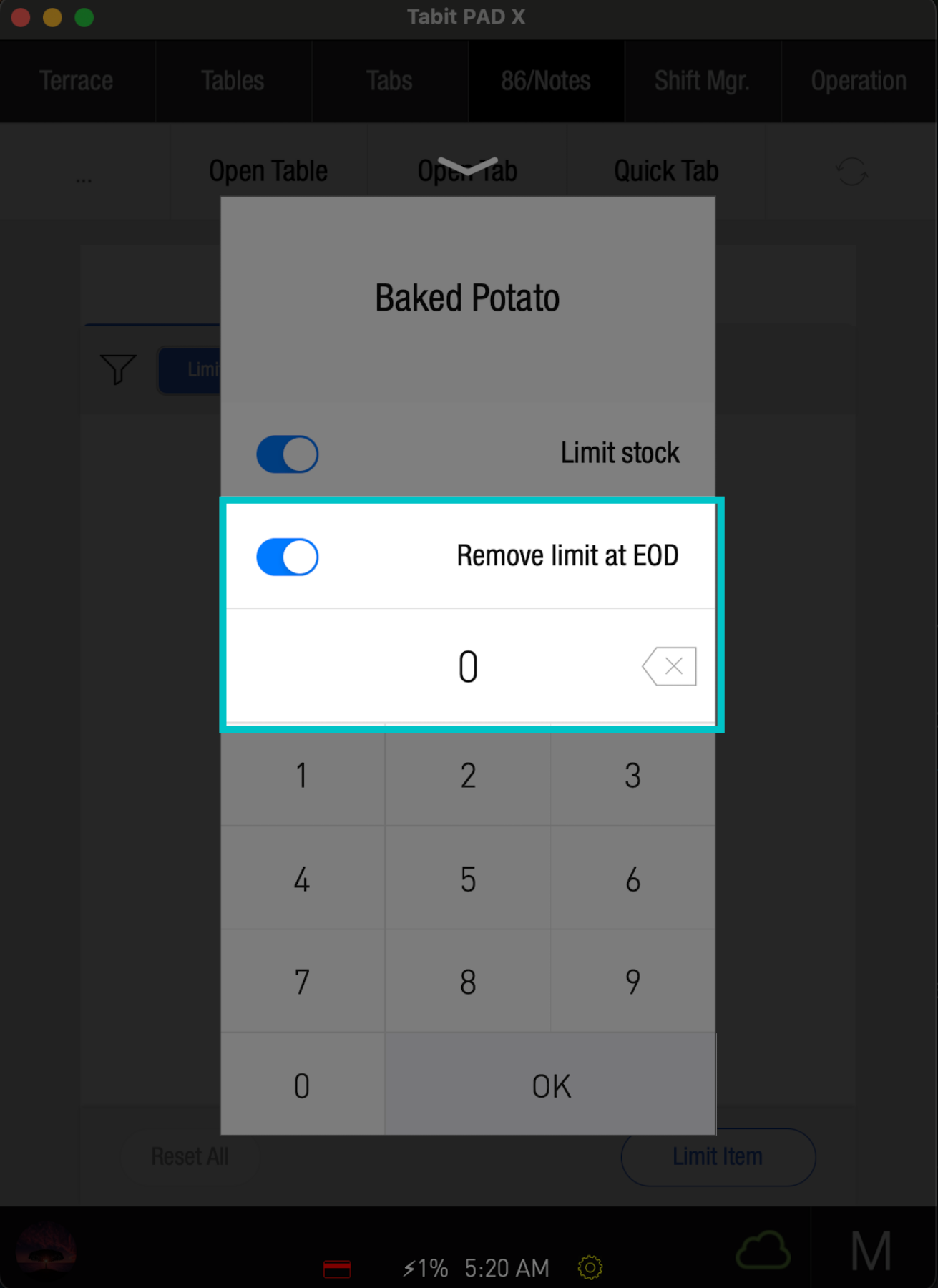
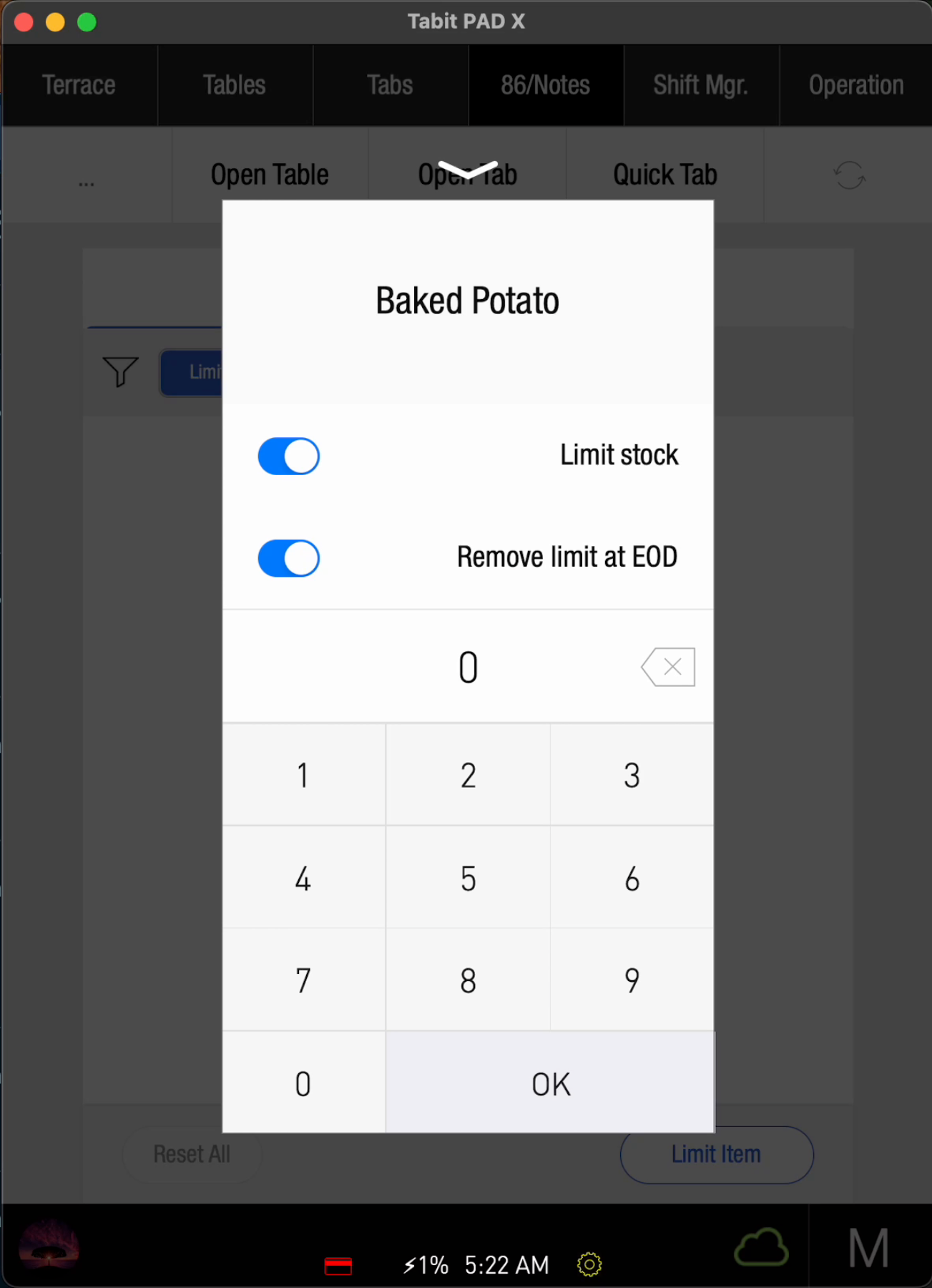
Once the item is selected, it will automatically be set to 0 and will remove the limitation at the end of the day. Toggle this setting to change it
-
To limit the item instead of 86ing it, enter the Number of remaining items, and select OK
-
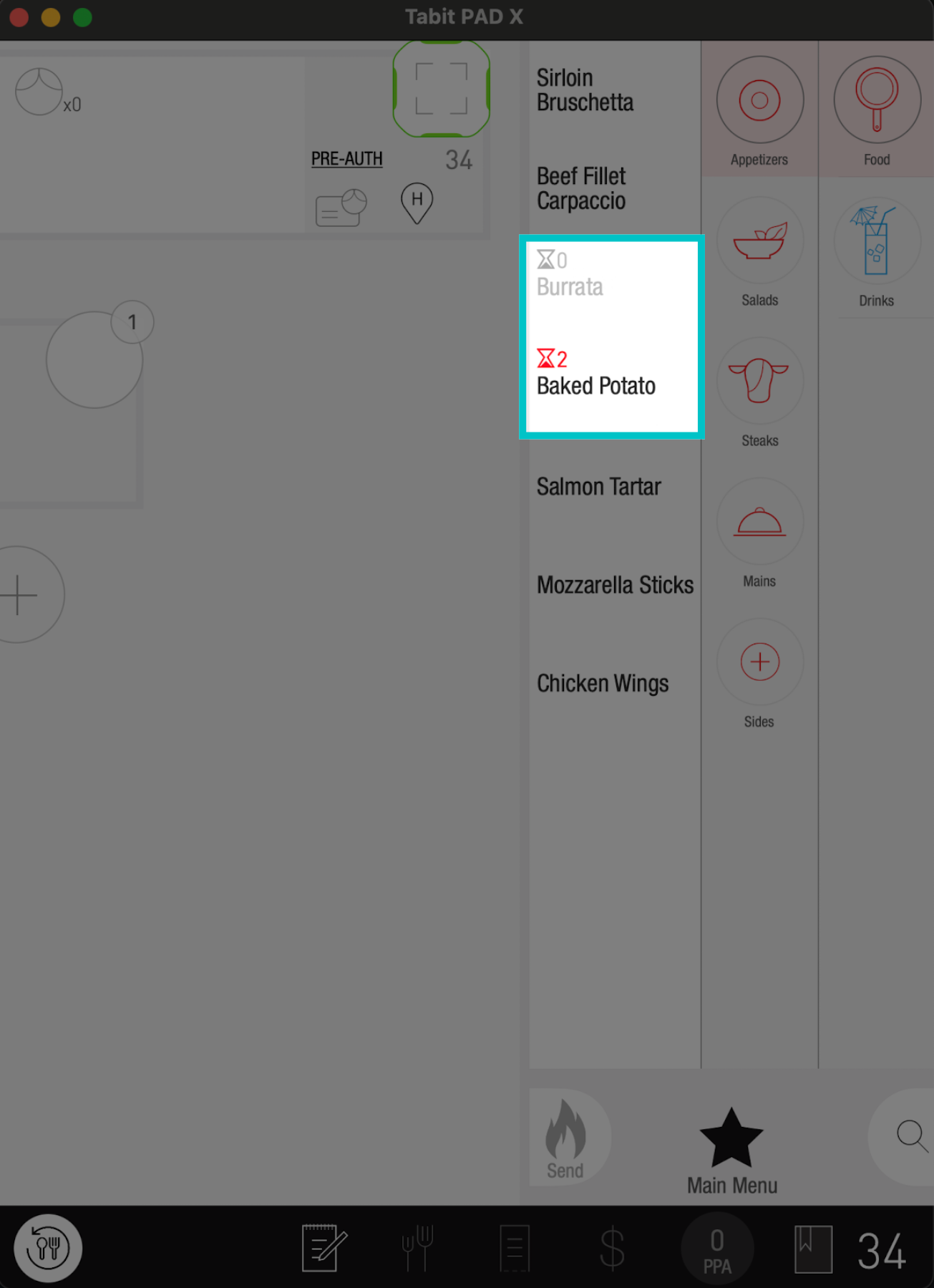
On the PAD, 86ed items will be greyed out. The limited items will appear with a red hourglass, and the number of the remaining items
-
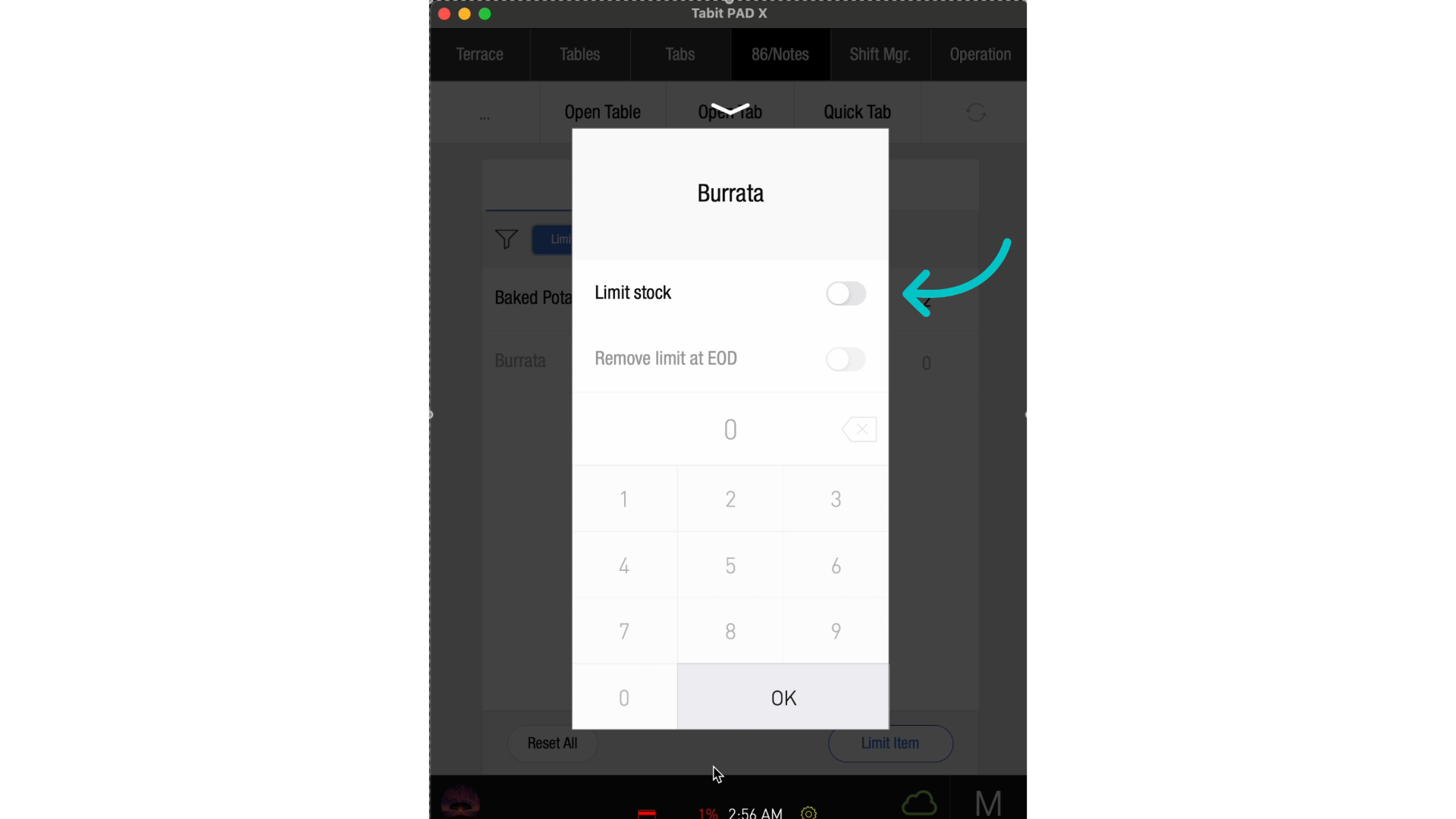
Once an item is back in stock, tap it and toggle Limit stock to reset it, and select OK
-
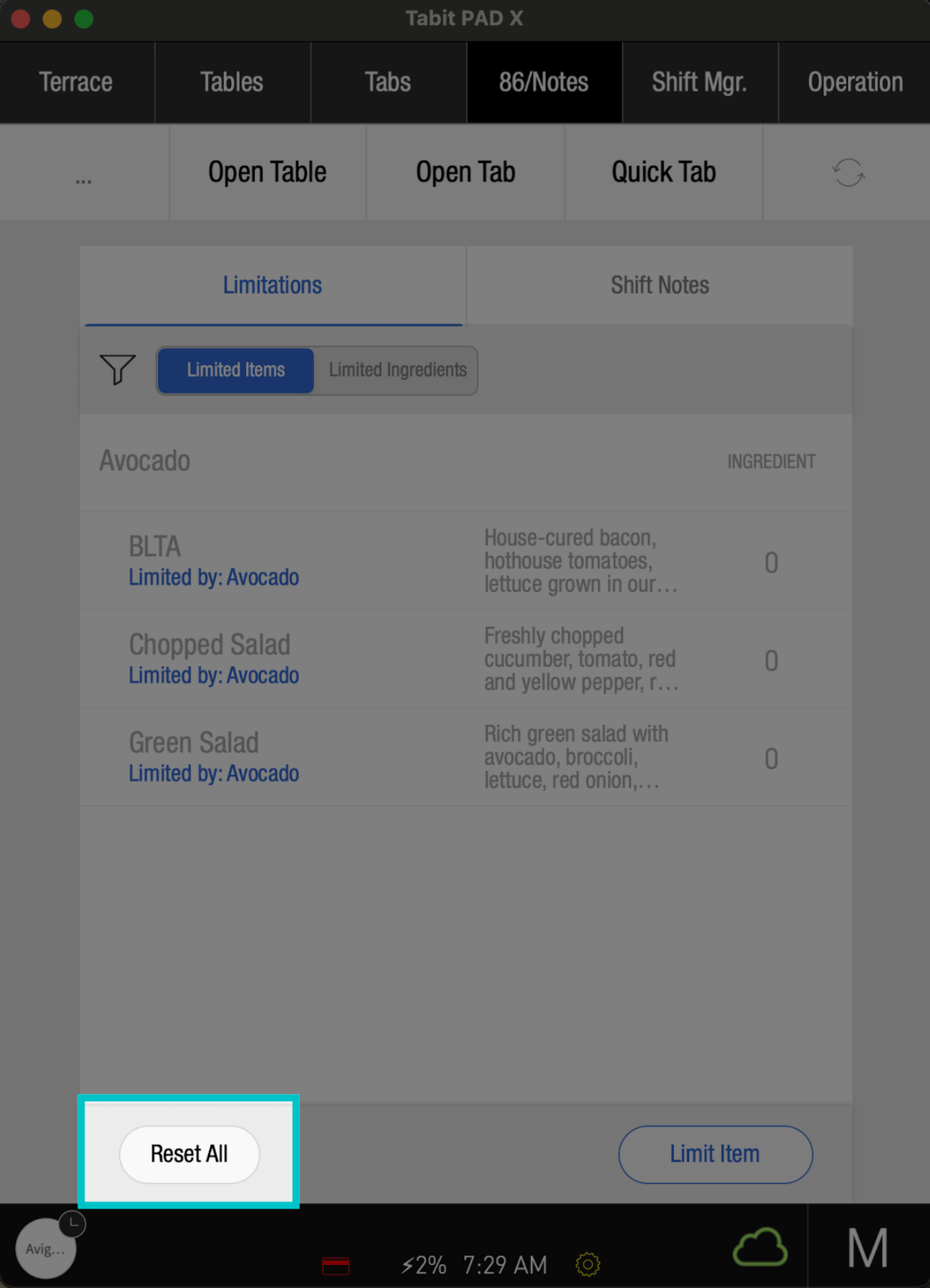
To reset all limitations, select Reset All
Selecting Reset All is permanent and cannot be reversed