86ing ingredients allows you to easily limit all associated items, giving you better control and ensuring your menu is accurate and up to date.
Follow the steps below to limit ingredients from the PAD:
-
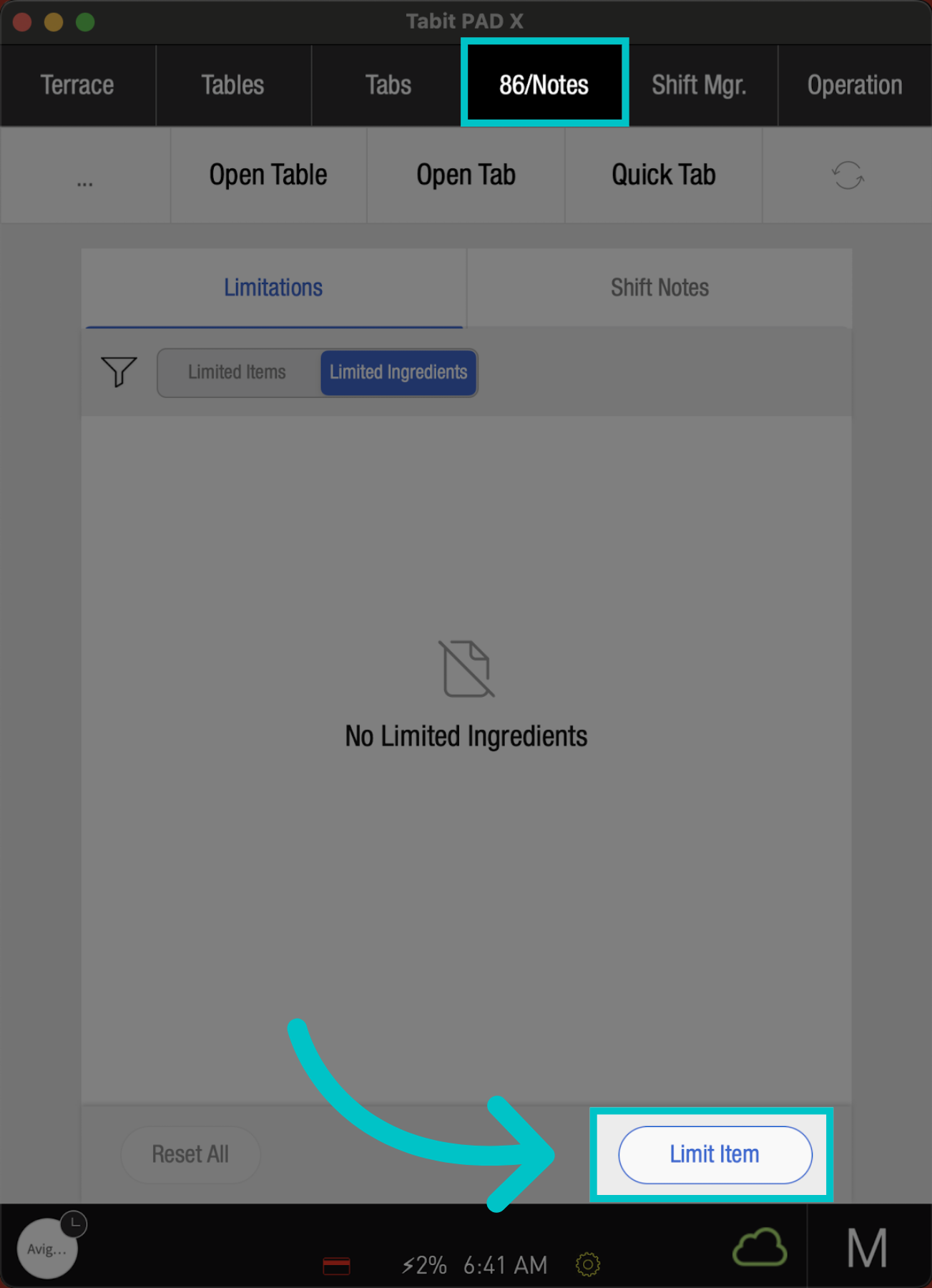
From a manager profile, go to the 86/Notes screen and select Limit Item
-
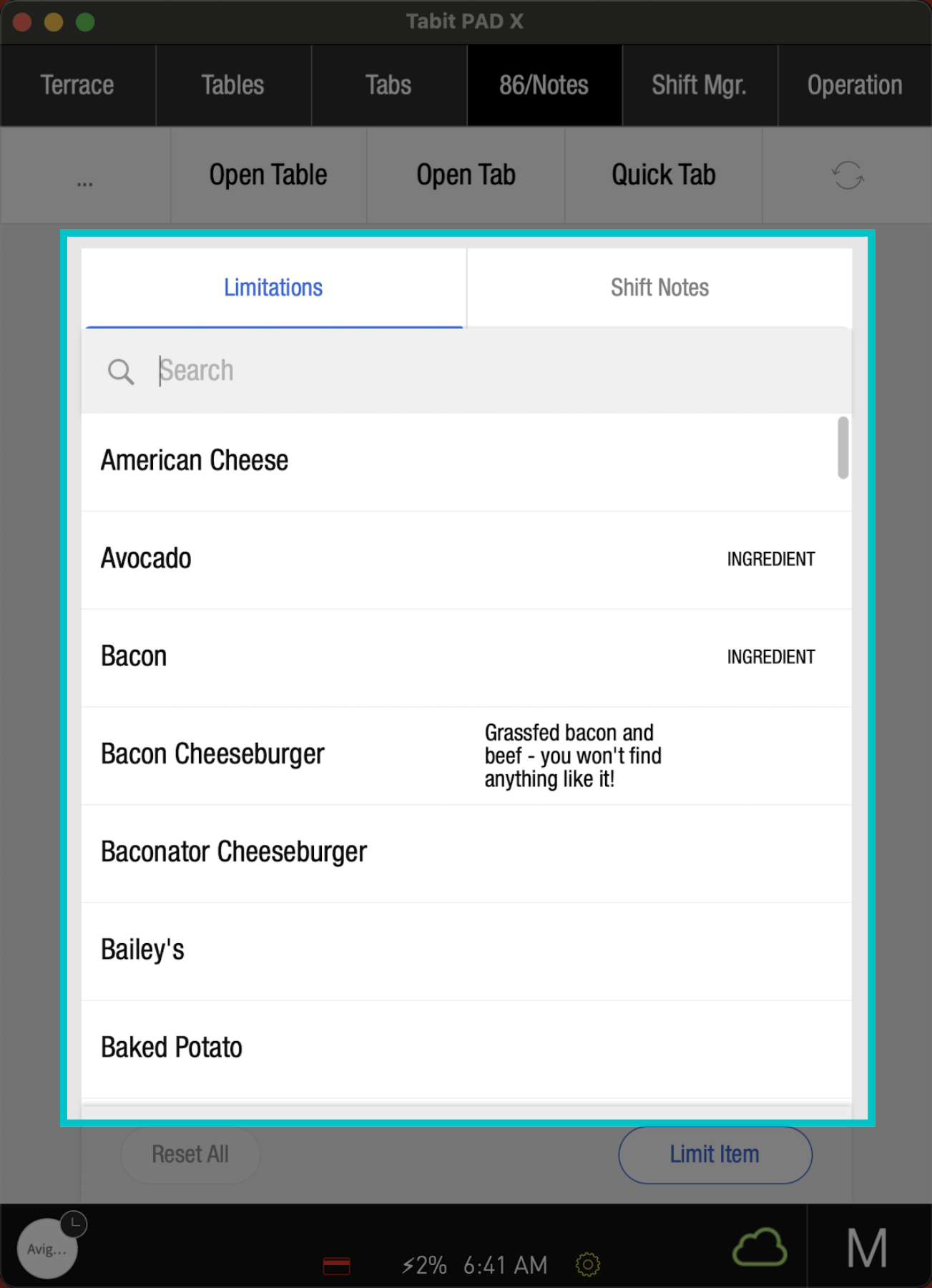
Search and select the relevant Ingredient
All items that are ingredients will have the word INGREDIENT next to them
-
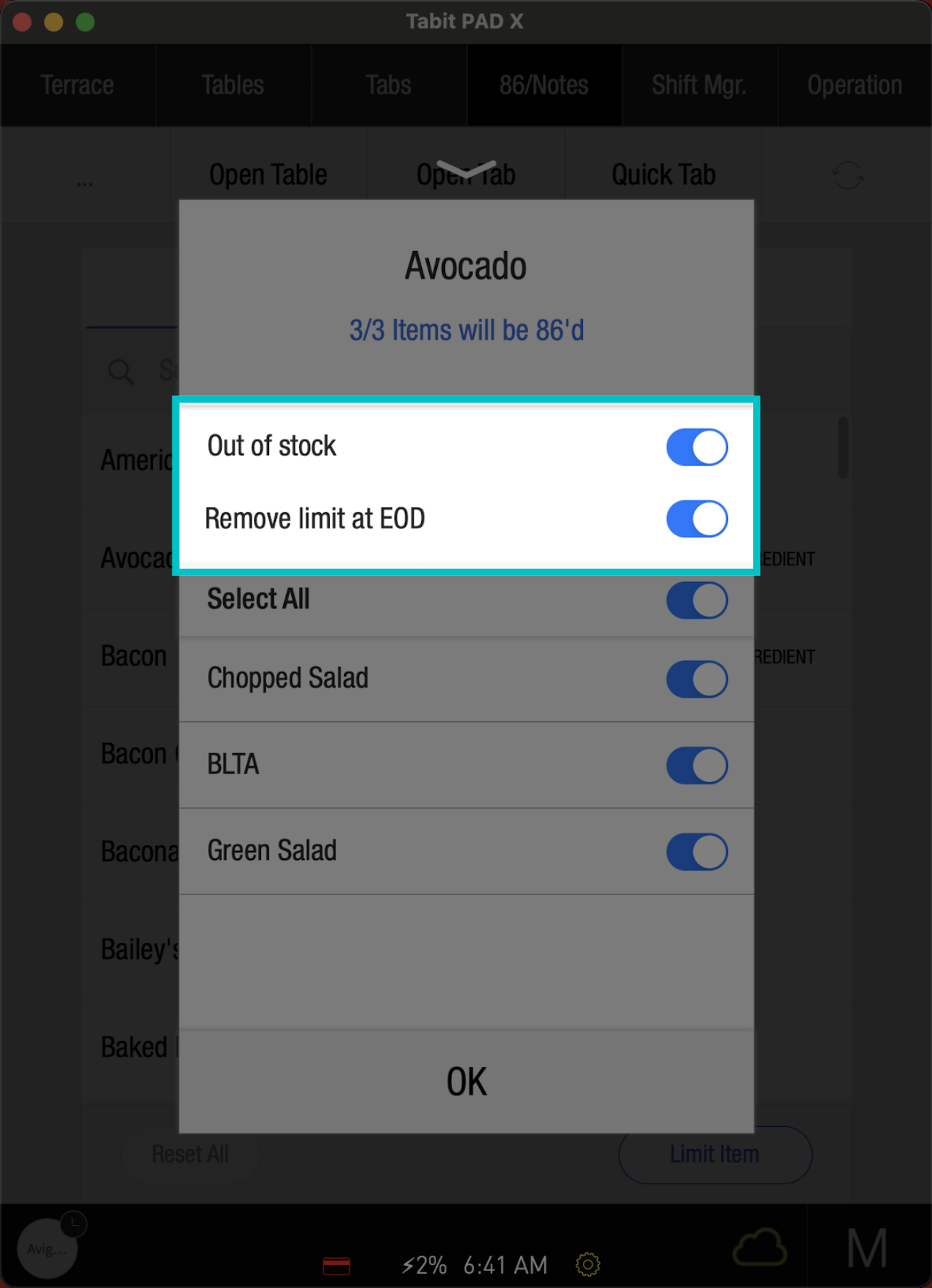
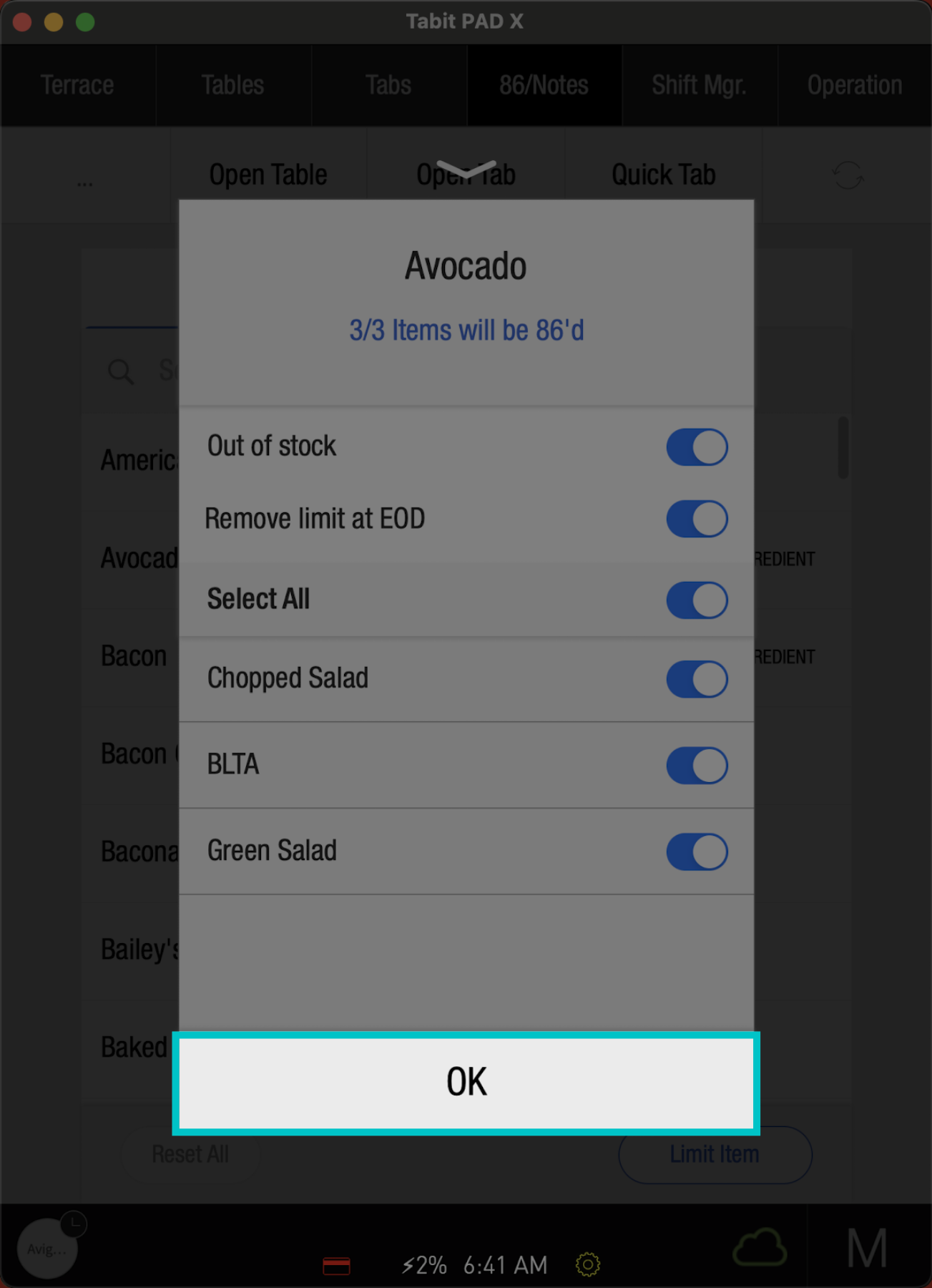
Out-of-stock will be automatically set. Determine if the stock limit should be removed at the end of the day.
-
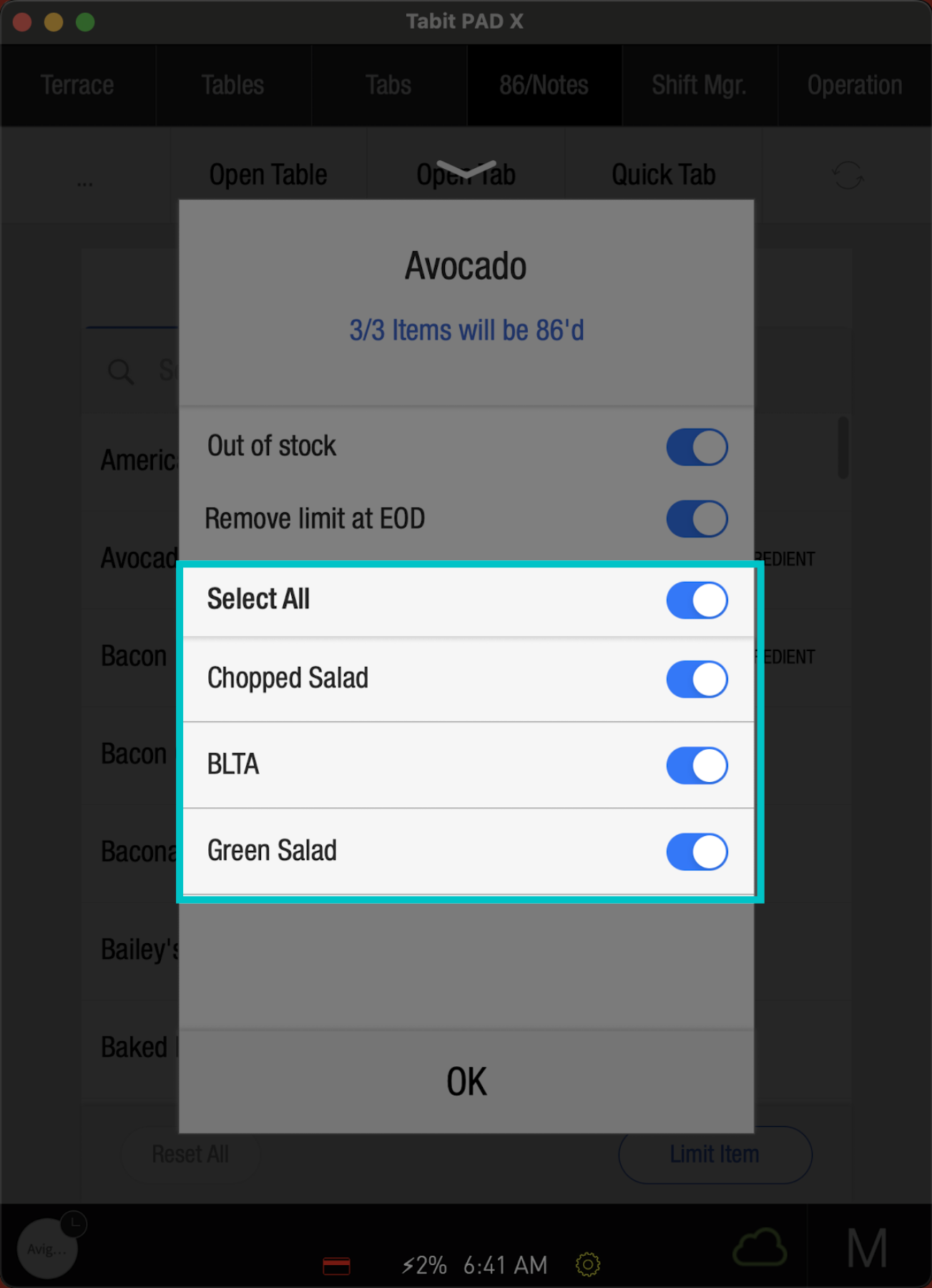
All items that include this ingredient will appear below. If desired, only certain items can be limited
If the ingredient does not restrict the sale of an item, clear the limitation so the item can be sold. For example: Avocado toast cannot be sold if avocado is 86ed, but a salad containing avocado can still be sold
-
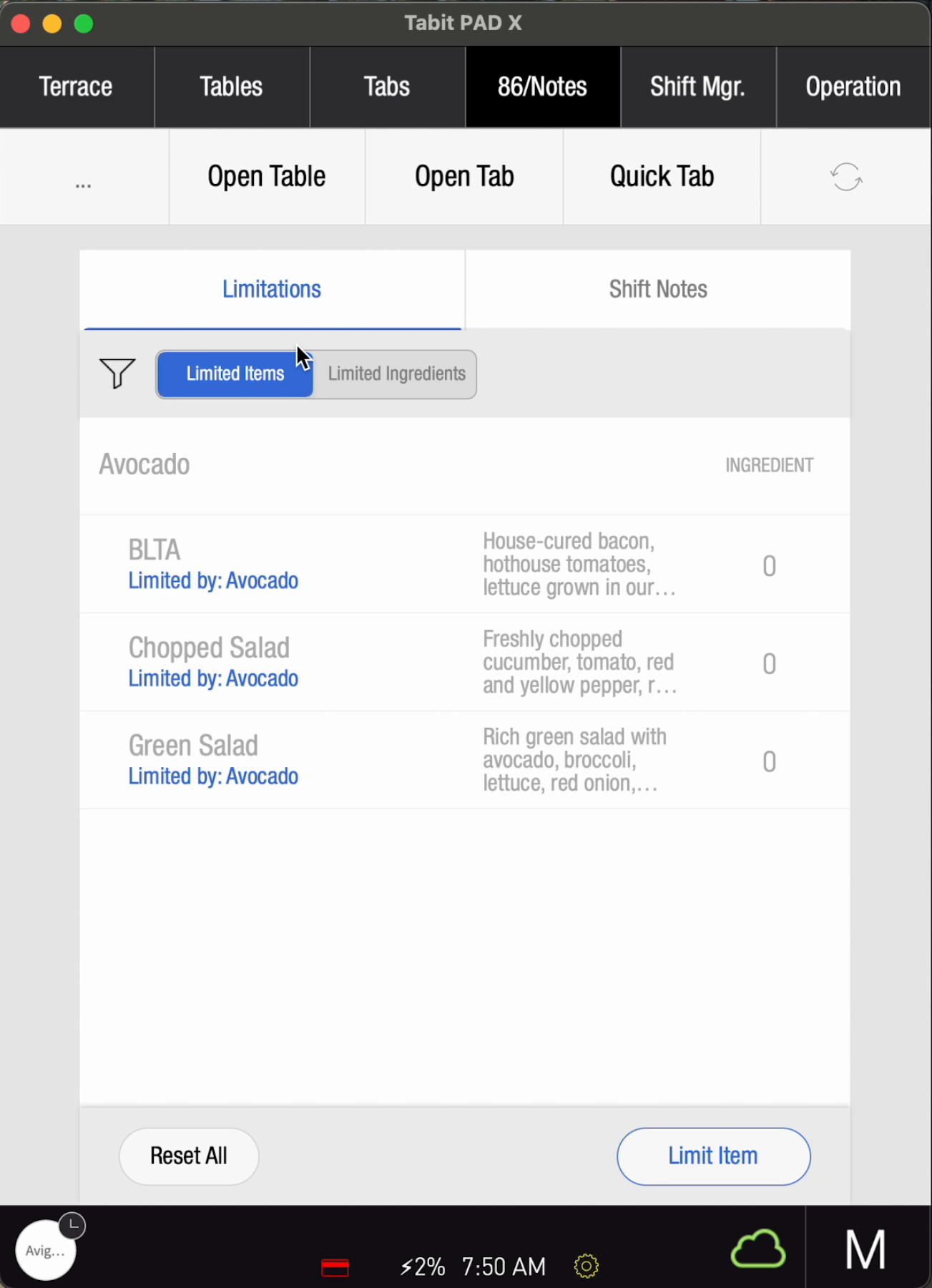
Now, any limited ingredients and items will appear on the 86/Brief screen. Tap them to edit the limitations.
-
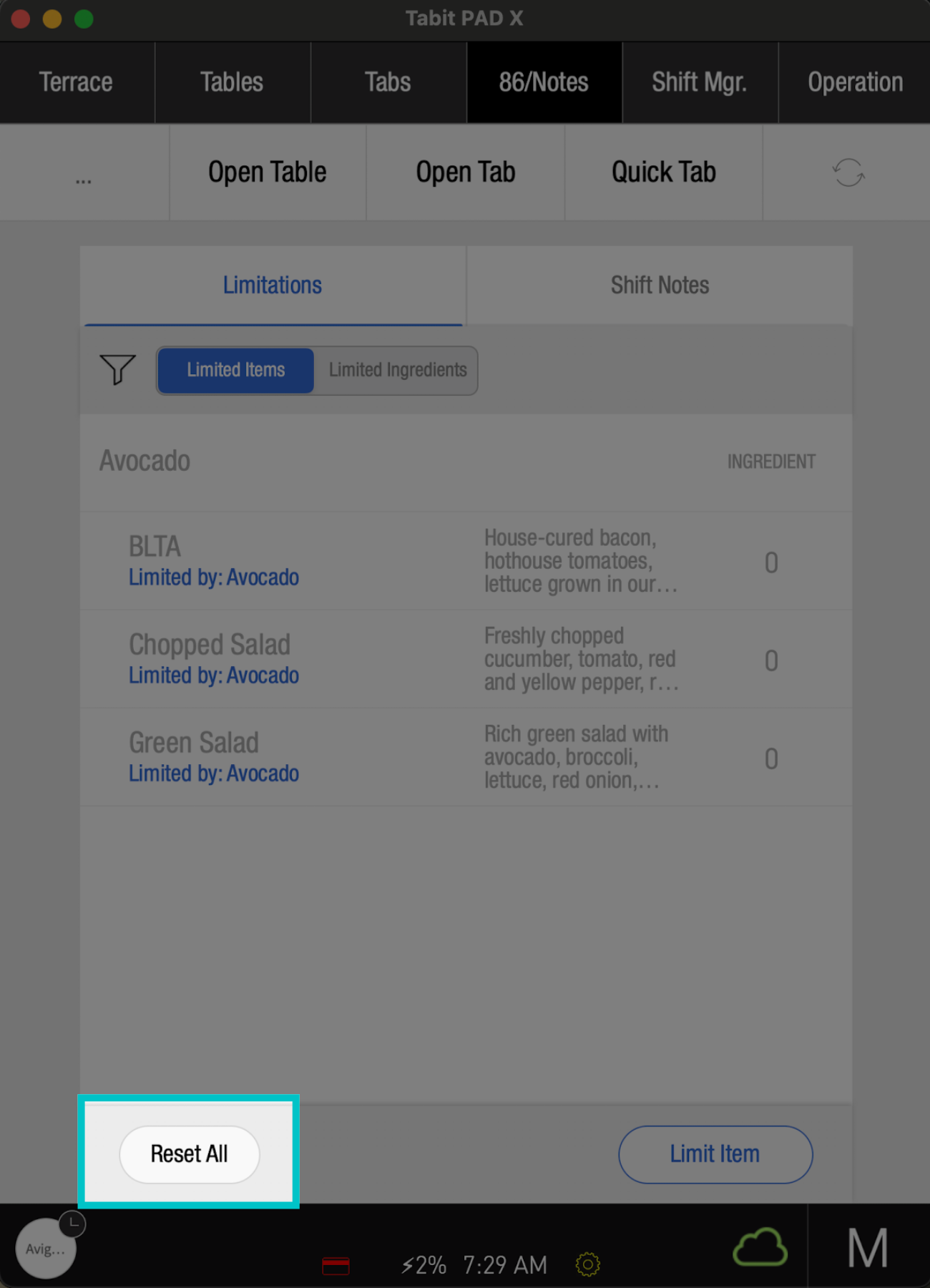
To reset all limitations, select Reset All
-
Then, tap OK
-
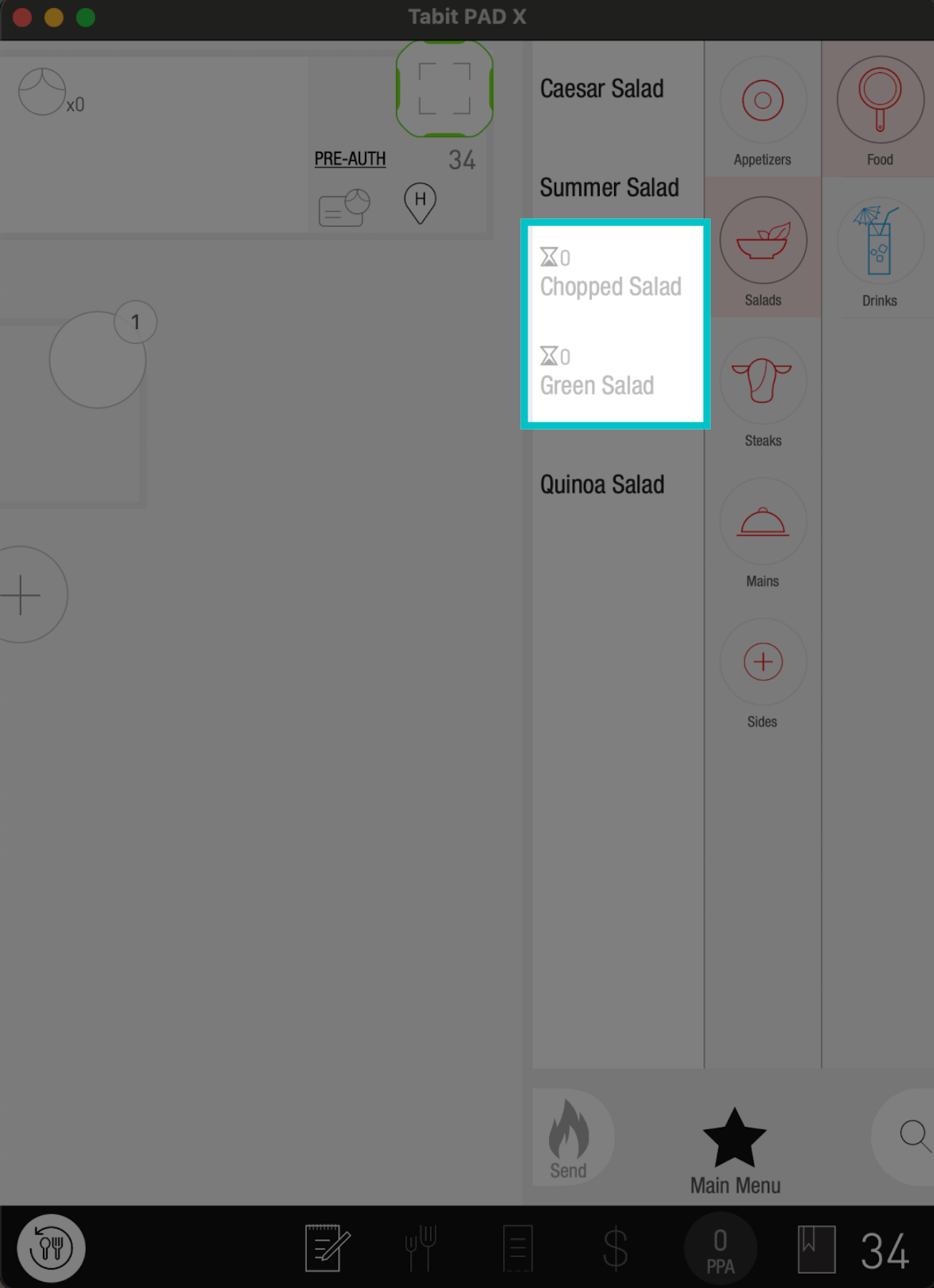
Now, any items limited by an 86ed ingredient will appear in grey on the PAD
Learn here how to 86 items and ingredients from Tabit Office