Keeping customers informed about their takeaway or delivery orders is essential for a smooth experience. By sending text updates, you can notify them when their order is ready for pickup or out for delivery.
A text message can only be sent for orders that include the customer's phone number
Follow the steps below to send text messages for takeaway and delivery orders from the PAD:
-
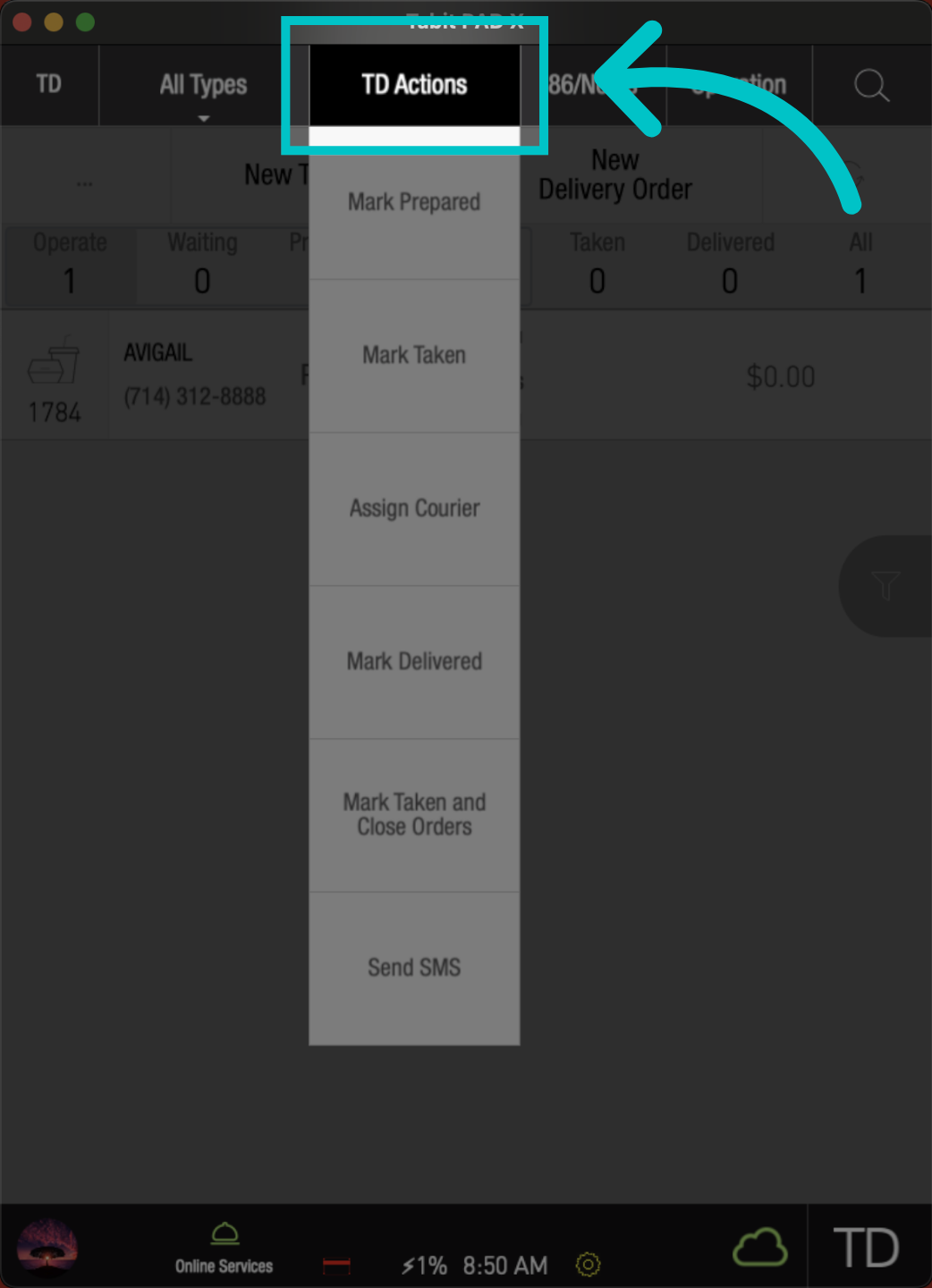
From the TD screen, go to TD Actions
-
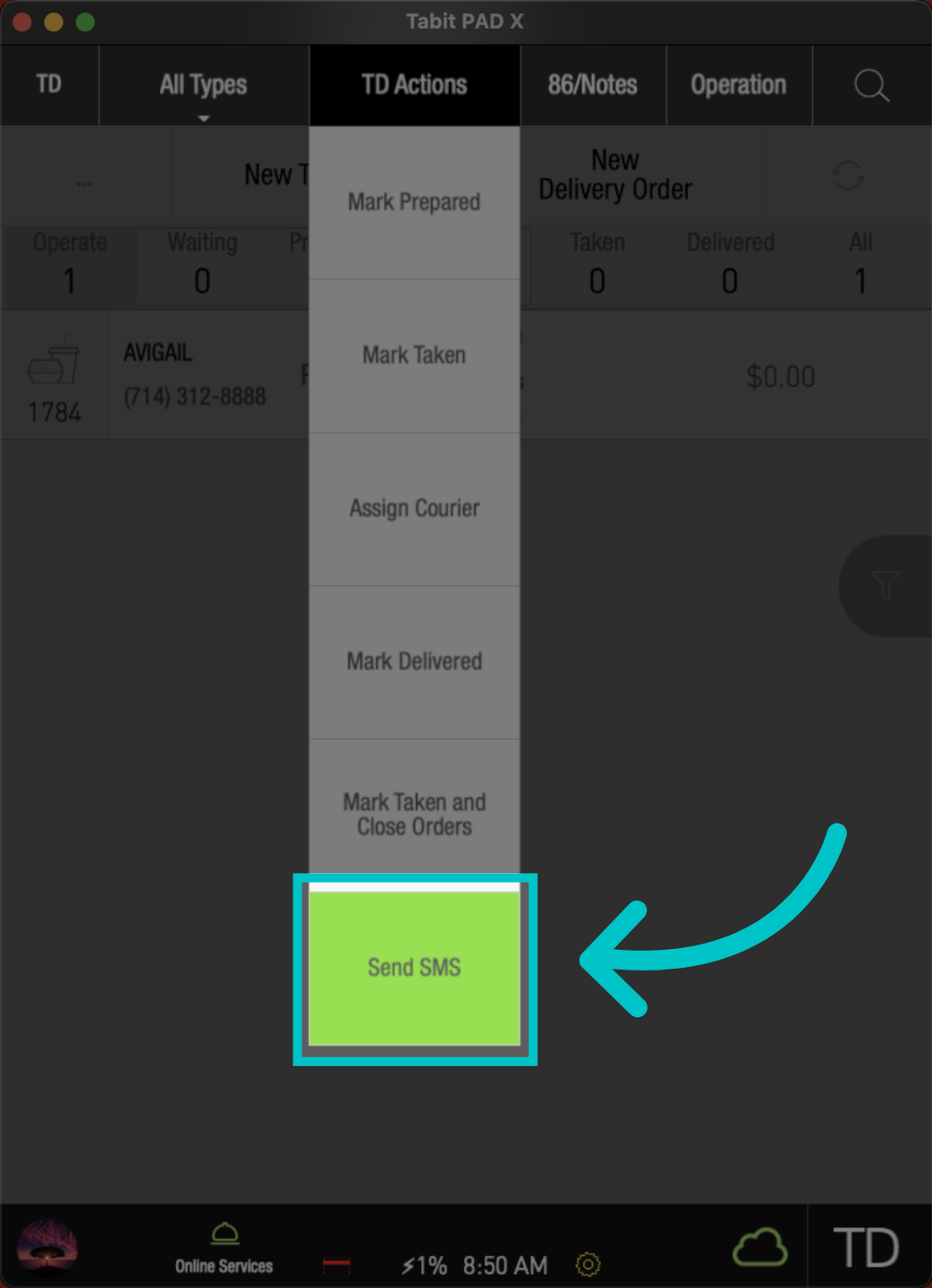
Tap Send SMS
-
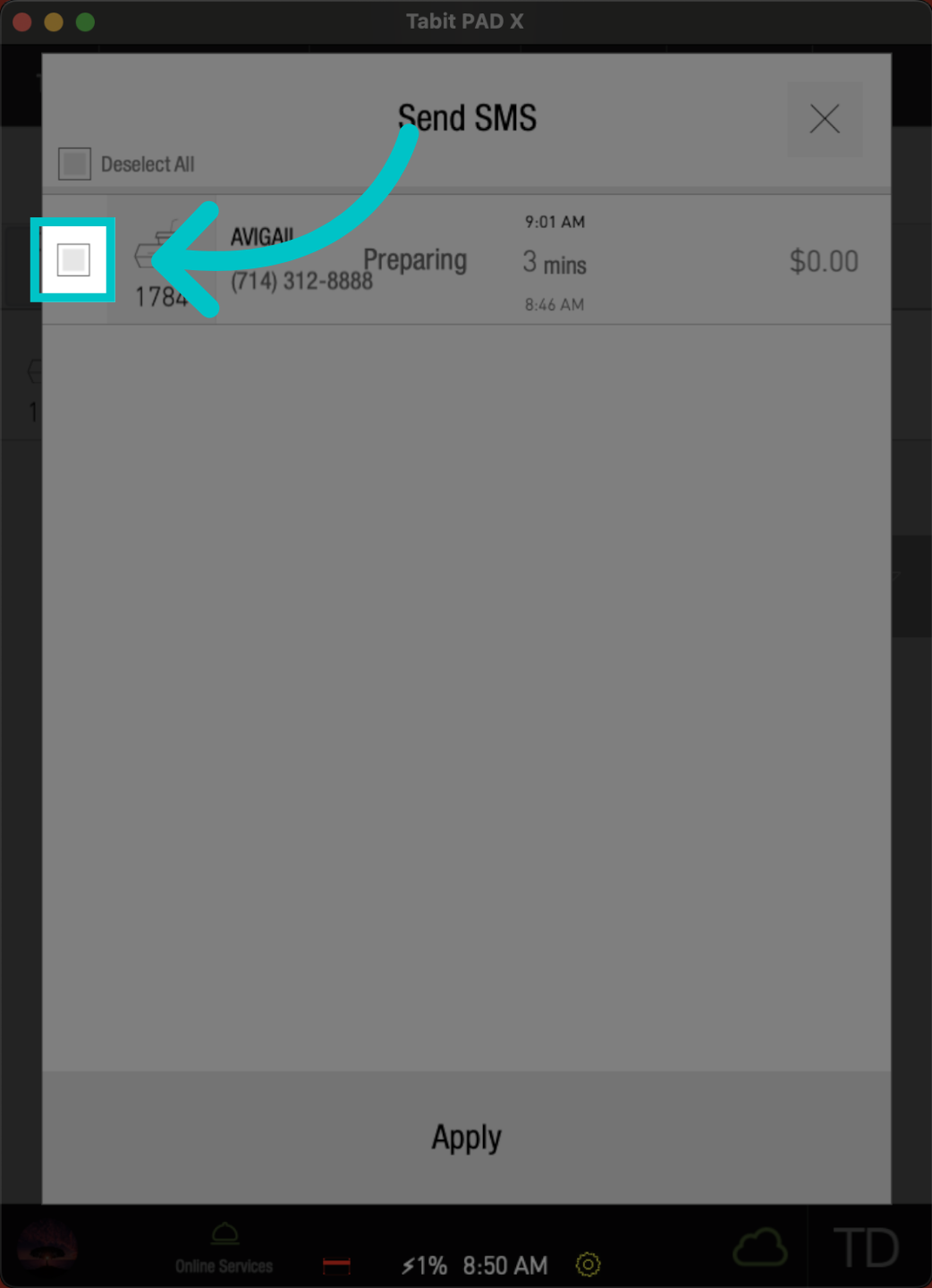
Select the order to send the text message to
-
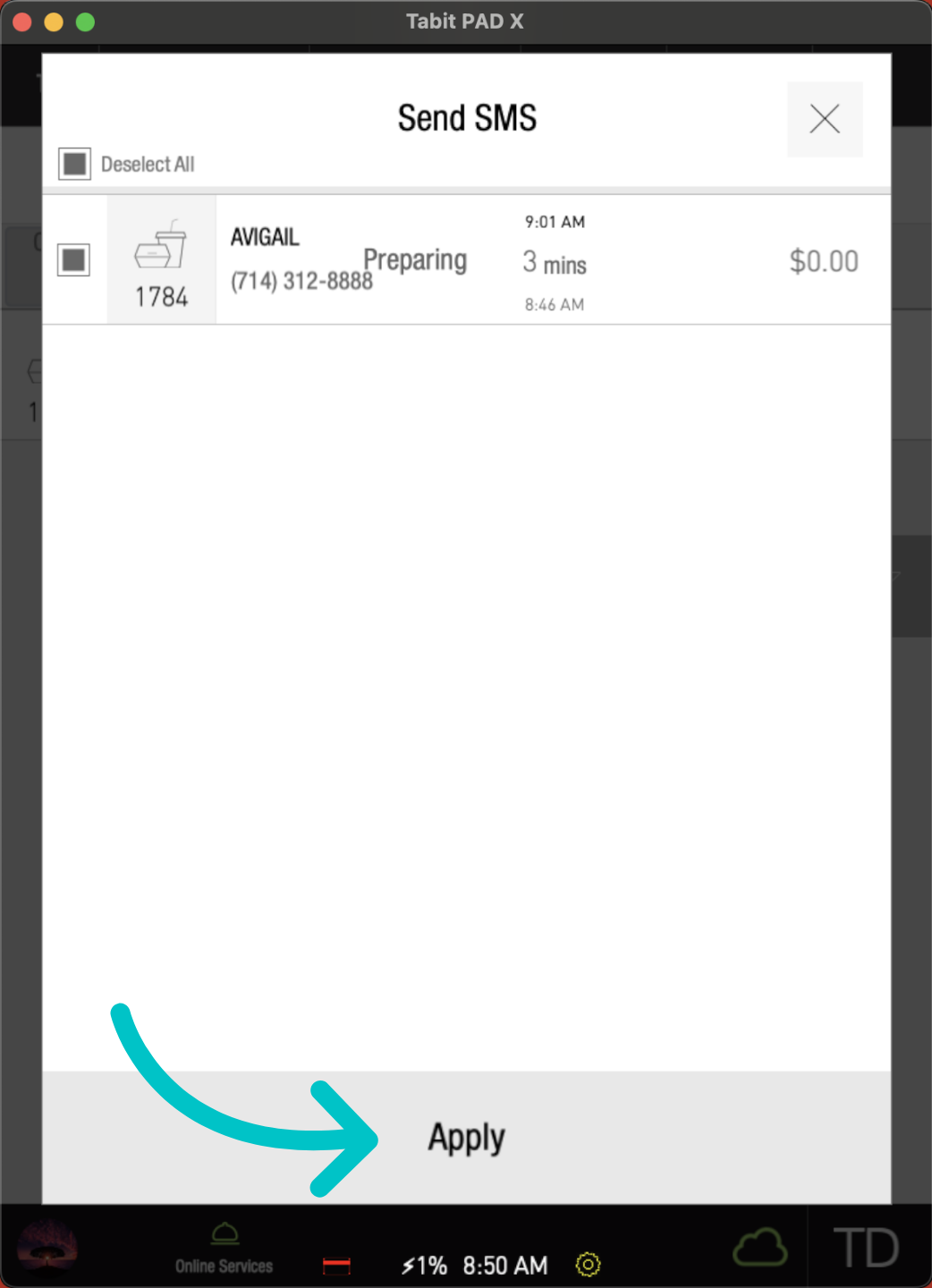
Apply to continue
-
Now the text message is successfully sent to the customer