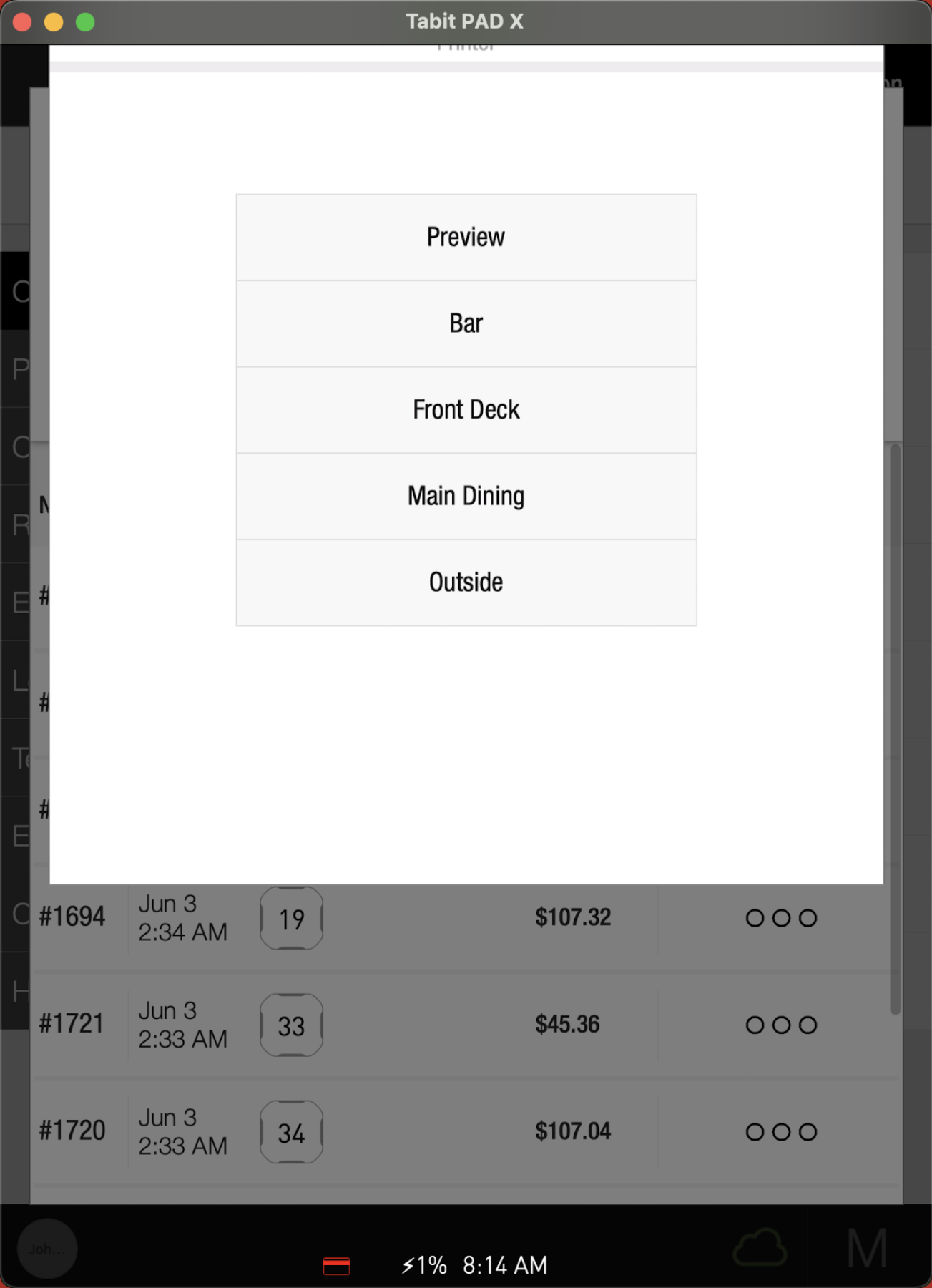
If a guest requests a copy of their bill, you can easily reprint a closed check from a server or manager profile.
Follow the steps below to reprint a closed check:
From a server profile
-
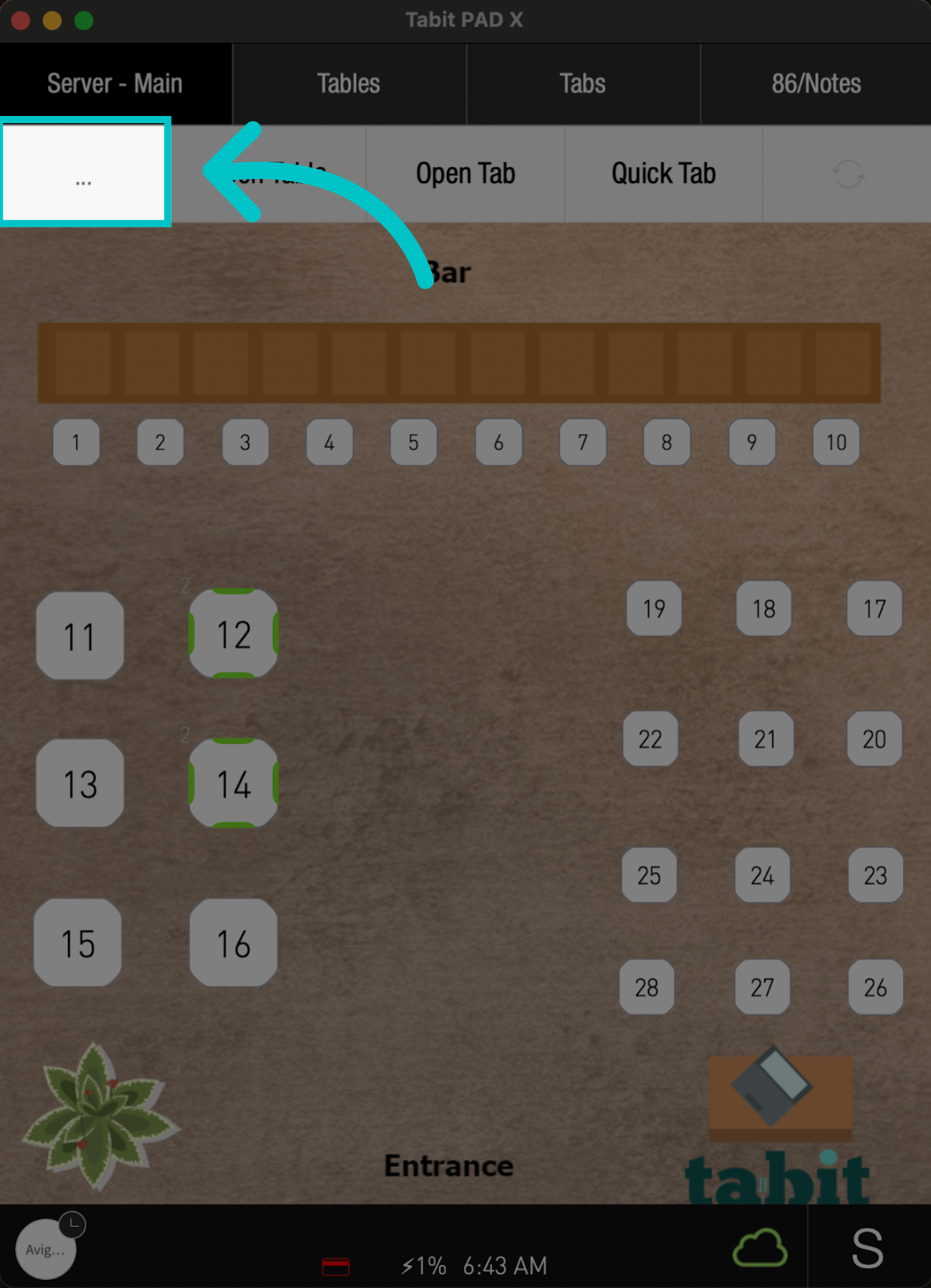
From any screen on the pad, tap the three dots on the left
-
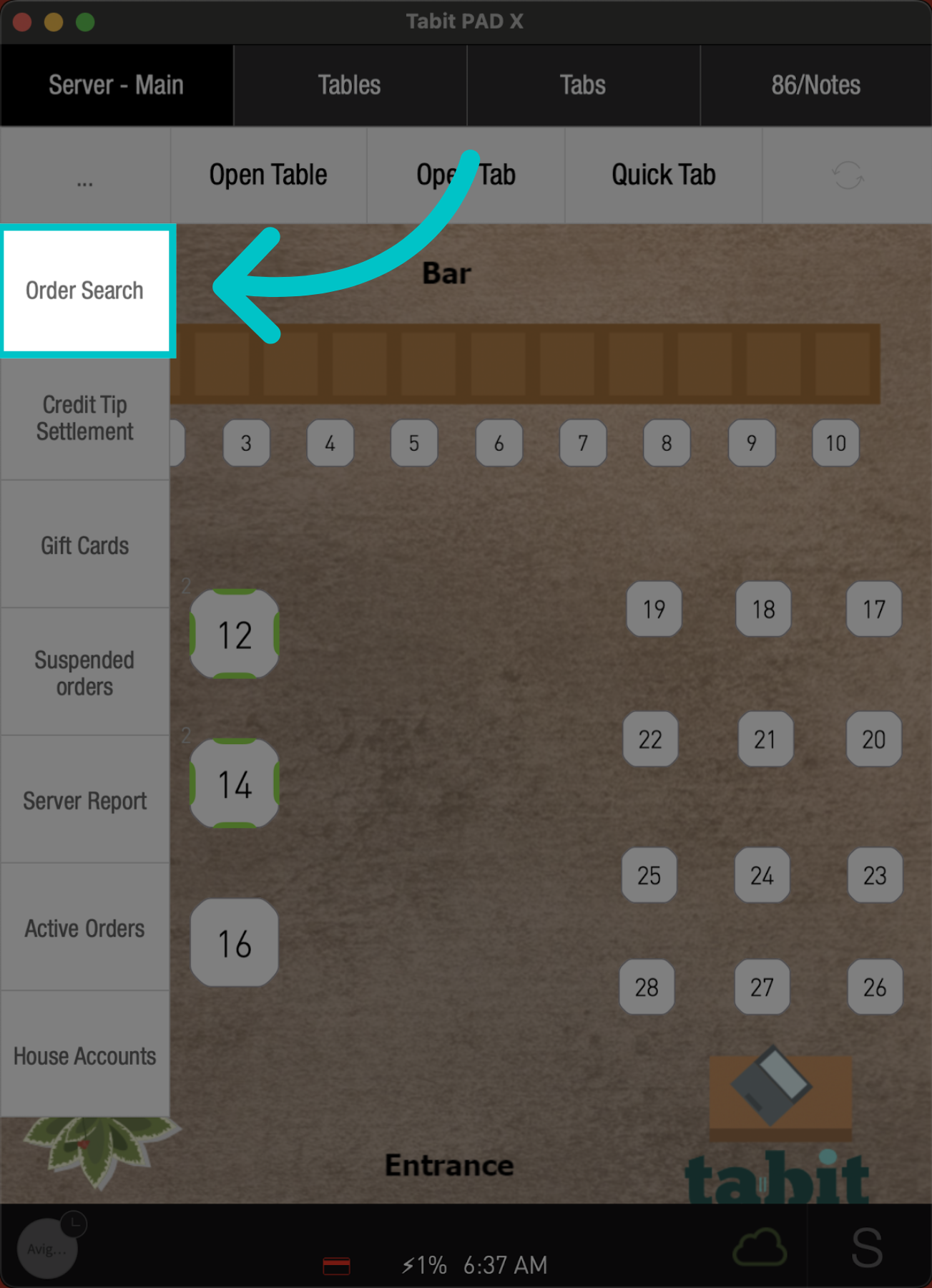
Select Order Search
-
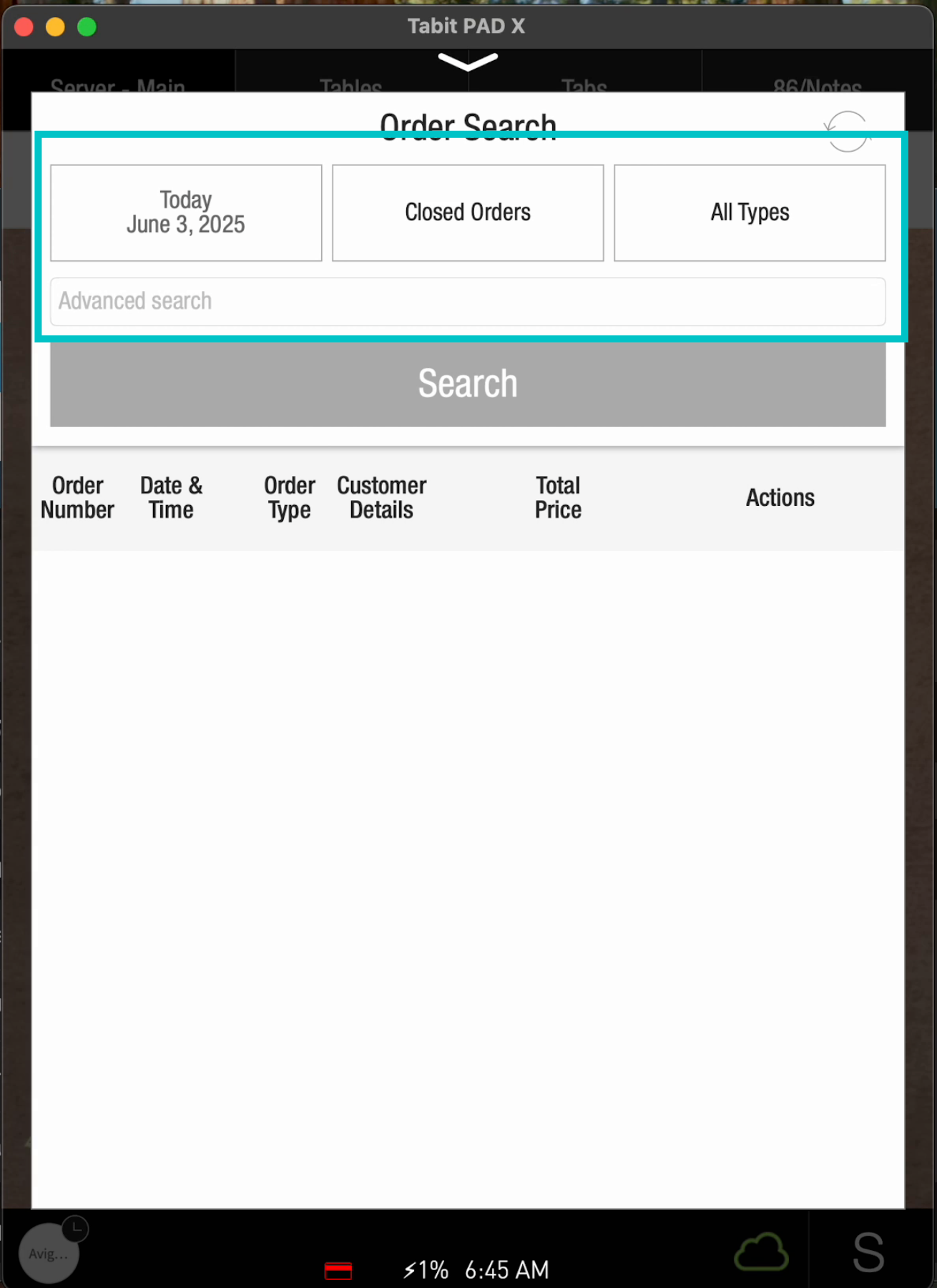
Adjust the relevant filter(s) and select Search
-
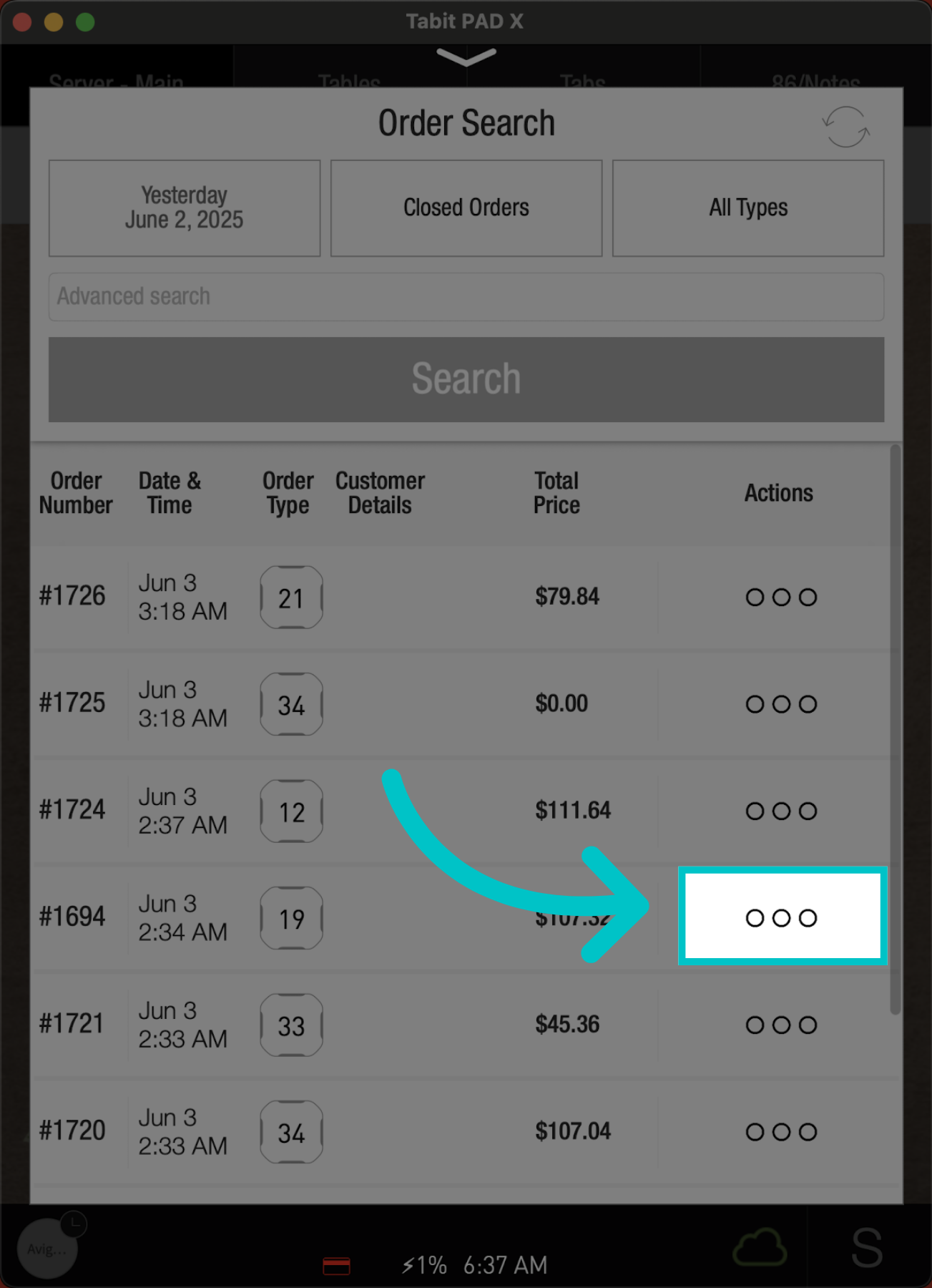
Locate the desired order, and tap the three dots next to it
-
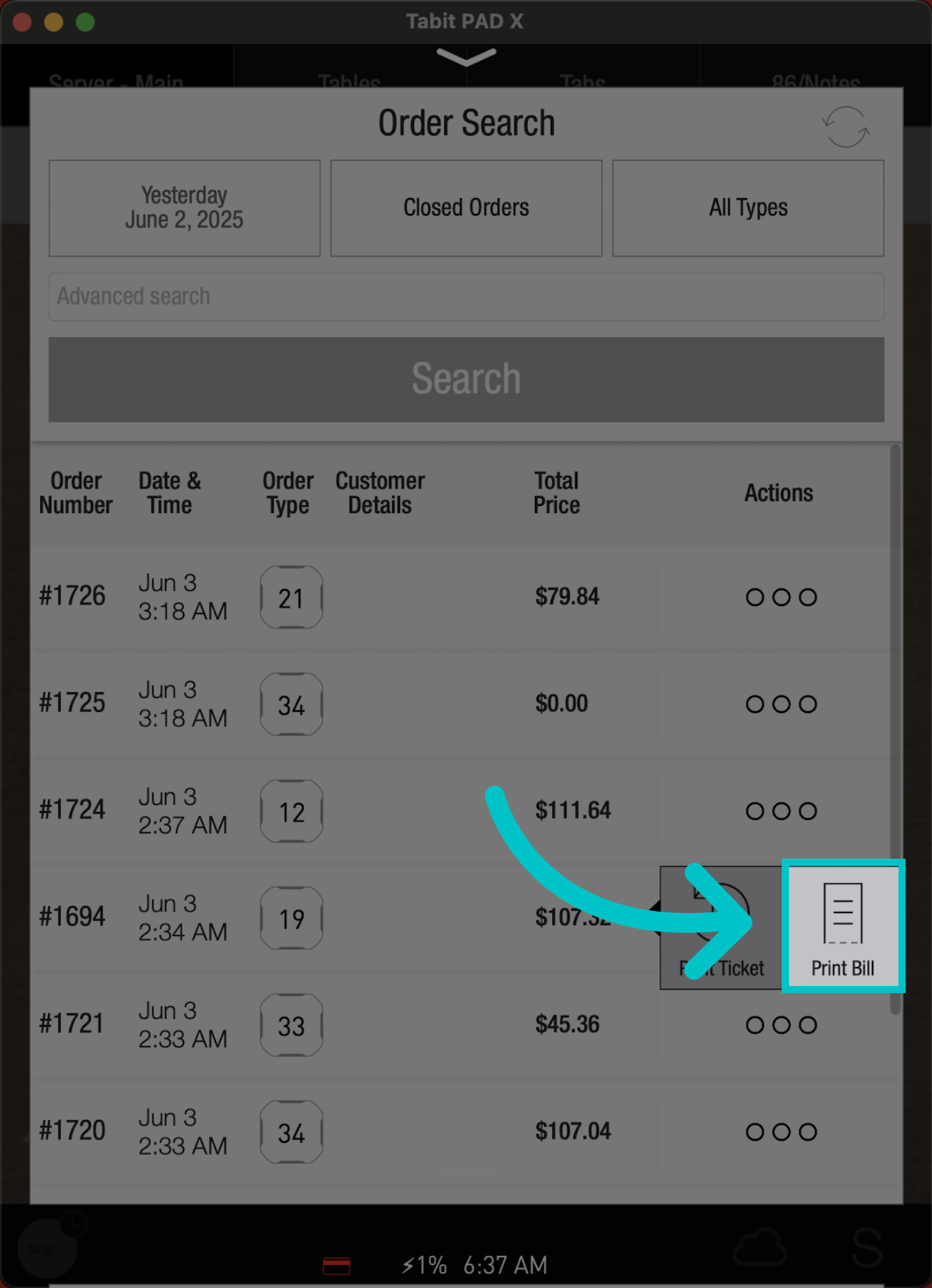
Go to Print Bill
-
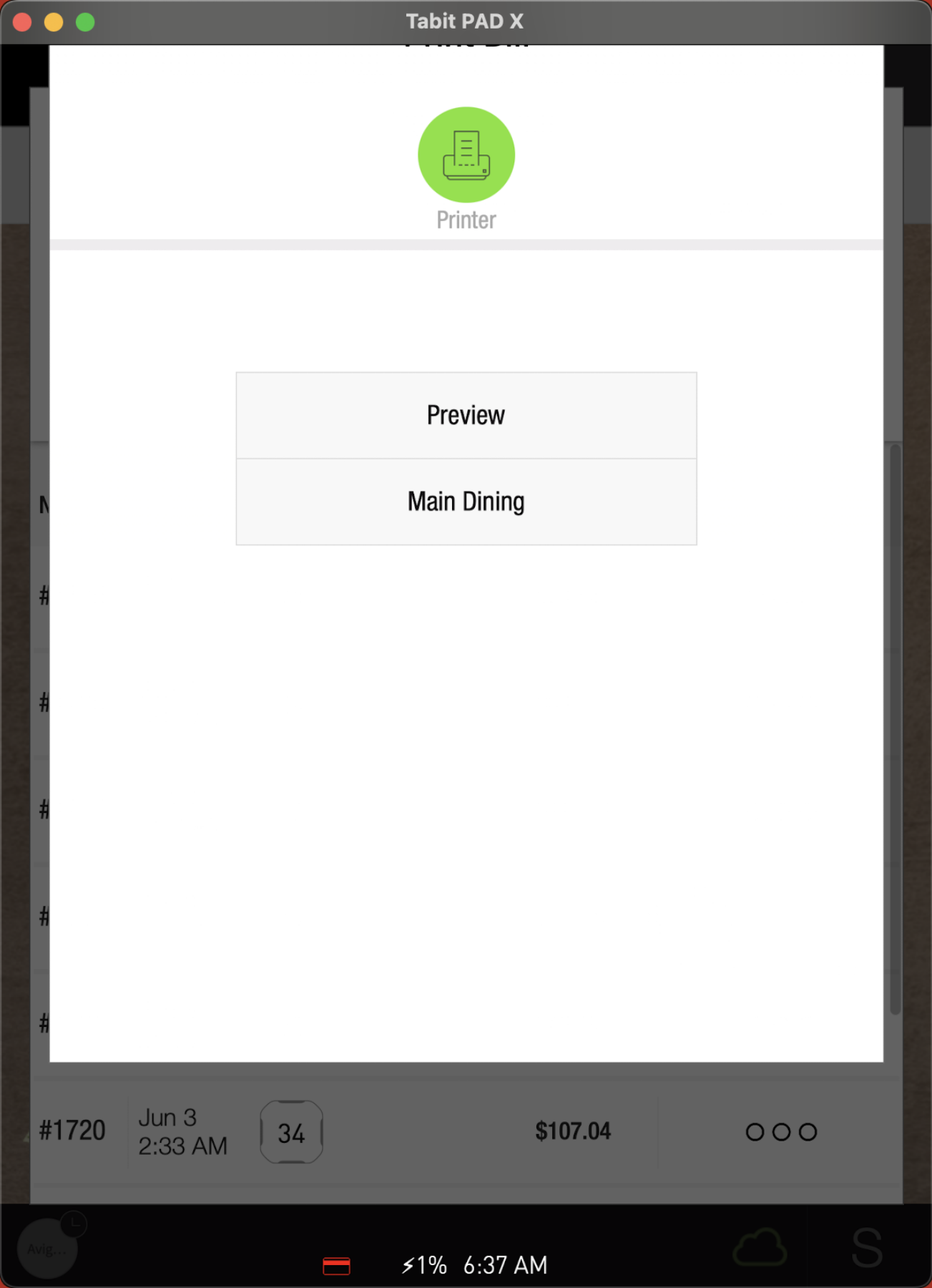
And select the printer for printing
From a manager profile
-
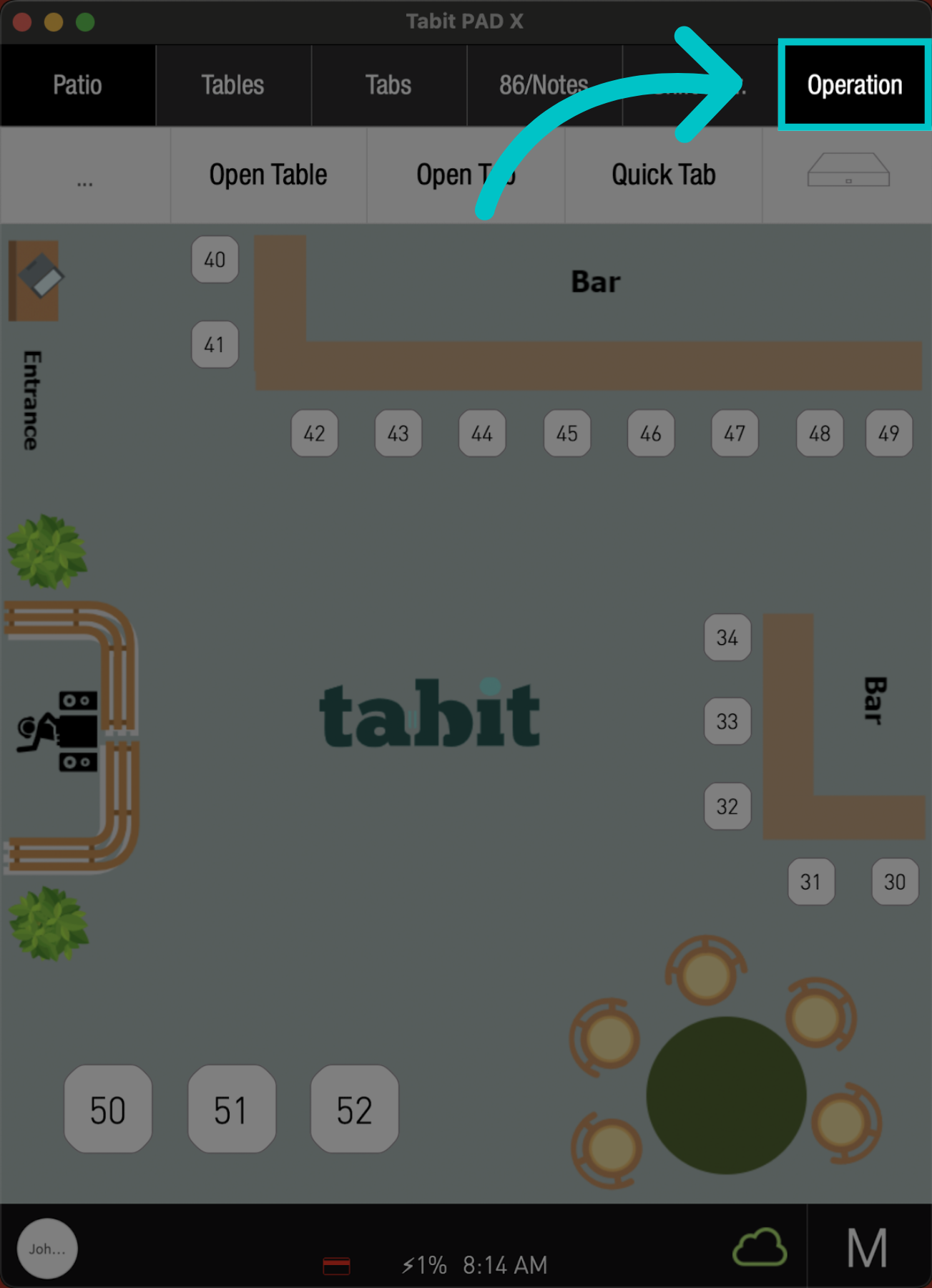
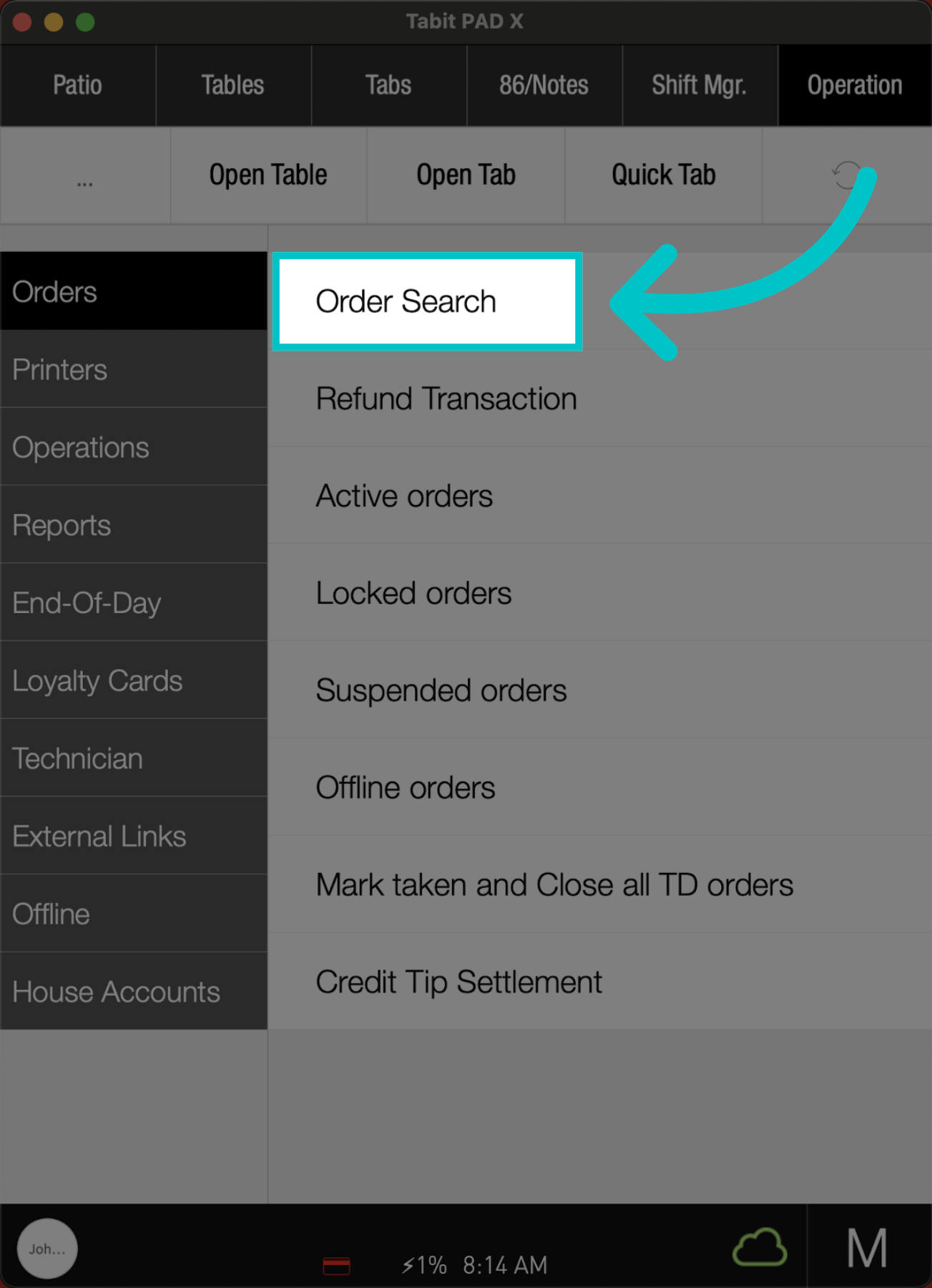
On the pad, go to the Operation tab
-
Tap Order Search
-
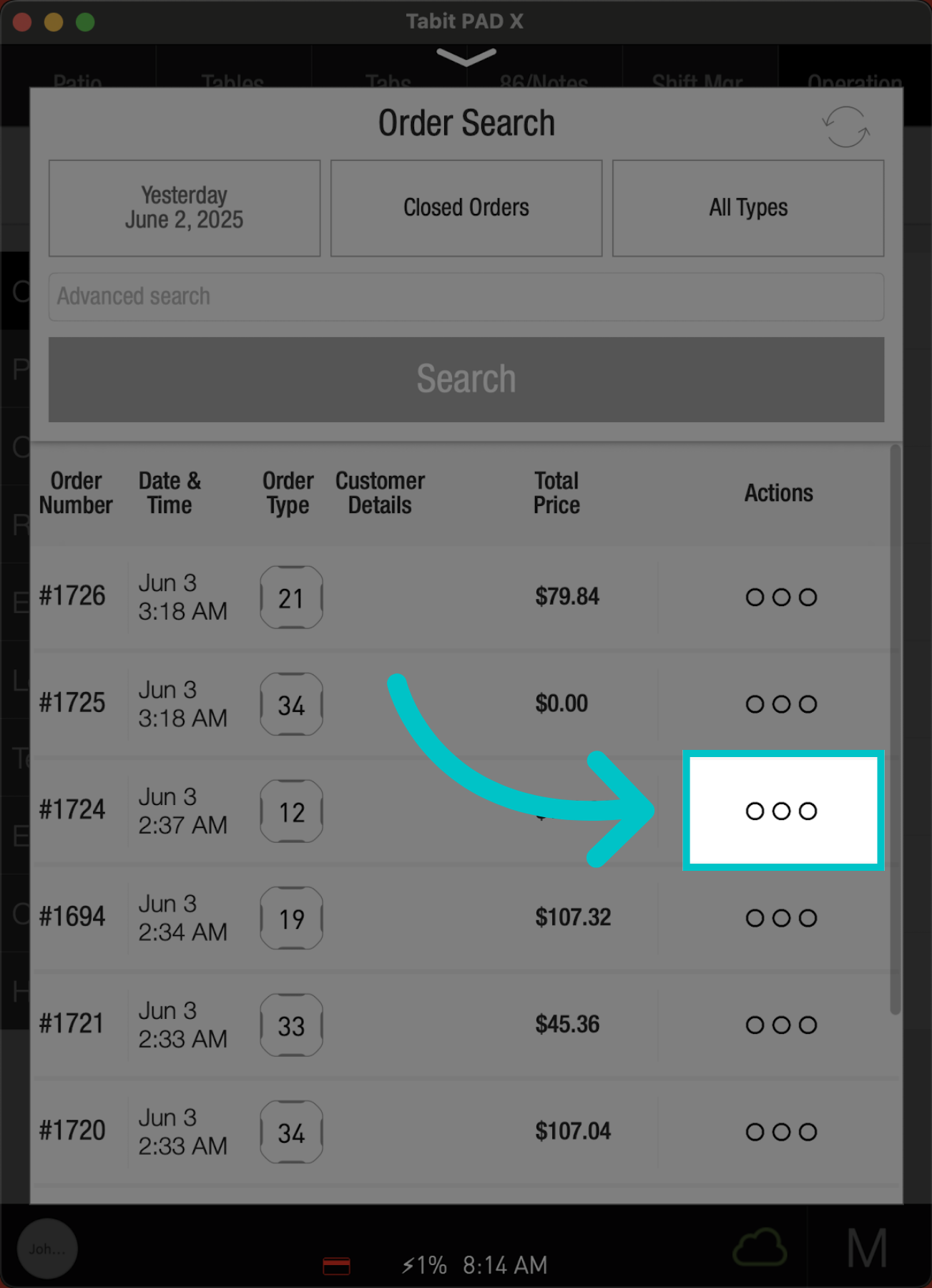
Adjust the relevant filter(s) and select Search
-
Locate the desired order, and tap the three dots next to it
-
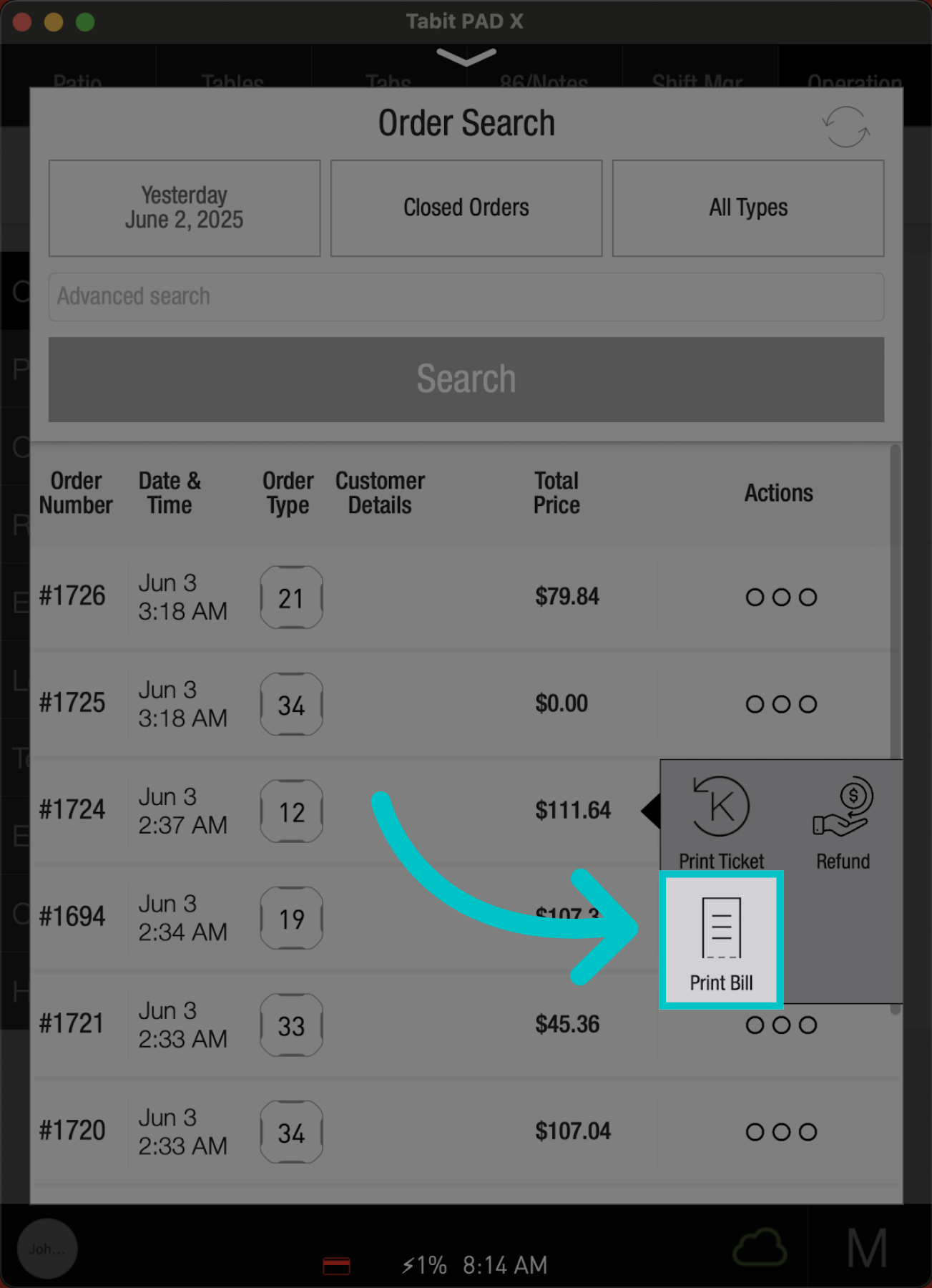
Then, select Print Bill
-
And select the printer for printing