Running EOD closes the current business day and moves you into the next one
This should be performed by a manager only once all active orders (including TD orders) are closed, and all credit card tips are settled
Once EOD has been run, it cannot be undone
Running EOD will automatically print the final Daily Z Report as well as send out the EOD Email
Follow the steps below to run EOD:
-
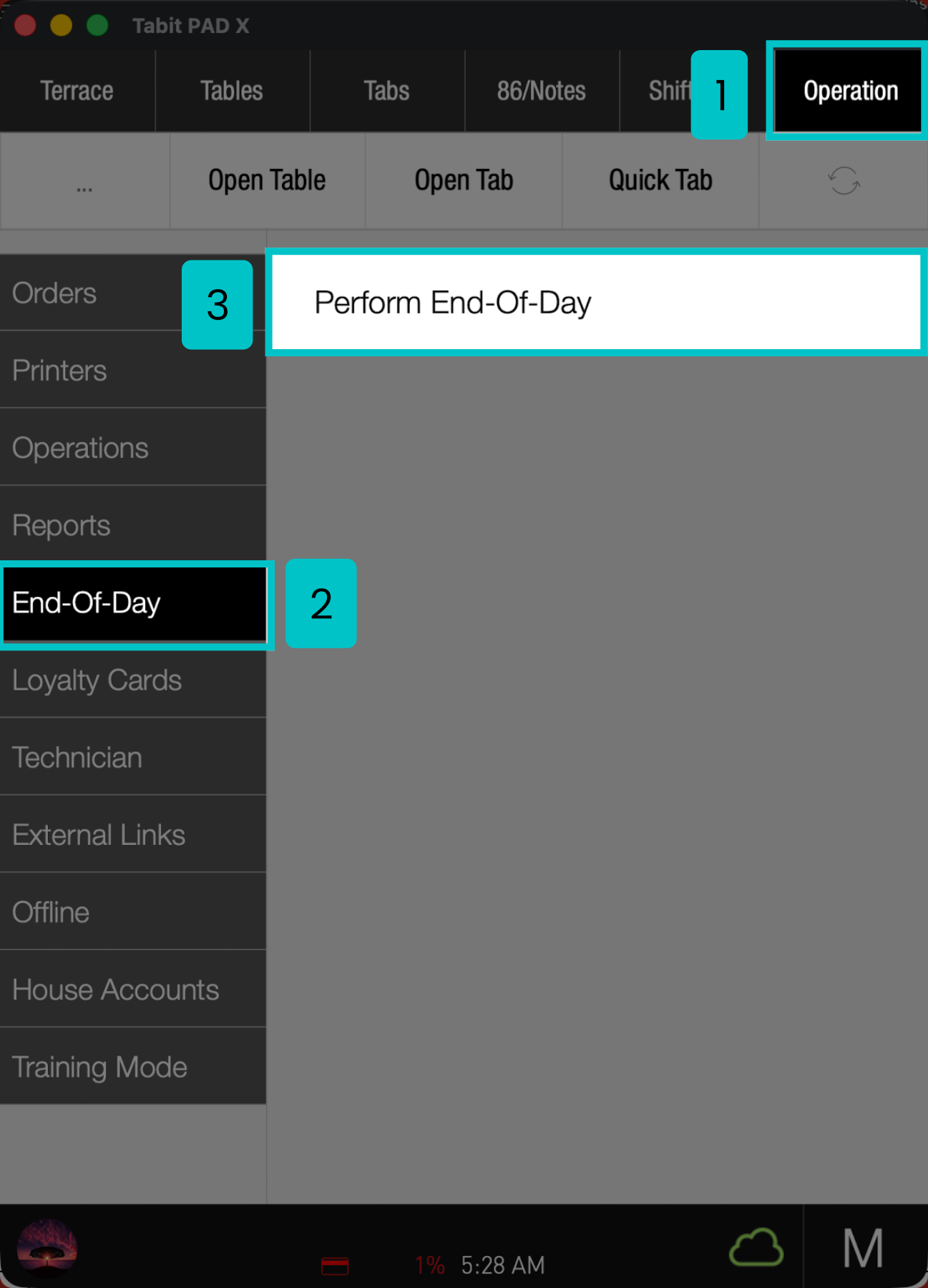
From the PAD, go to Operation > End Of Day > Perform End-Of-Day
-
Tap on Execute end of day
-
Confirm the closing business day by selecting OK
-
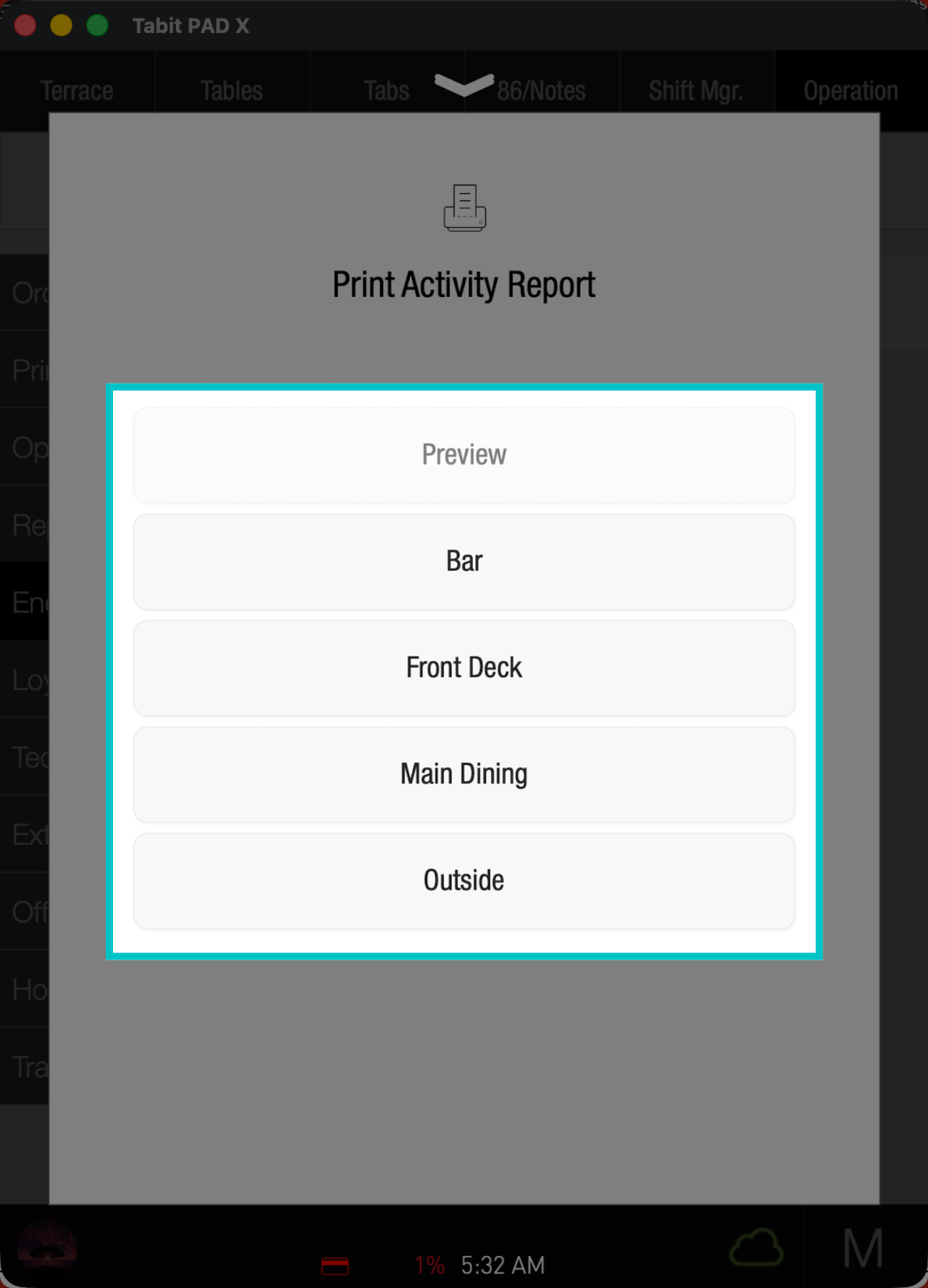
Select the appropriate Printer to print the report and tap OK
- Once complete, the end of day is finalized, the report email is sent automatically, and the system moves to the following business day