Loyalty members can earn points from eligible orders and redeem points they earned previously. On the PAD, servers can apply these points to reduce the order total before collecting payment.
Associate the loyalty member with the order before completing payment so eligible activity is recorded on the correct account. For instructions, see Adding a Loyalty Member to an Order.
Redeemed loyalty points are applied as a discount or promotion that reduces the net order total. Points are not a payment and are not processed as a gift card, payment tender, or payment type
Tap Club Discount before selecting a payment method. Apply the points first, then use the appropriate payment method to pay any remaining balance
To learn how to apply Earn and Burn points on the PAD, follow the steps below:
-
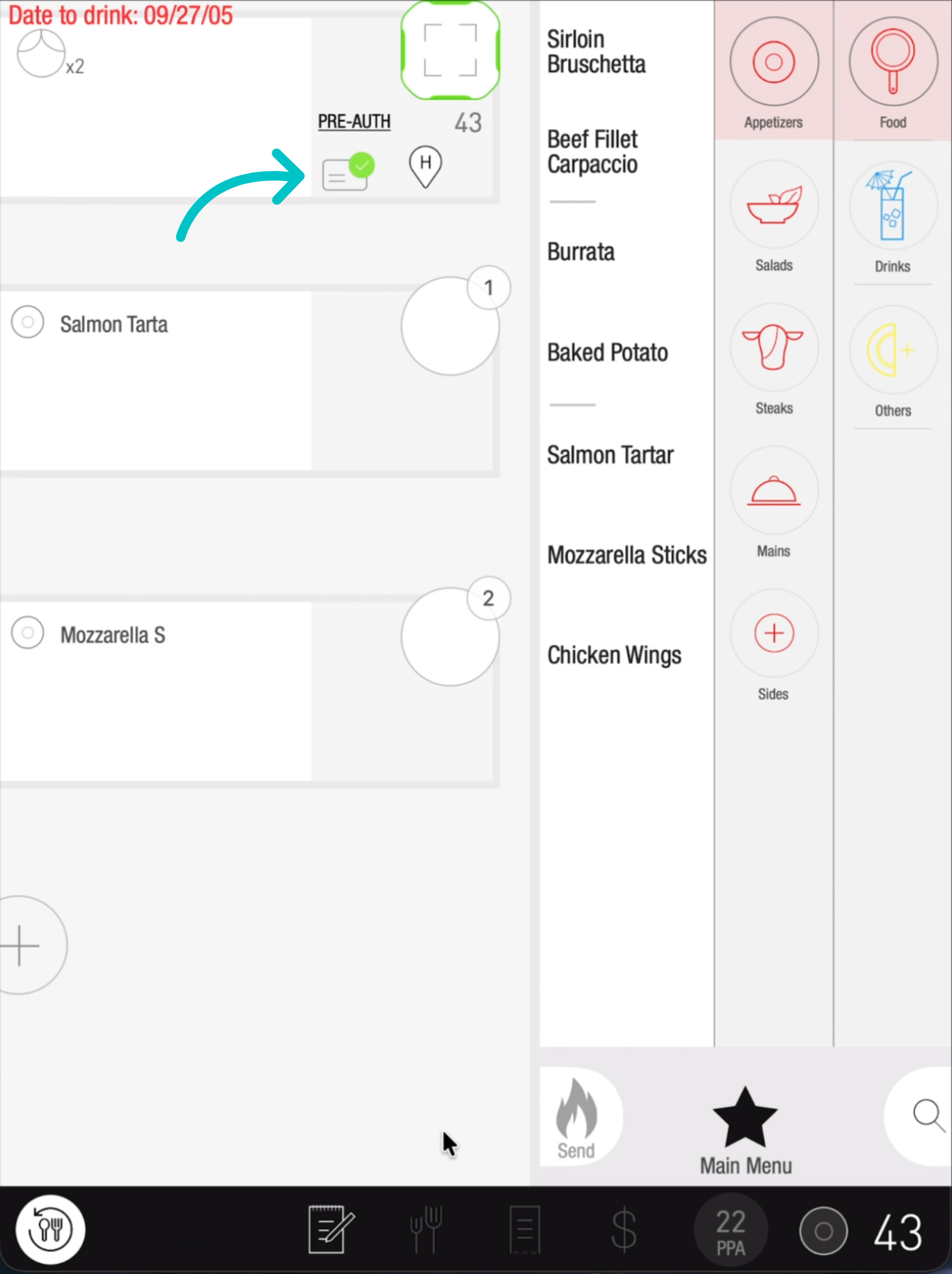
Confirm that the guest’s loyalty account is linked to the order. A green checkmark appears on their guest card once the account is added
-
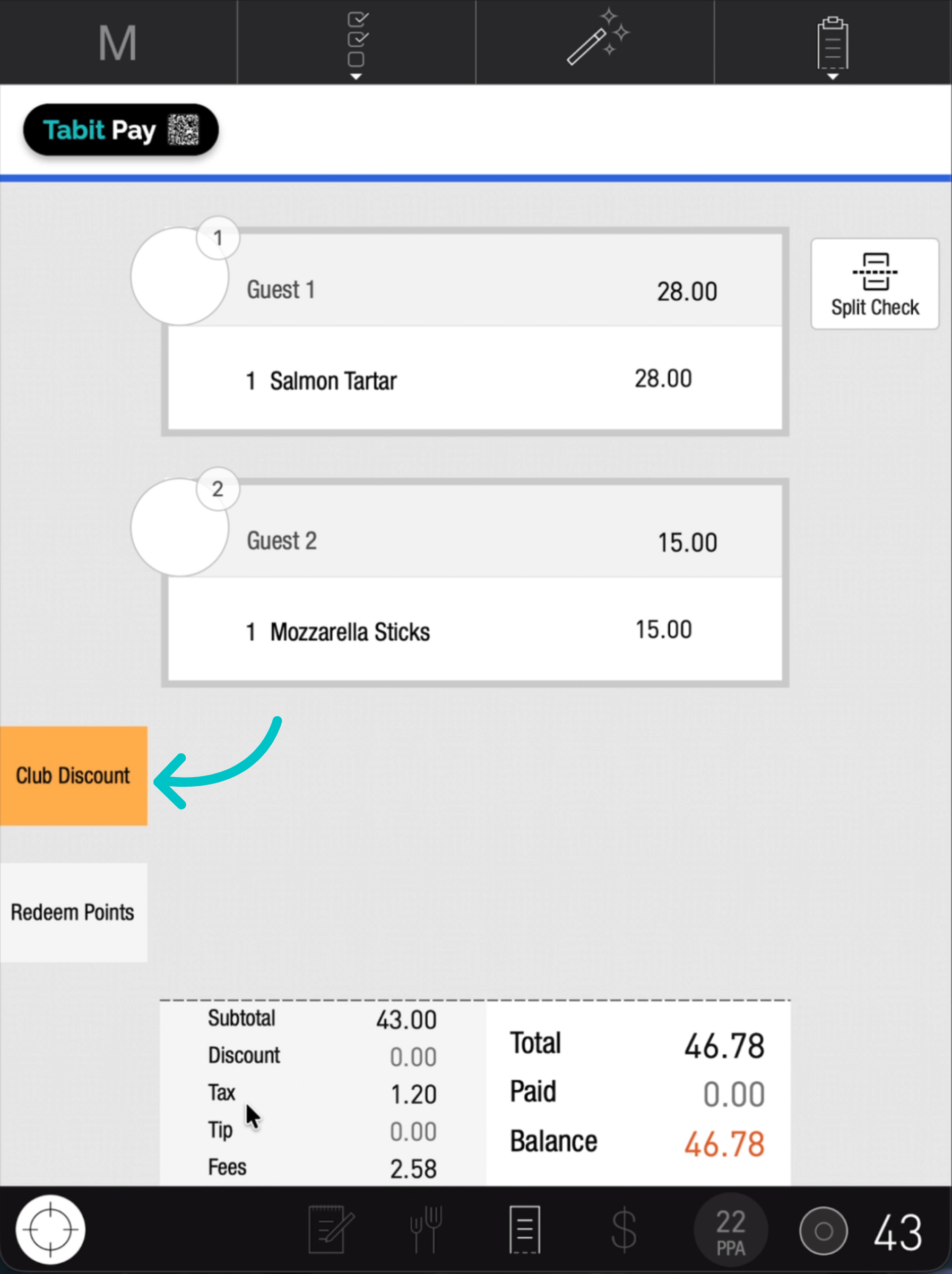
On the check screen, tap the orange Club Discount button to view available rewards and points before selecting a payment method
-
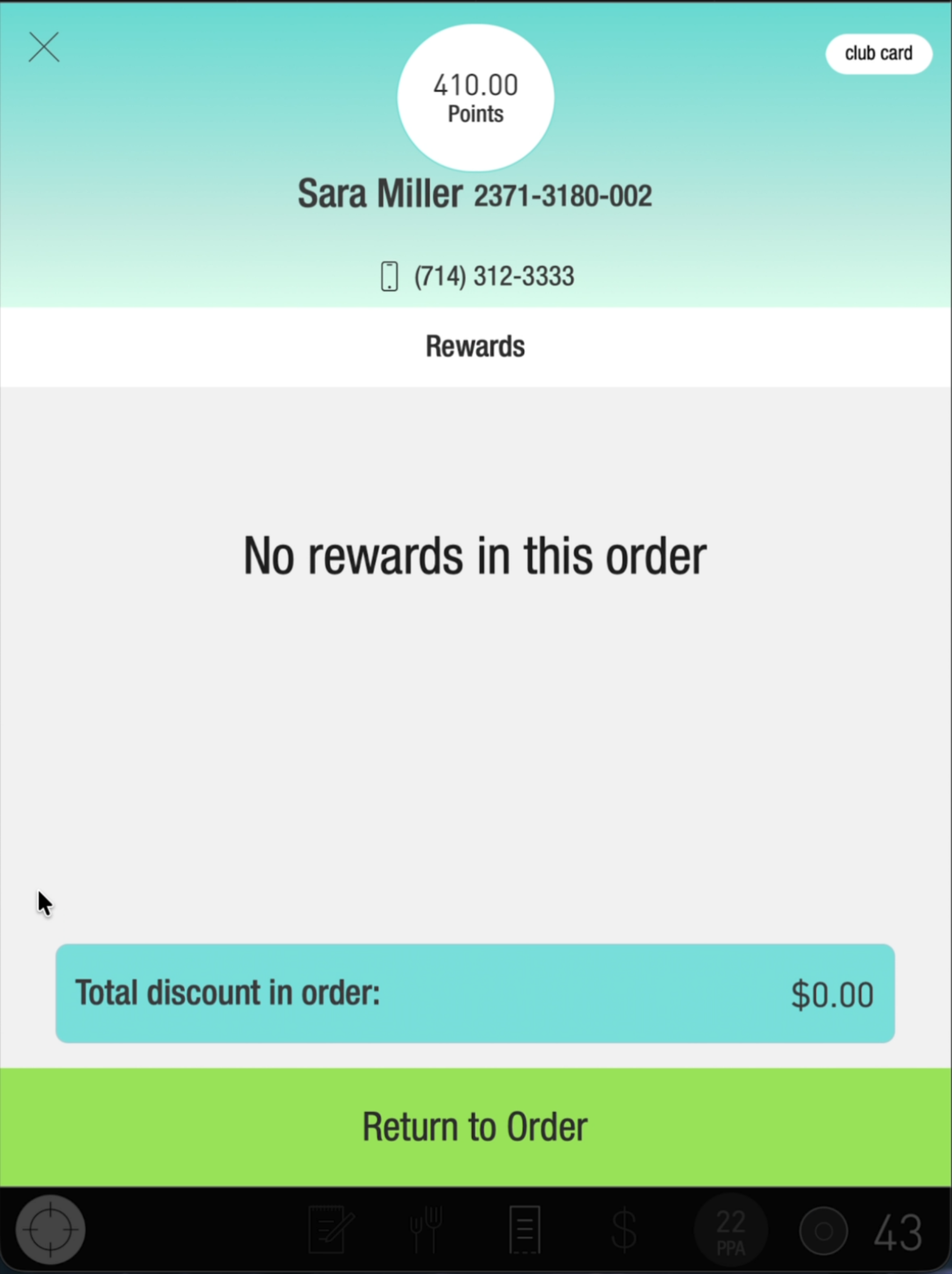
Review the guest’s available points. In this example, the guest has 410 points. Tap Return to Order to go back
-
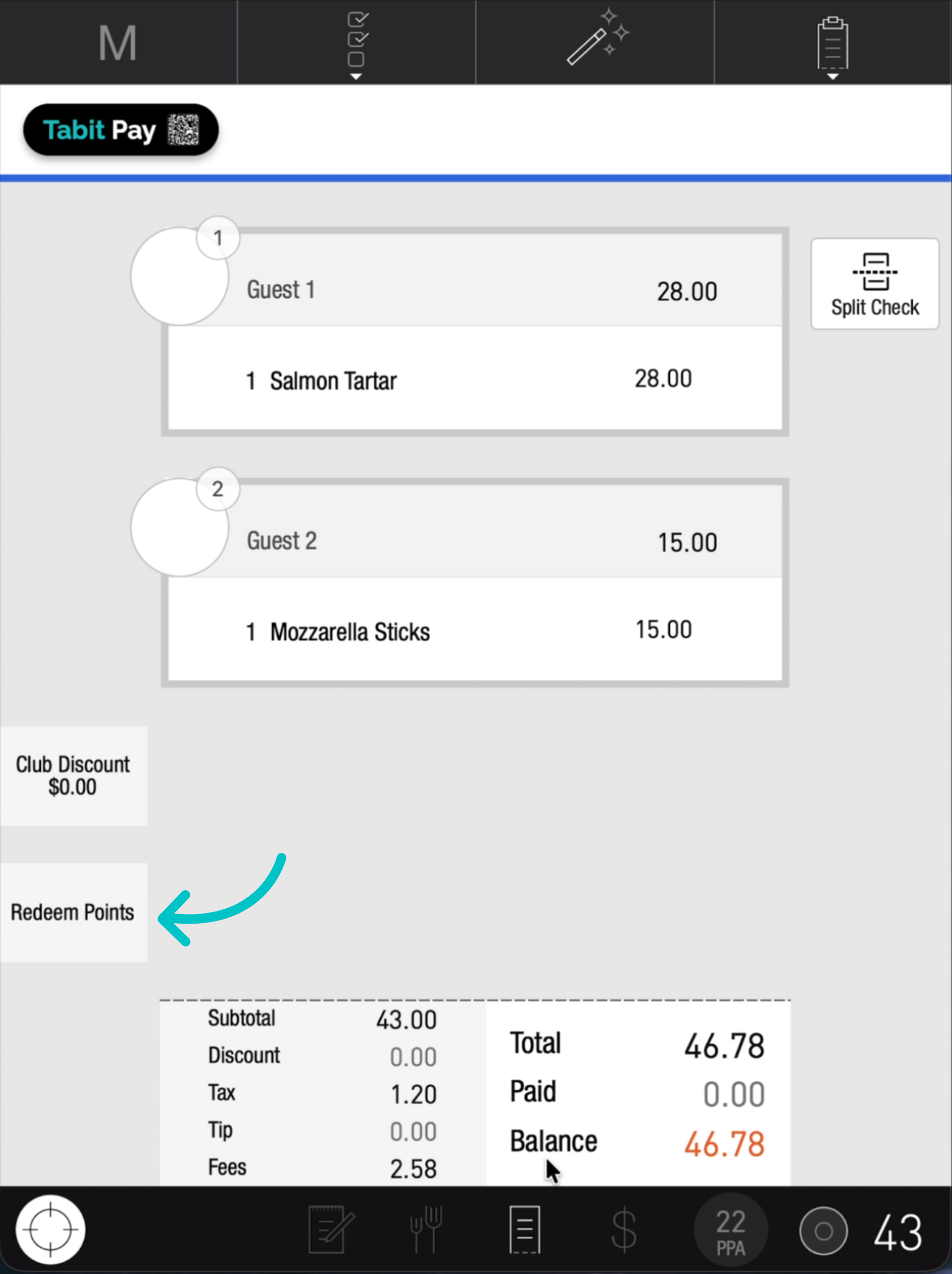
Tap Redeem Points
-
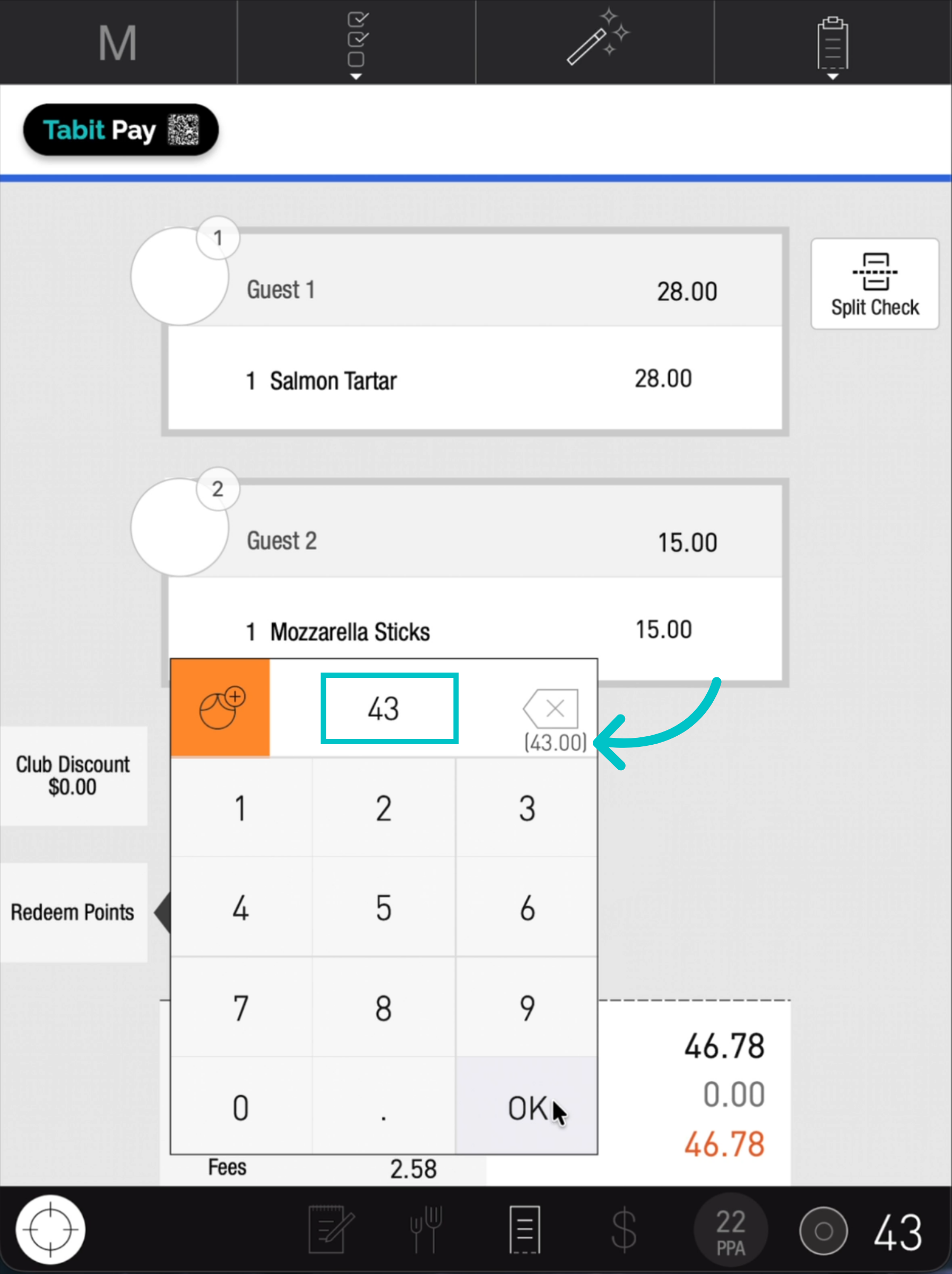
Enter the number of points to redeem. The maximum allowed per order appears in parentheses
-
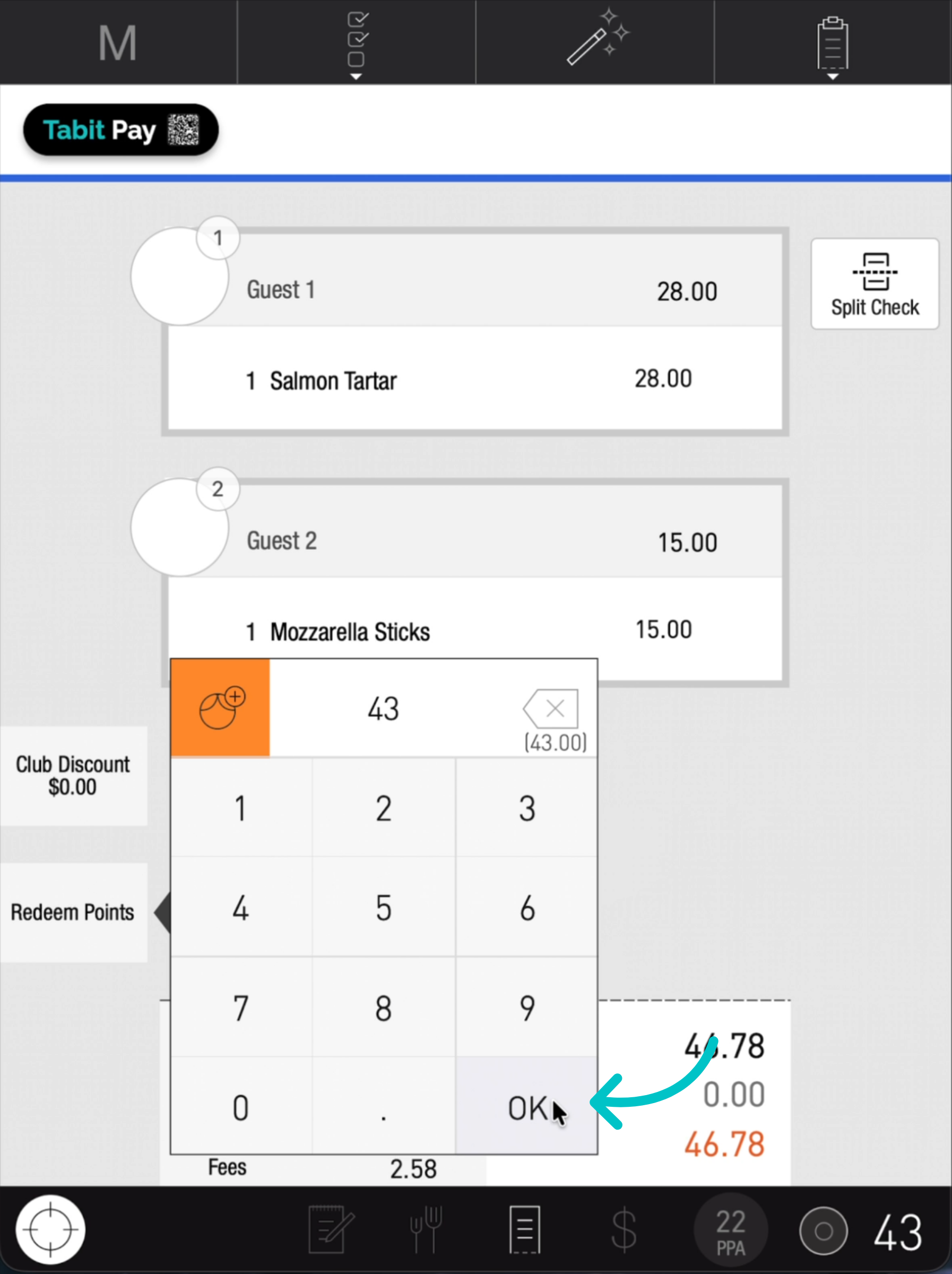
Tap OK to confirm
-
Review the check and confirm that the redeemed points appear as a discount or promotion and reduce the net order total
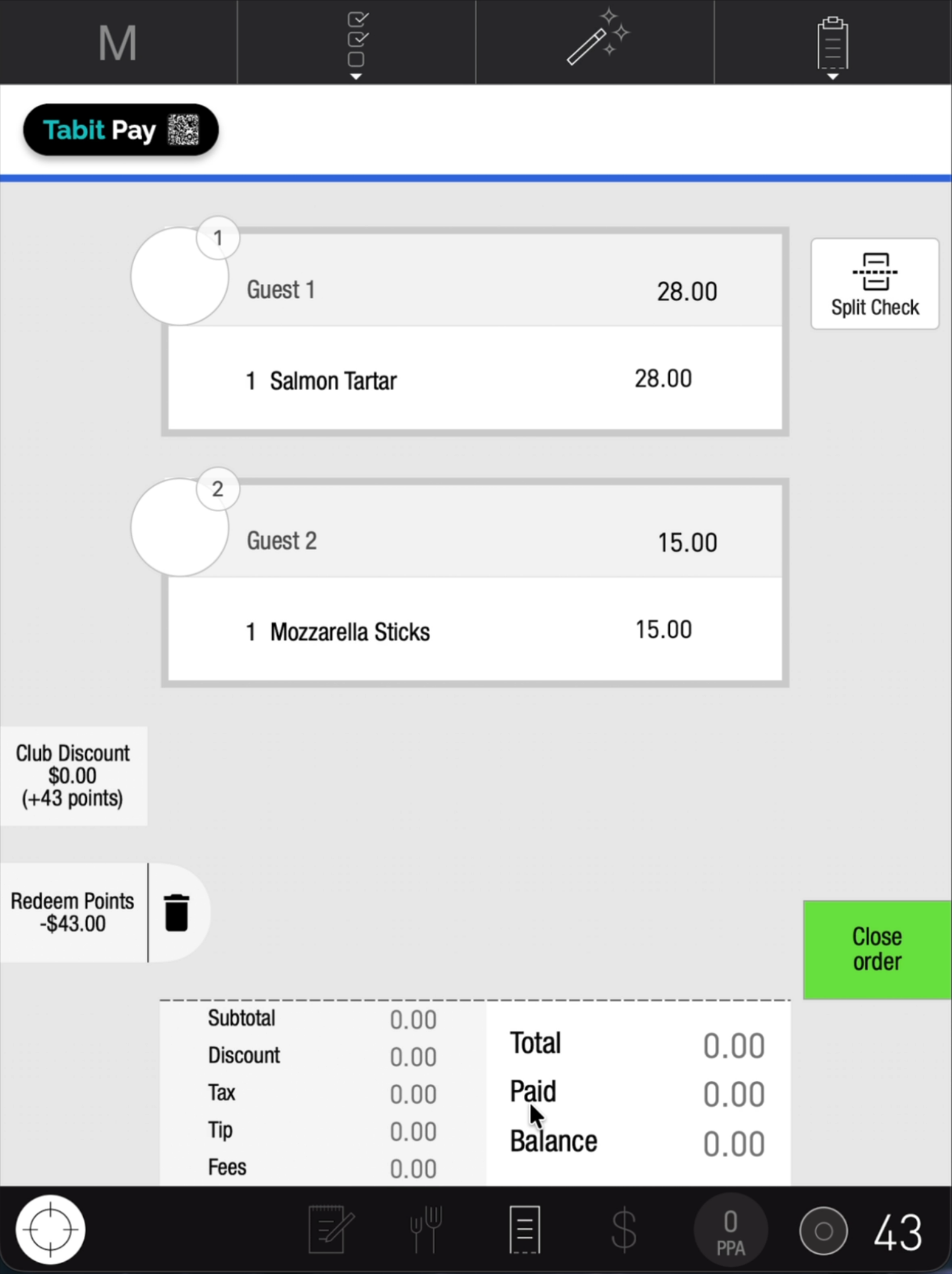
- Use the appropriate payment method to pay any remaining balance