Email campaigns are a powerful way to drive customer engagement and keep your loyalty members informed about promotions, rewards, and special offers. Tabit Loyalty makes it simple to create targeted email campaigns with personalized content, scheduled delivery options, and built-in rewards.
To learn how to build an email campaign in Tabit Loyalty follow the steps below:
-
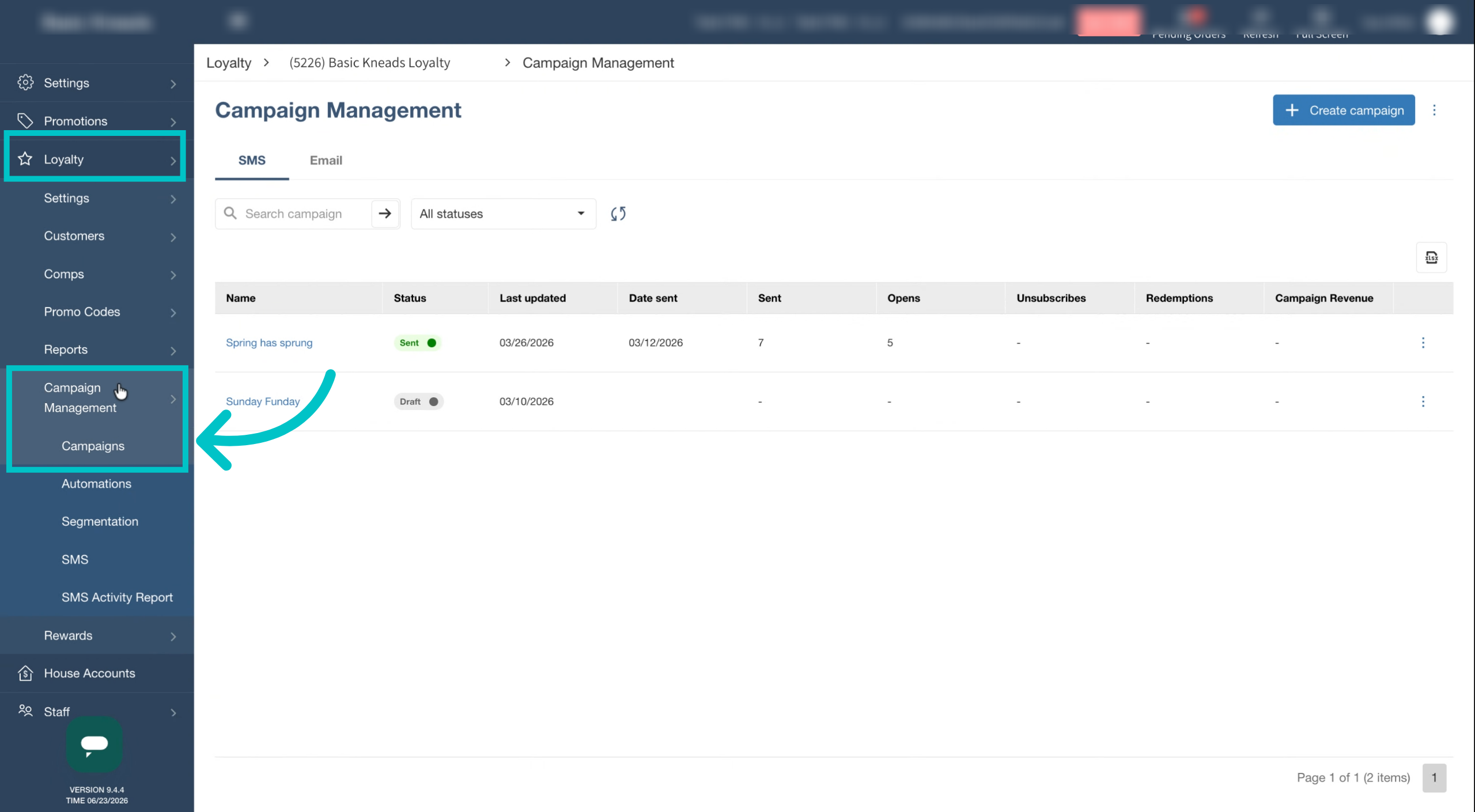
In Tabit Office, go to Loyalty > Campaign Management > Campaigns
-
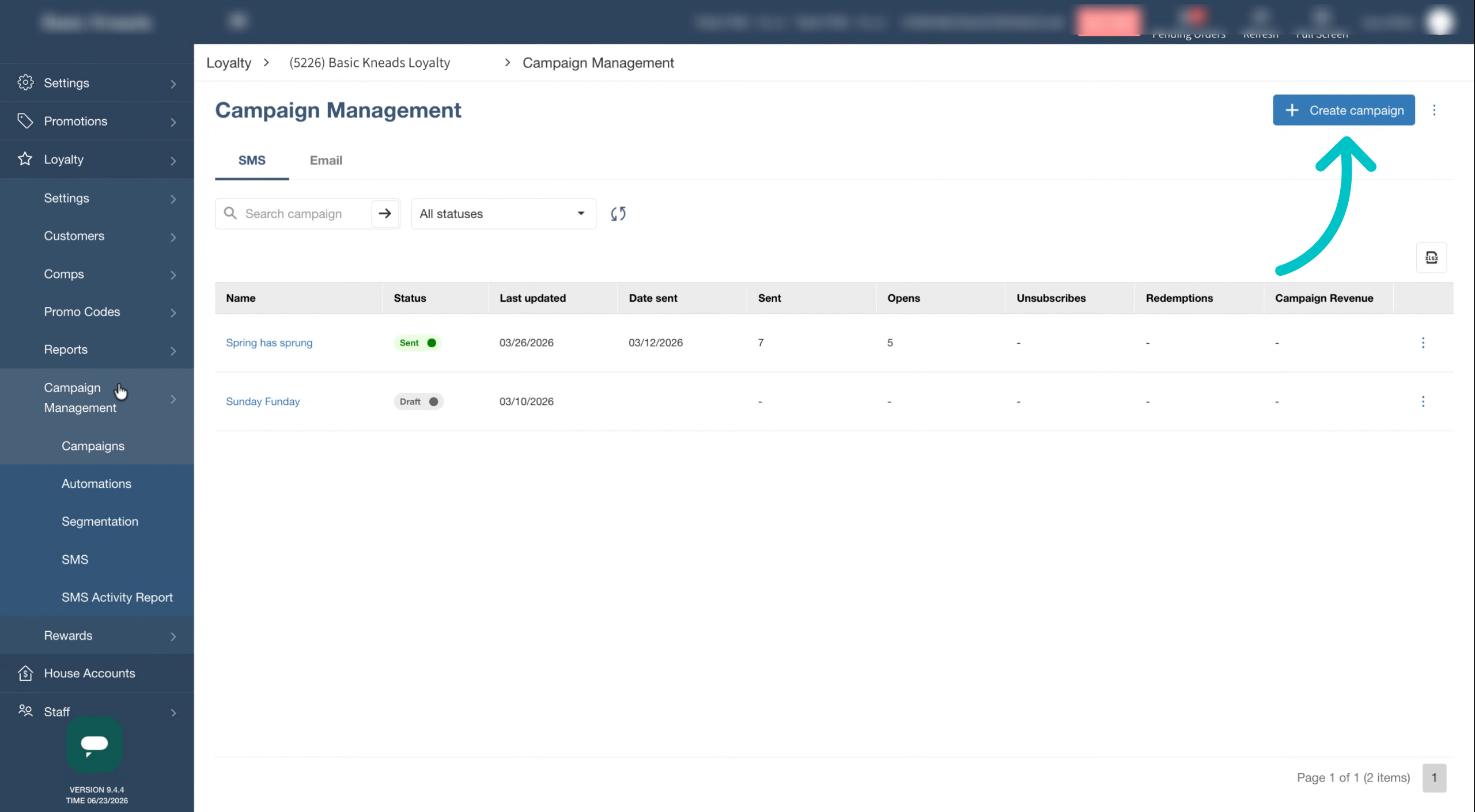
Select Create Campaign in the top right of the screen
-
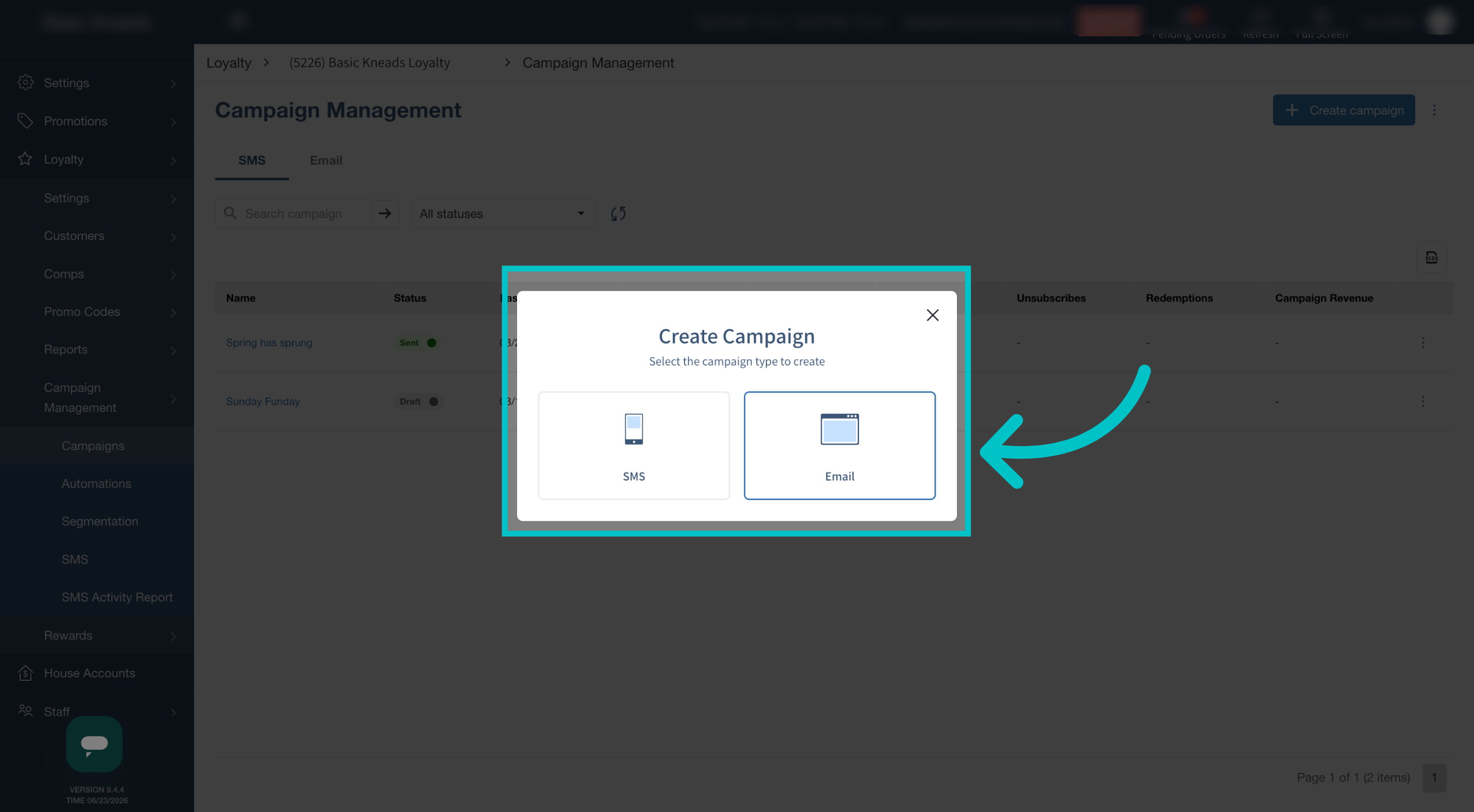
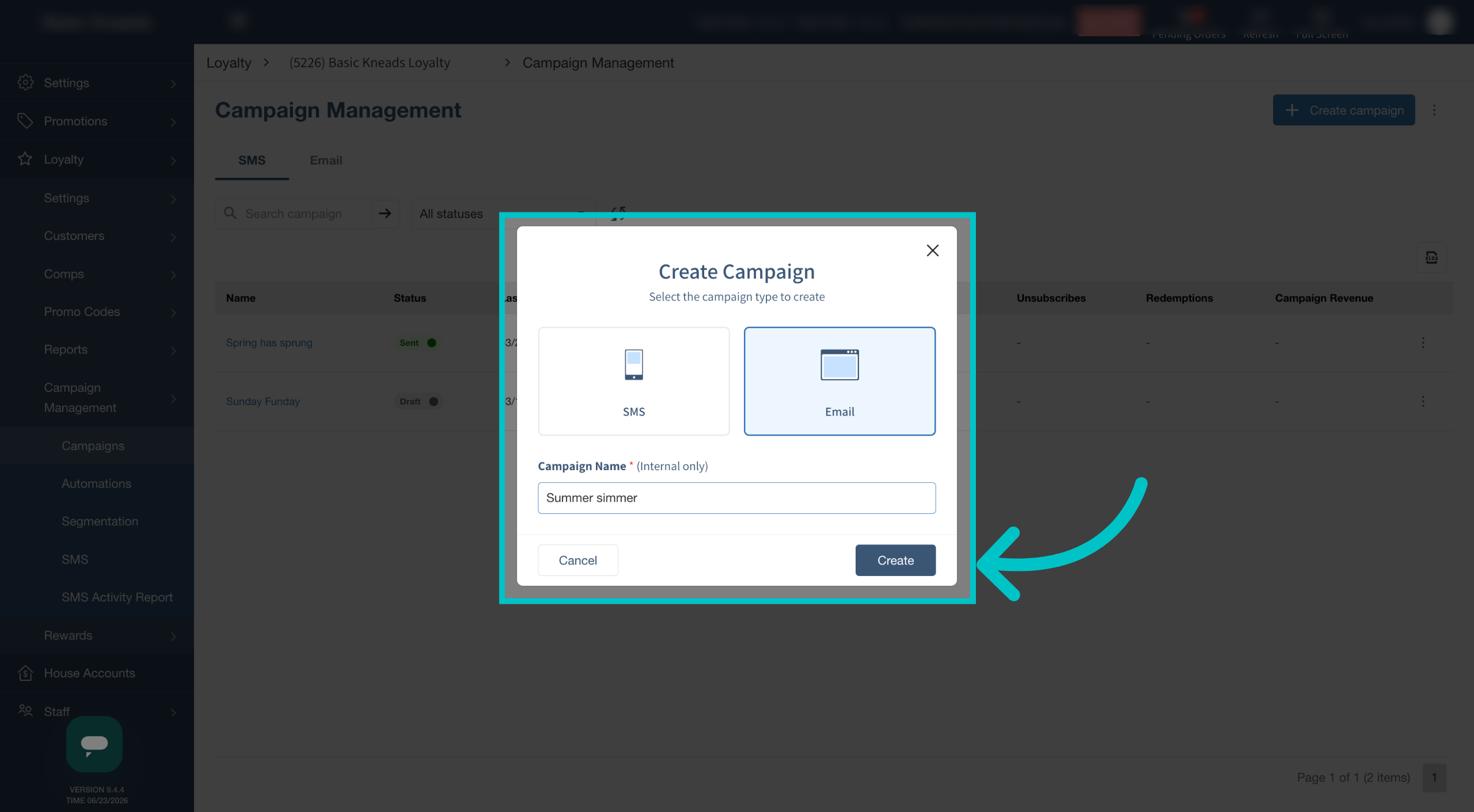
Select Email to create an email campaign
-
Enter a name for the campaign and then select Create
-
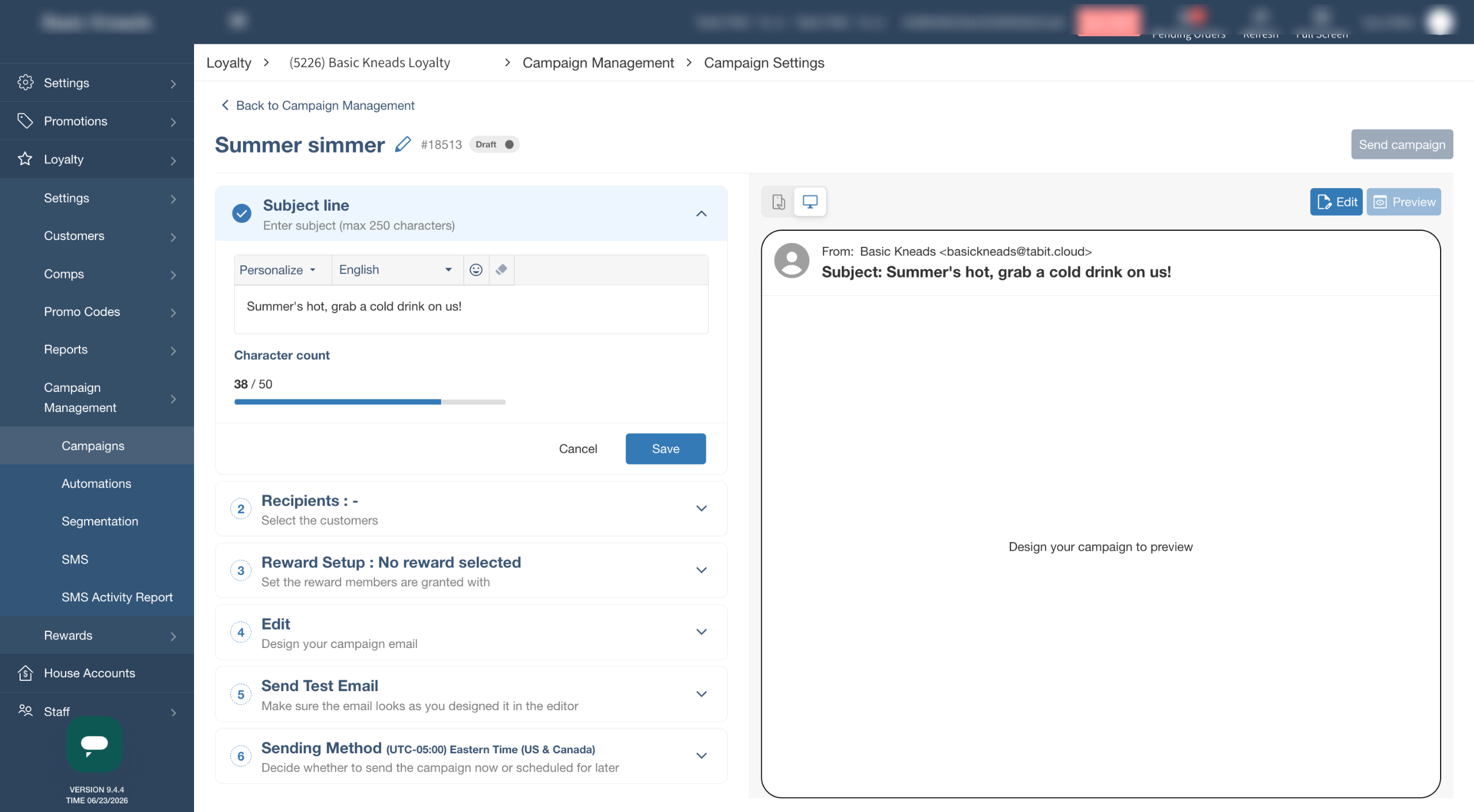
Begin building the email
-
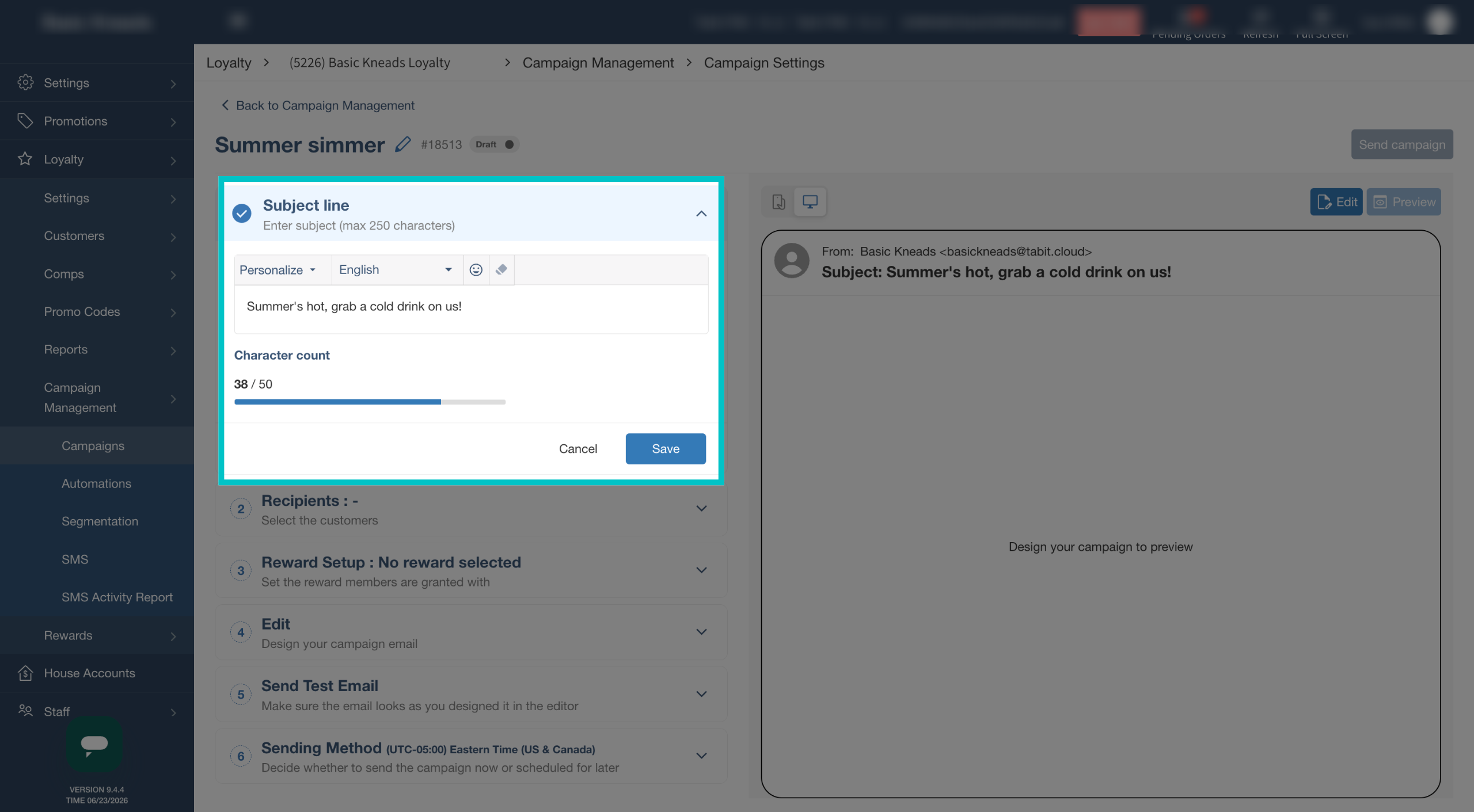
Enter the subject line. This can also be personalized with the customer's name or their current points balance, then select Save
-
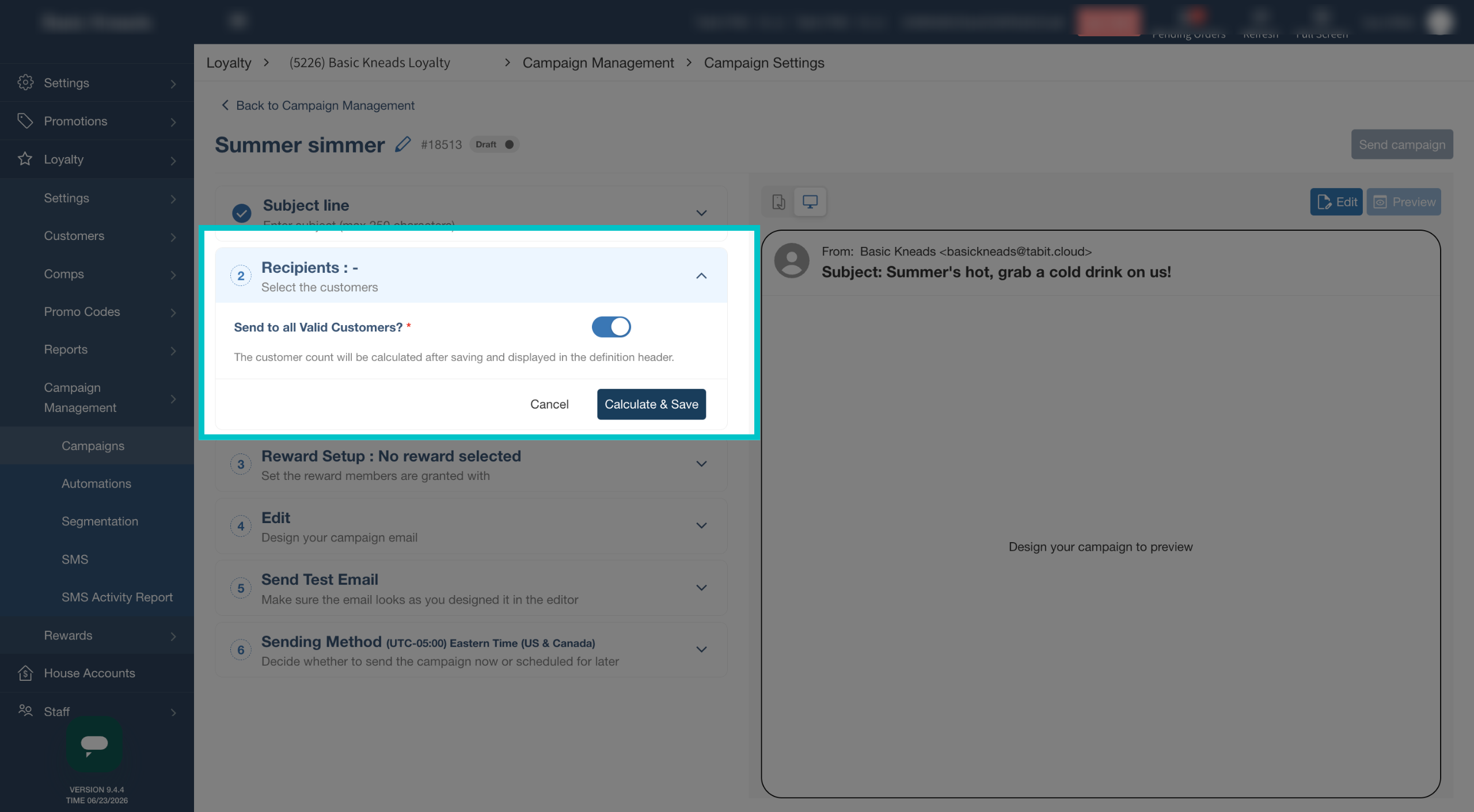
Select who should receive this campaign. You can also select specific groups or segments to receive it if you have them set up, then select Calculate & Save. This will give you an idea of how many customers this campaign will be sent to
-
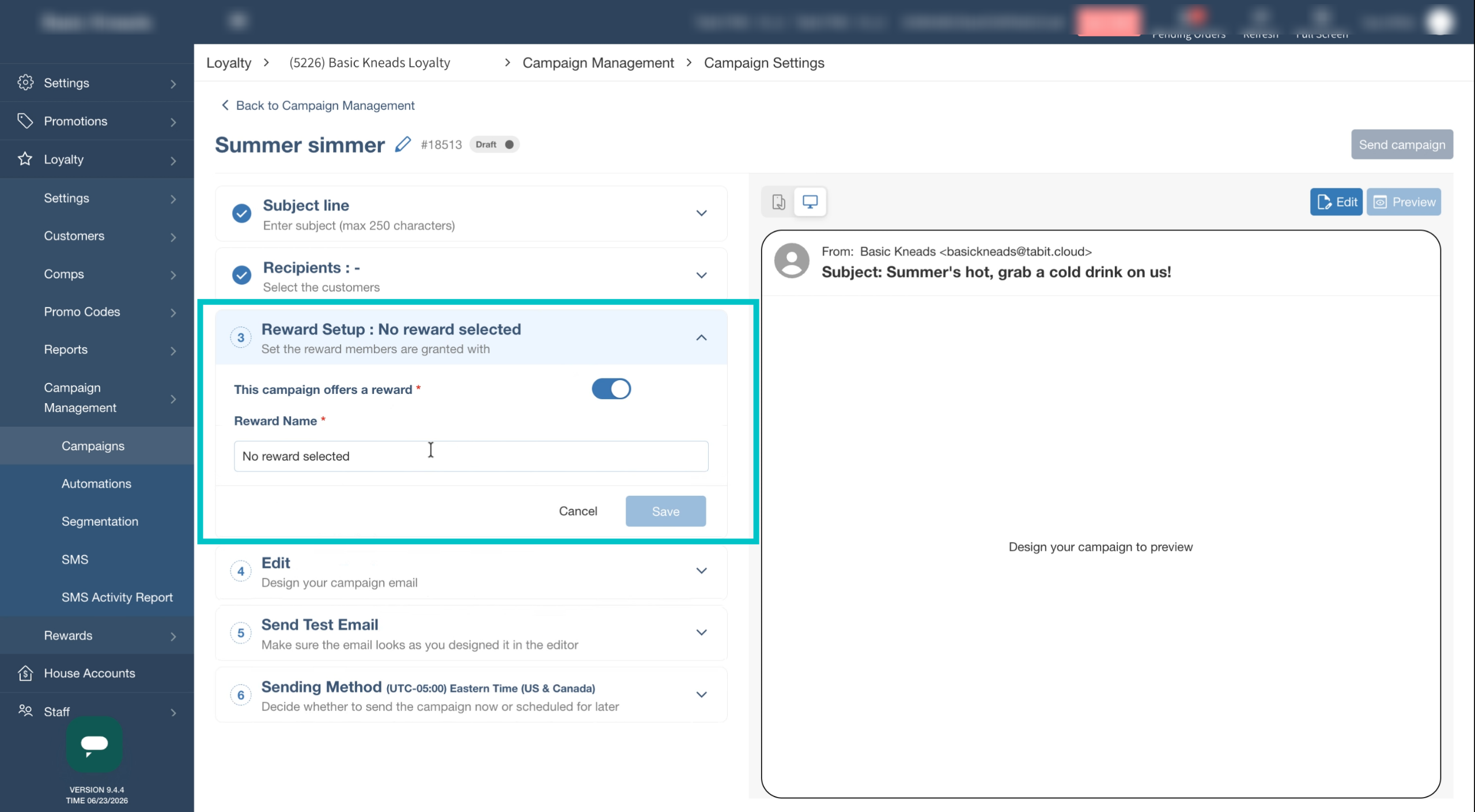
If desired, rewards can also be attached to the campaign. As with every step, select Save before continuing
-
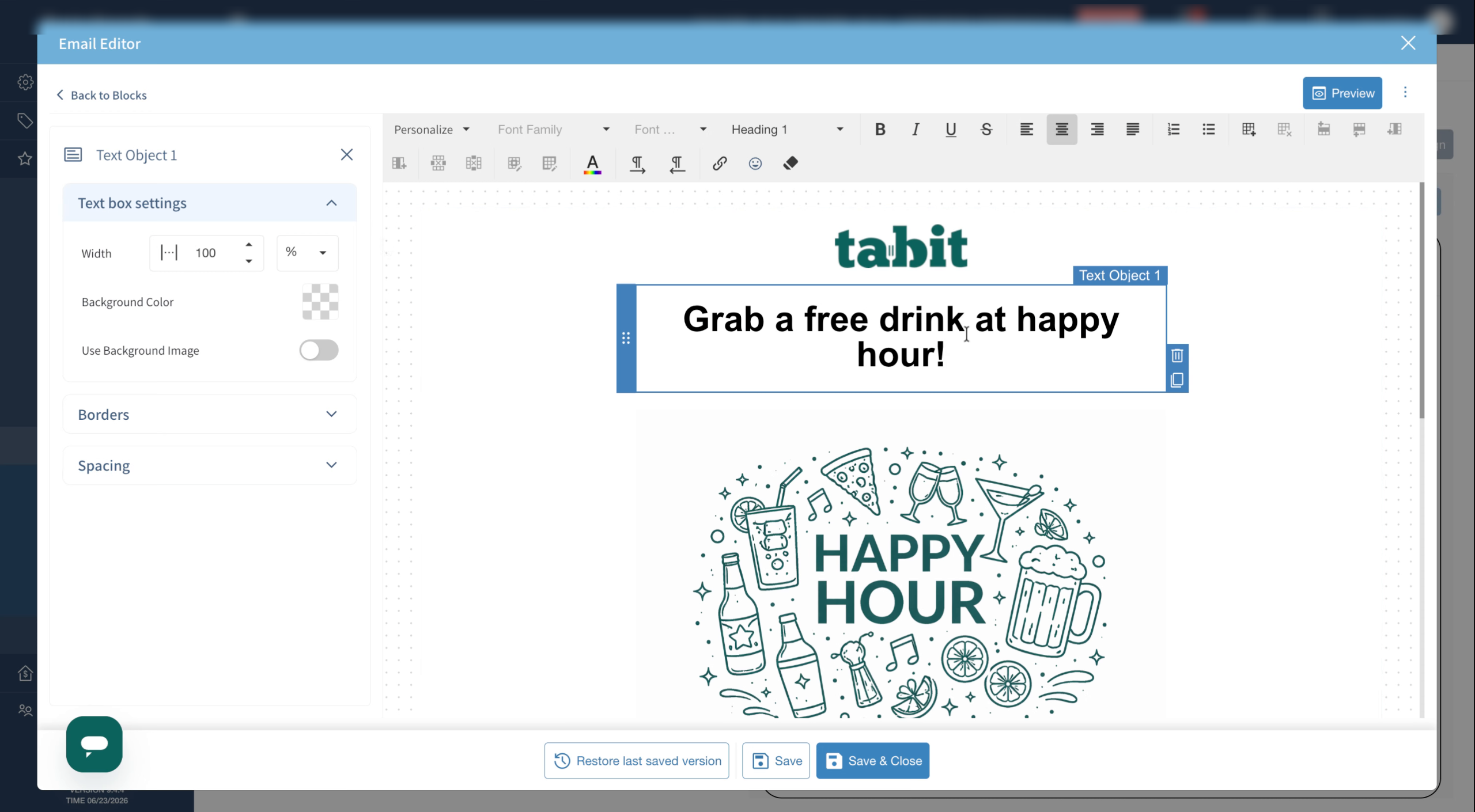
Edit the email, changing images, colors, text, and more as desired then select Save & Close
-
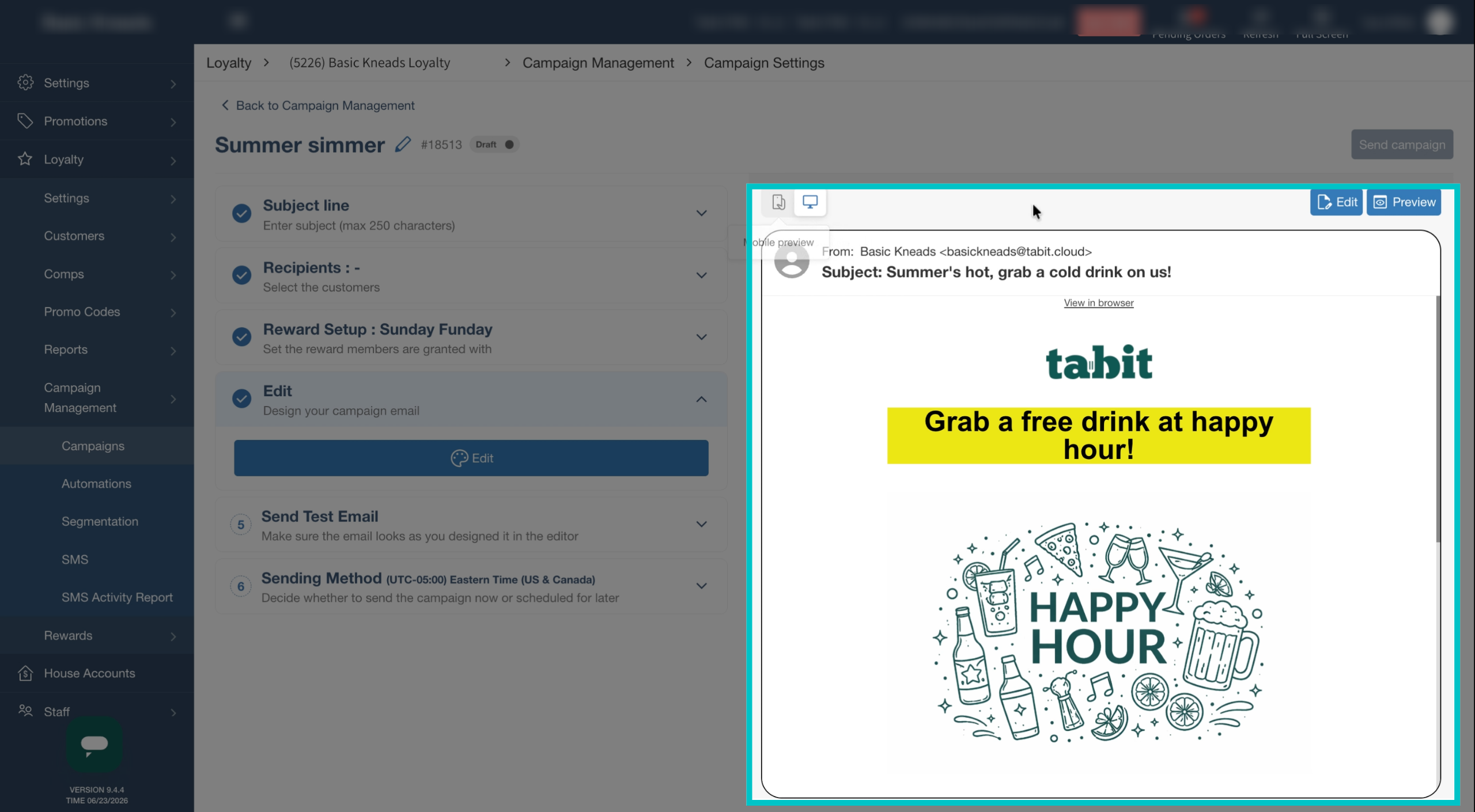
View the preview of the email on the right side of the screen
-
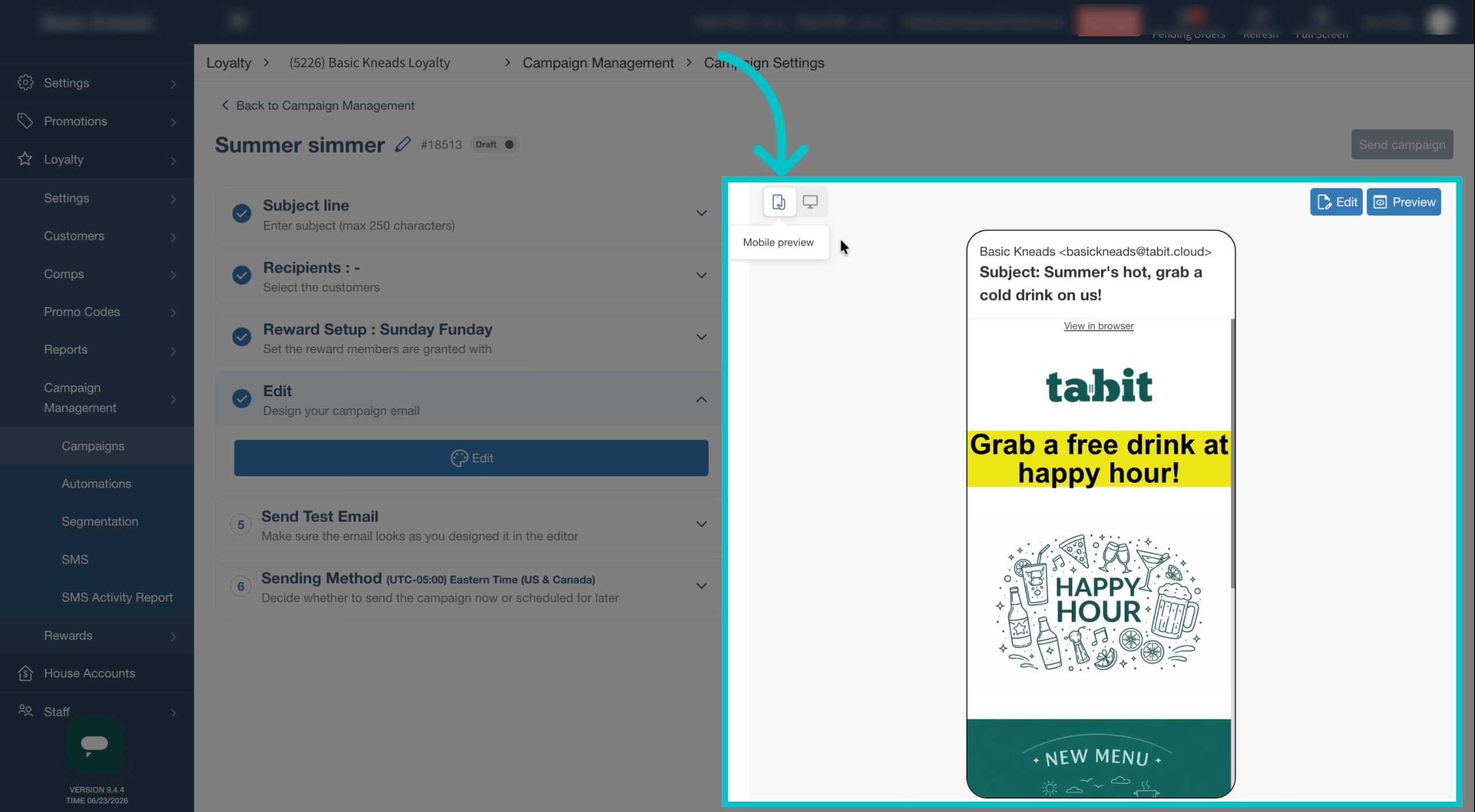
Preview the email in mobile view to see how it will appear on different devices
-
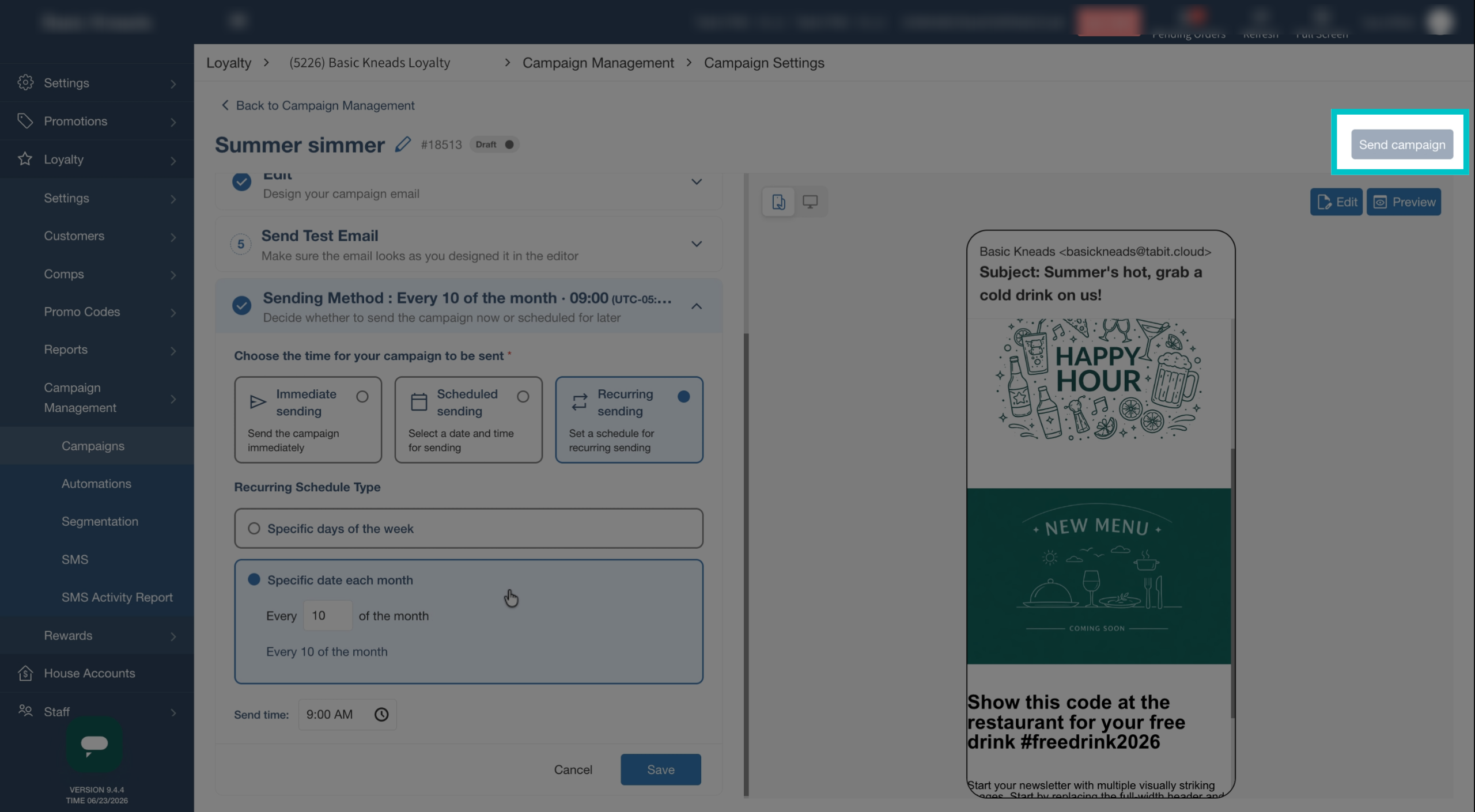
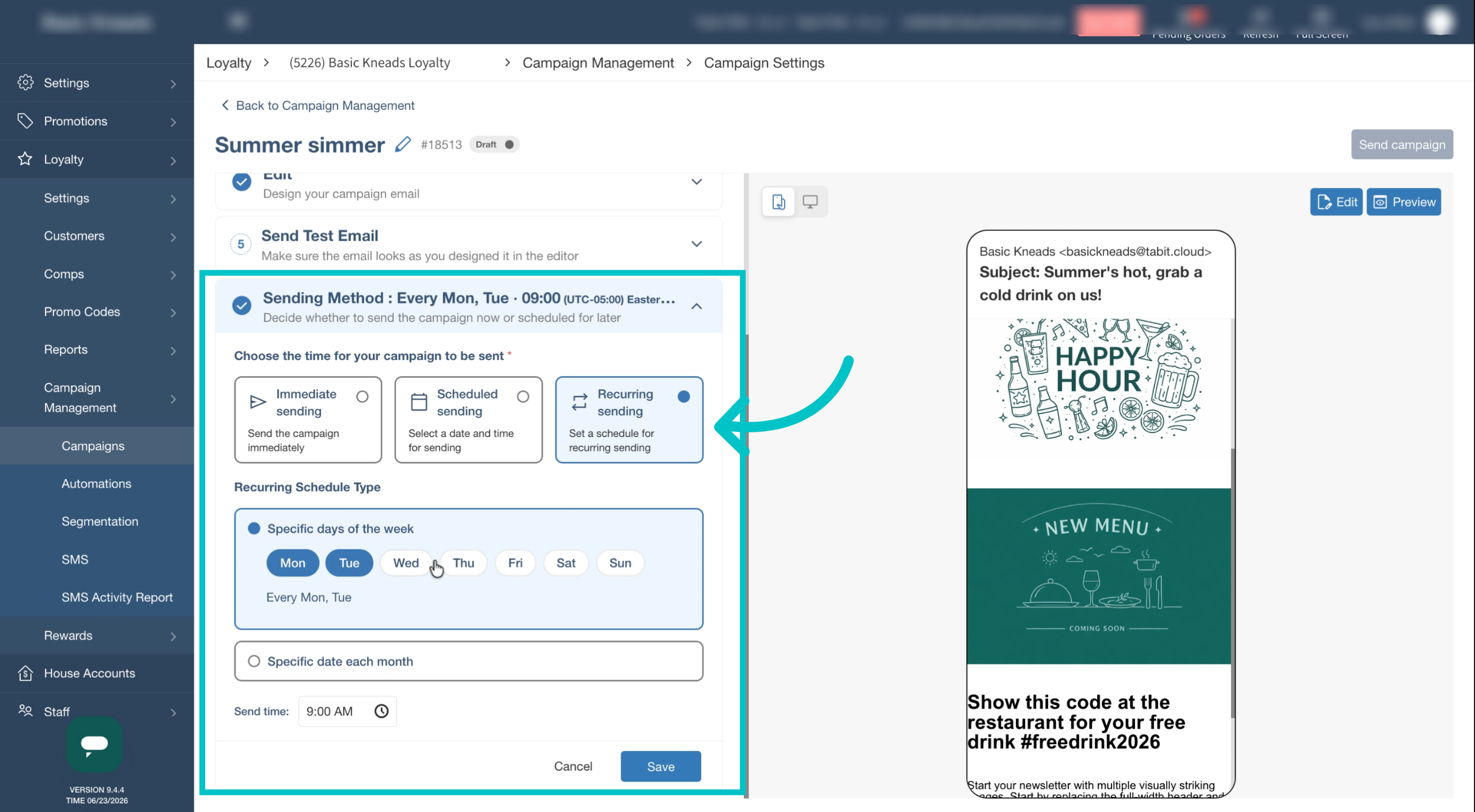
Select when the email will be sent.
- It can be sent immediately
- Scheduled for a set time and date
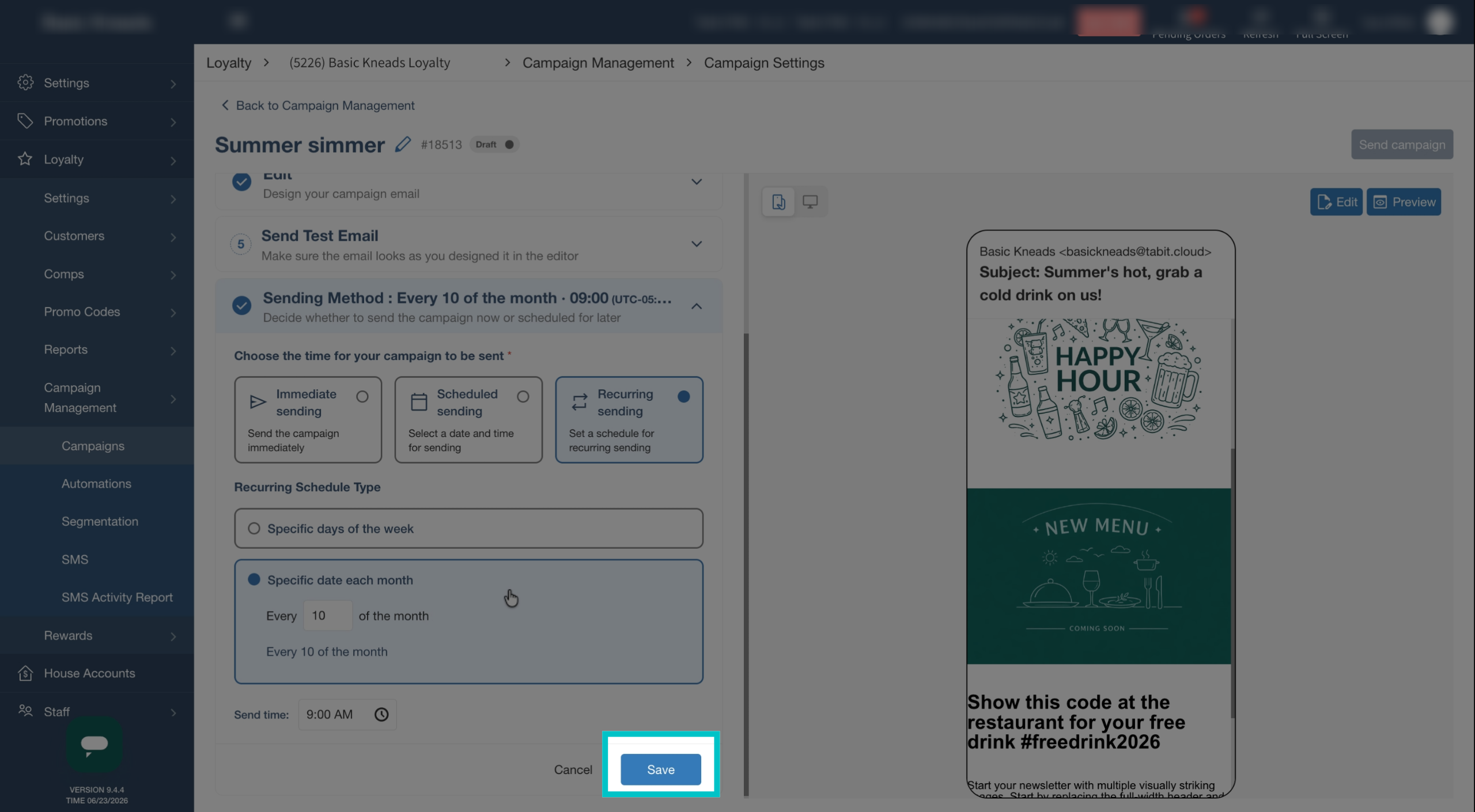
- Set to recur on specific days of the week or dates of each month
-
Now that your campaign has been set up, select Save
-
Select Send Campaign in the top right of the screen to complete the process