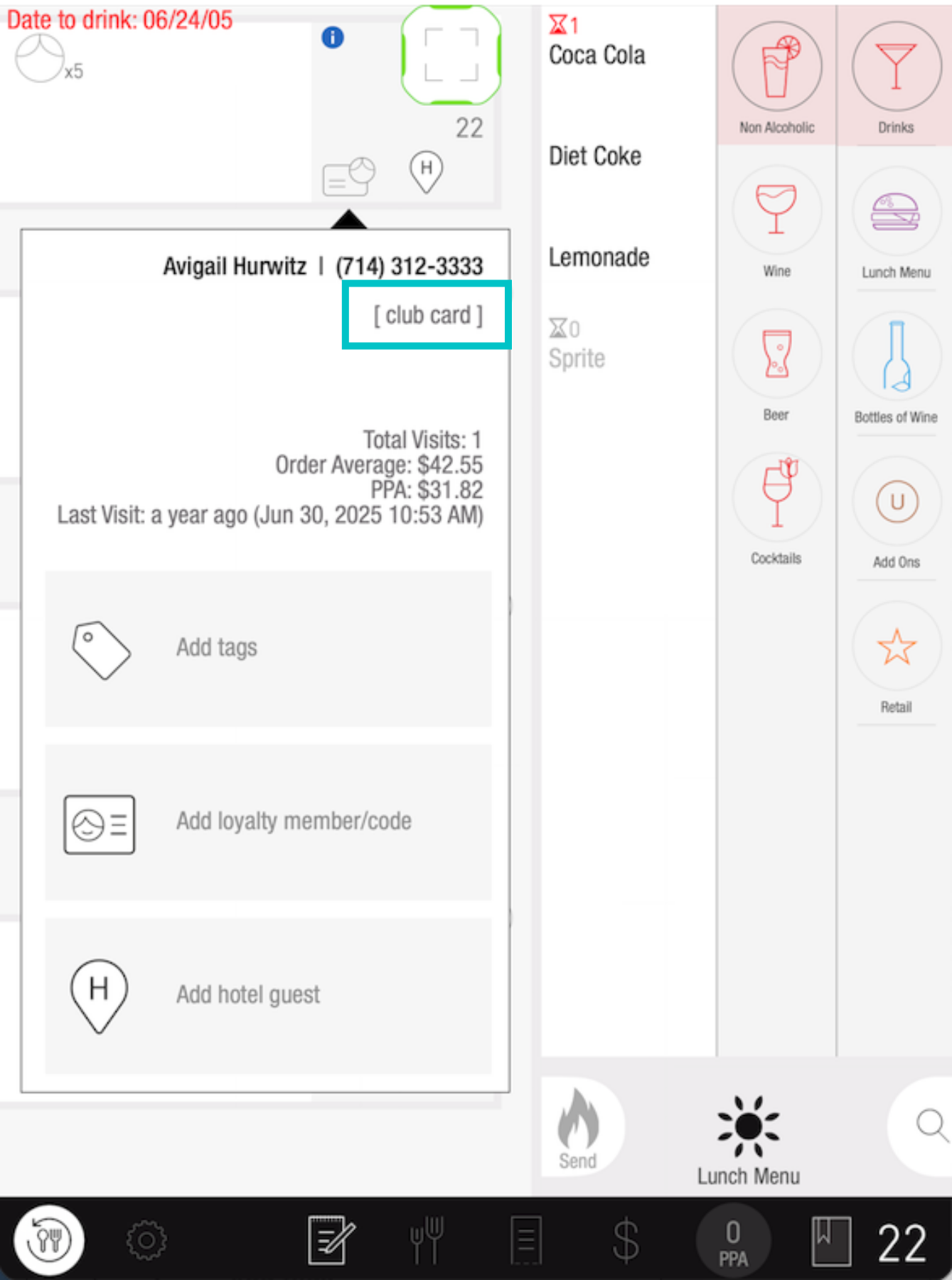
Tabit Guest includes built-in loyalty tracking that helps you recognize and reward your most valuable customers. When a customer is enrolled in your loyalty program, the system automatically flags their reservation with a visual indicator. This allows your staff to quickly identify loyal patrons and apply any earned rewards or points to their transactions.
Identifying loyalty members in Tabit Guest is straightforward. The system displays a clear visual indicator when a customer has loyalty status, visible in Tabit Guest, upcoming reservations, and on the PAD during order entry. This ensures your entire team can easily recognize loyalty members at every touchpoint.
To learn how to identify loyalty members in Tabit Guest follow the steps below:
-
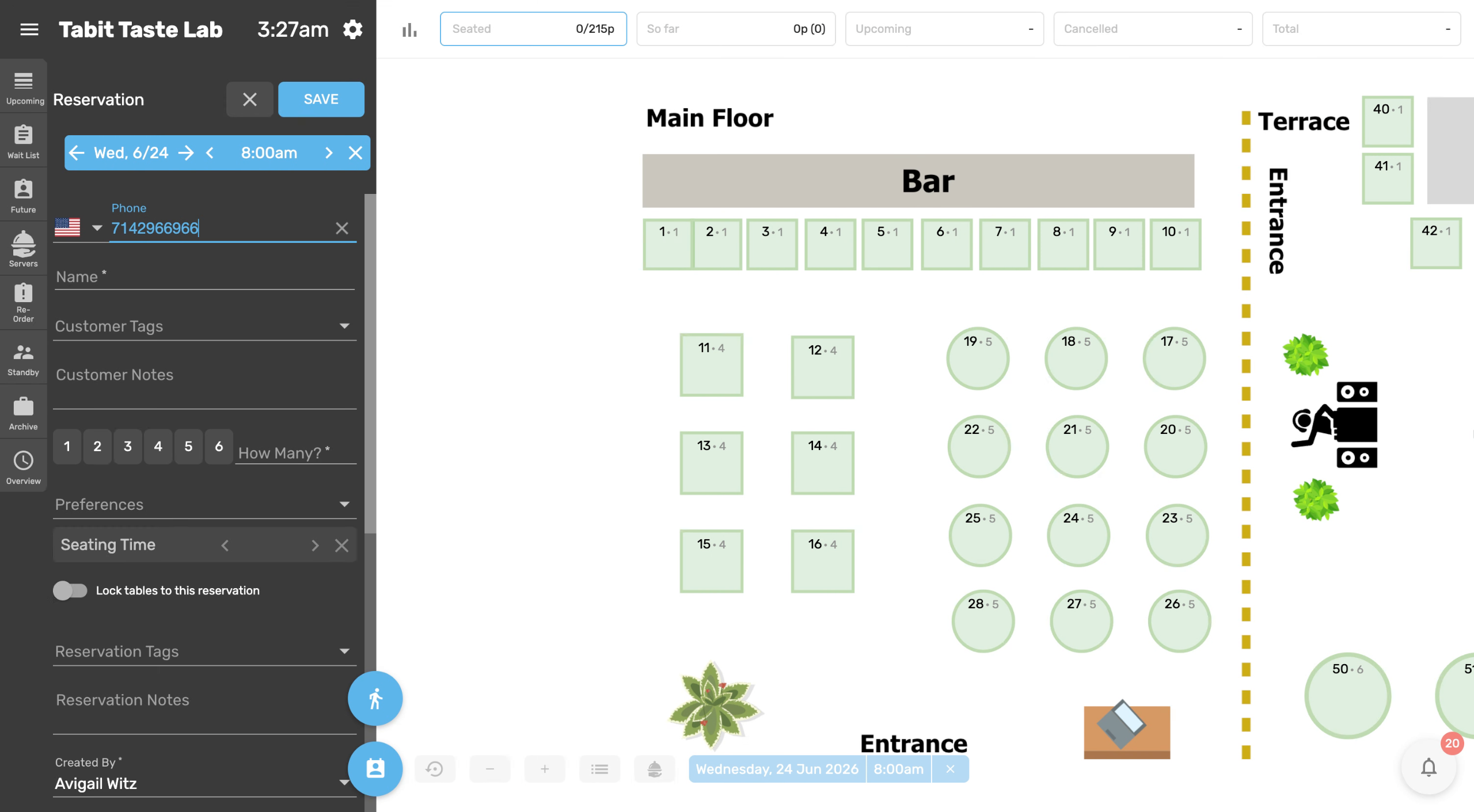
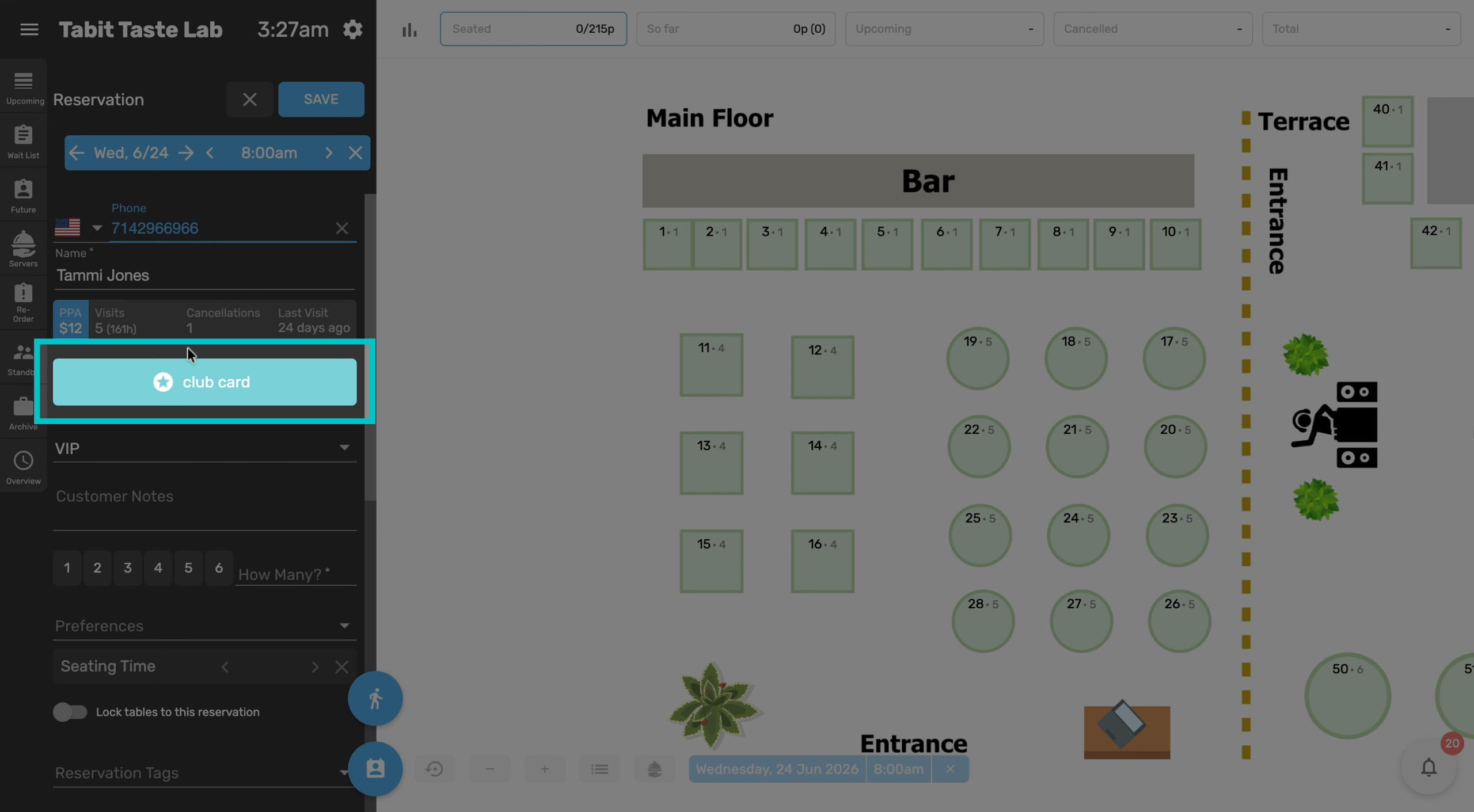
Enter the customer's phone number. When entering the customer's phone number, if they are a loyalty member there will be an indication below their name
-
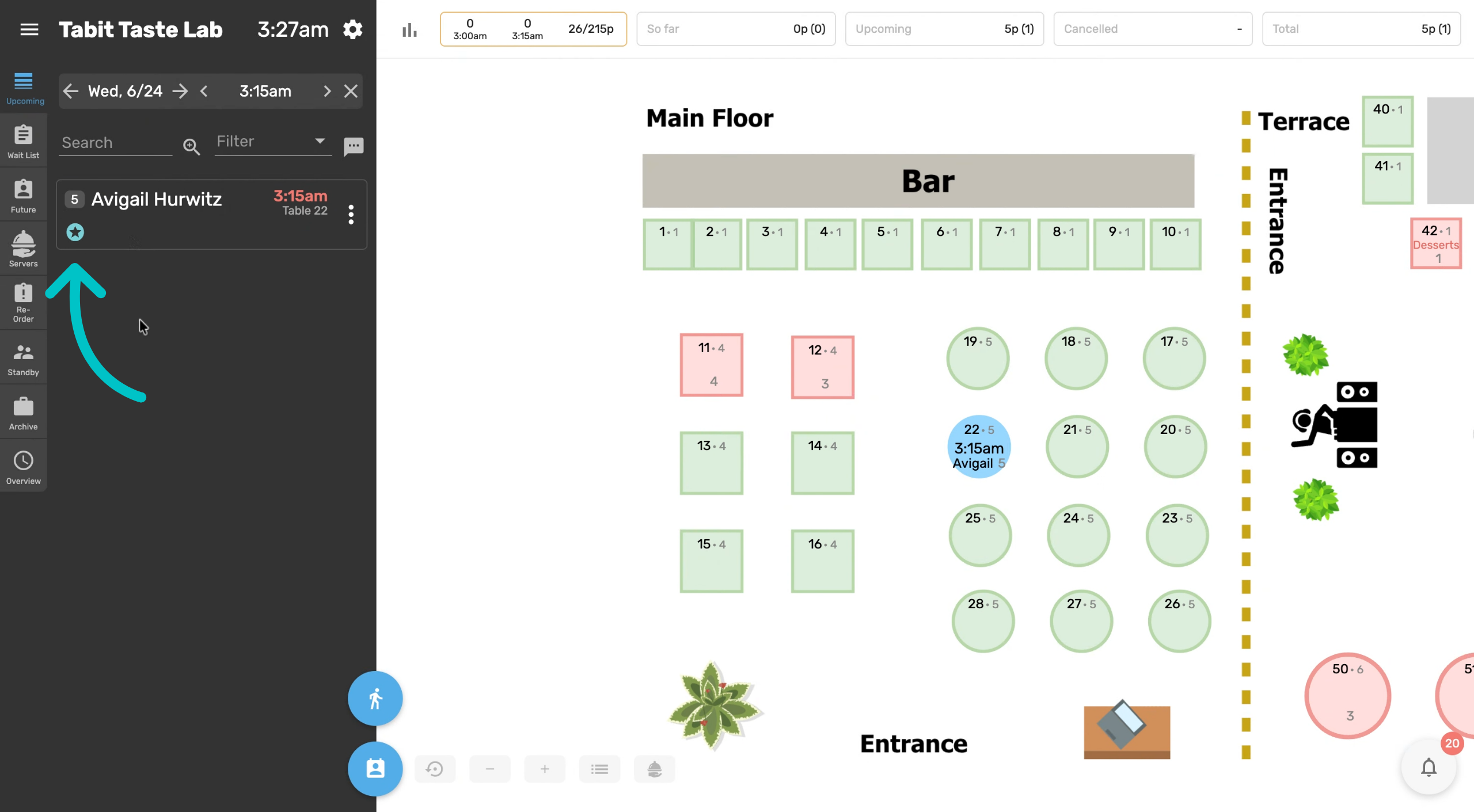
Check upcoming reservations for loyalty members. Loyalty member status is also visible on upcoming reservations and will appear as a small blue star
-
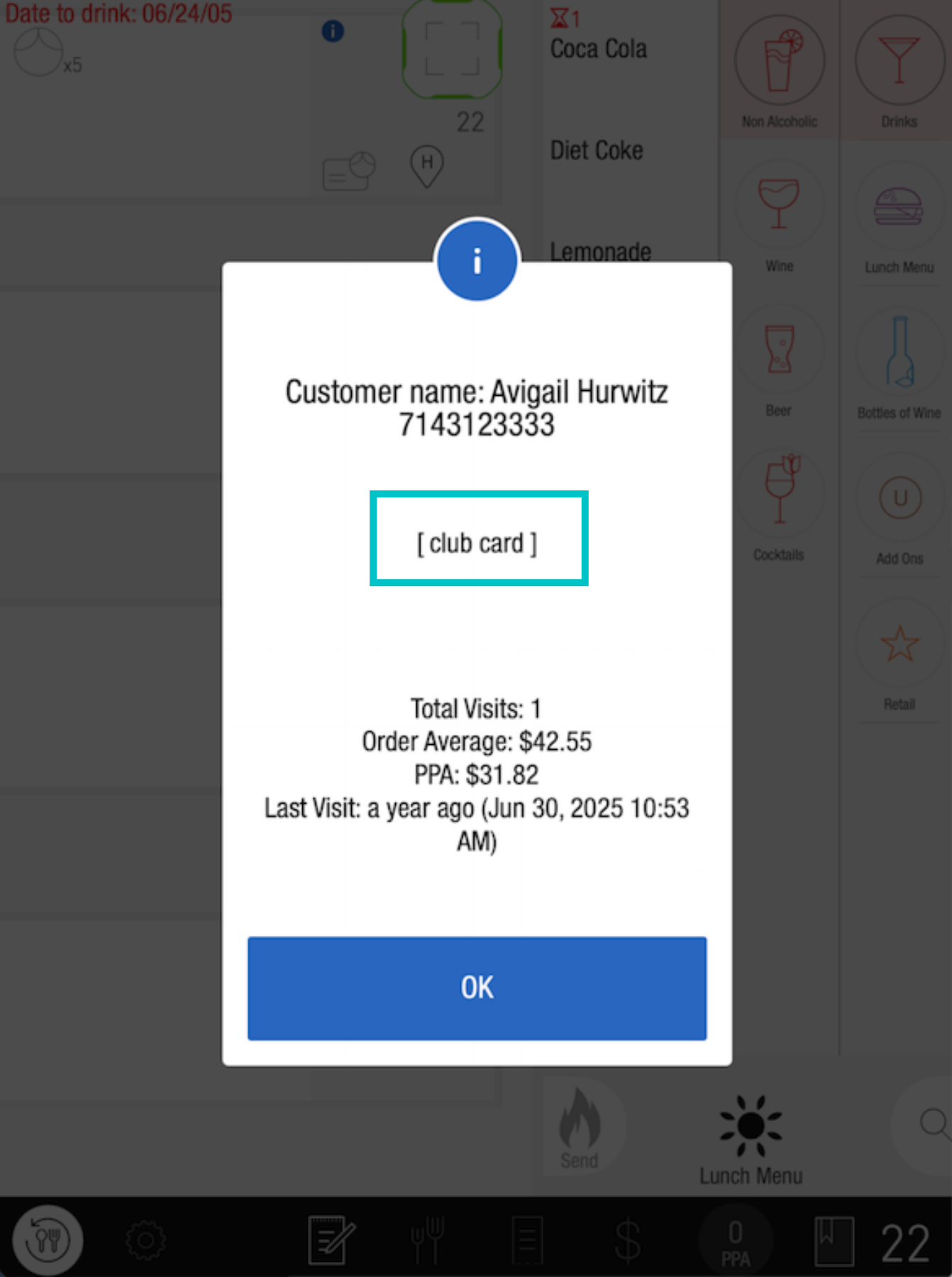
When the server enters the order on the PAD they will see that the customer is a loyalty member
-
And it will also be shown on the customer card within the order itself