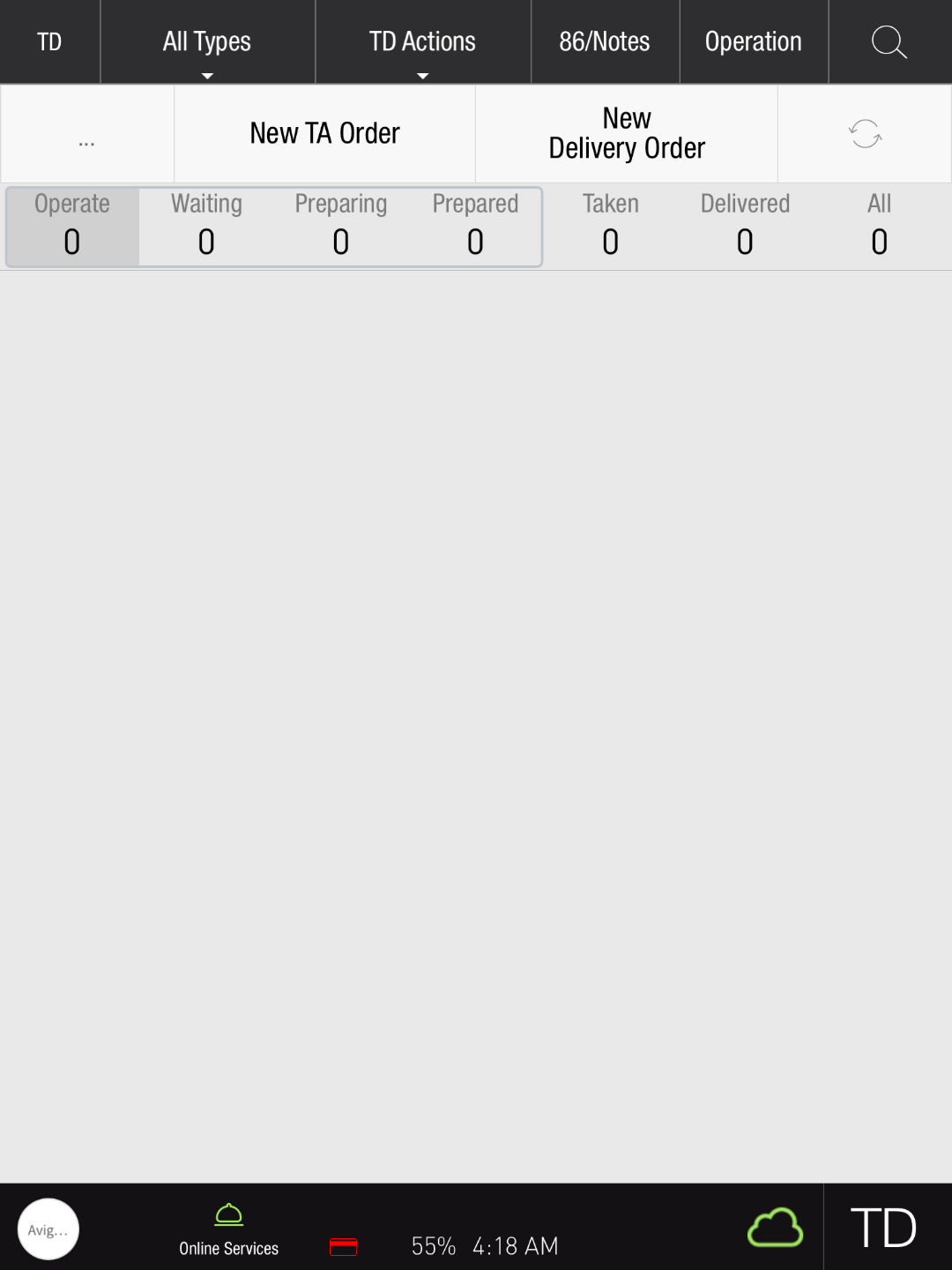
Closing all TD orders at once helps clear the screen efficiently and saves time.
Only paid orders will be closed by this action
For all users
-
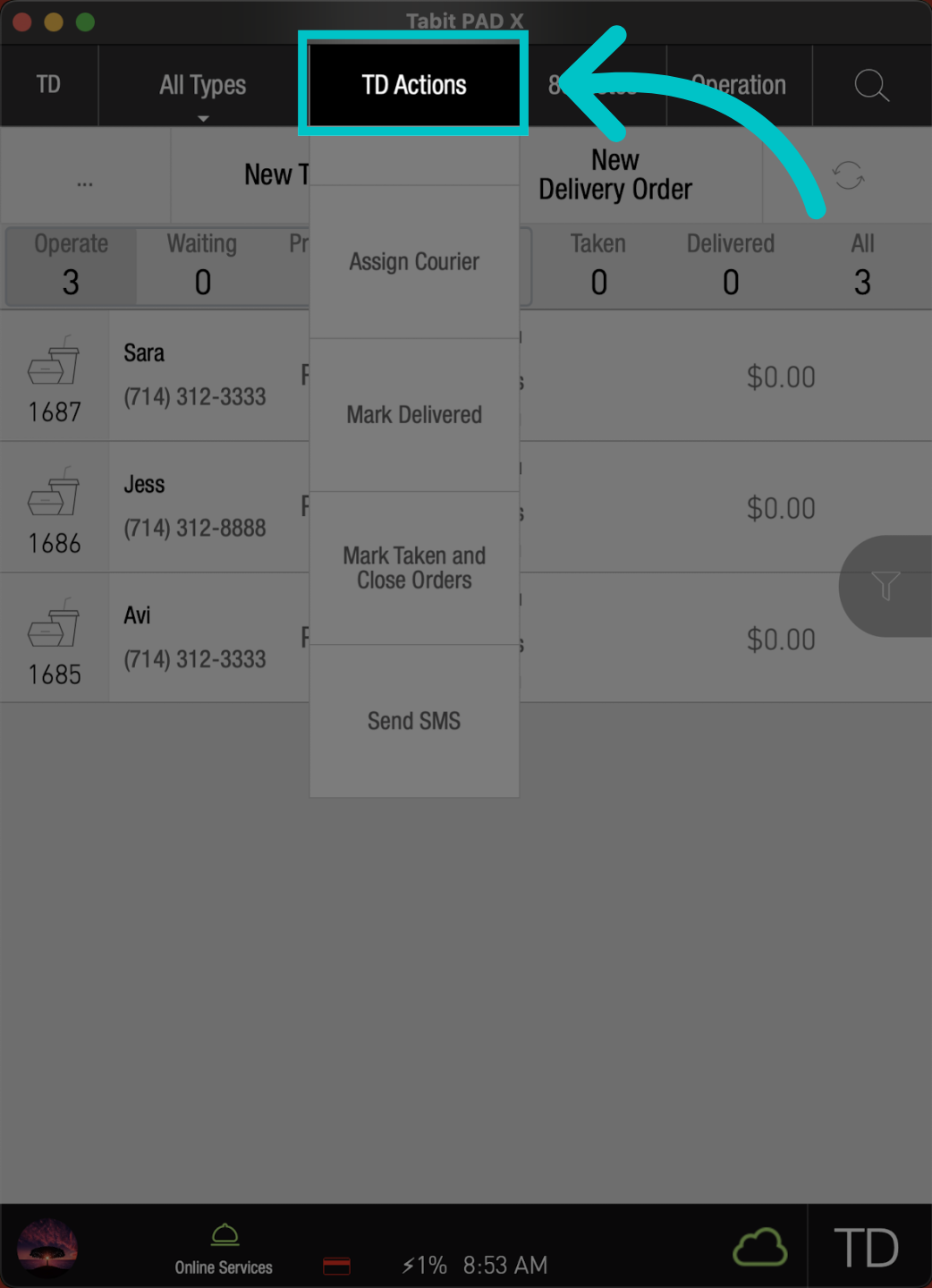
From the TD screen, go to the TD Actions tab
-
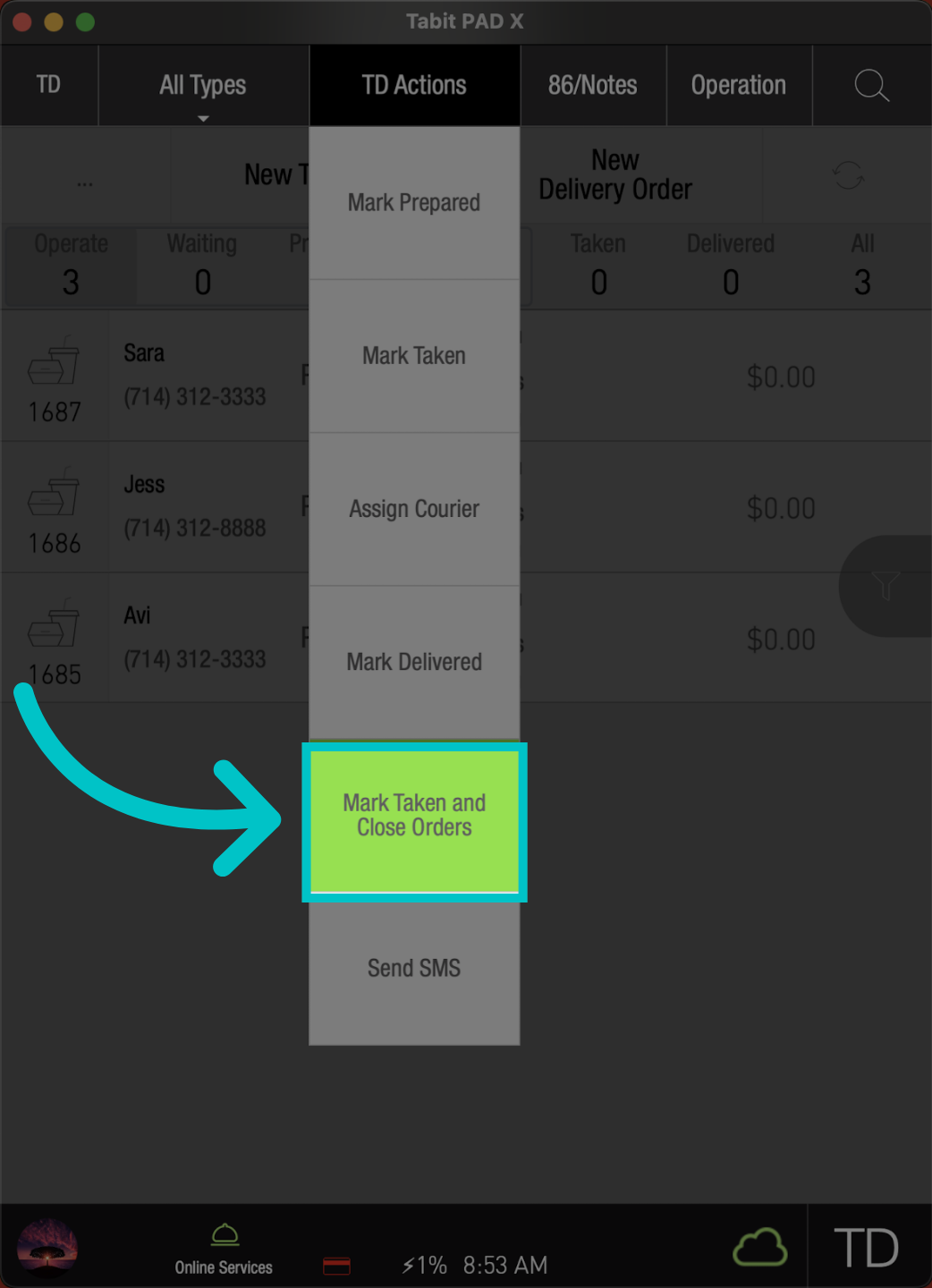
Select Mark Taken and Close Orders
-
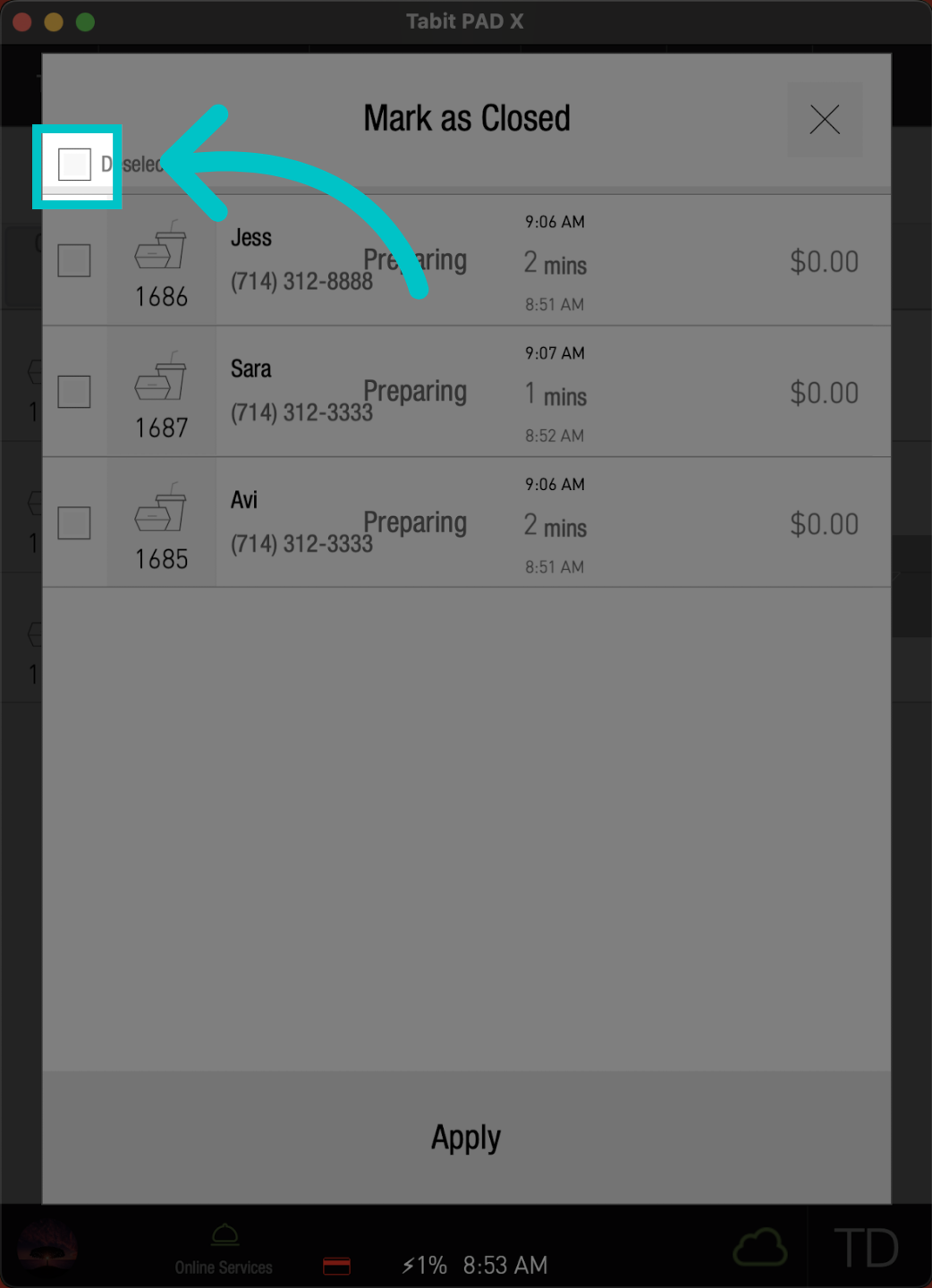
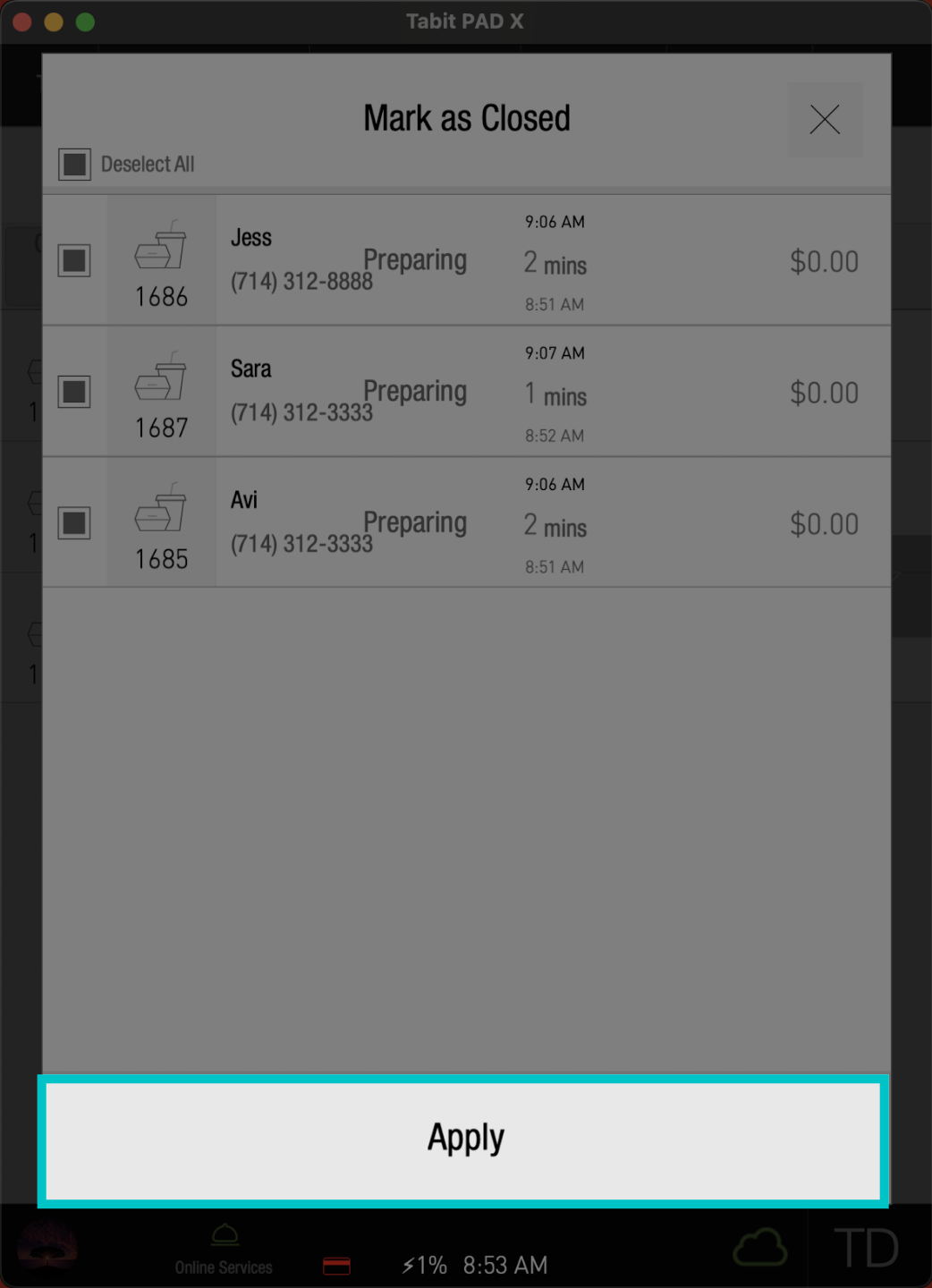
Check the Select All box
-
Select Apply. Now, your TD screen will be clear and ready for new orders
For managers only
-
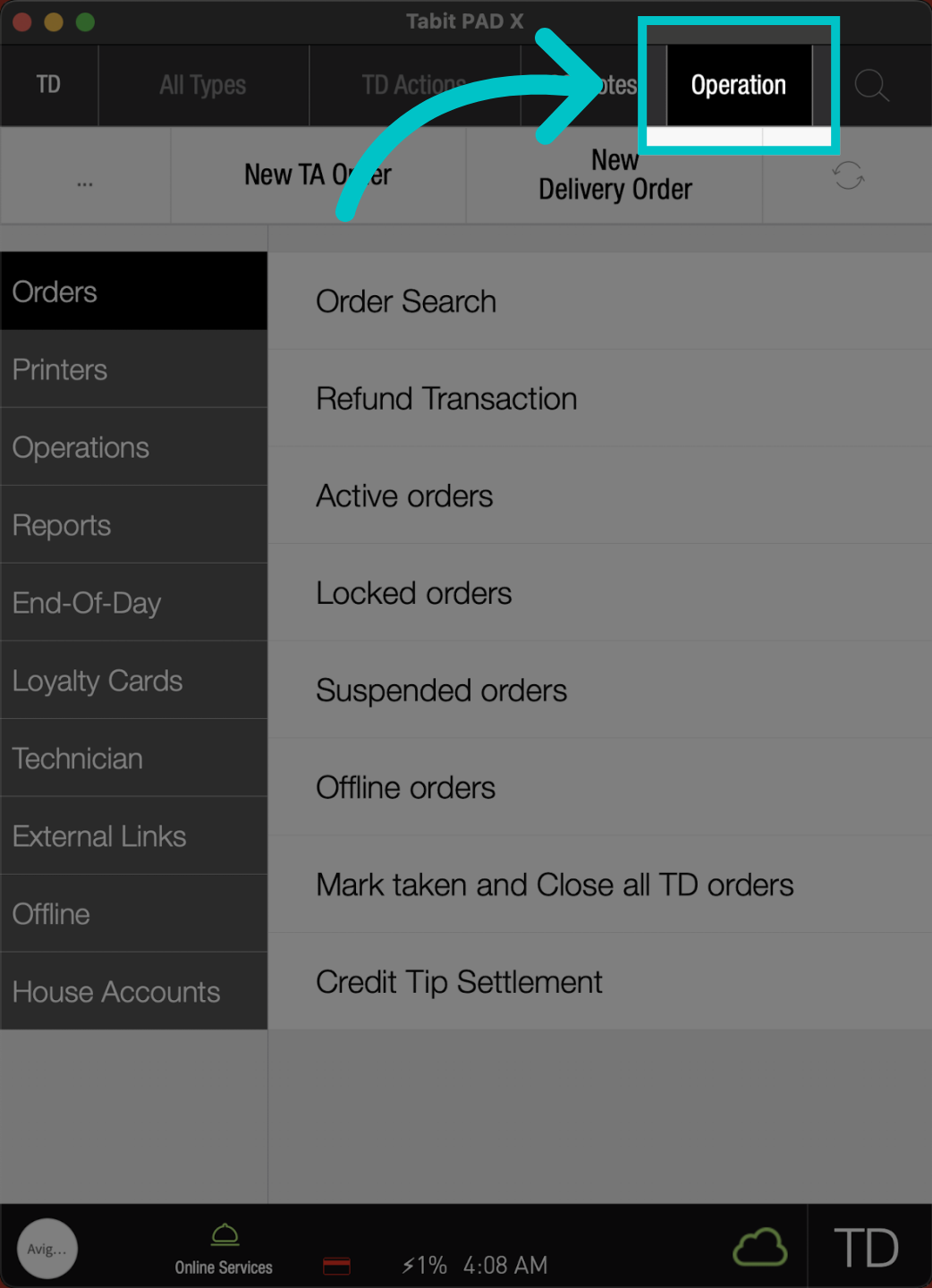
From a manager user go to the Operation tab
-
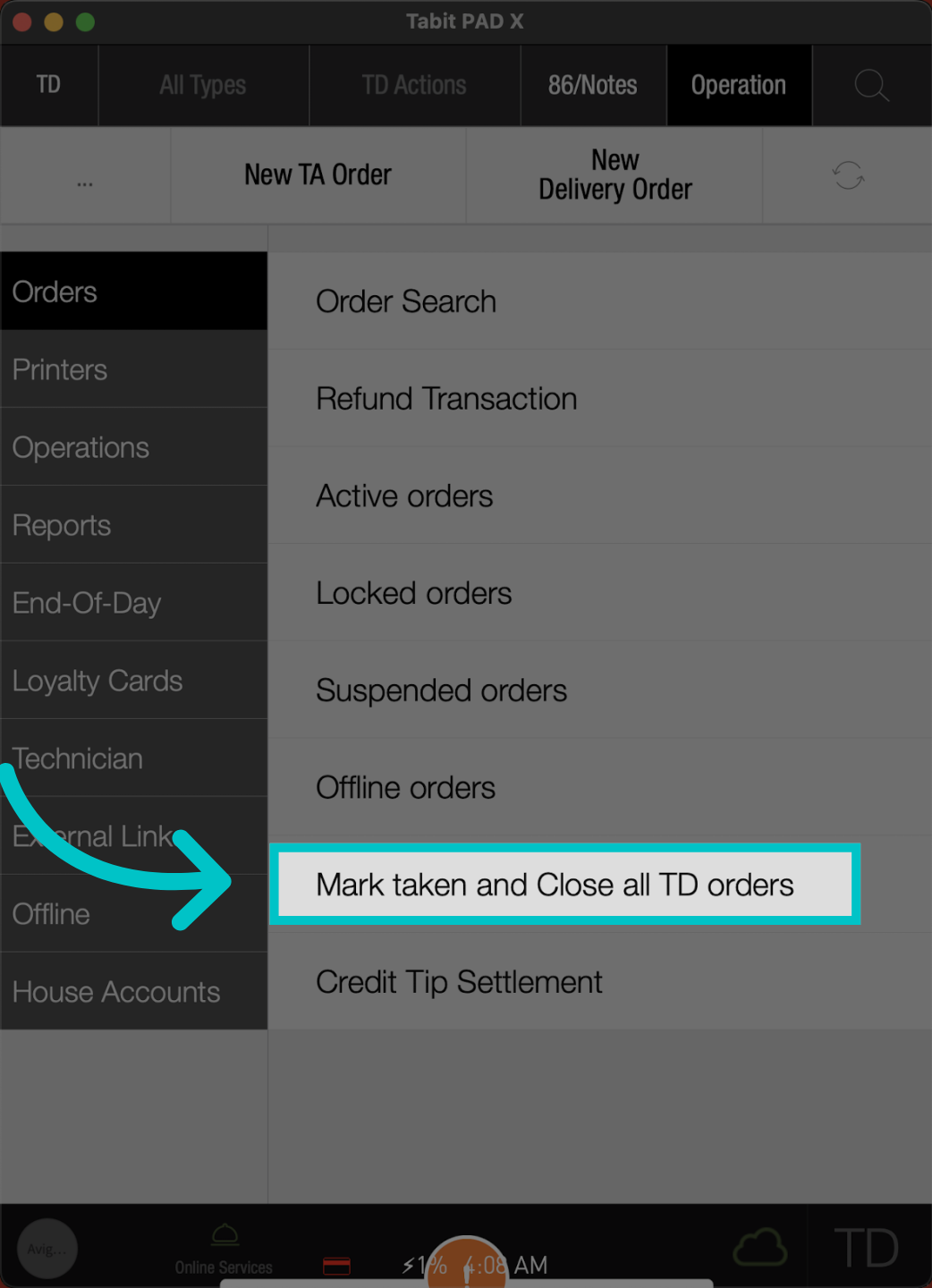
Select Mark taken and Close all TD orders
-
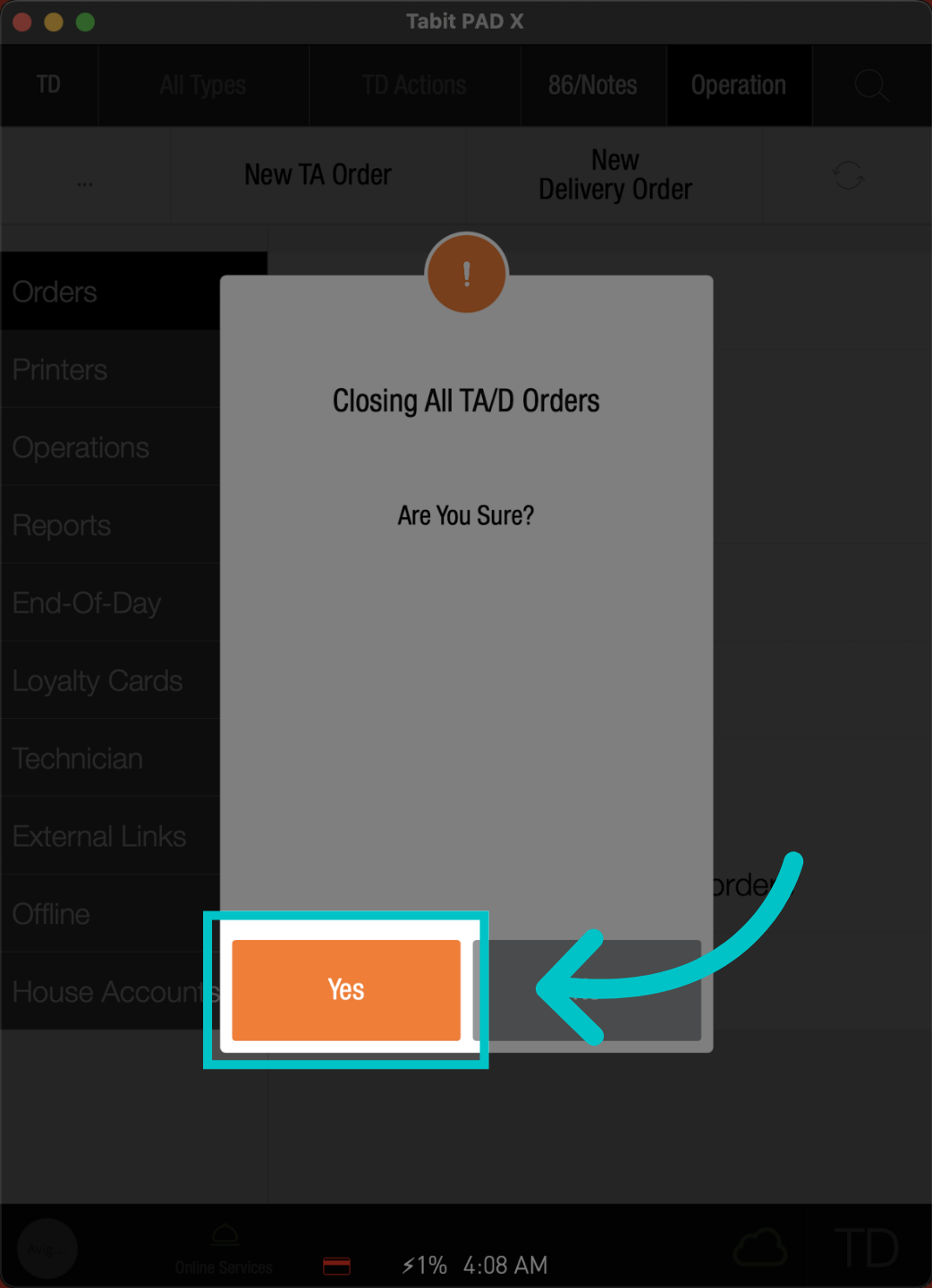
Confirm the action to complete the process
-
Now your screen will be clean, and waiting for more orders to come