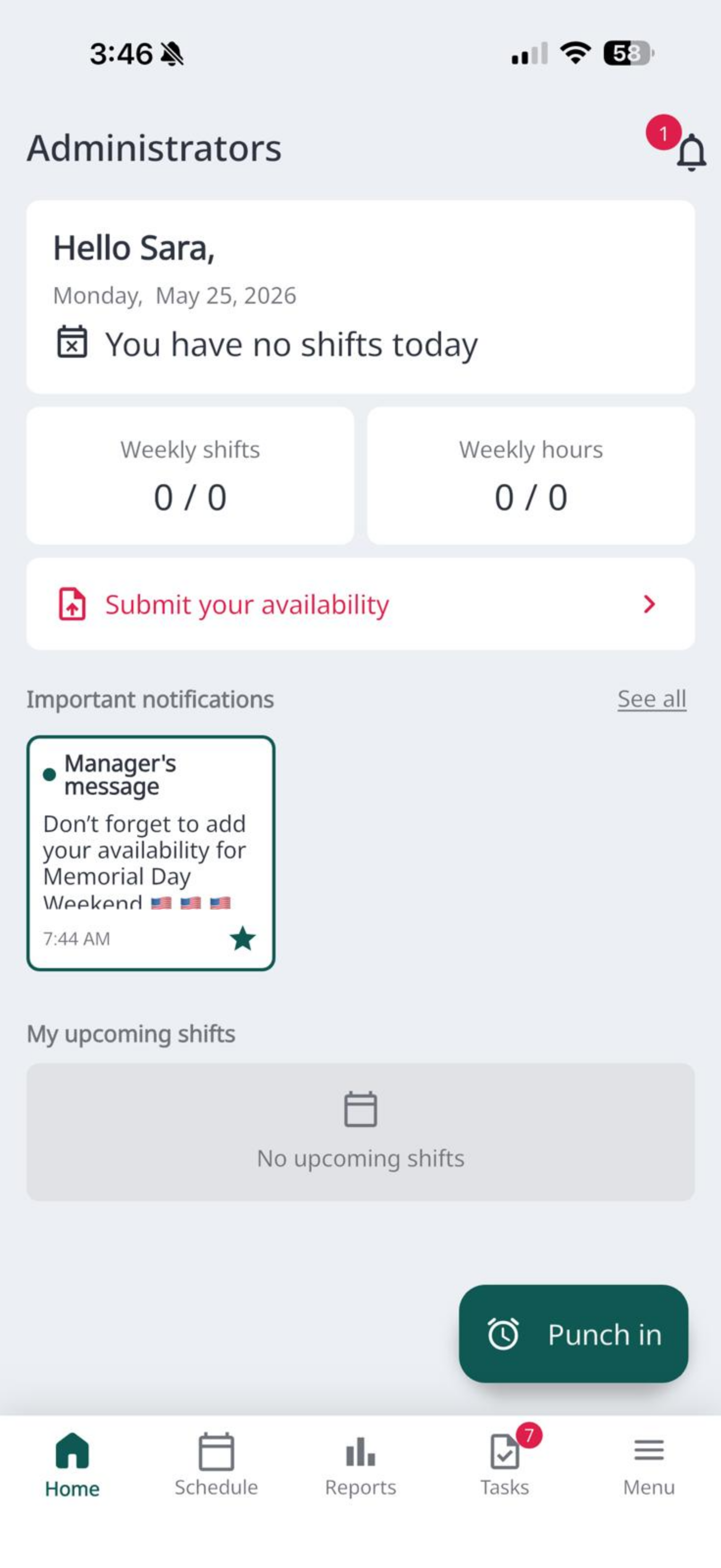
The Tabit Shift app supports multiple display languages, allowing staff to work in their preferred language. This article explains how to change the app's language setting from the Settings menu.
To learn how to change the language in Tabit Shift, follow the steps below:
-
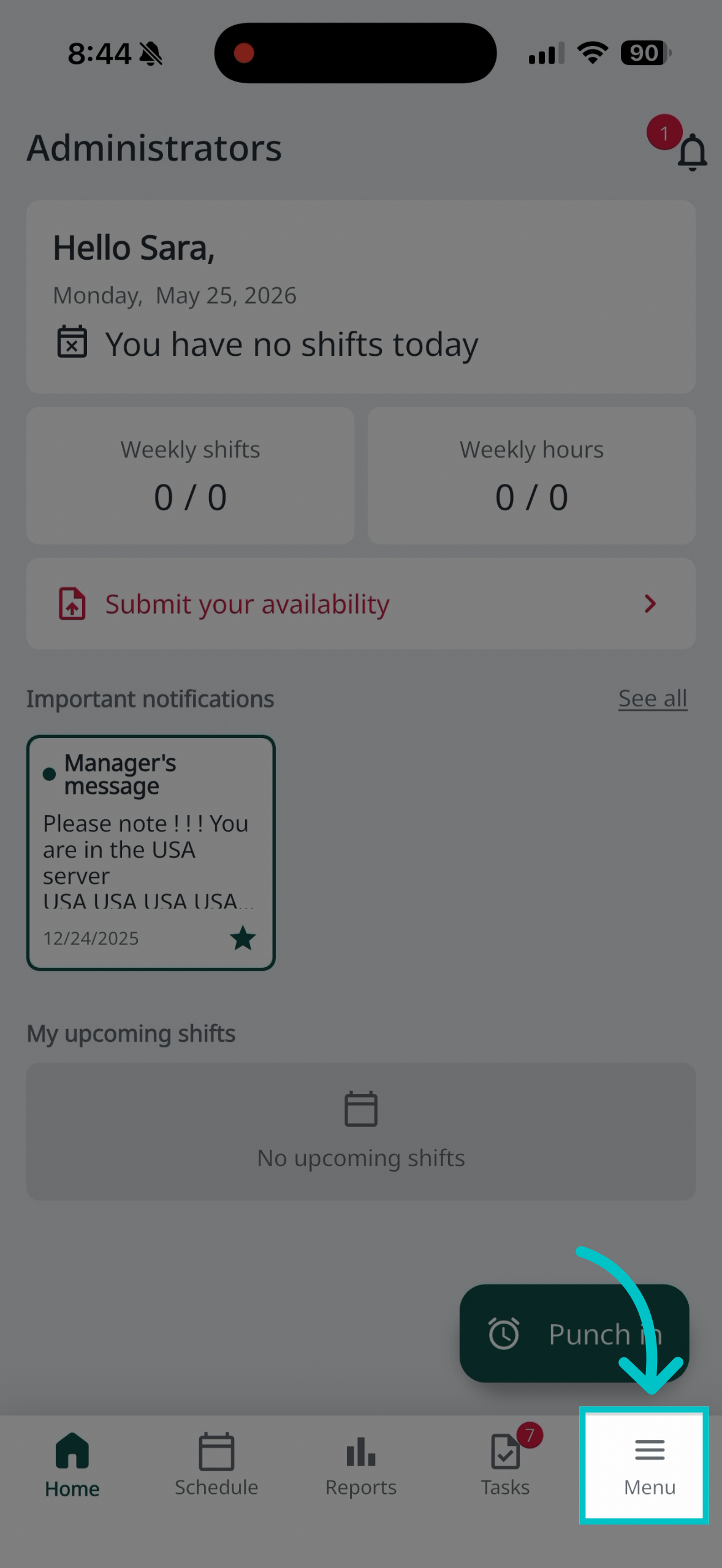
Tap Menu in the bottom right corner of the screen
-
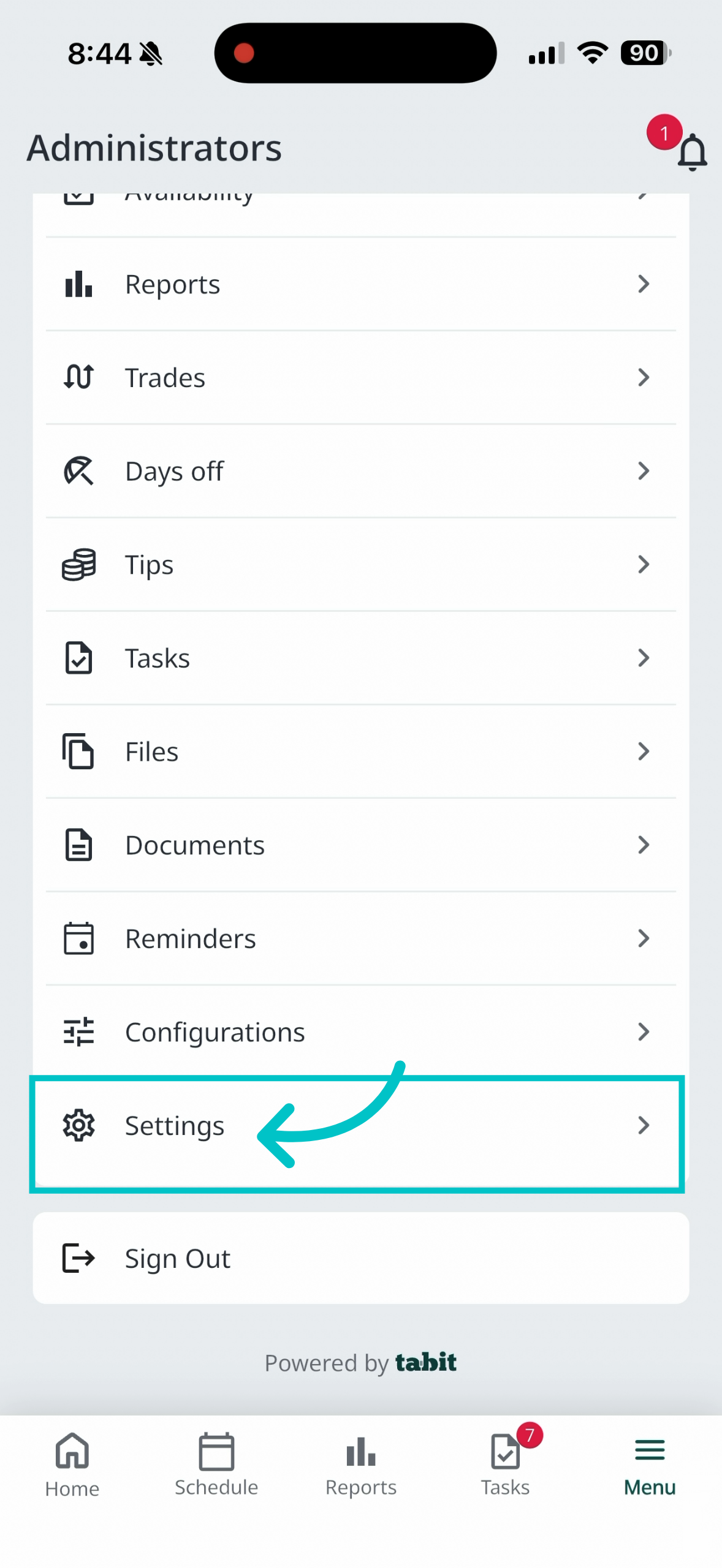
Scroll down and tap Settings
-
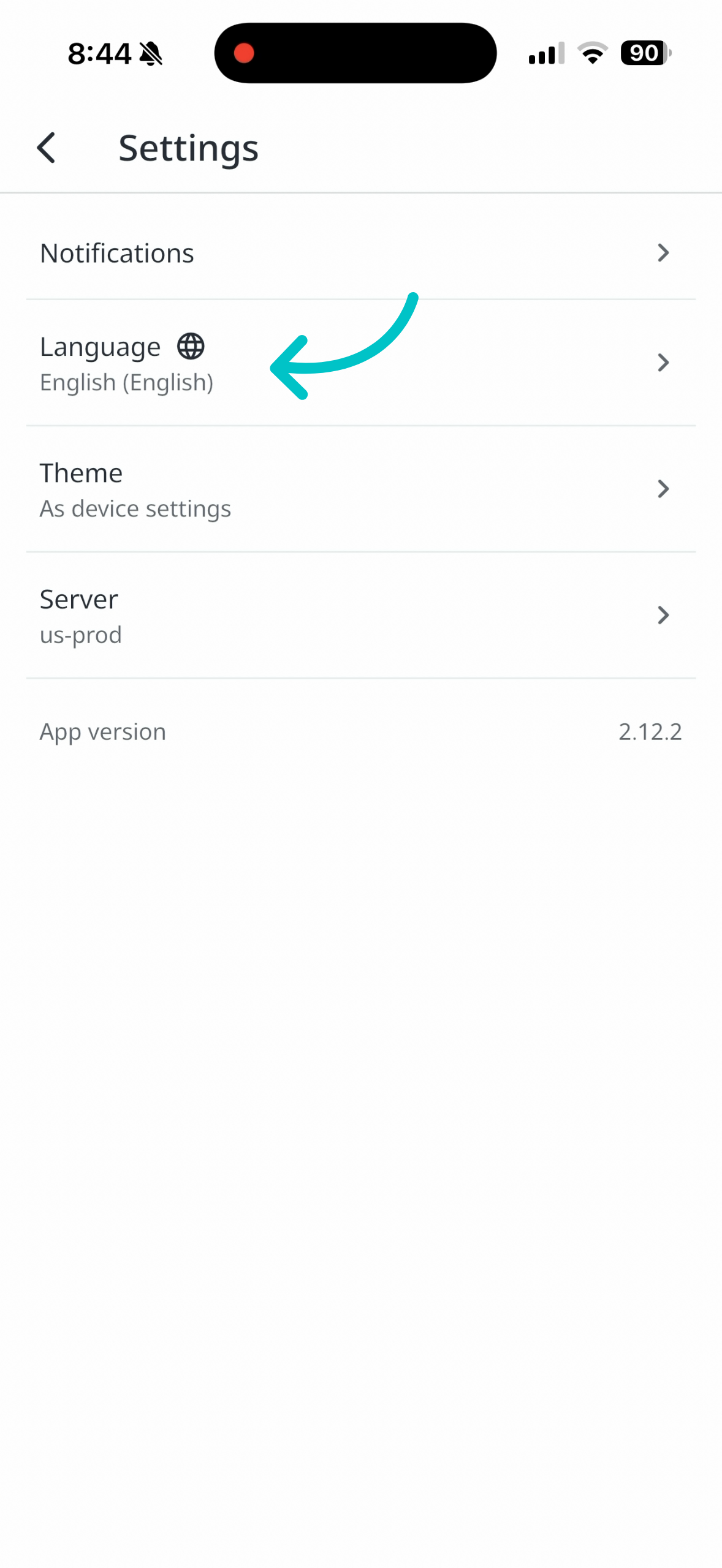
Tap Language
-
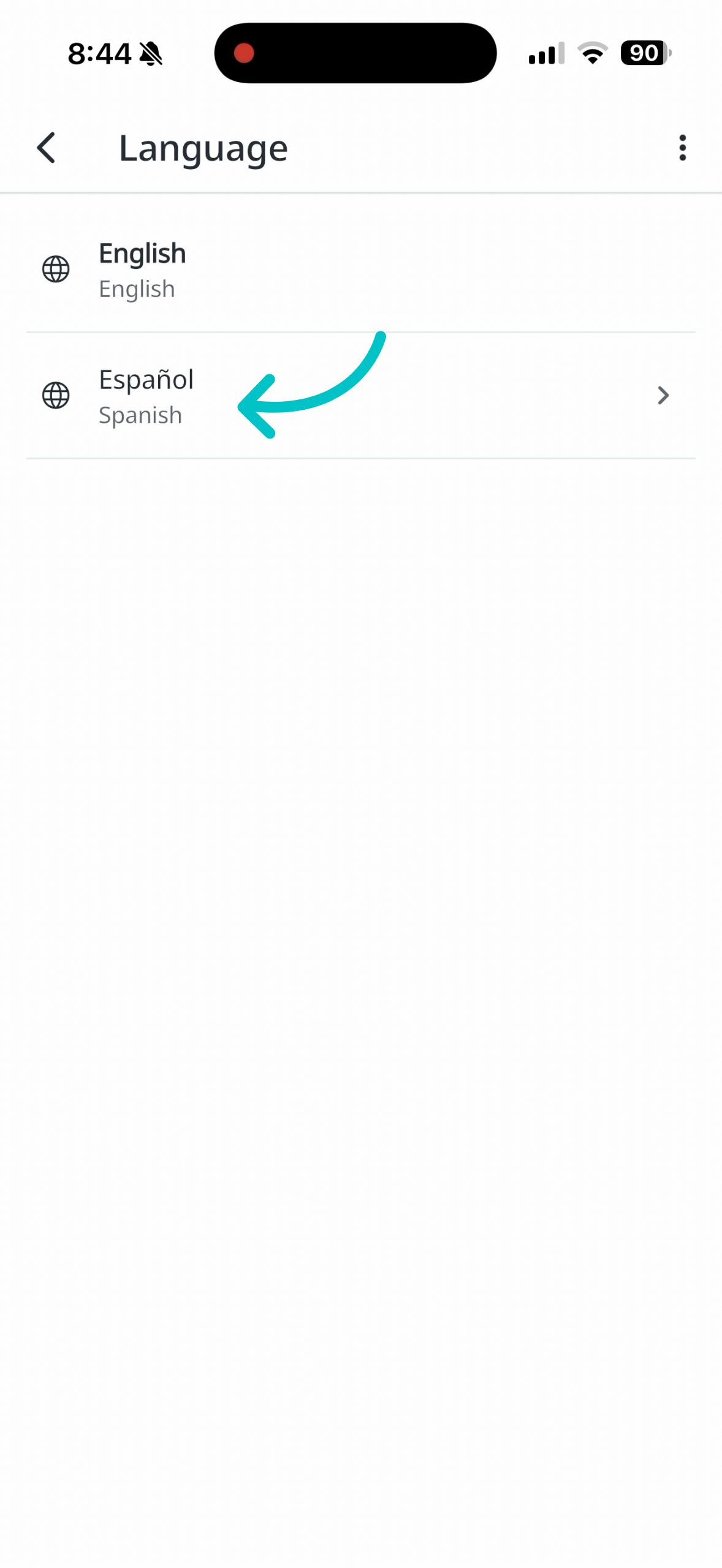
Tap the desired language (e.g. Spanish) to apply it
-
All text in the app will now display in the selected language
Any messages in English will remain in English