Tip Pools are a feature of the Tabit Shift product module, an additional SaaS component used for employee scheduling, time and attendance tracking, and tip allocation and distribution. Tip Pools allow restaurants to automatically calculate and distribute tip contributions across job functions based on configurable rules.
If your site is not currently using Tabit Shift and you are interested in enabling Tip Pools, contact your Tabit Success Manager for more information.
How Tip Pools Work
Tip Pools in Tabit are configured based on job functions. The exact setup may vary by restaurant, but most configurations include the following components:
Contributor
A Contributor is the job function that contributes sales or tips into the pool. Examples include Servers, Bartenders, and Delivery Drivers.
A Tip Pool must always have at least one contributor configured.
Recipient
A Recipient is the job function that receives the allocated tip pool contribution. Examples include Barbacks, Food Runners, and Hosts.
A Tip Pool must always have at least one recipient configured.
Contribution Method
The system must be configured to determine how contributions are calculated. Tip Pools can contribute based on Sales or Tips. The configuration also defines which specific sales or tip bucket is used for the calculation.
Contribution Percentage
A percentage must be defined for the contribution, for example 2% of sales or 5% of tips.
Example Tip Pool Configuration
The table below shows a sample Tip Pool configuration for a Barback tip-out arrangement:
| Tip Pool Name | Barback Tip Out |
| Contributor | Server |
| Contribution Type | Sales-based |
| Sales Bucket | Barback Tip Out |
| Contribution Percentage | 2% |
| Recipient | Barback |
| Distribution Method | Distributed among Barbacks based on hours worked during the shift |
Important Requirements
For Tip Pools to calculate correctly, the following conditions must be met:
- A Tip Pool must already be properly configured and enabled
- Employees must have both a clock-in and a clock-out record. Missing attendance data may prevent proper tip calculations
Calculating Tips
Tip calculations for payroll purposes require a manager to manually run the tip calculation in Tabit Shift. To run and finalize tip calculations, follow the steps below:
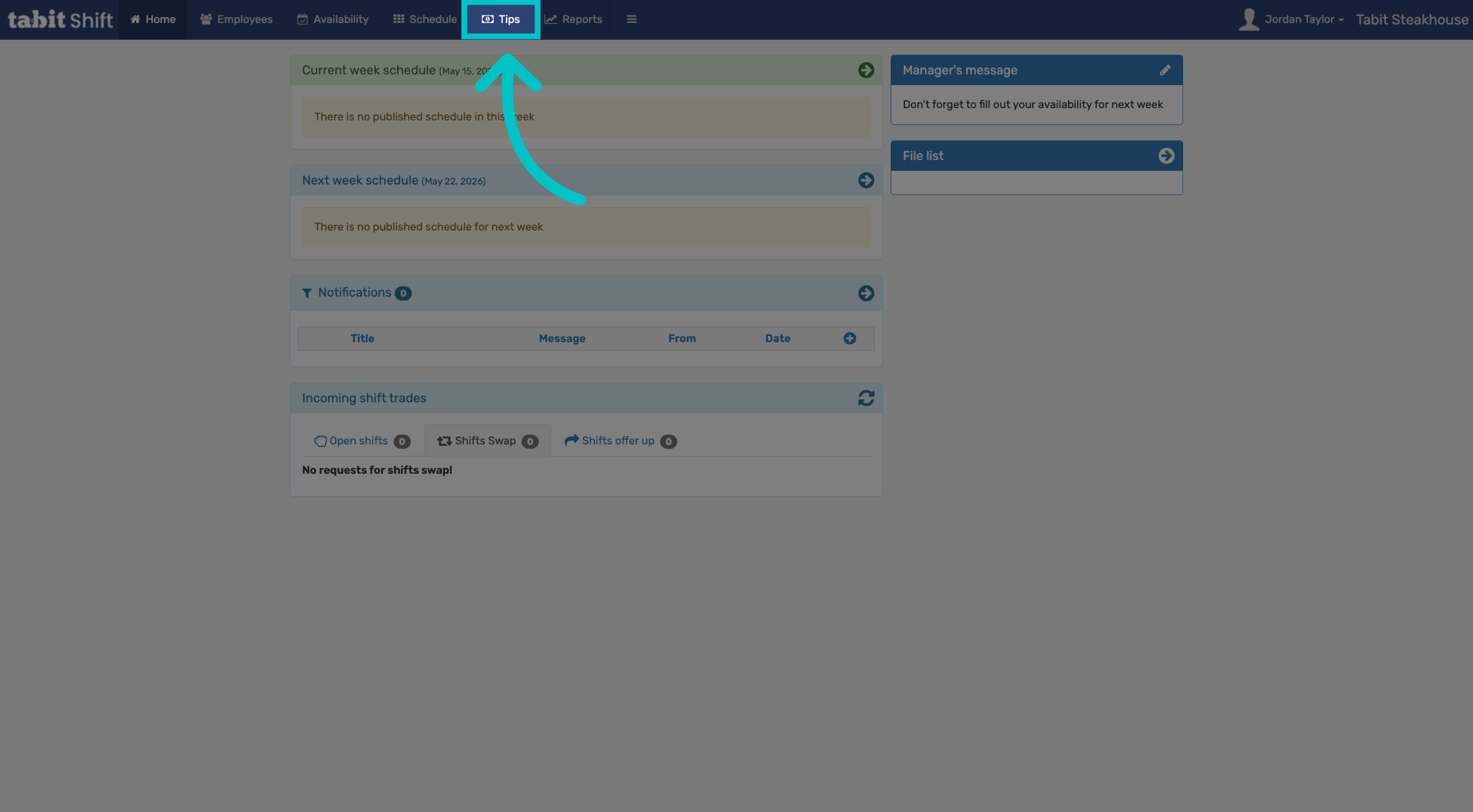
In Tabit Shift select the Tips tab
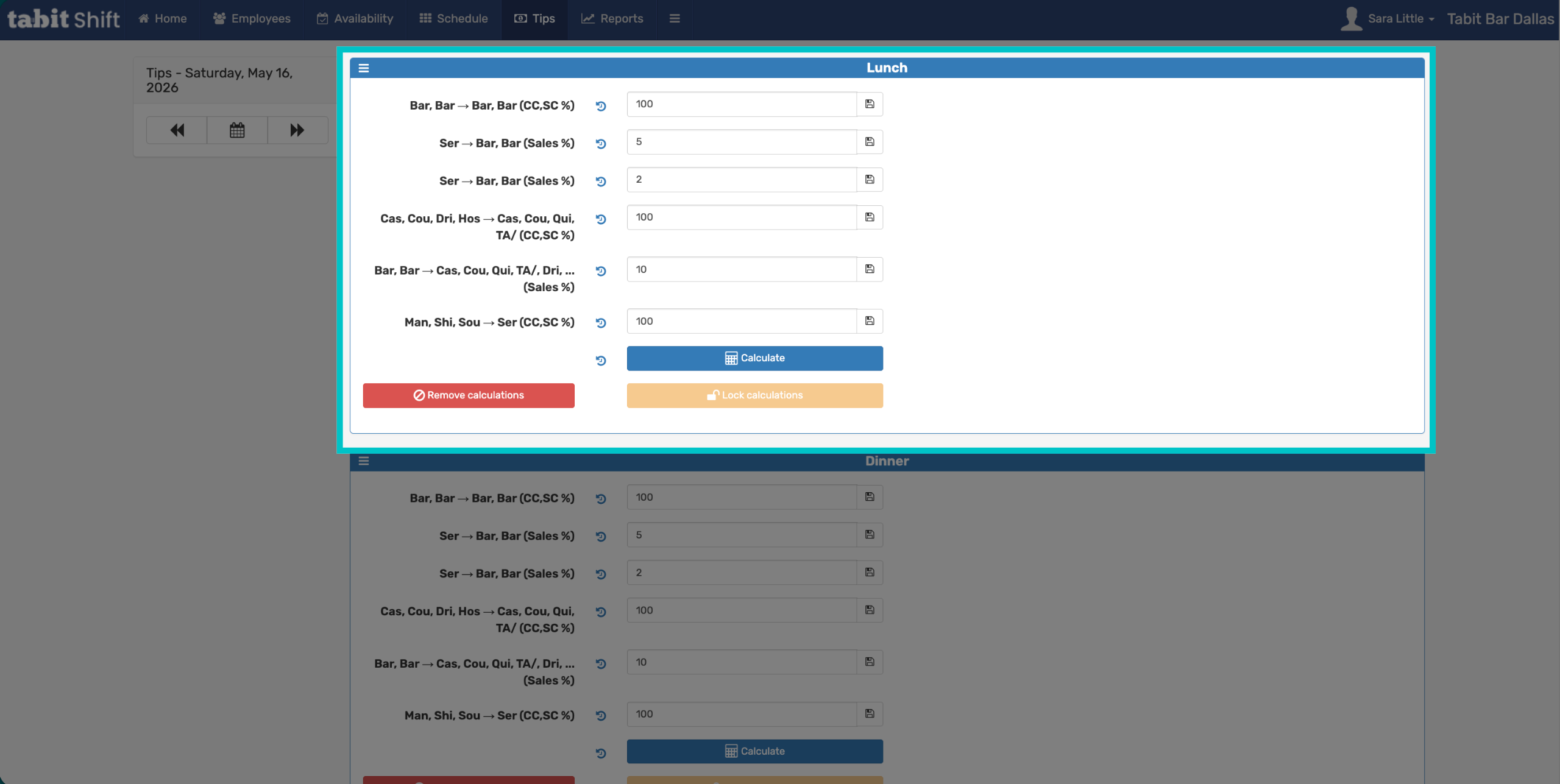
Select the relevant date, then select Calculate
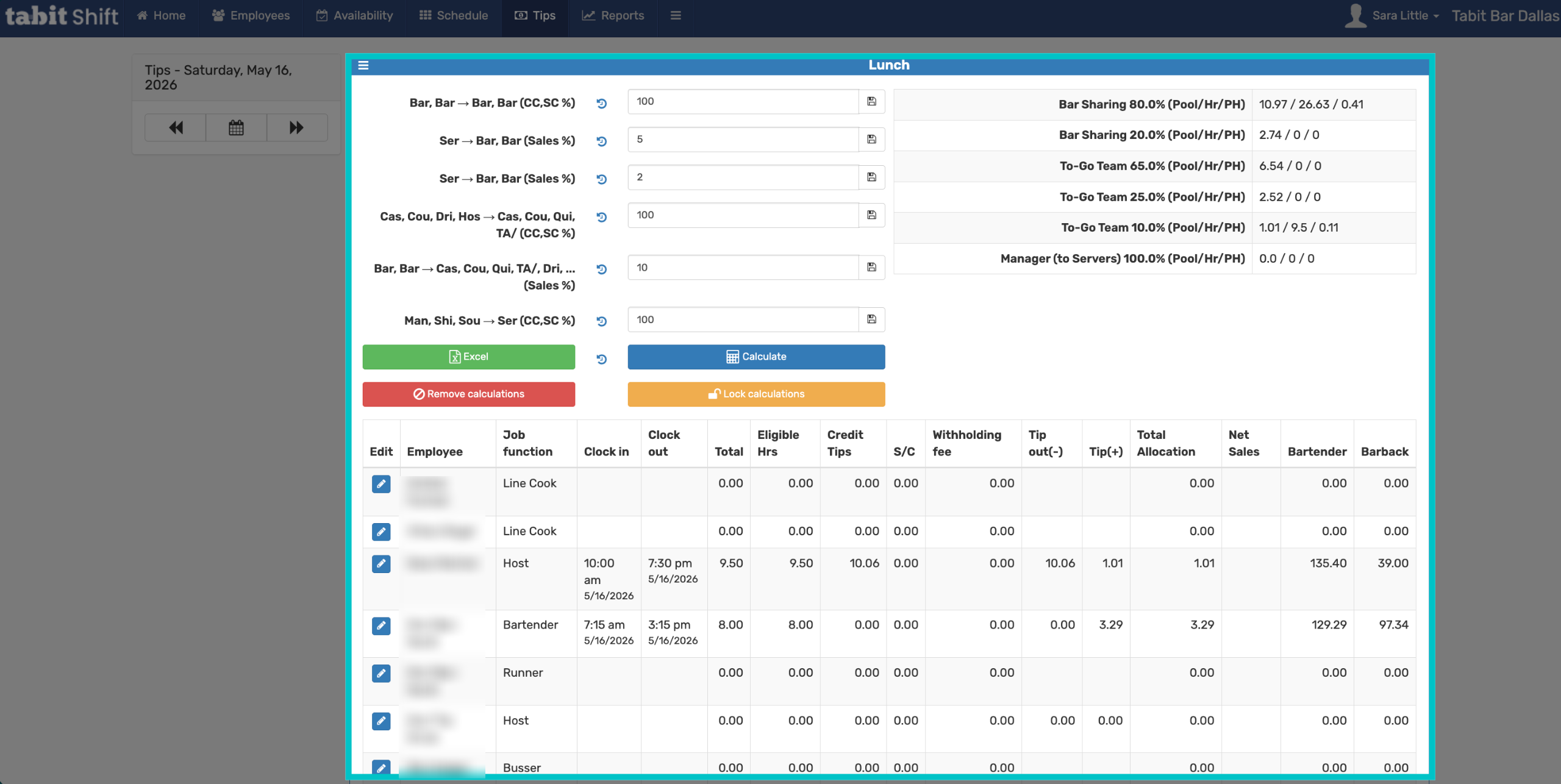
Review the calculated tips shown below, then select Lock to prevent any further changes and finalize distribution
Important Limitation
If the incorrect employee or job function closes an order containing a tip, the order cannot be reopened solely to move the tip, and the tip cannot be reassigned to another employee or job function. To correct this situation, the payment and tip must be refunded and reprocessed under the correct employee or job function, which requires retaking payment from the customer. Ensure orders are closed under the correct employee profile before payment is completed.