PAD Views can be quickly imported to Tabit Order, simplifying and speeding up menu creation. To learn how to import a PAD View, follow the steps below:
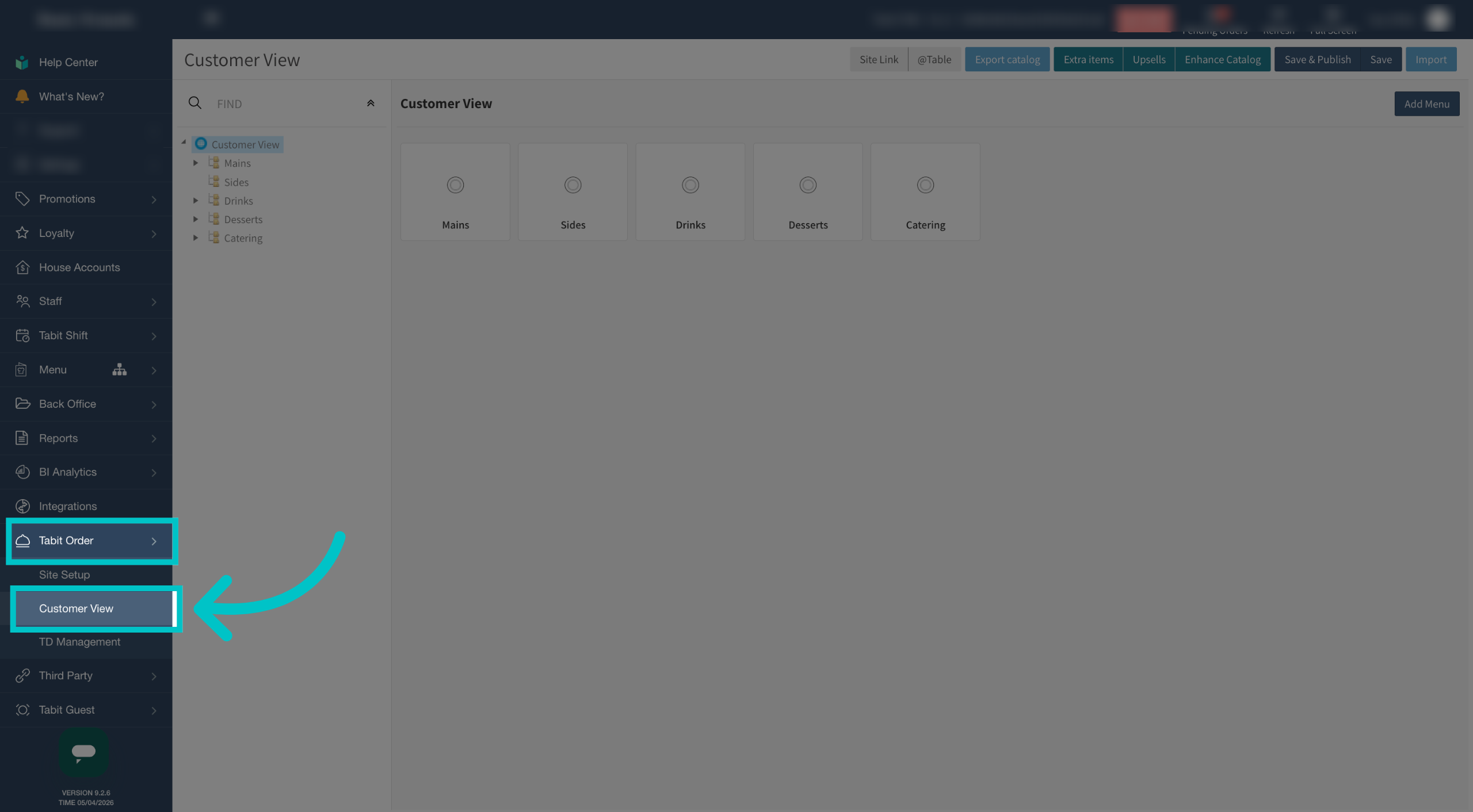
In Tabit Office, go to Tabit Order and then select Customer View
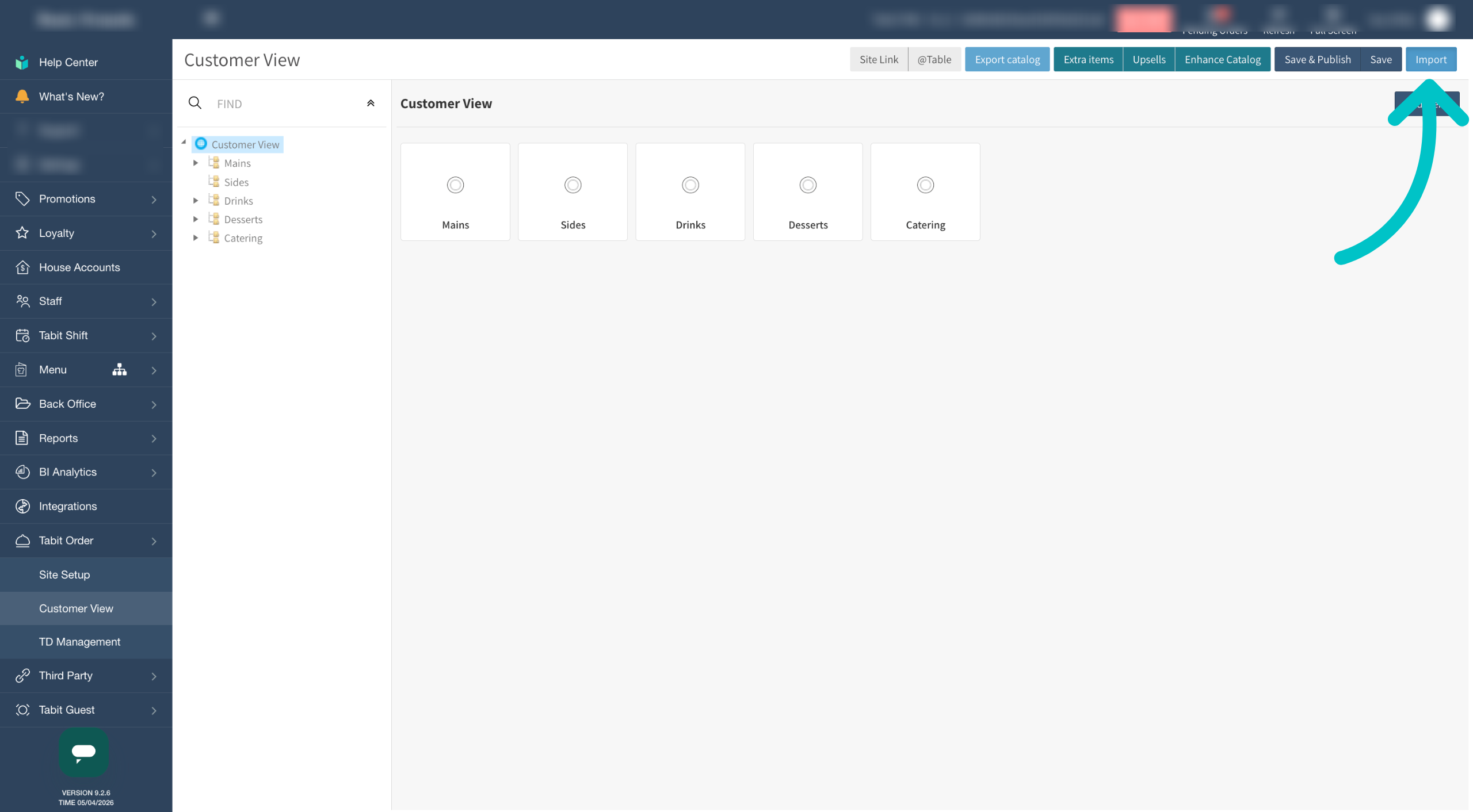
Select the Import button at the top right of the screen
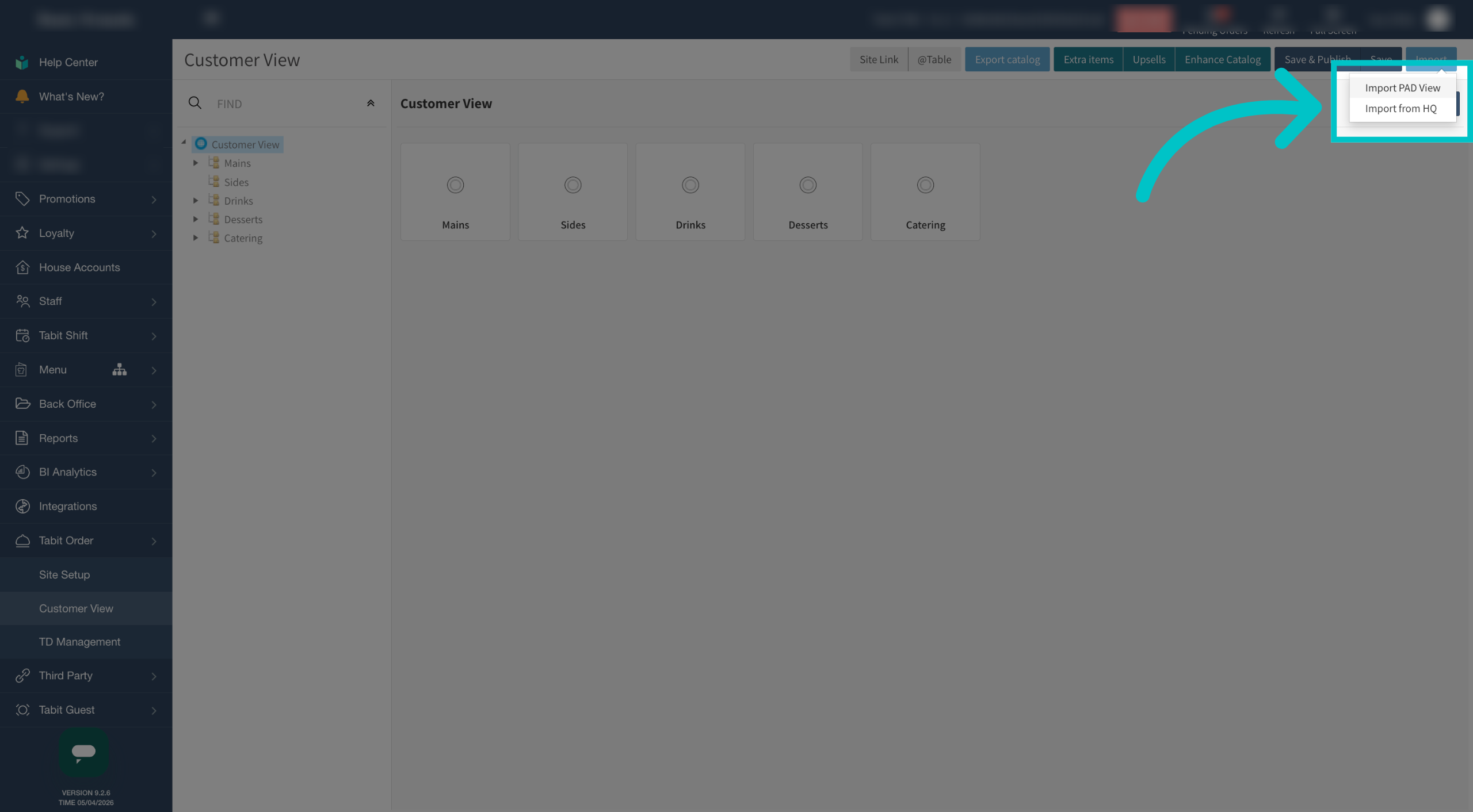
Select Import PAD View
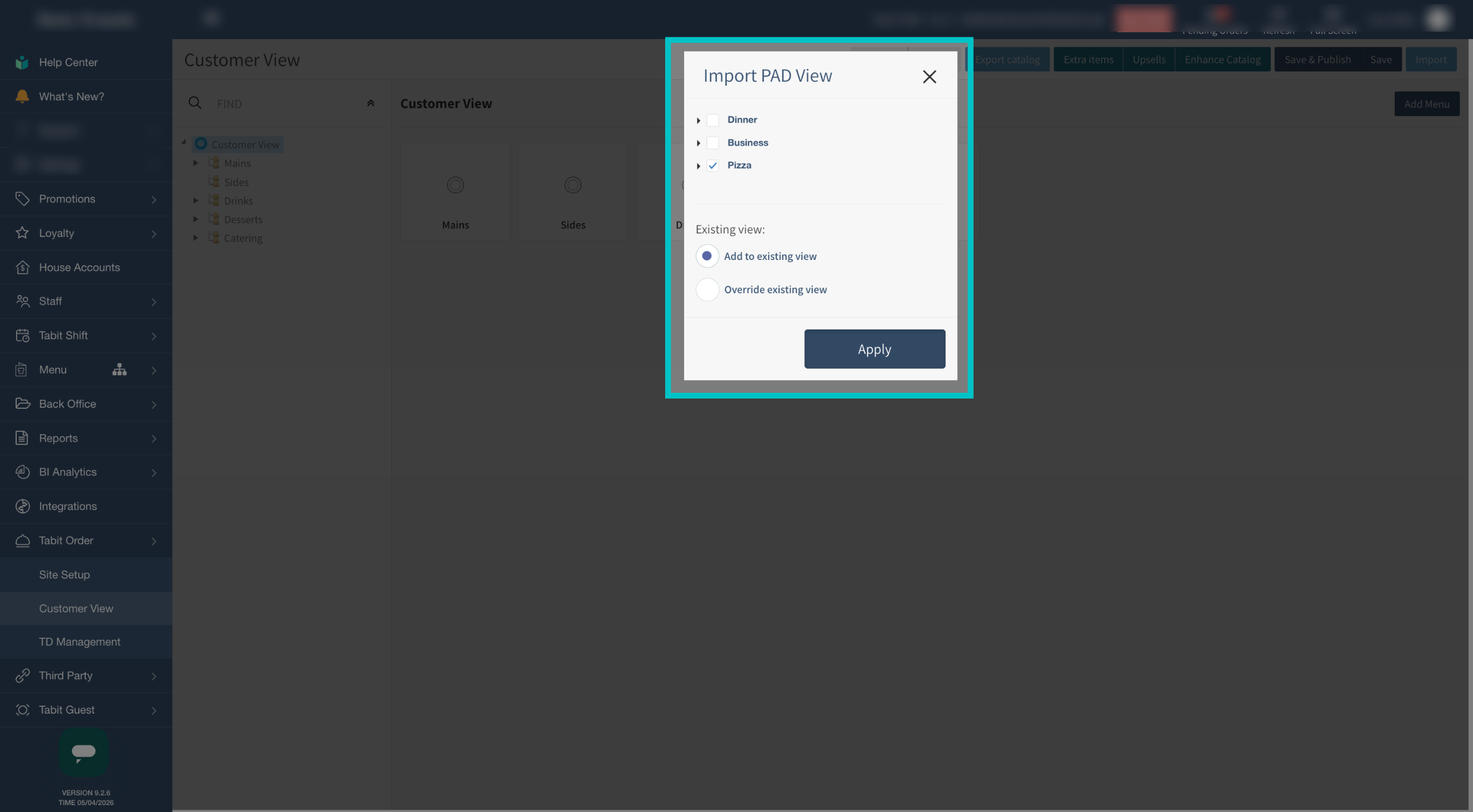
Select the relevant PAD View or views to import and whether it should be added to the existing customer view or override it, then select Apply
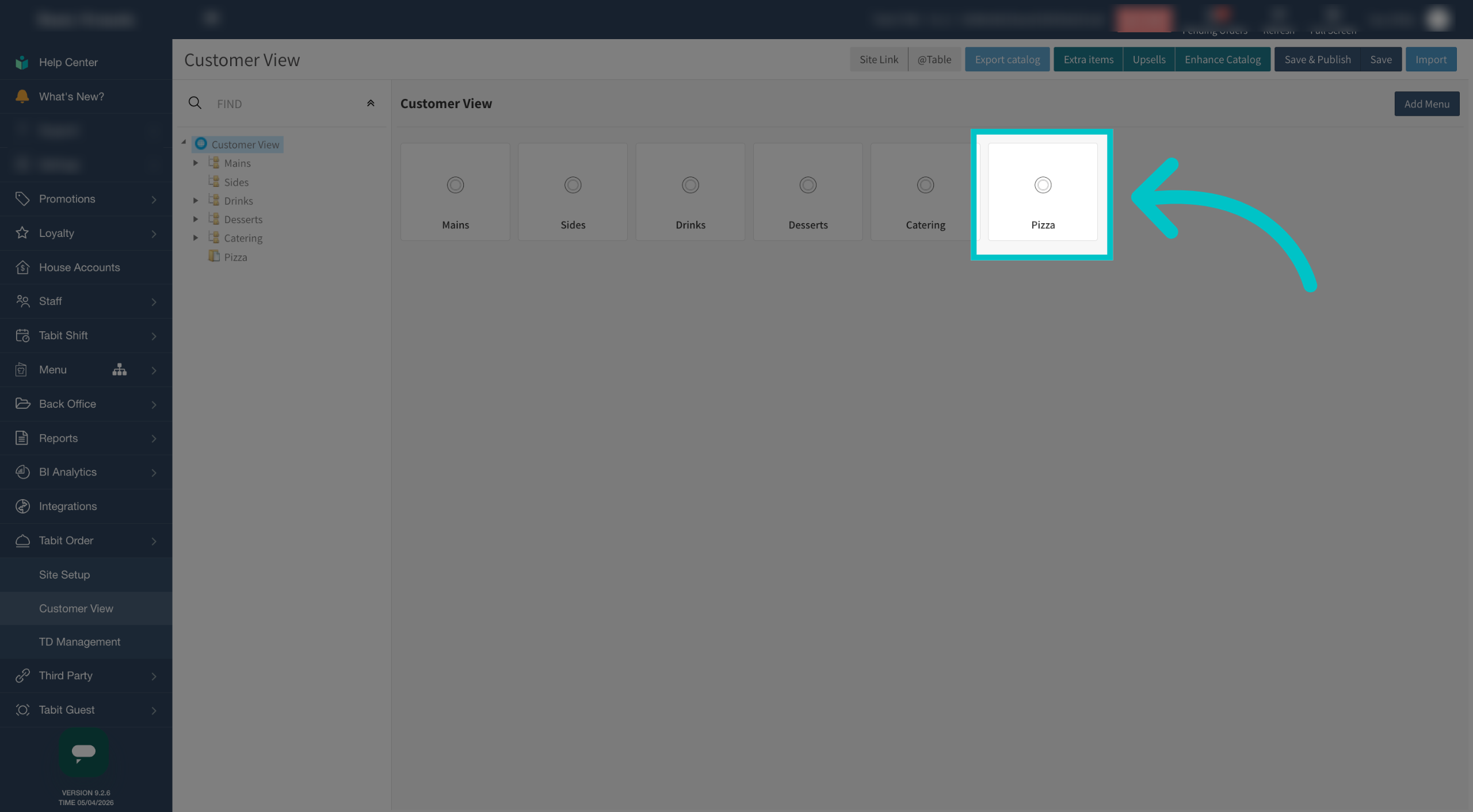
The new PAD View has been added to Tabit Order