Take Away orders can be quickly placed from the OTC profile and assigned a buzzer number, making it easy to identify and notify guests when their order is ready.
Follow the steps below to learn how to place an OTC Take Away order with a buzzer number.
-
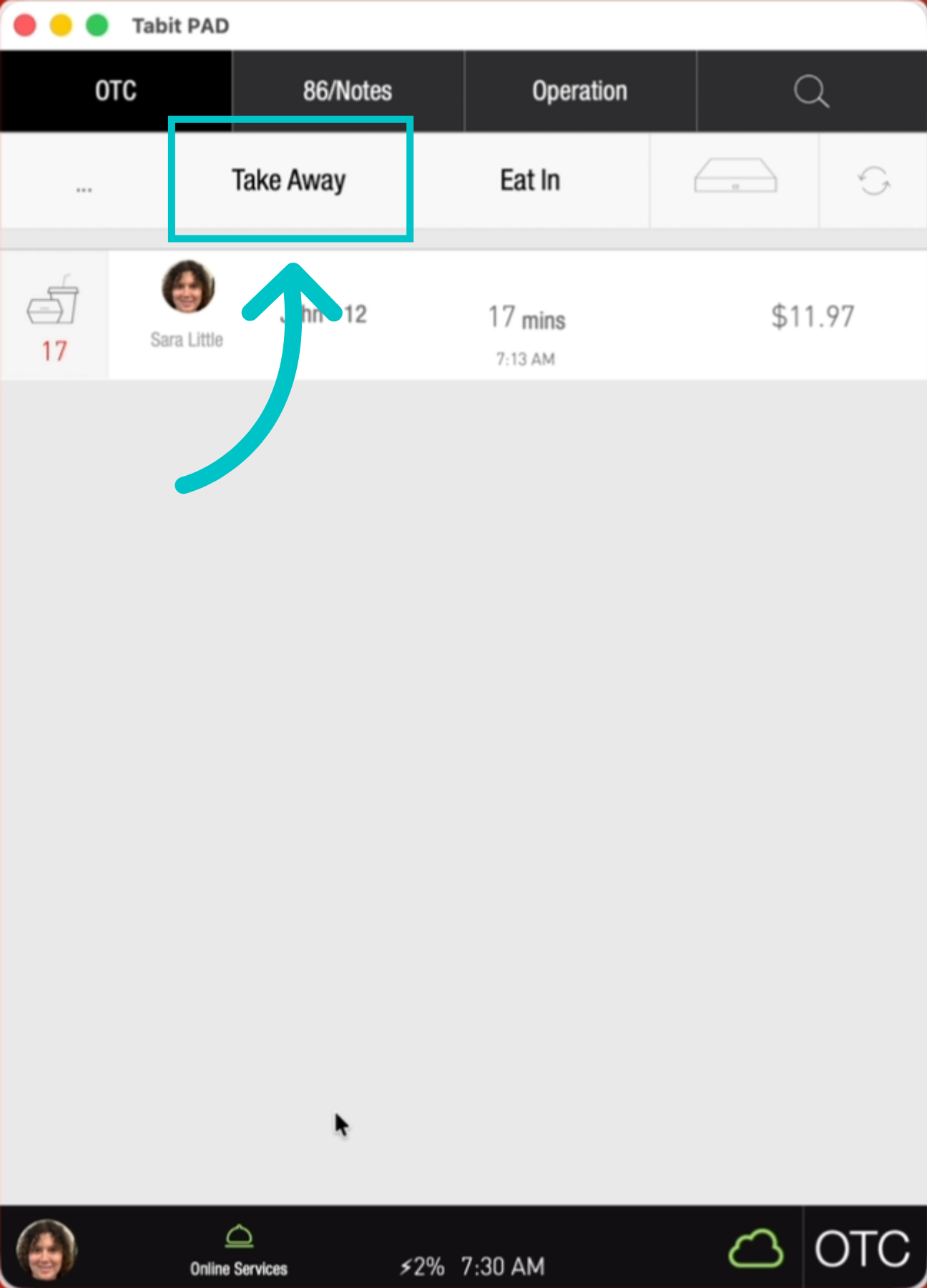
On the PAD, from the OTC profile, select Take Away
-
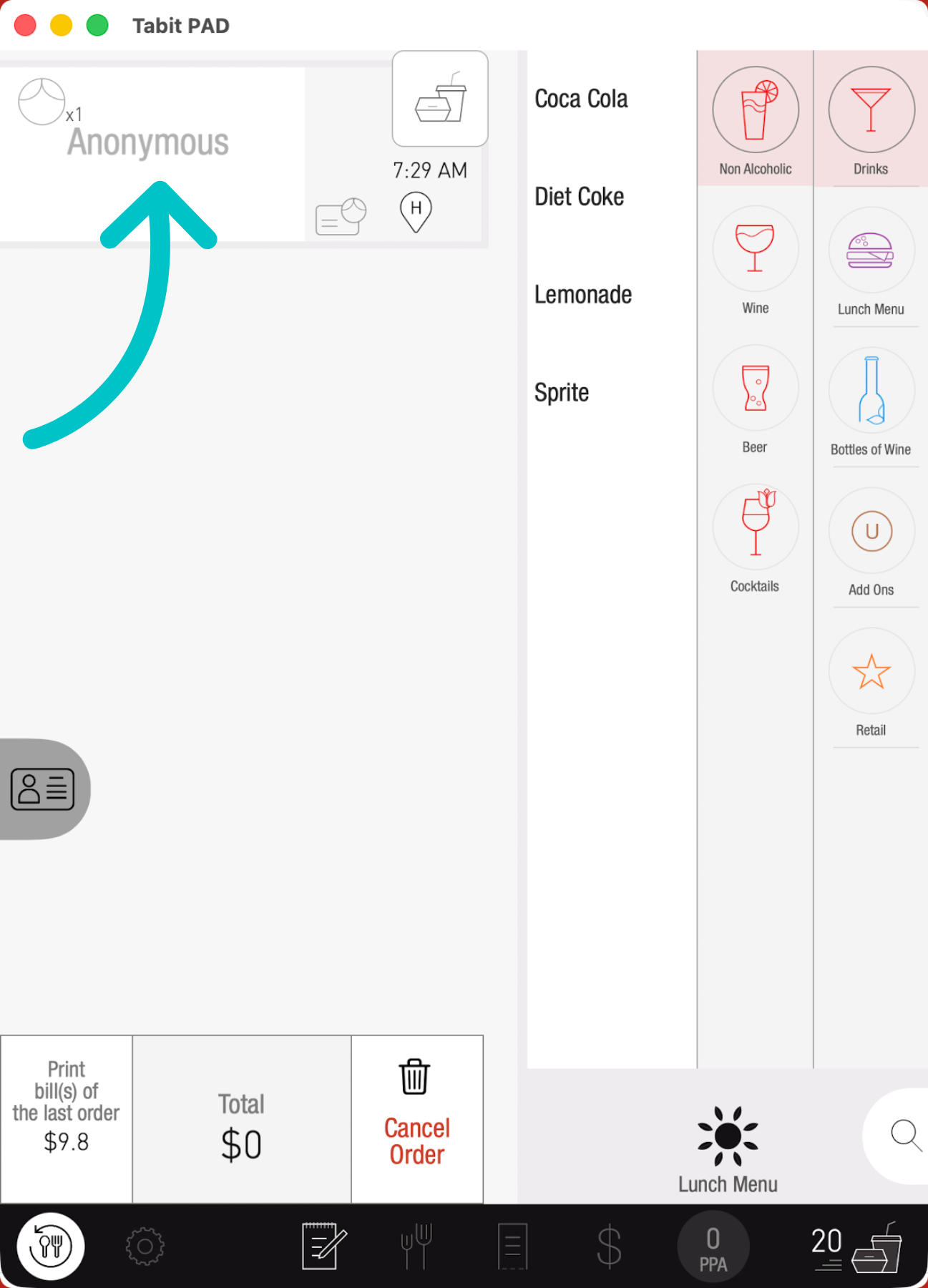
Select the customer icon at the top of the screen
-
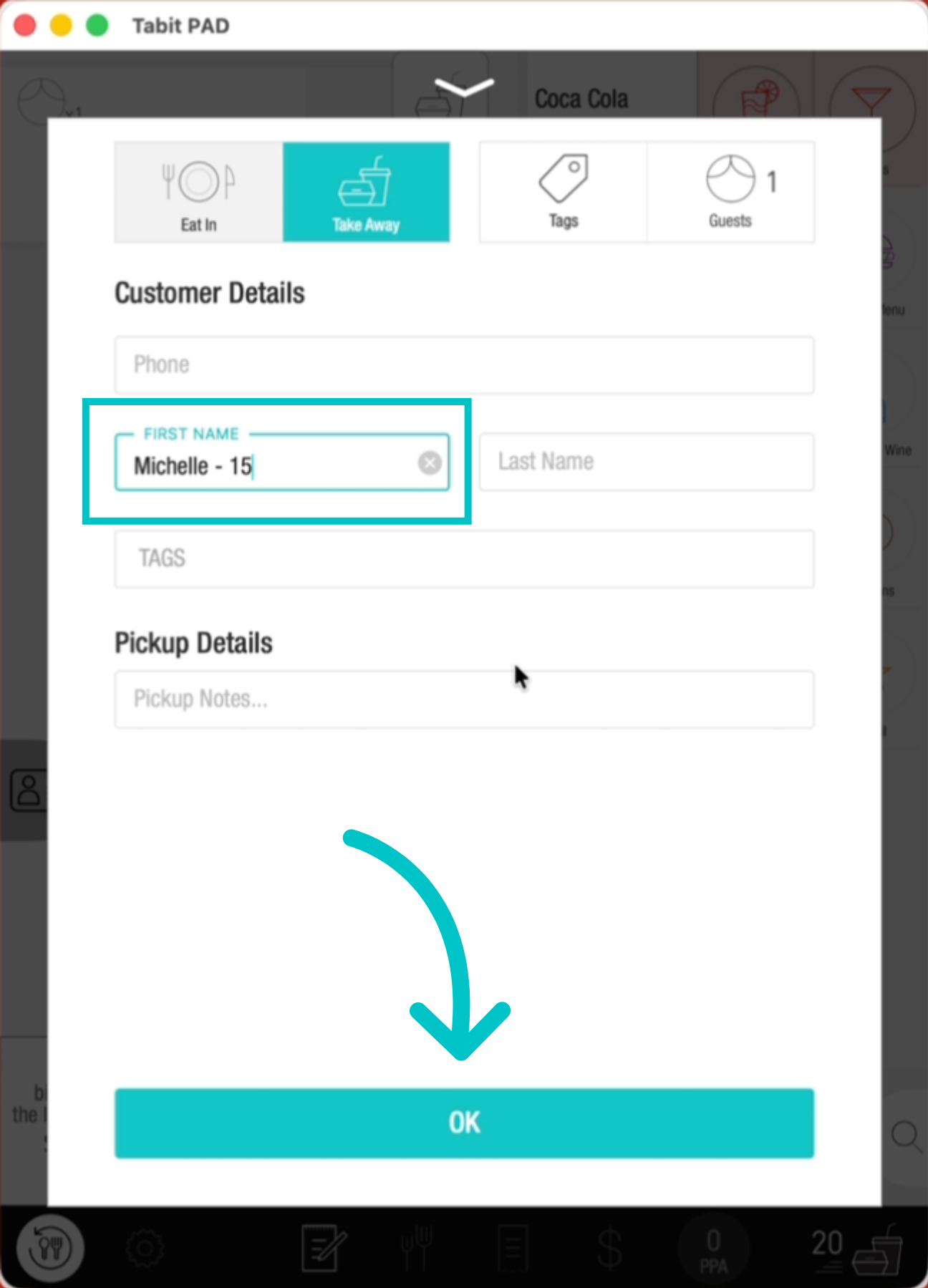
Enter the customer's name and assign them a buzzer number, then tap OK
-
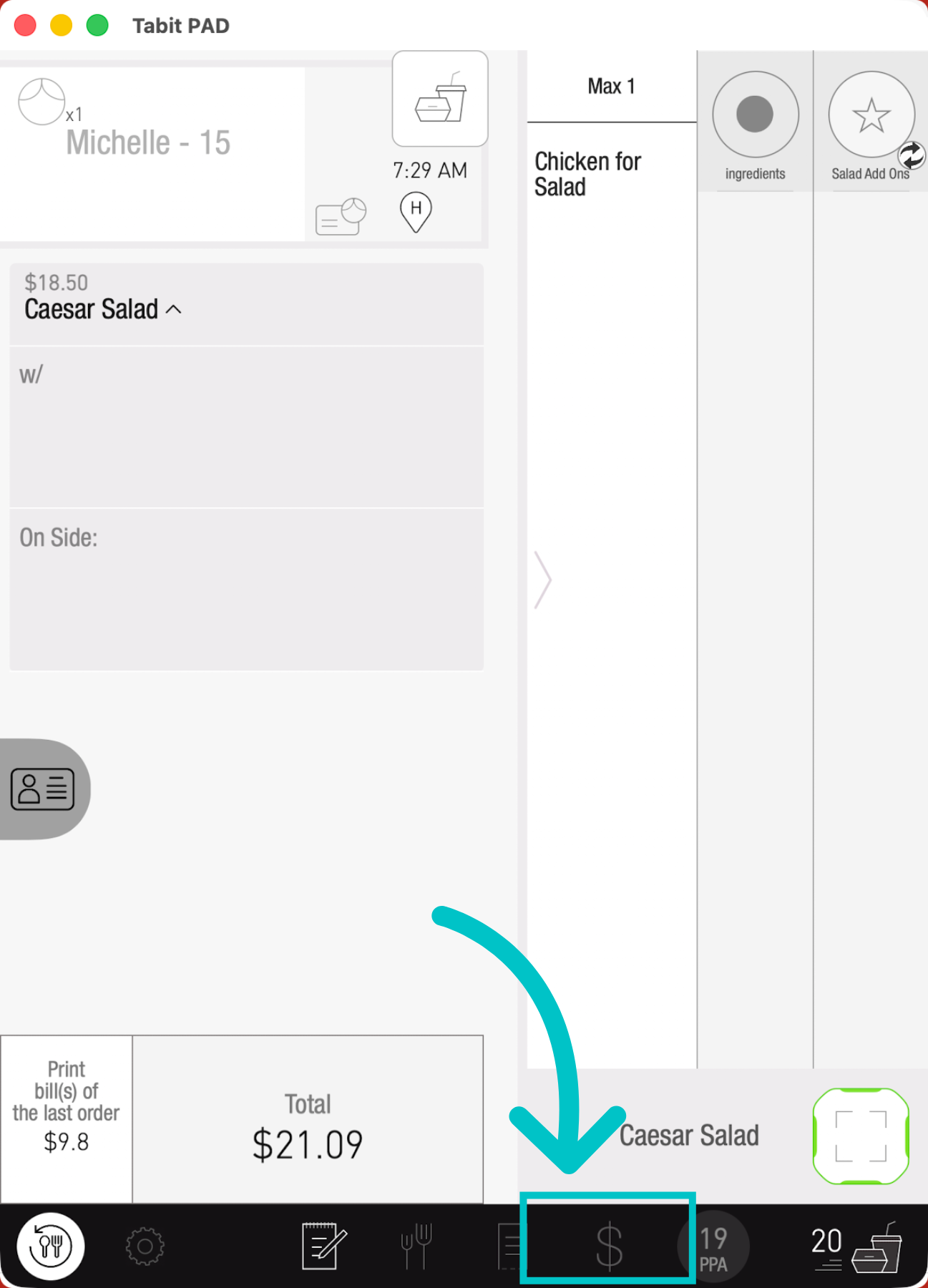
Tap to add items and then tap the payment tab at the bottom of the screen
-
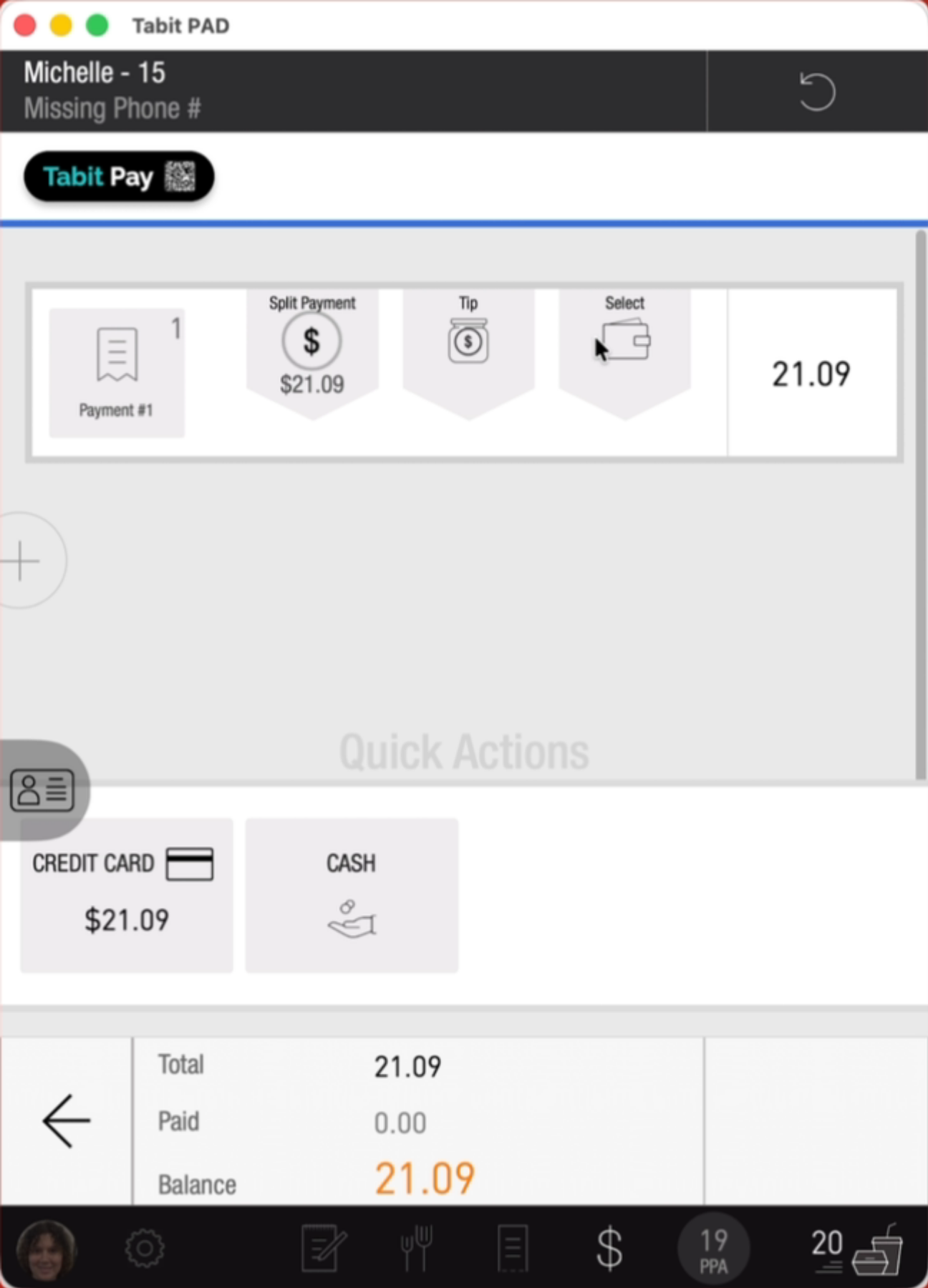
Select the relevant payment method and take payment
-
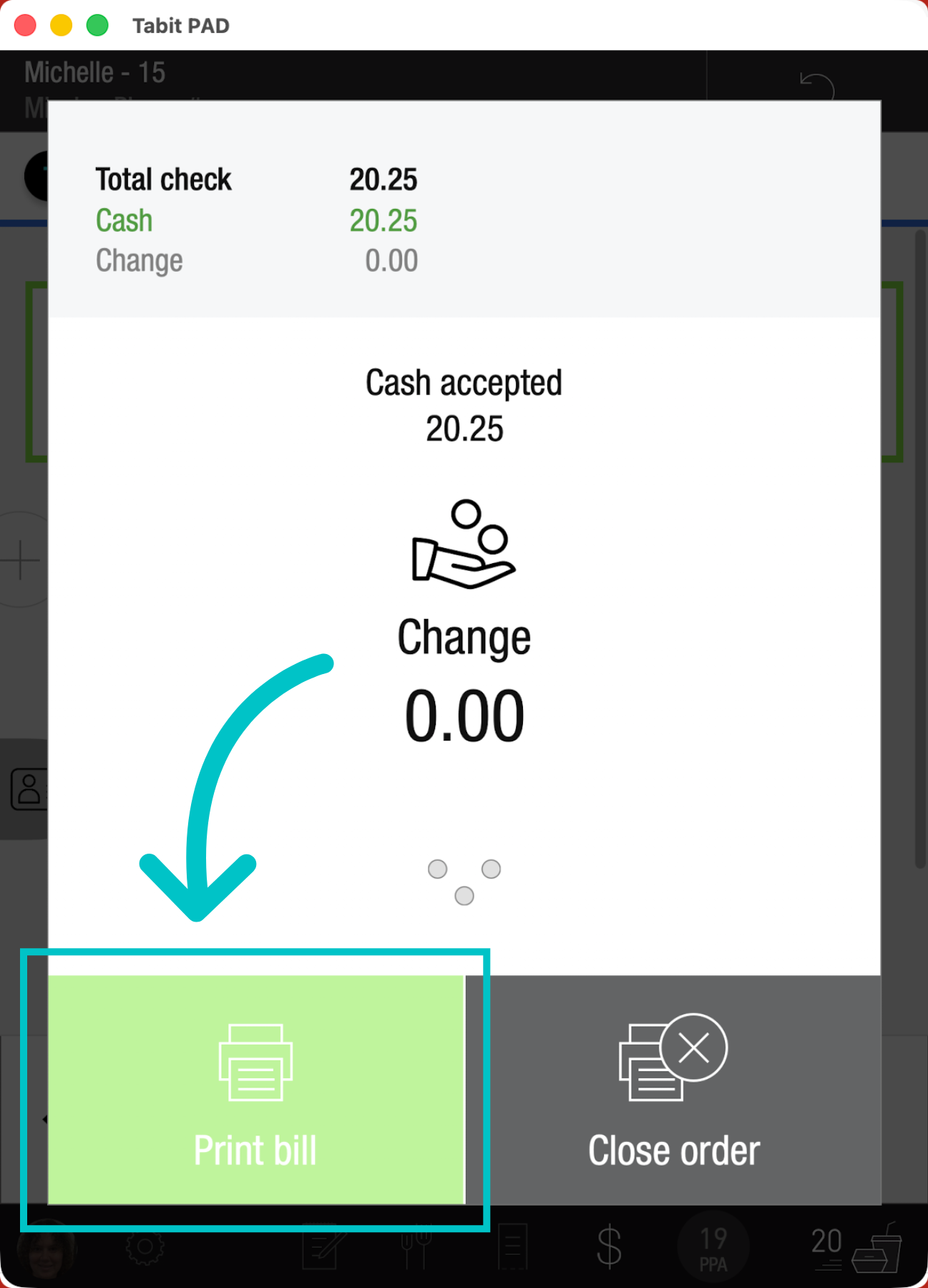
Print the bill. When the order is ready, it will print with the customer’s name and buzzer number, allowing you to notify them that their order is ready