Advanced notice allows restaurants to properly prepare for specific orders. This setting ensures items that require additional preparation time can only be ordered when enough notice is provided. Follow the steps below to add notice time to items in Tabit Order.
-
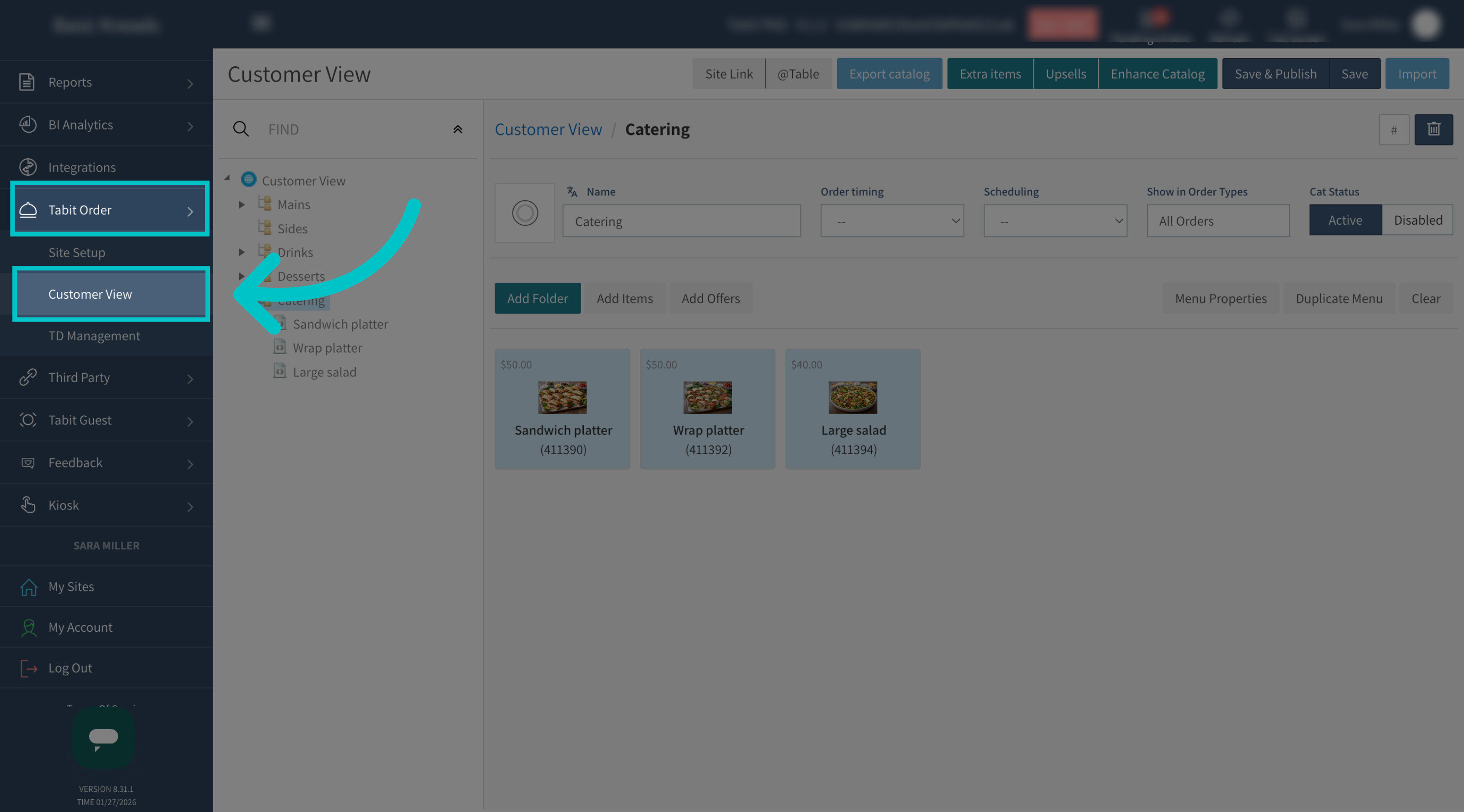
In Tabit Office, go to Tabit Order > Customer View
-
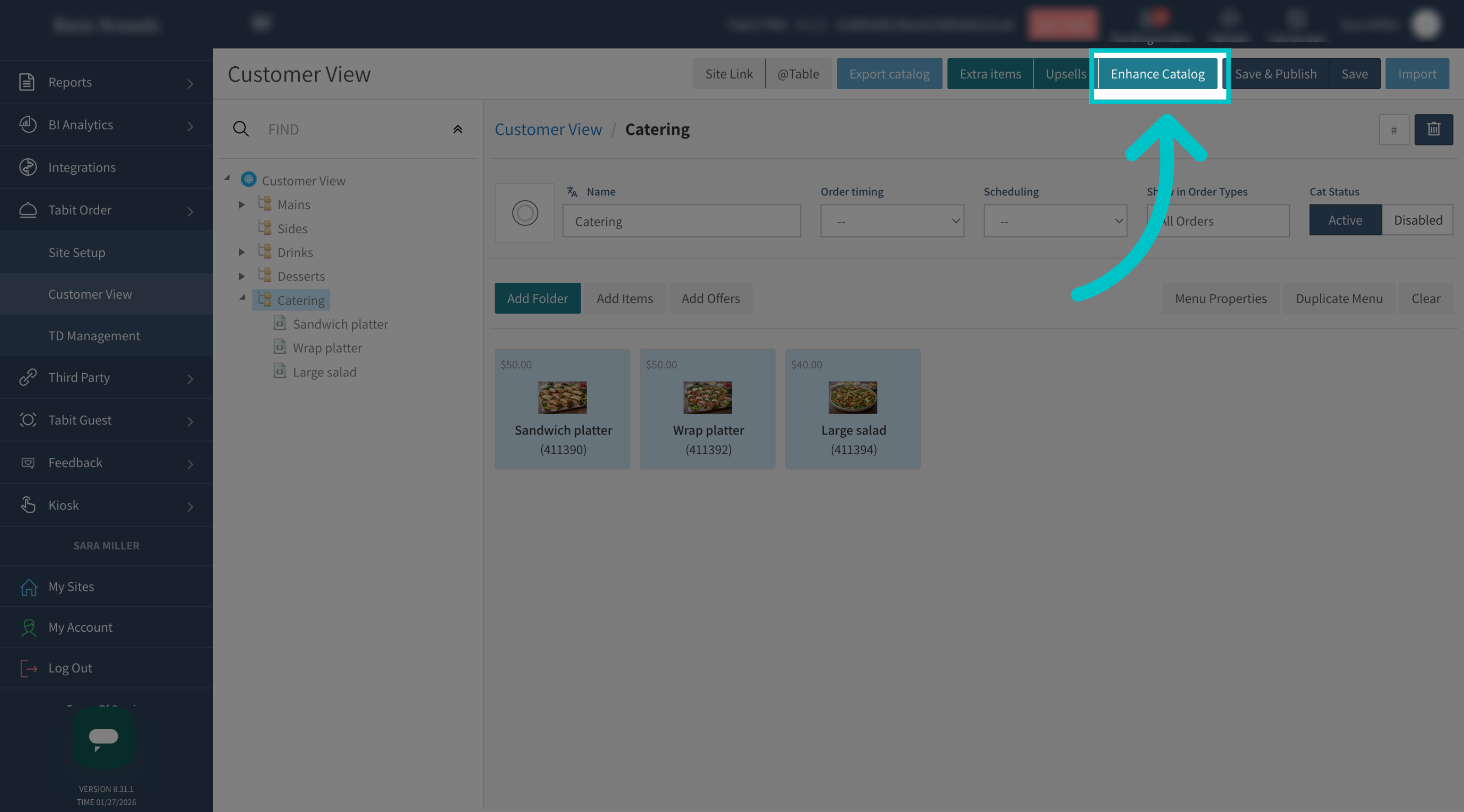
Select Enhance Catalog
-
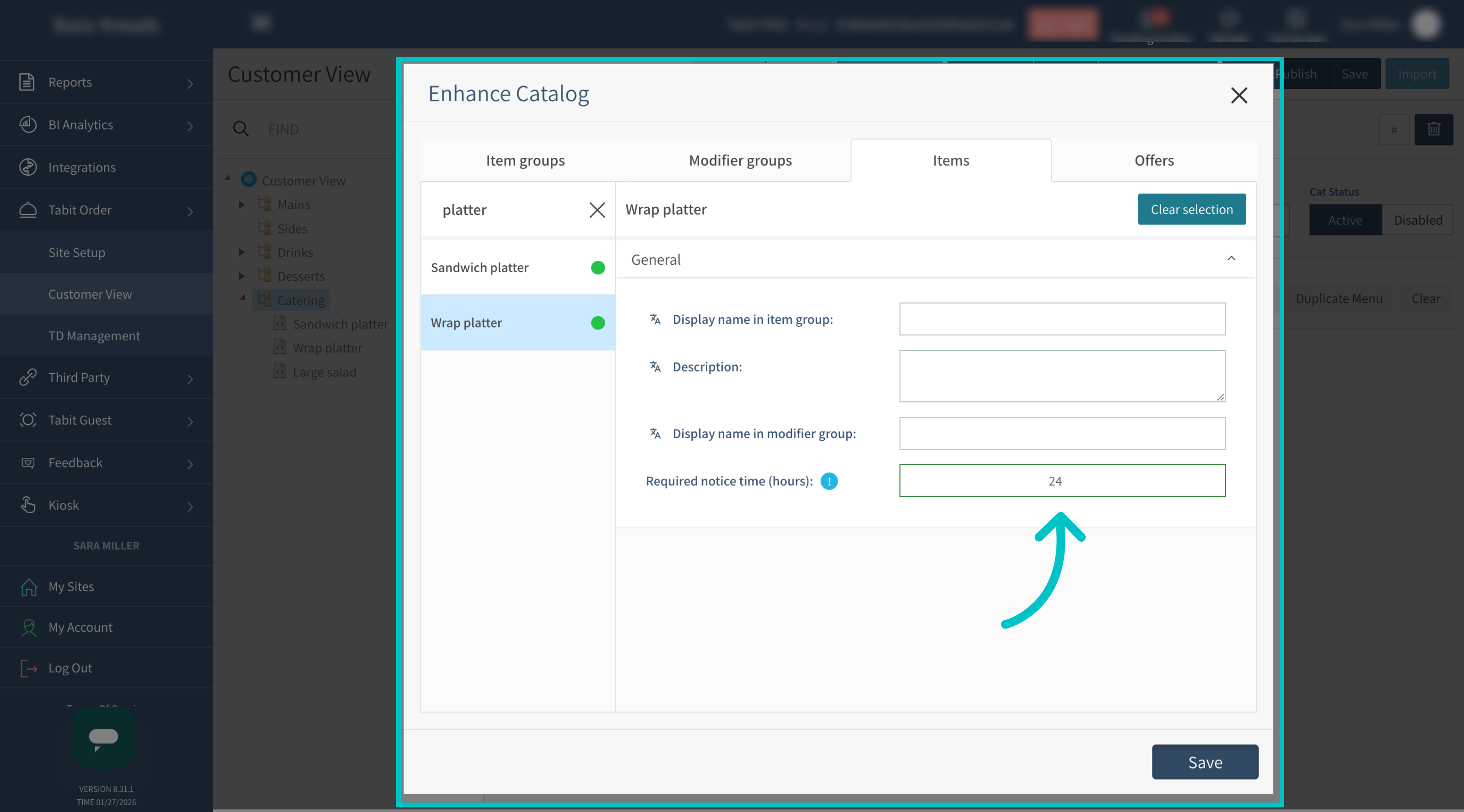
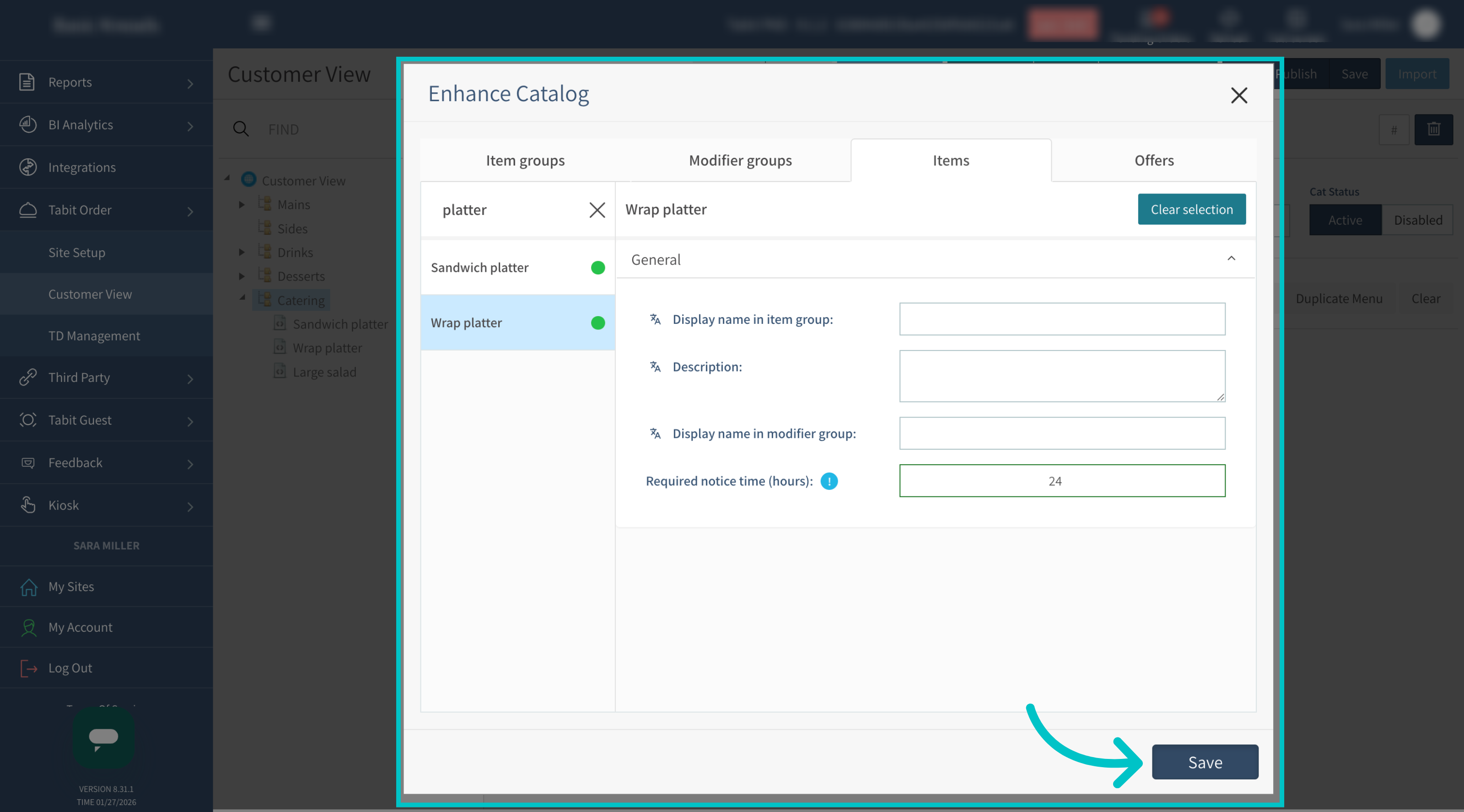
Enter the required amount of advanced notice needed to prepare the item in hours
-
Select Save to apply the notice time to the item
-
Select Save & Publish to apply the updated catalog to Tabit Order
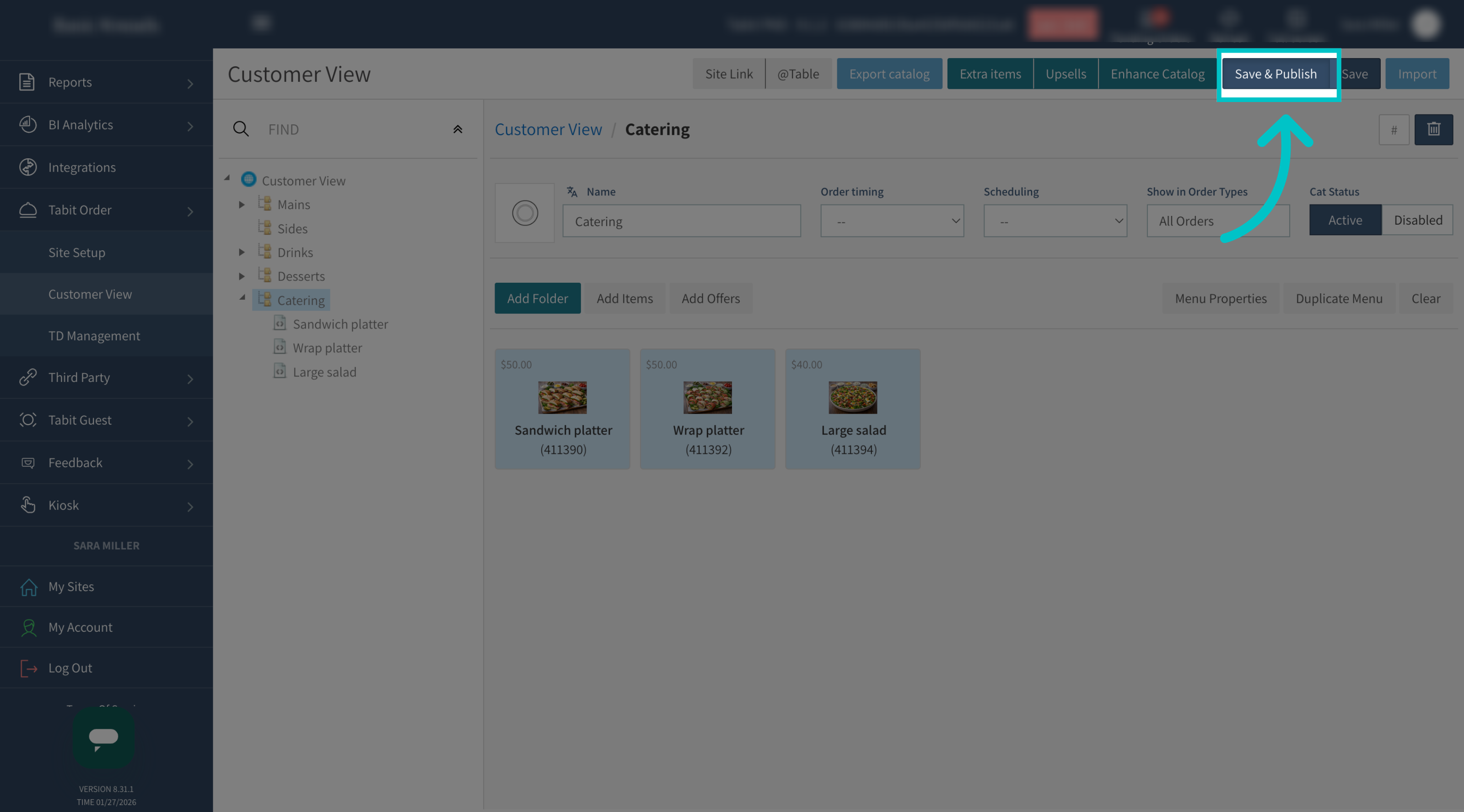
- Now the advance notice has been added to the item and will appear in Tabit Order on mobile and on desktop
On Mobile
-
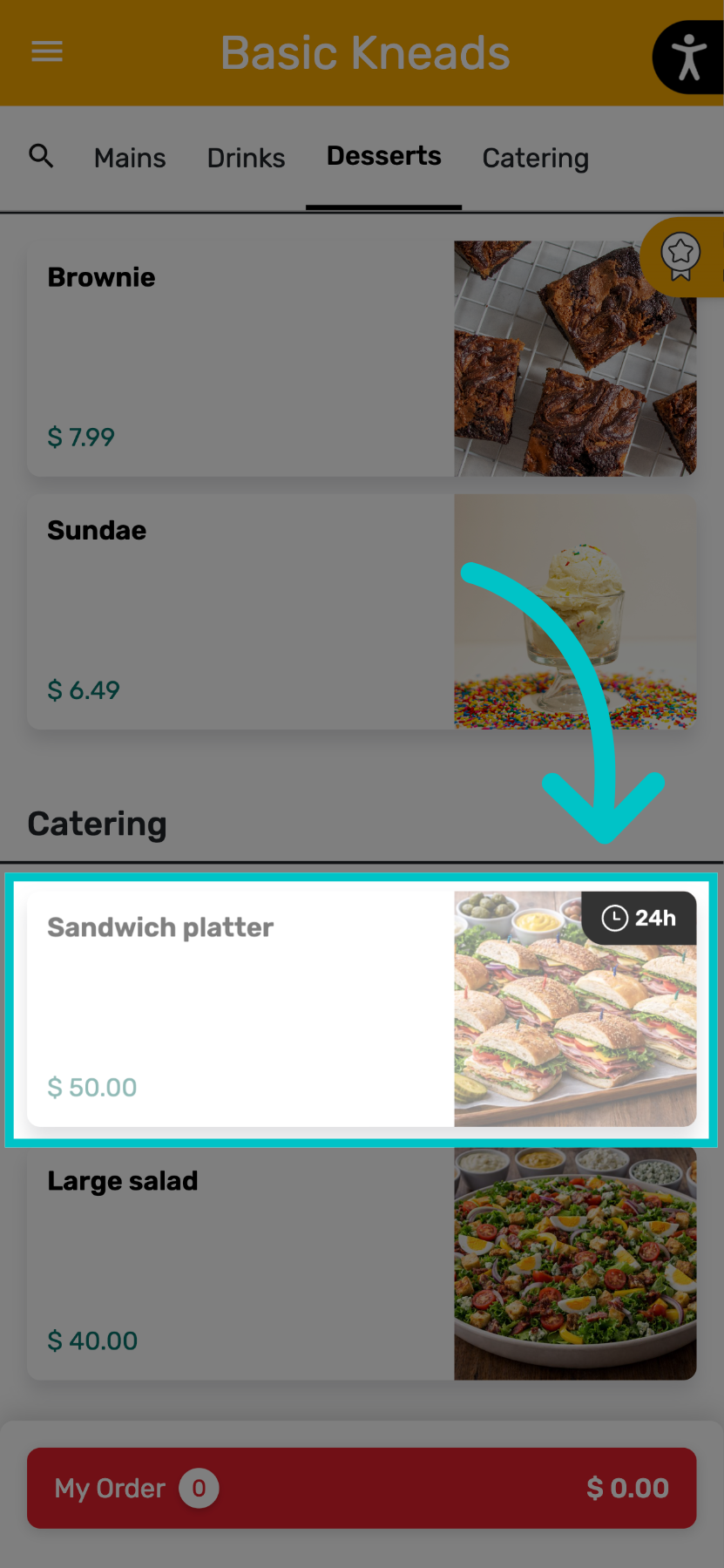
If a customer tries to order an item that requires advanced notice without enough time, the item will appear greyed out with a clock icon showing the required notice
-
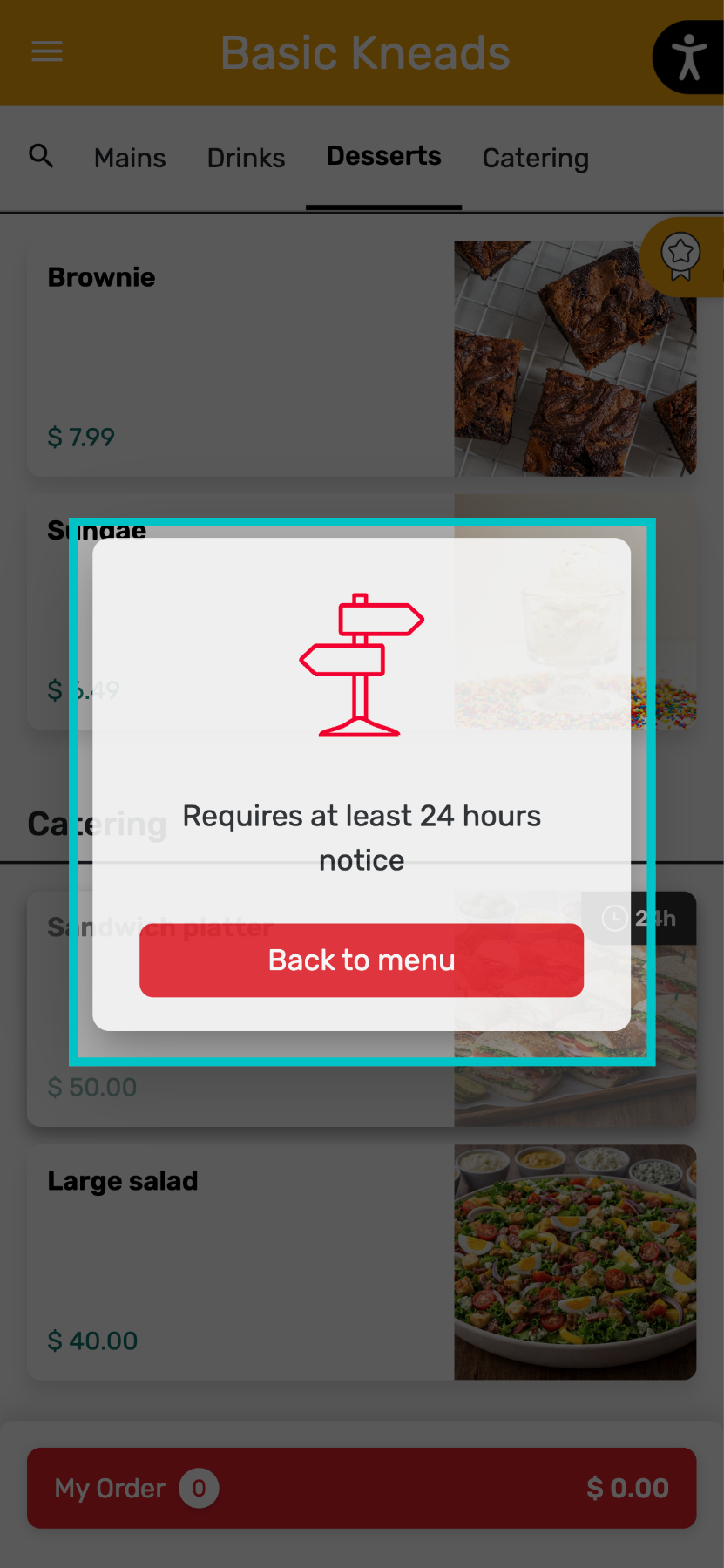
Selecting the item displays a pop-up explaining how much notice is required
On Desktop

-
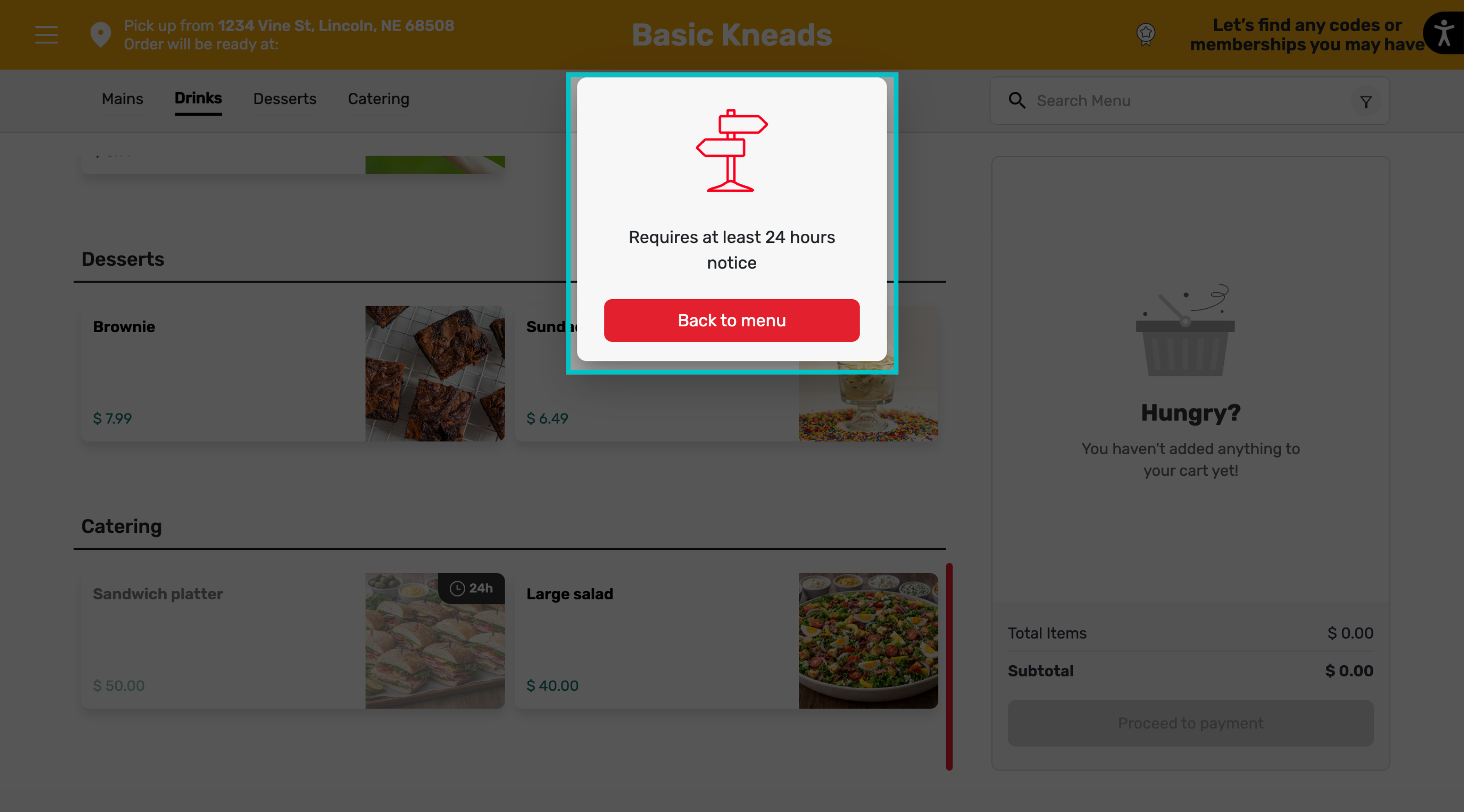
If a customer tries to order an item that requires advanced notice without enough time, the item will appear greyed out with a clock icon showing the required notice
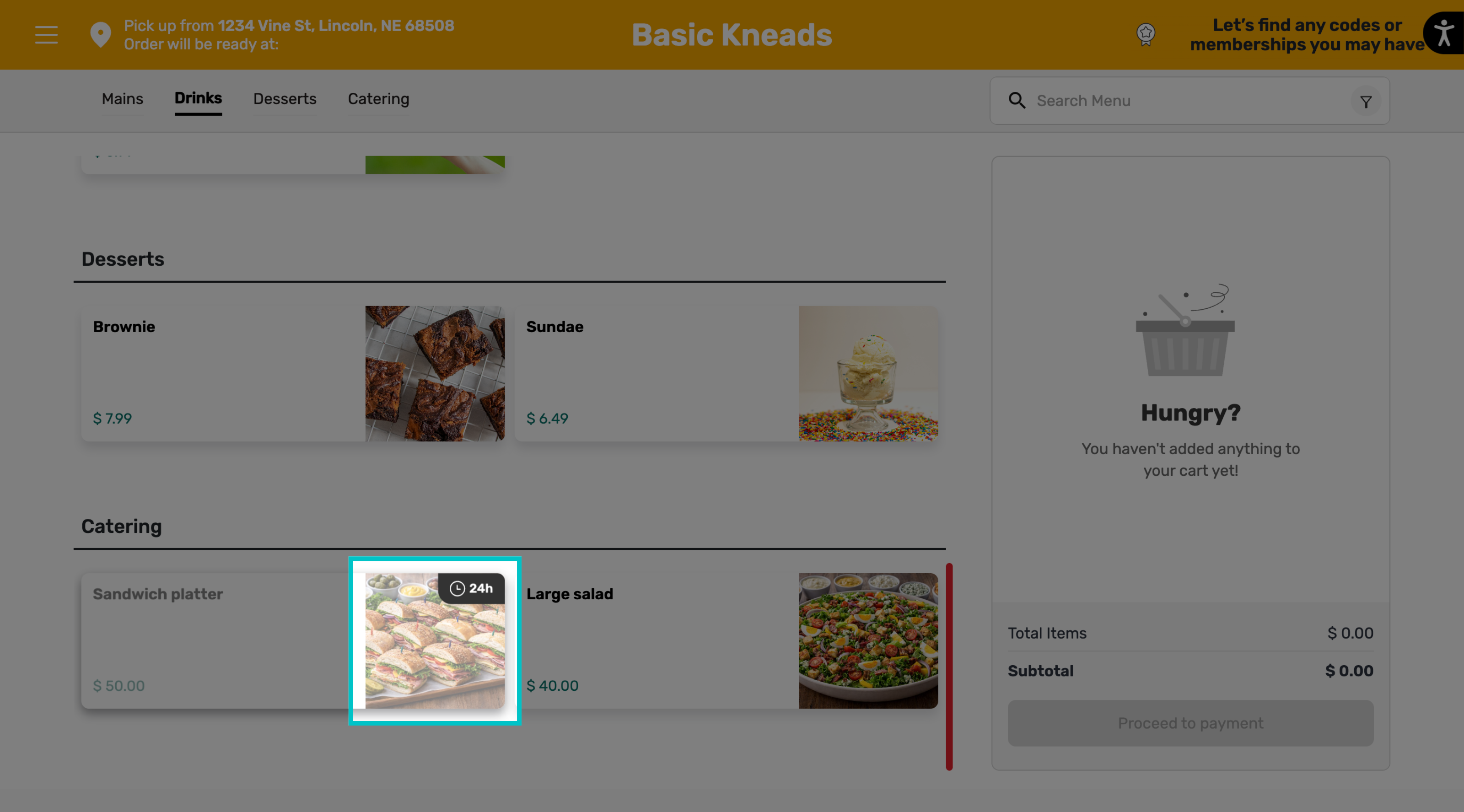
-
Selecting the item shows a pop-up explaining the required notice time