The Takeaway and Delivery (TD) profile on Tabit PAD helps you manage takeaway and delivery orders in one place. It includes tools to filter orders, run bulk actions, and track each order’s status and timing.
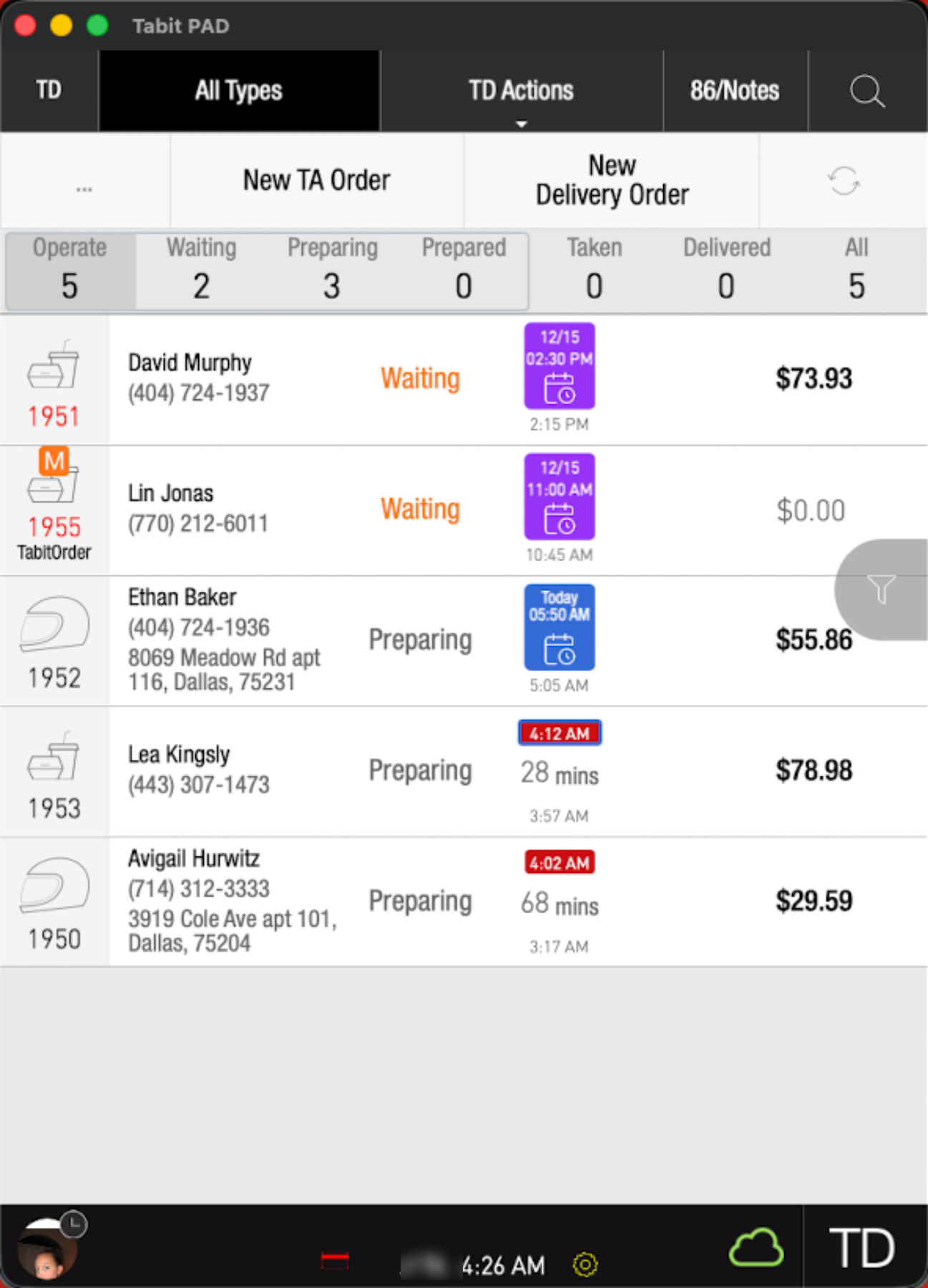
Understanding the TD screen layout
At the top of the TD screen, the black banner includes filtering and action tools for active orders.
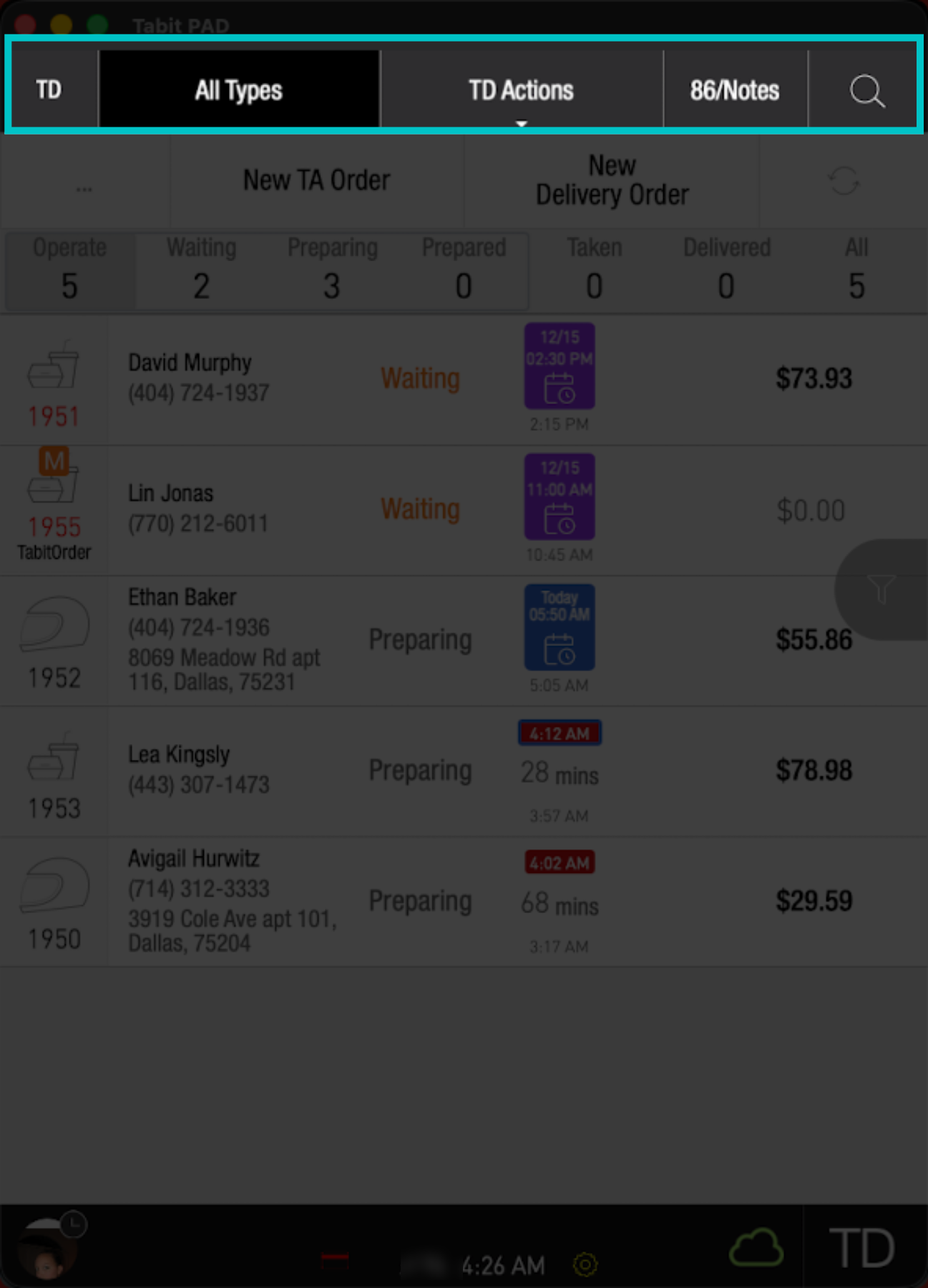
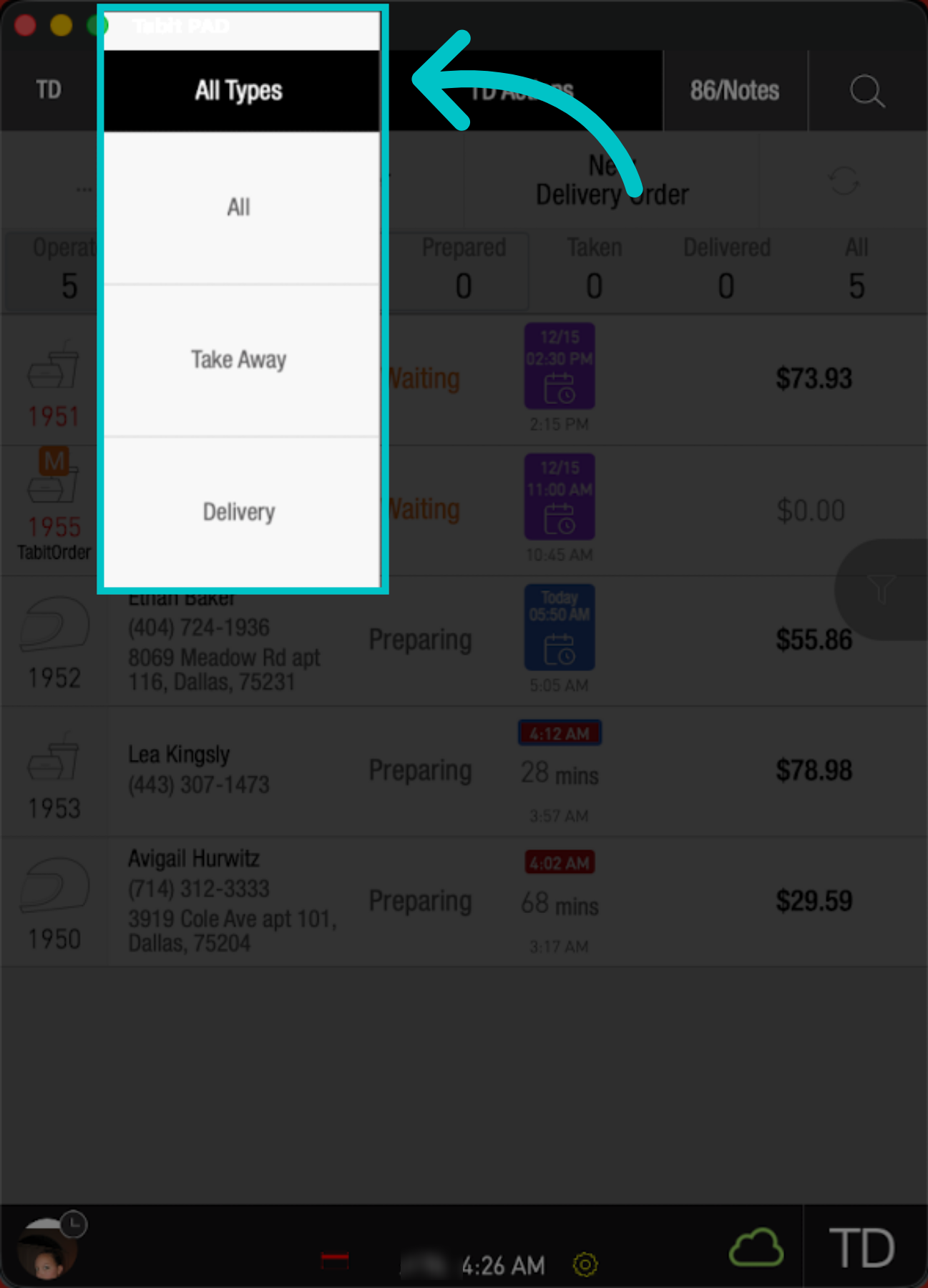
Type: Filters orders by order type, including Take Away, Delivery, and Future Order
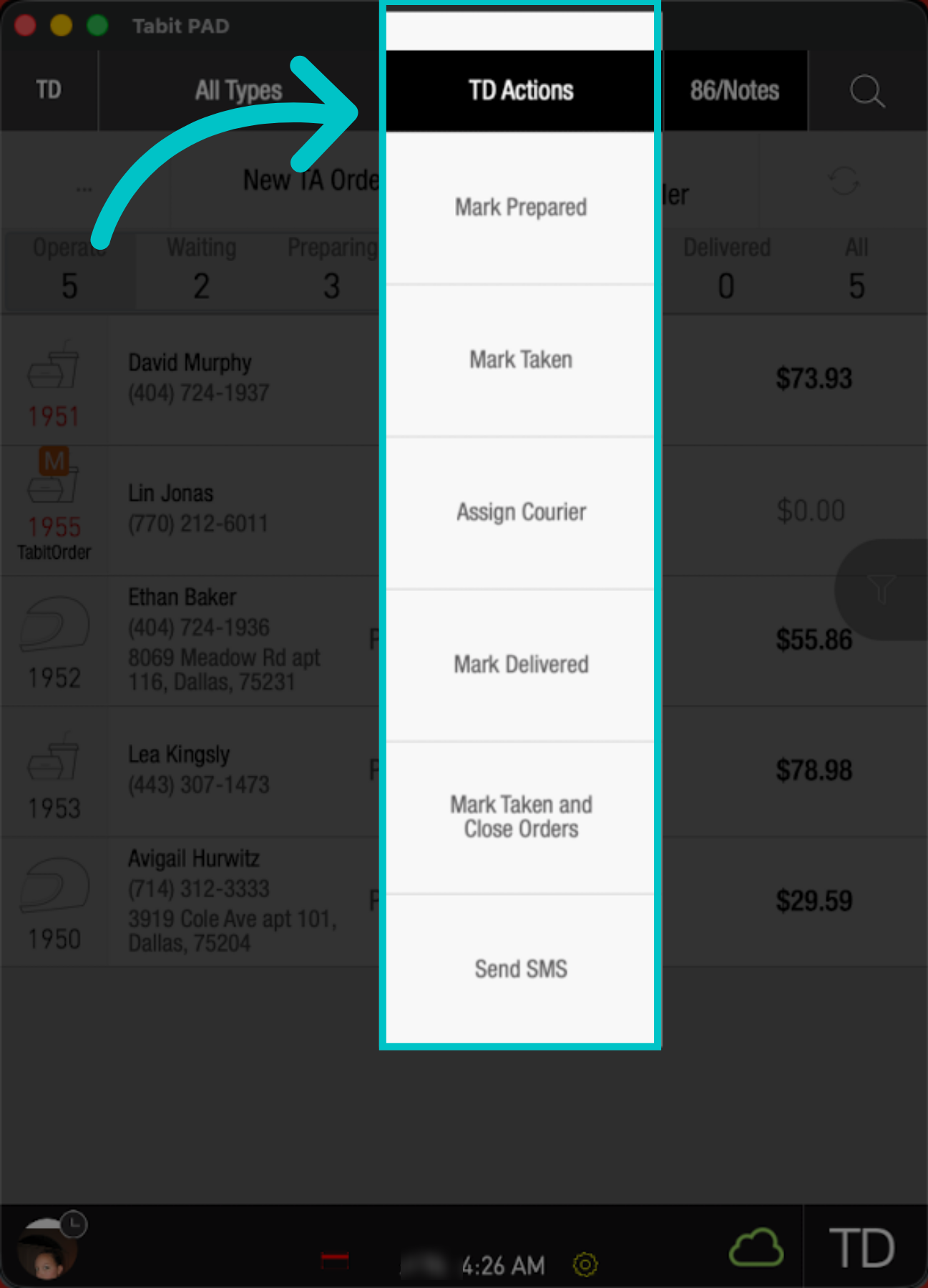
TD Actions: Updates multiple orders at once, ex. close, mark taken
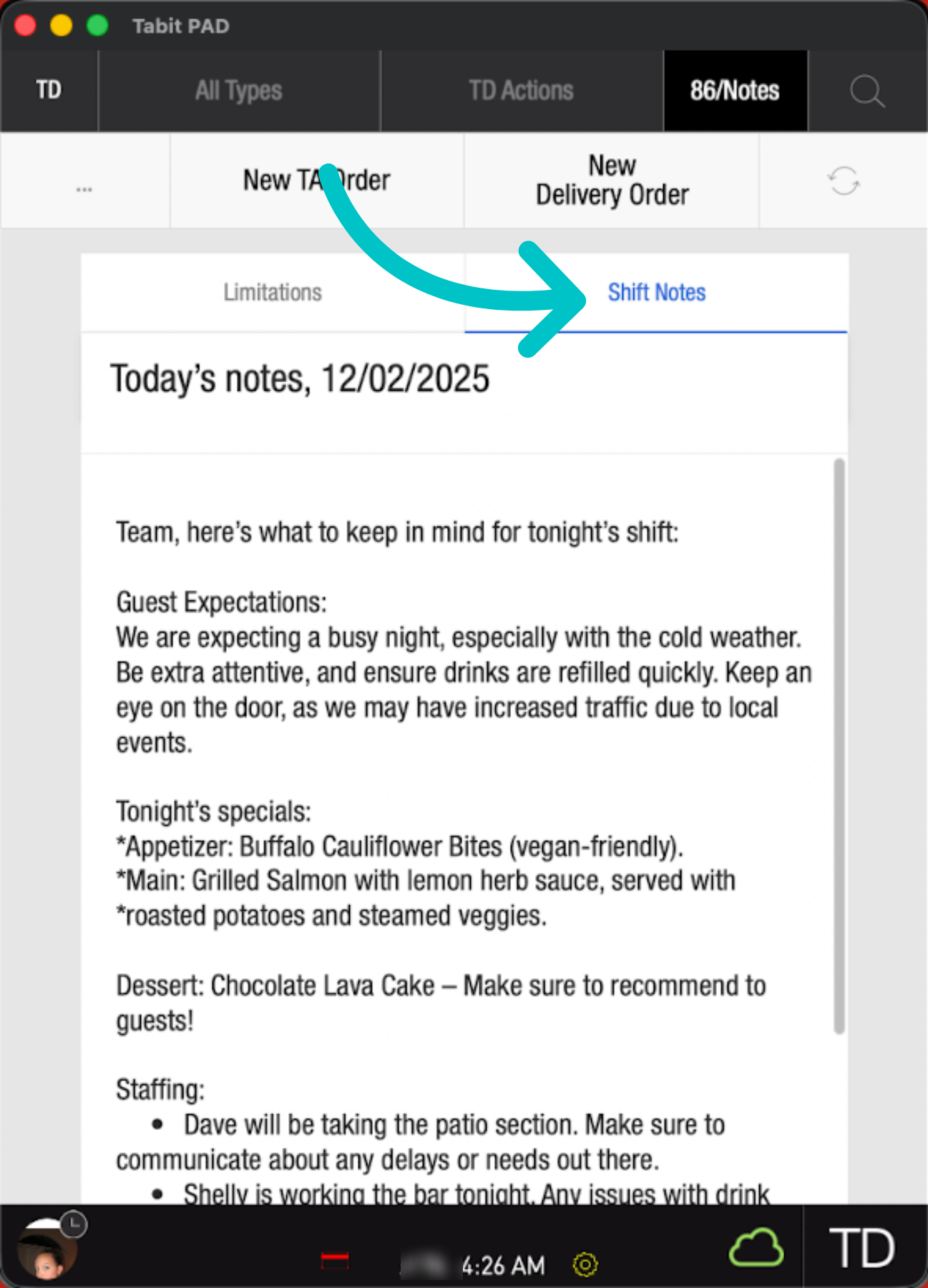
86/Notes: Lets you 86 items or read shift notes
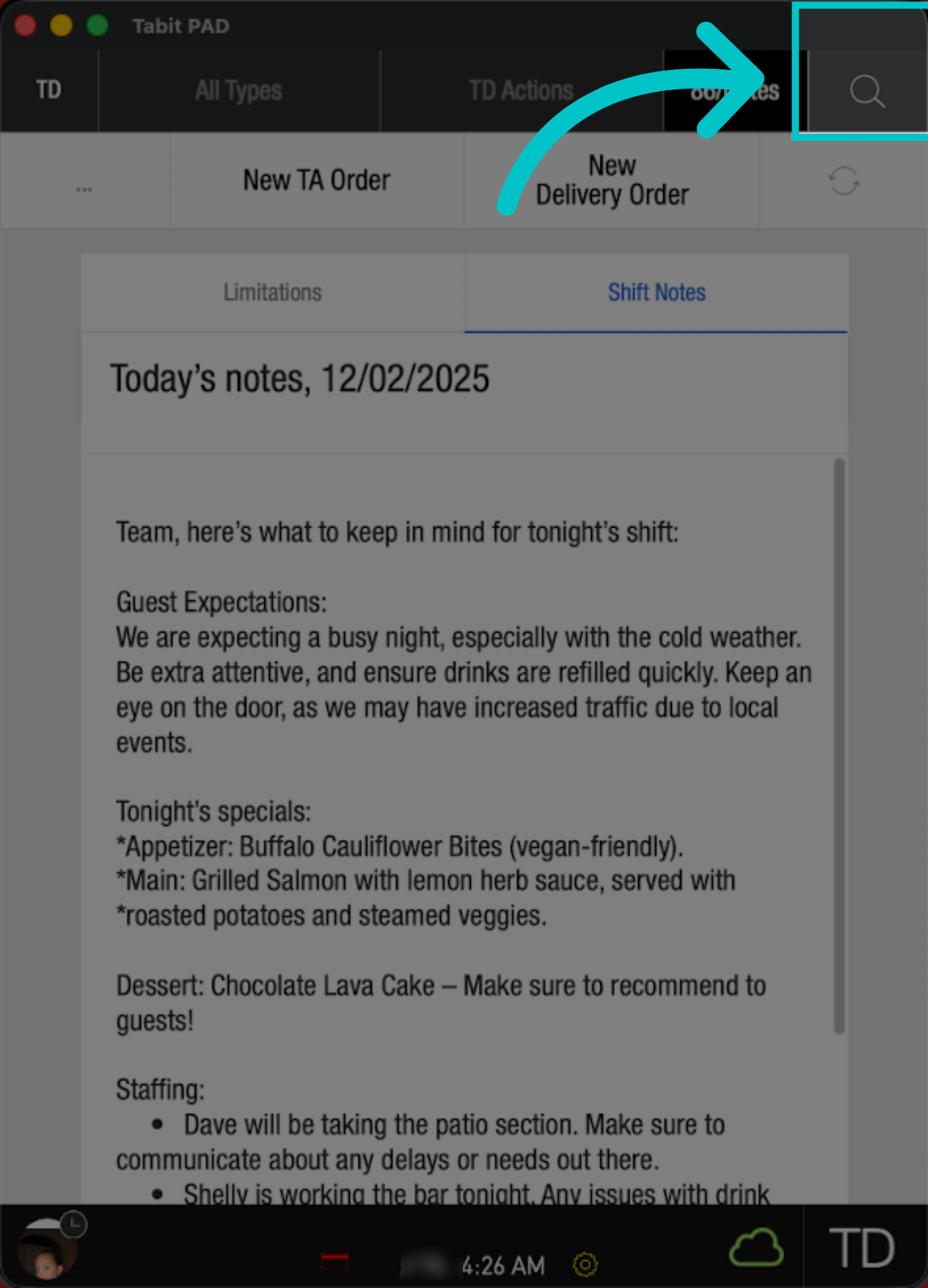
Search: Searches active TD orders
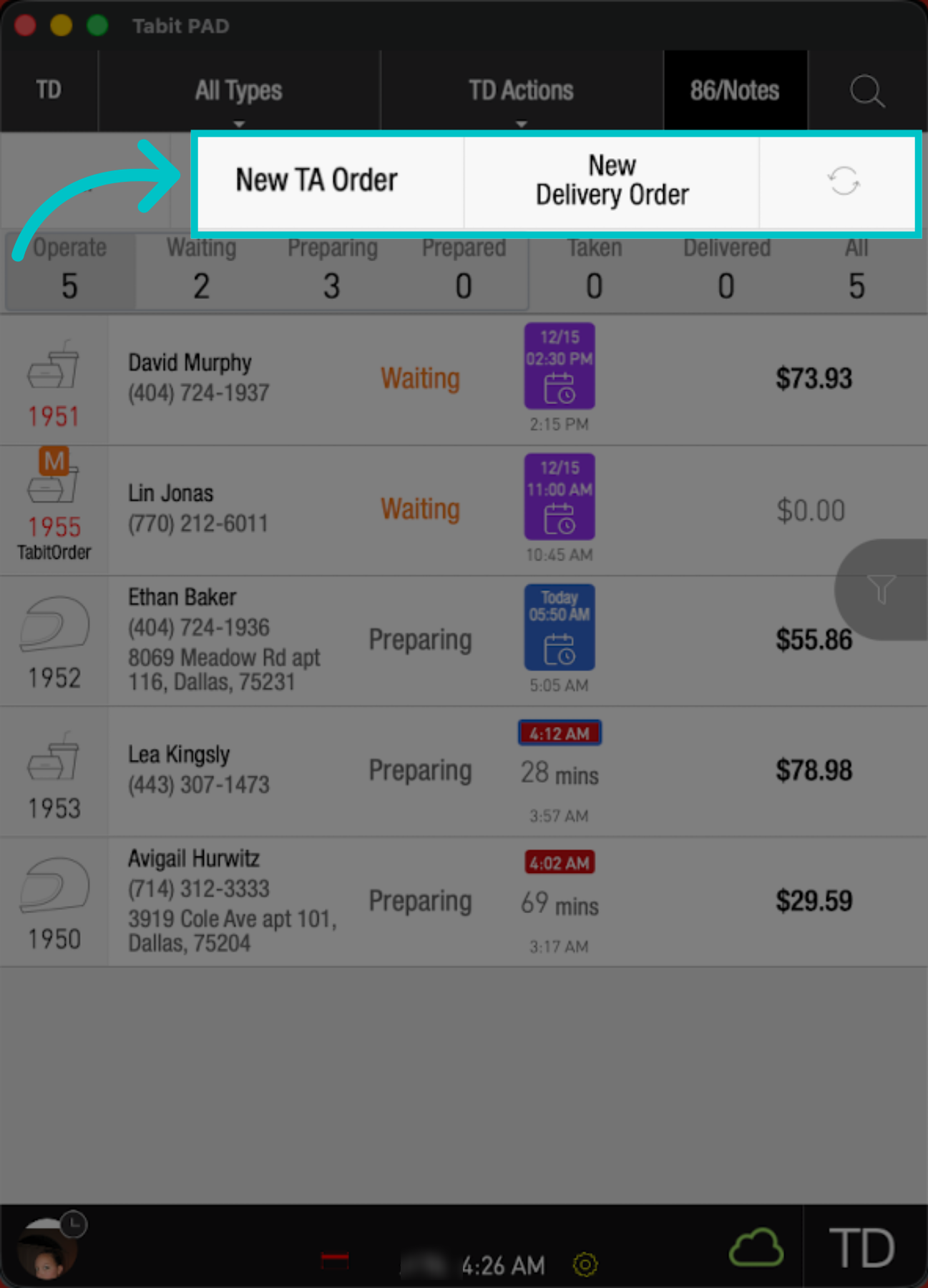
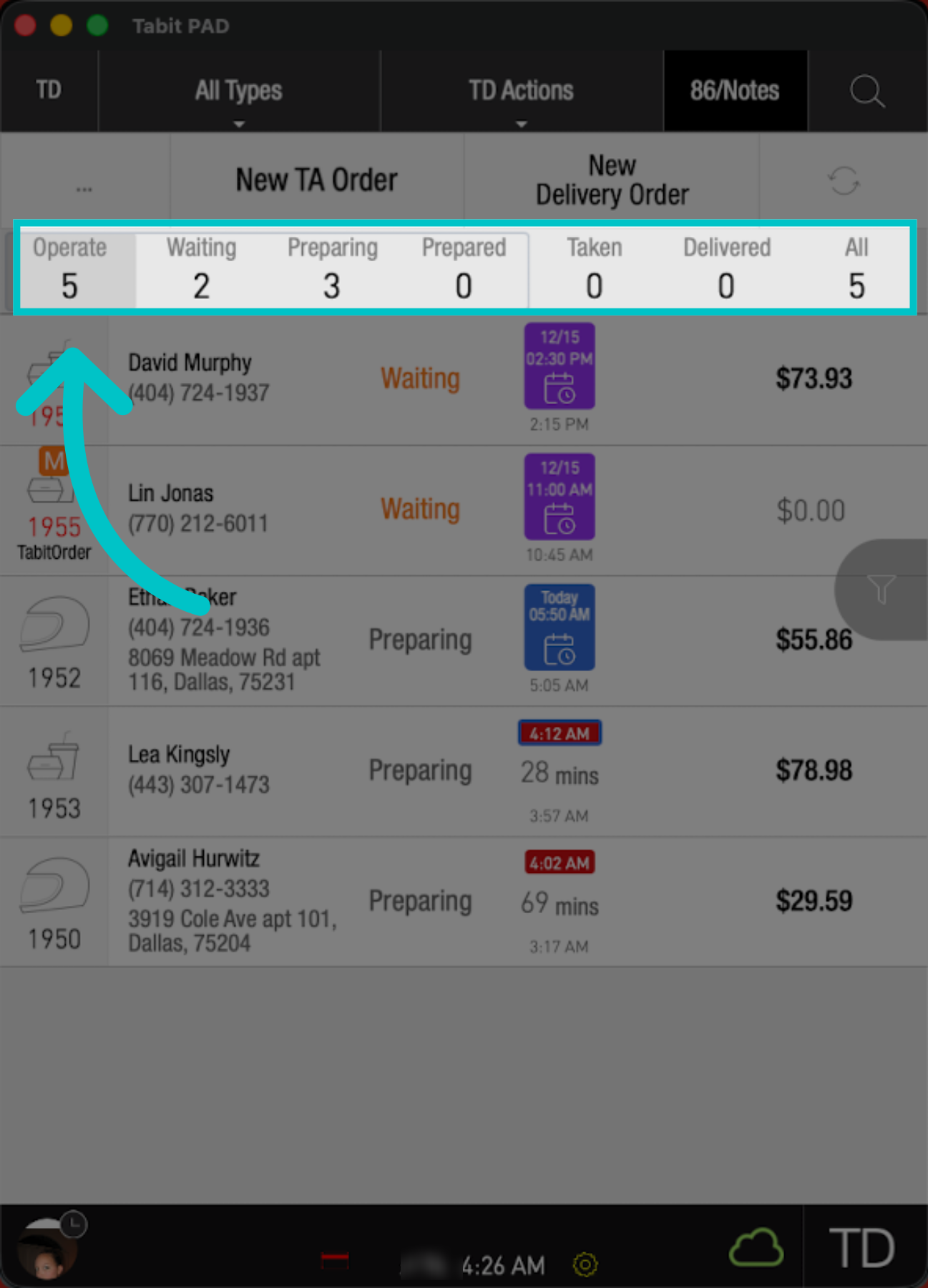
Below the banner, you can create new takeaway and delivery orders, and use status filters to focus on the orders you need to handle next.
 |
 |
Understanding the active order list
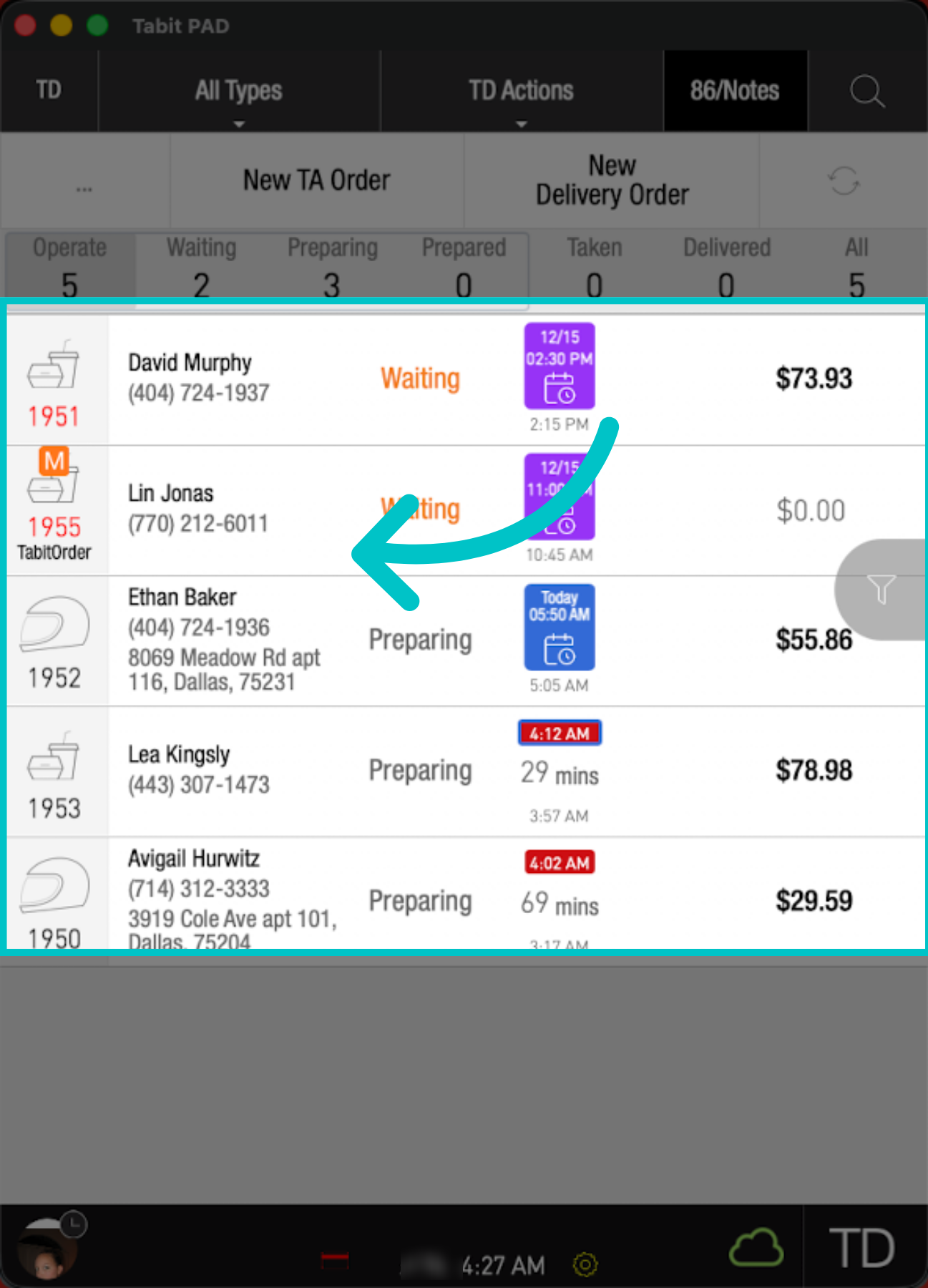
The active order list is displayed under the status buttons. Each order row includes key details to help you identify the order and understand where it stands
- Left side: Order type and order number, plus customer details such as name and contact number, and delivery address for delivery orders
-
Middle: Order status and order times. The order times area includes three time indicators to help you understand timing at a glance:
- Top number: Time estimate, the quoted time for when the order will be ready
- Middle number: Minutes since the order was received
- Bottom number: Time the order was received
- Right side: Current balance due, shown as $0.00 when the order is fully paid
If "Tabit Order" appears under the order number, the order originated through Tabit Order
Order statuses
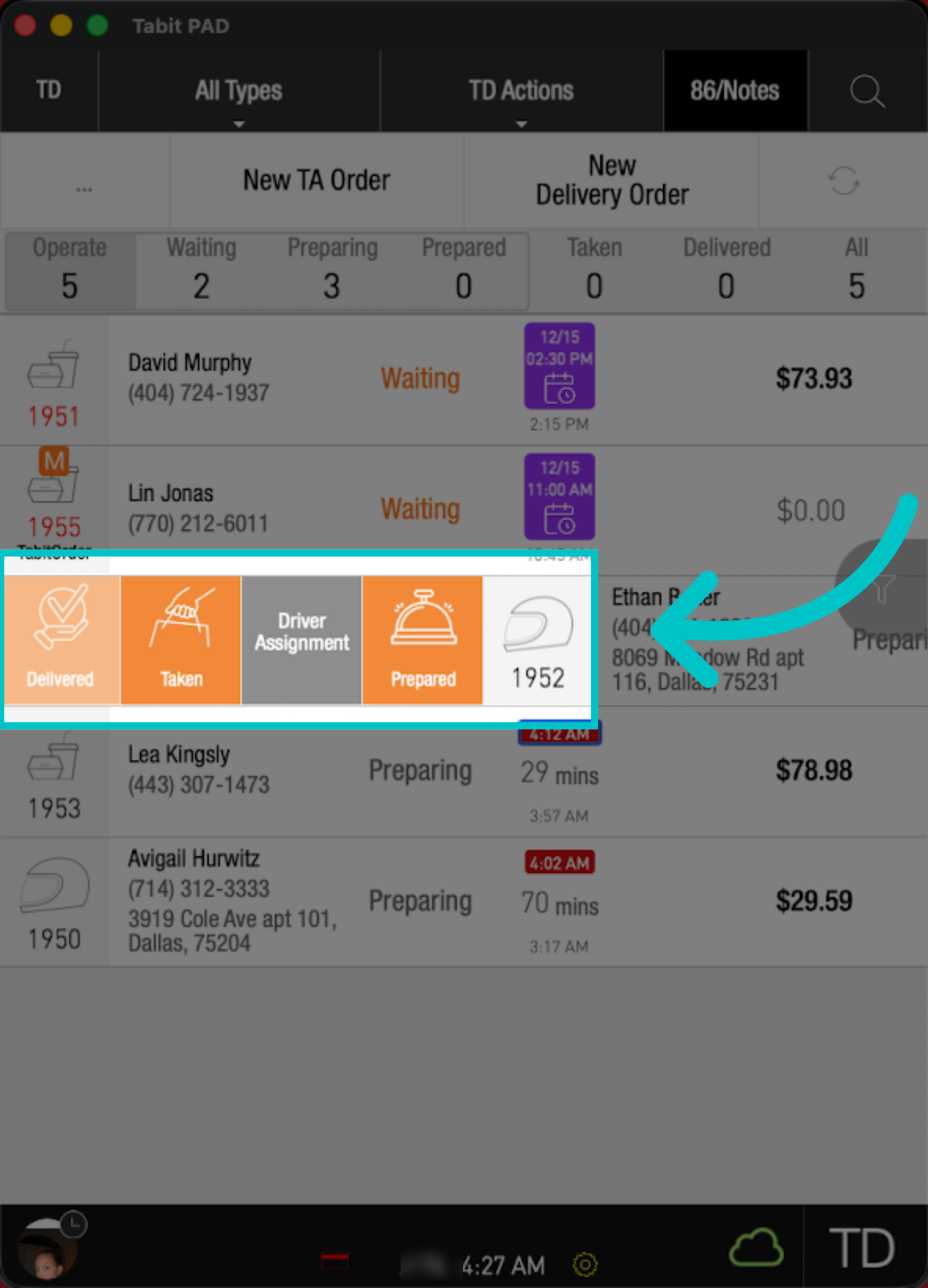
Order statuses help you track progress for each order, and can also align with the guest-facing message shown in Tabit Tracker.
| Order status | When to use | Tabit Tracker message |
|---|---|---|
| Waiting | Automatic status when online orders require review before firing to the kitchen, or when TD orders have not yet been fired | We are reviewing your order |
| Preparing | Automatic status when online orders are set to fire into the kitchen, or when TD orders have been fired to the kitchen | We are working on your order |
| Prepared | When the order is ready for pickup | Your Order is Ready |
| Taken | When the order has been taken by the customer or a delivery driver | Takeaway orders: Your Order has been Taken Delivery orders: Your Order is on the way |
| Delivered | When a delivery driver indicates the order has been delivered | Your Order has been Delivered |
An order cannot be marked as "Taken" if payment has not been received