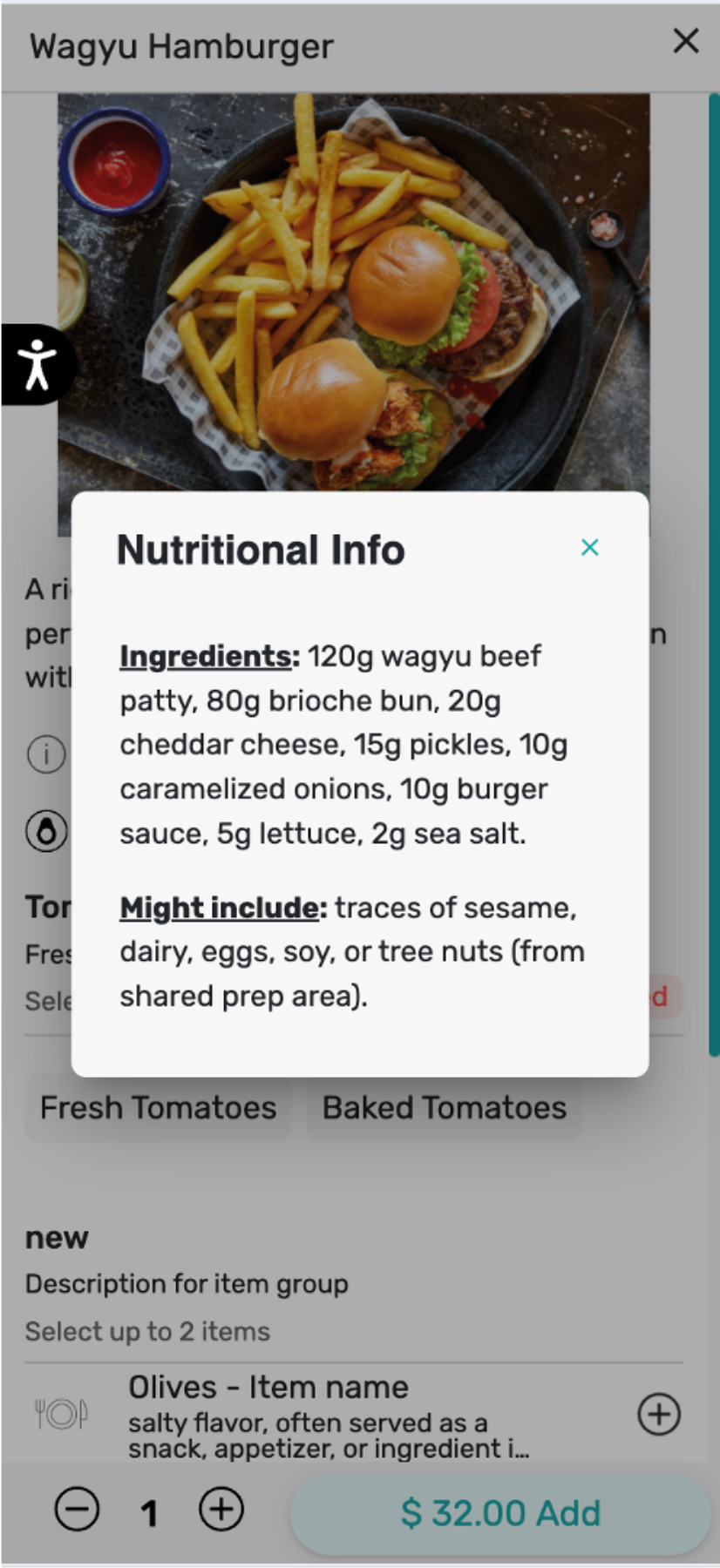
Nutritional information can be added in Tabit Order, enhancing transparency for guests by showing them nutrition details directly in the ordering experience.
Learn how to add nutritional information to Tabit Order below:
- In Tabit Office, go to Menu > Items > select the relevant item and then select Edit
-
Select the tab called Nutrition Info. Here you can add nutritional details about the item as desired
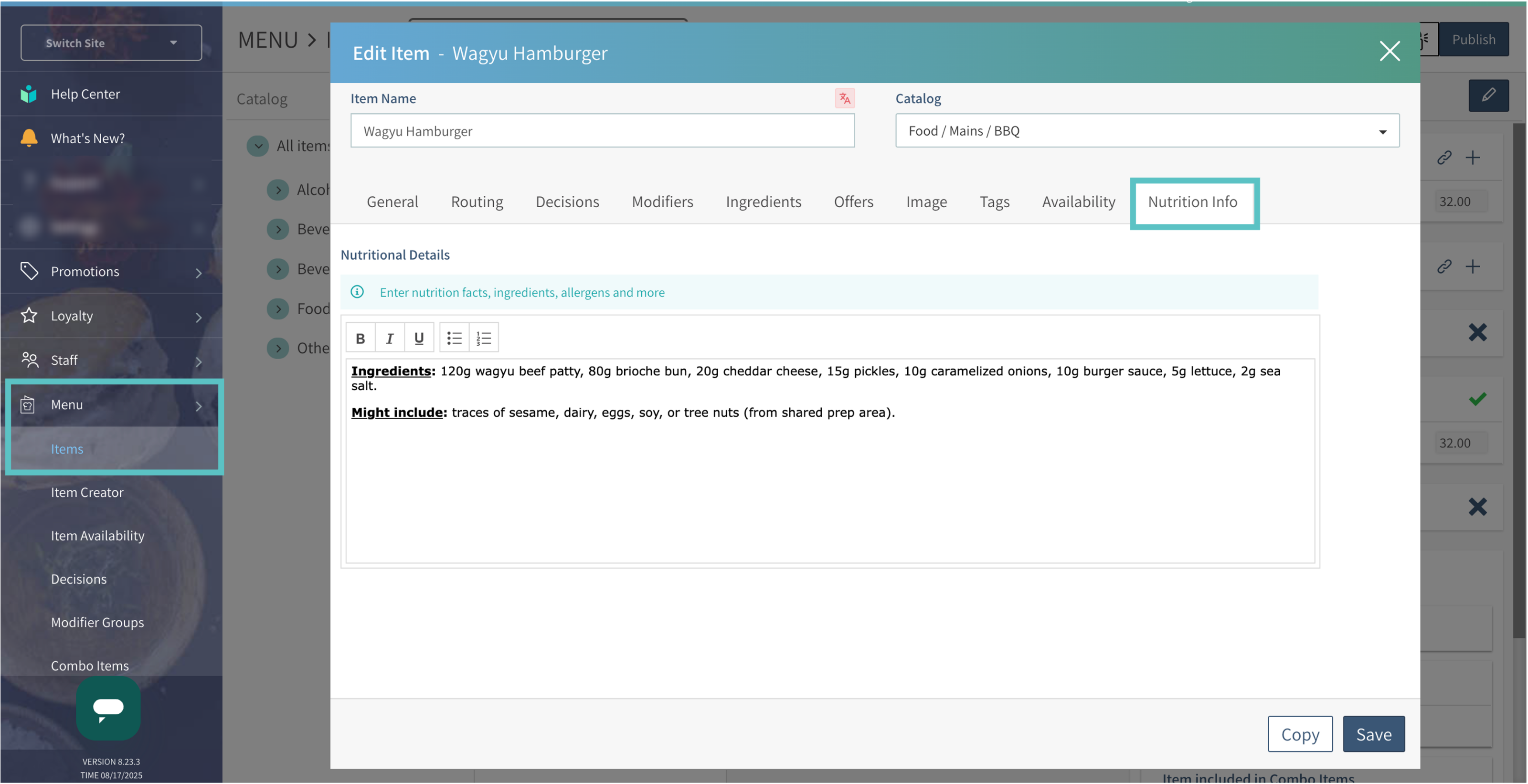
- Select Save and then Publish
-
The information will appear in Tabit Order as seen below