Adding a loyalty member to an order allows team members to identify the member, view their loyalty profile, and see any available rewards during service. A member can be added from the PAD by entering their phone number or scanning their loyalty QR code. If the phone number is not enrolled in the loyalty program, the team member can send the customer a registration link from the PAD.
To learn how to add a loyalty member to an order, follow the steps below:
-
Open the order on the PAD
-
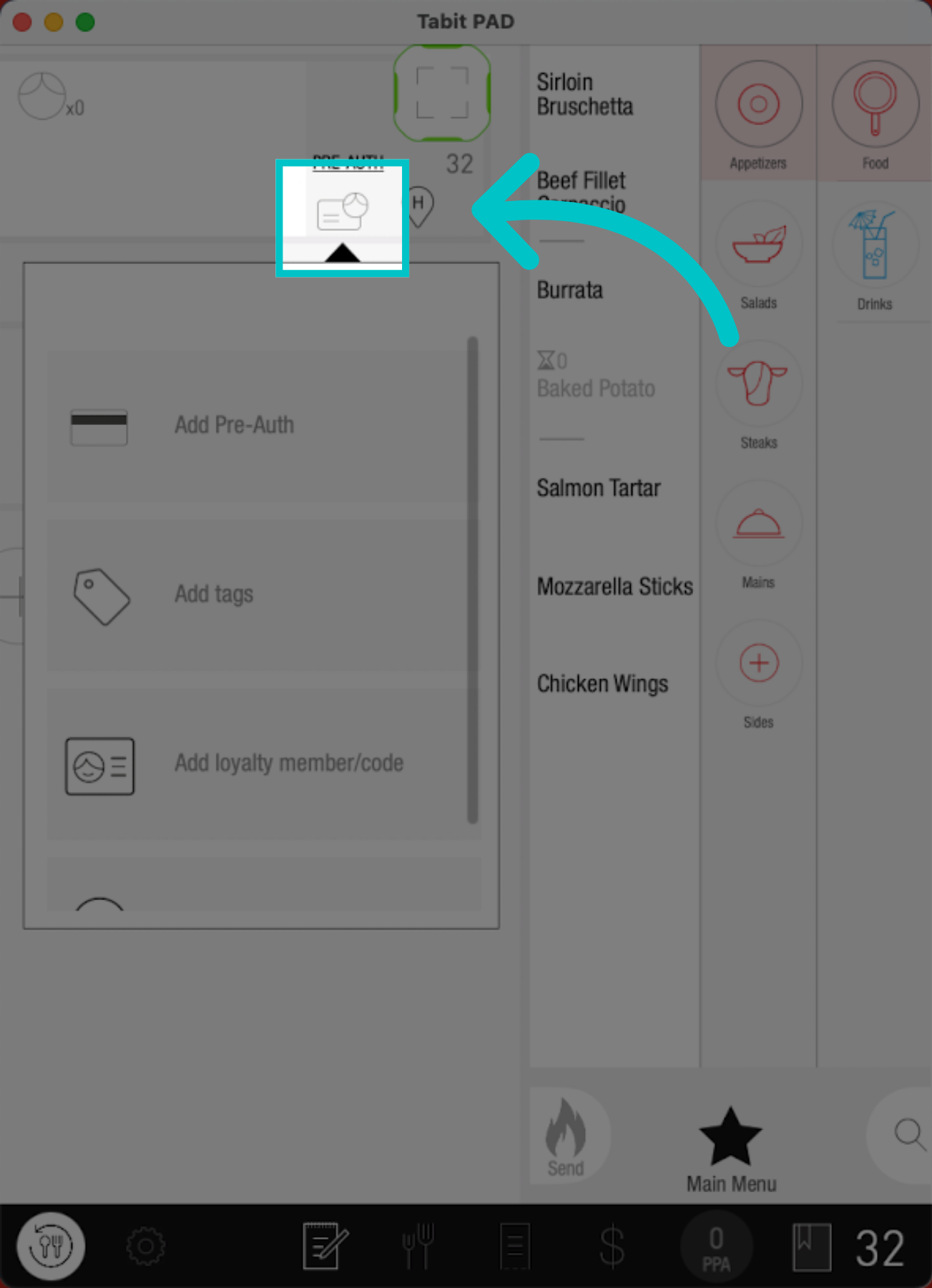
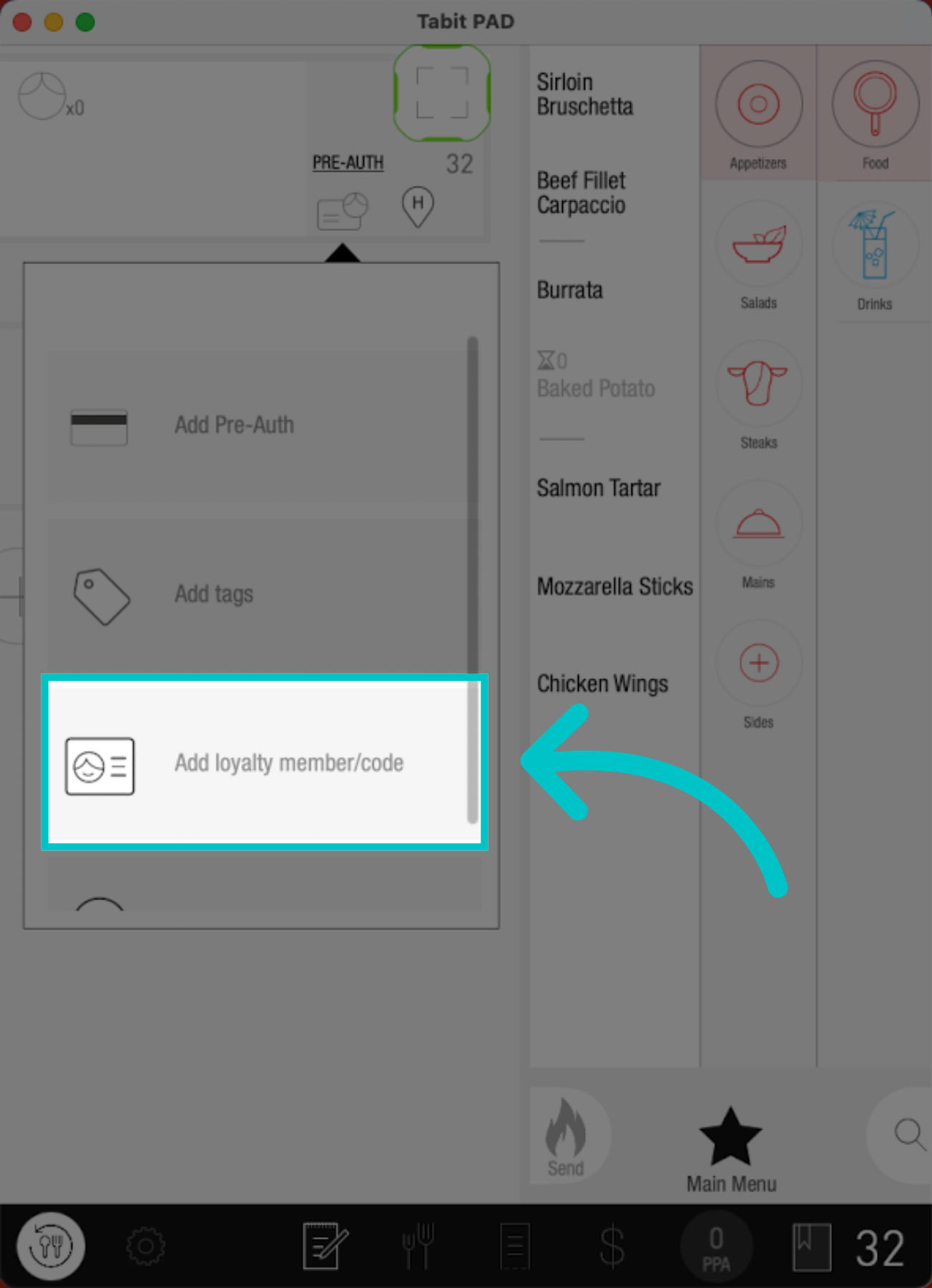
Tap the loyalty member icon in the upper-left corner, then select Add Loyalty Member/Code
-
Scan the customer's loyalty QR code, or enter the customer's phone number and tap OK
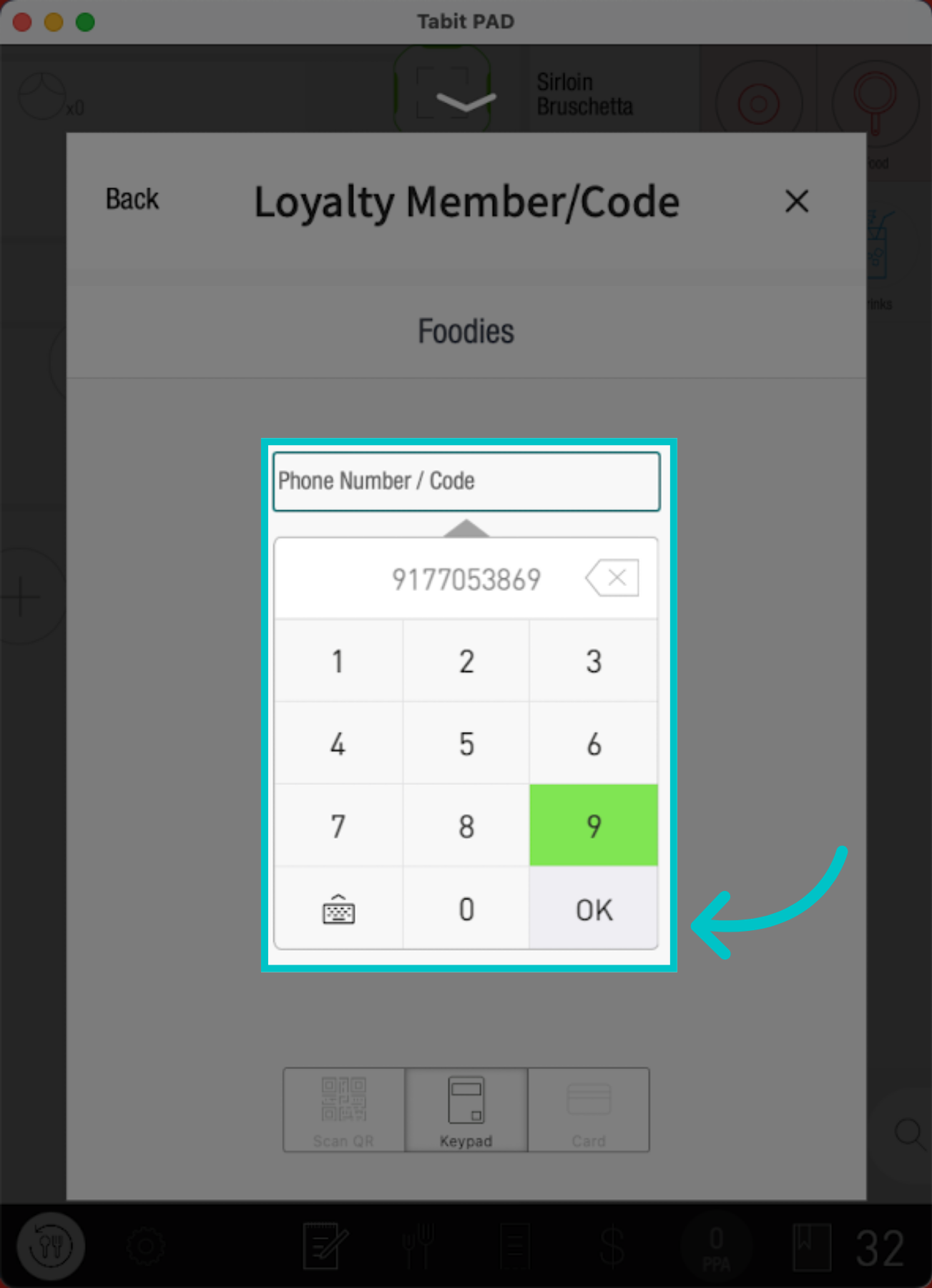
The default entry method displayed in the Loyalty Member/Code window is determined by the site's configuration
-
If the phone number is not enrolled in the loyalty program, select Send Invite to text the customer a registration link
For the complete enrollment process, see Registering a new Loyalty member
-
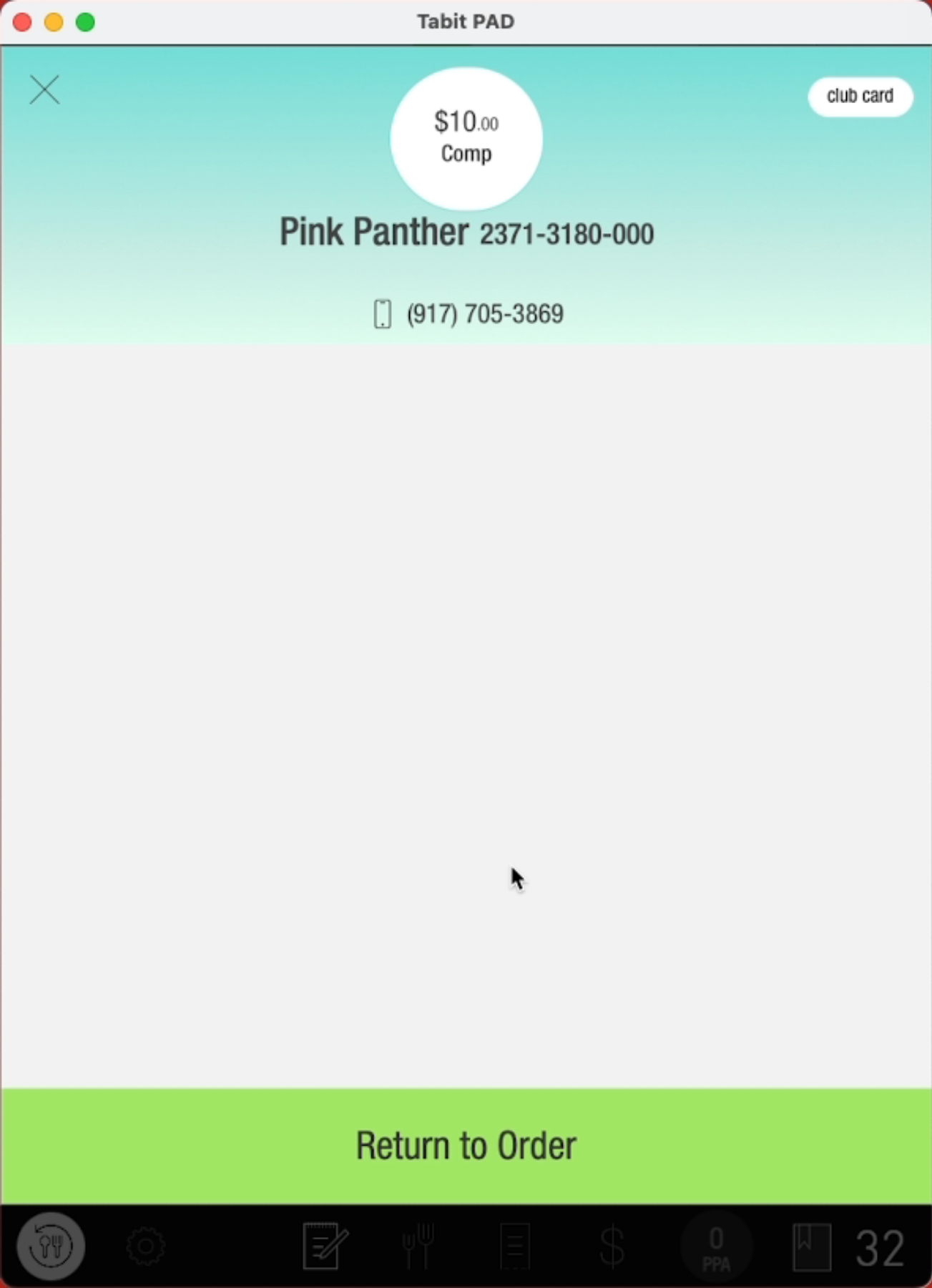
Once the member is recognized, review their loyalty details and available rewards, then select Return to Order
Tabit can enable Loyalty Indication Visible on All Screens to help servers add a loyalty member to an order at any point during the dining experience