In Tabit Guest, you can control which restaurant areas are visible for online reservations. This allows you to decide which spaces guests can book online while keeping other areas reserved for walk-ins or special use.
Follow the steps below to hide or display an area for online reservation:
-
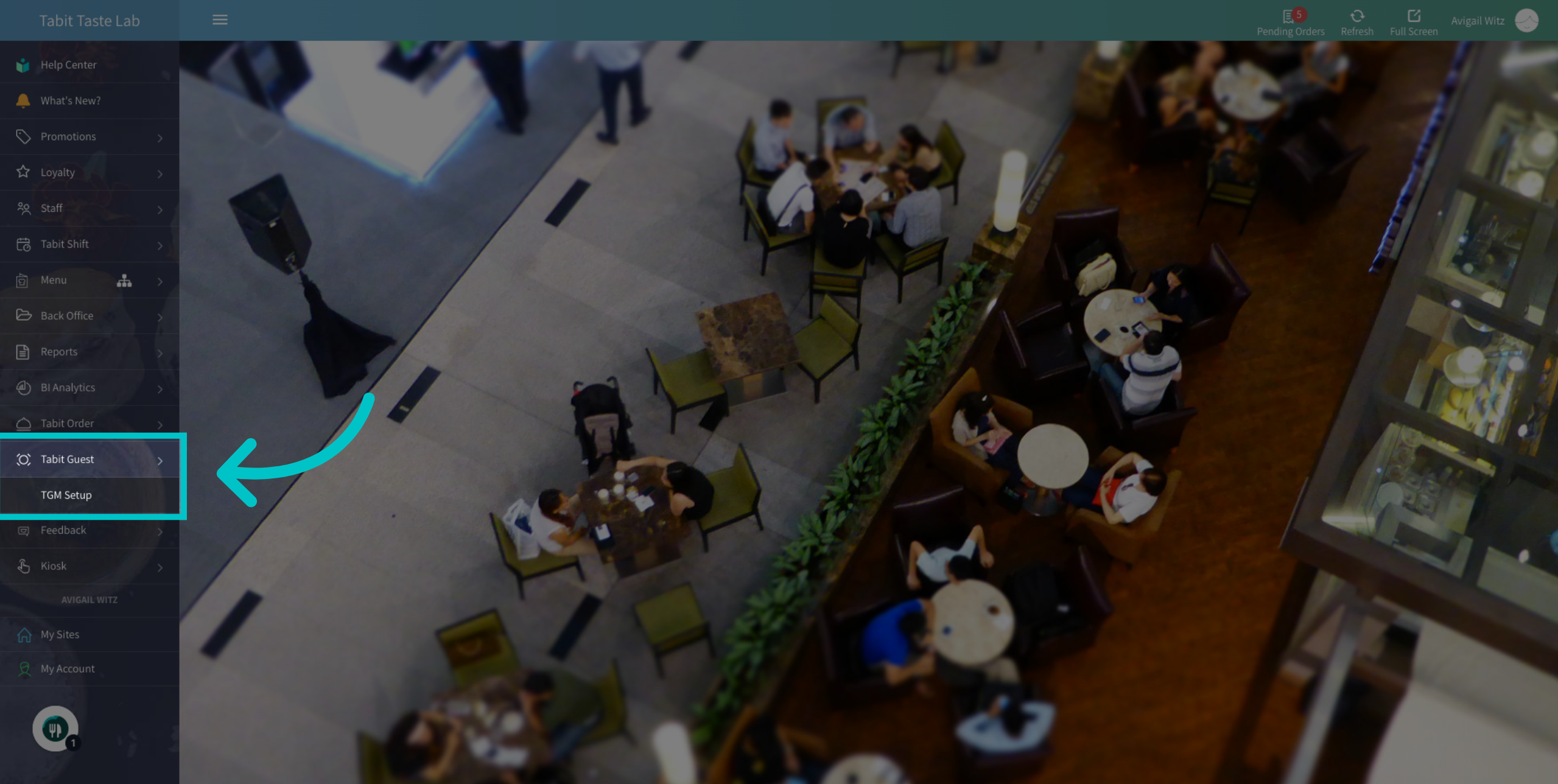
In Tabit Office, go to Tabit Guest > TGM Setup
-
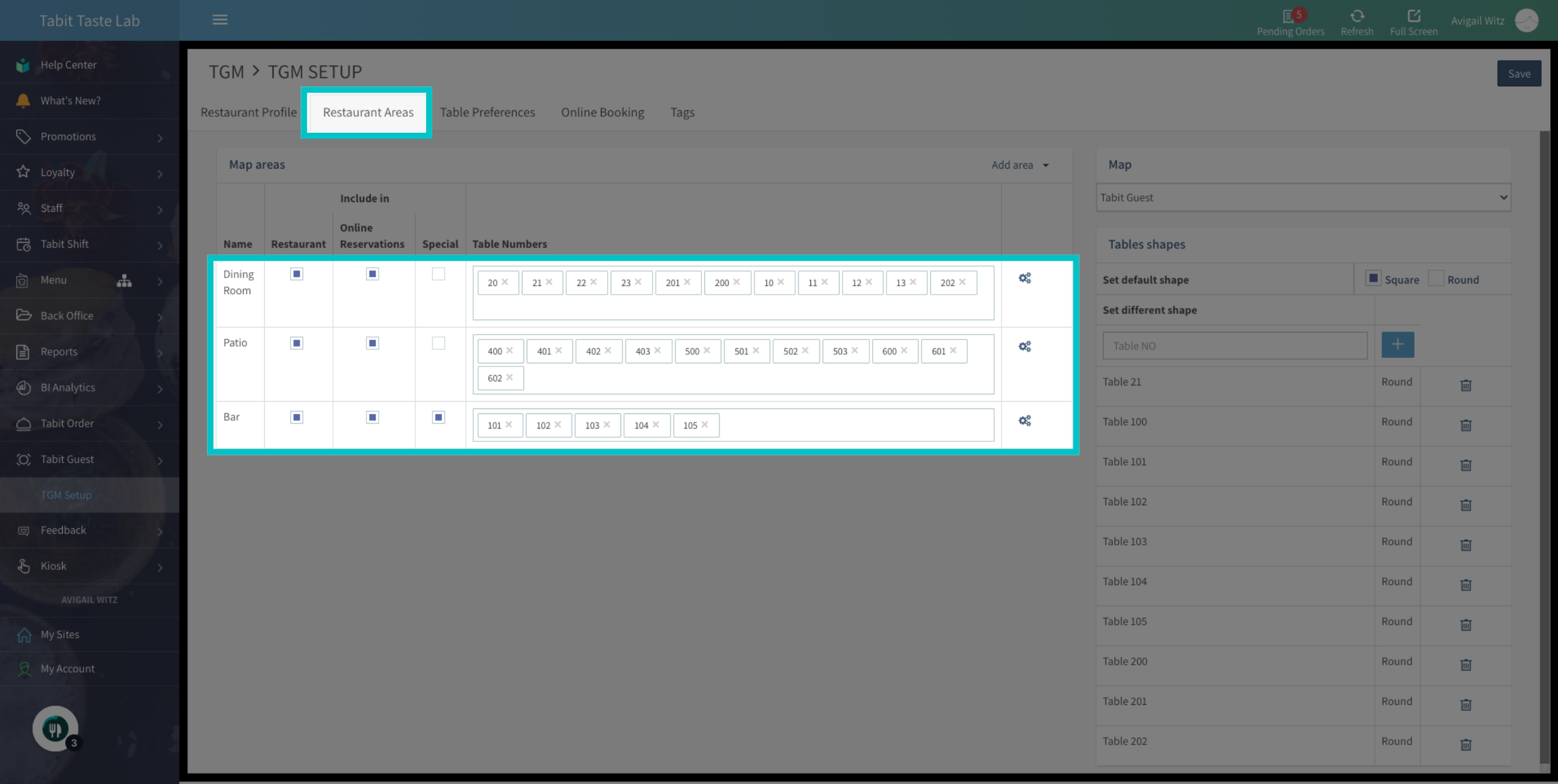
Under the Restaurant Areas tab, locate the relevant area
-
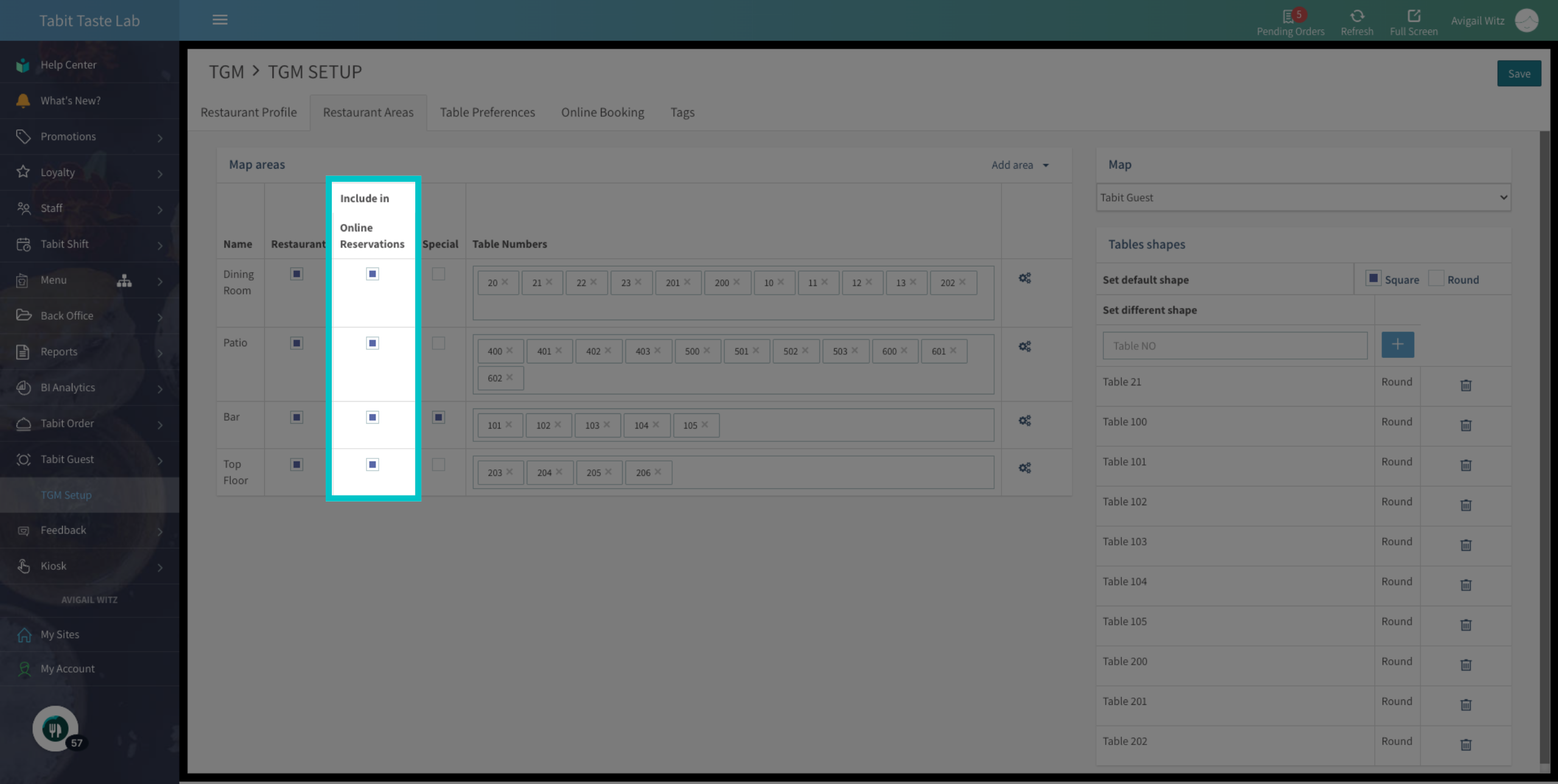
Check the Online Reservations box to display the area for online reservations, or uncheck it to hide it
-
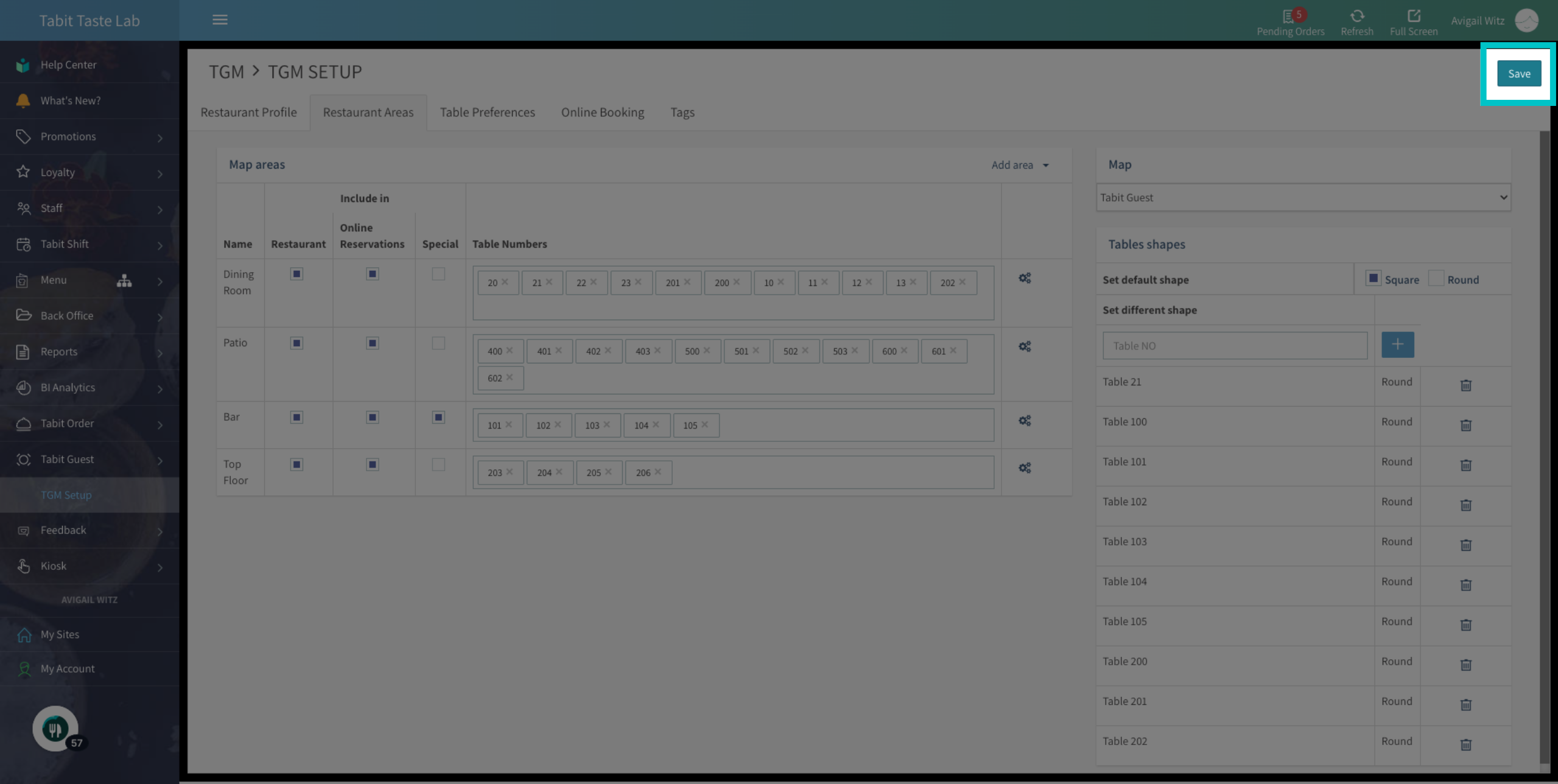
Once you finish, remember to Save your changes
-
Now the area will be displayed or hidden from online reservations. Enter this page at any time to edit existing areas