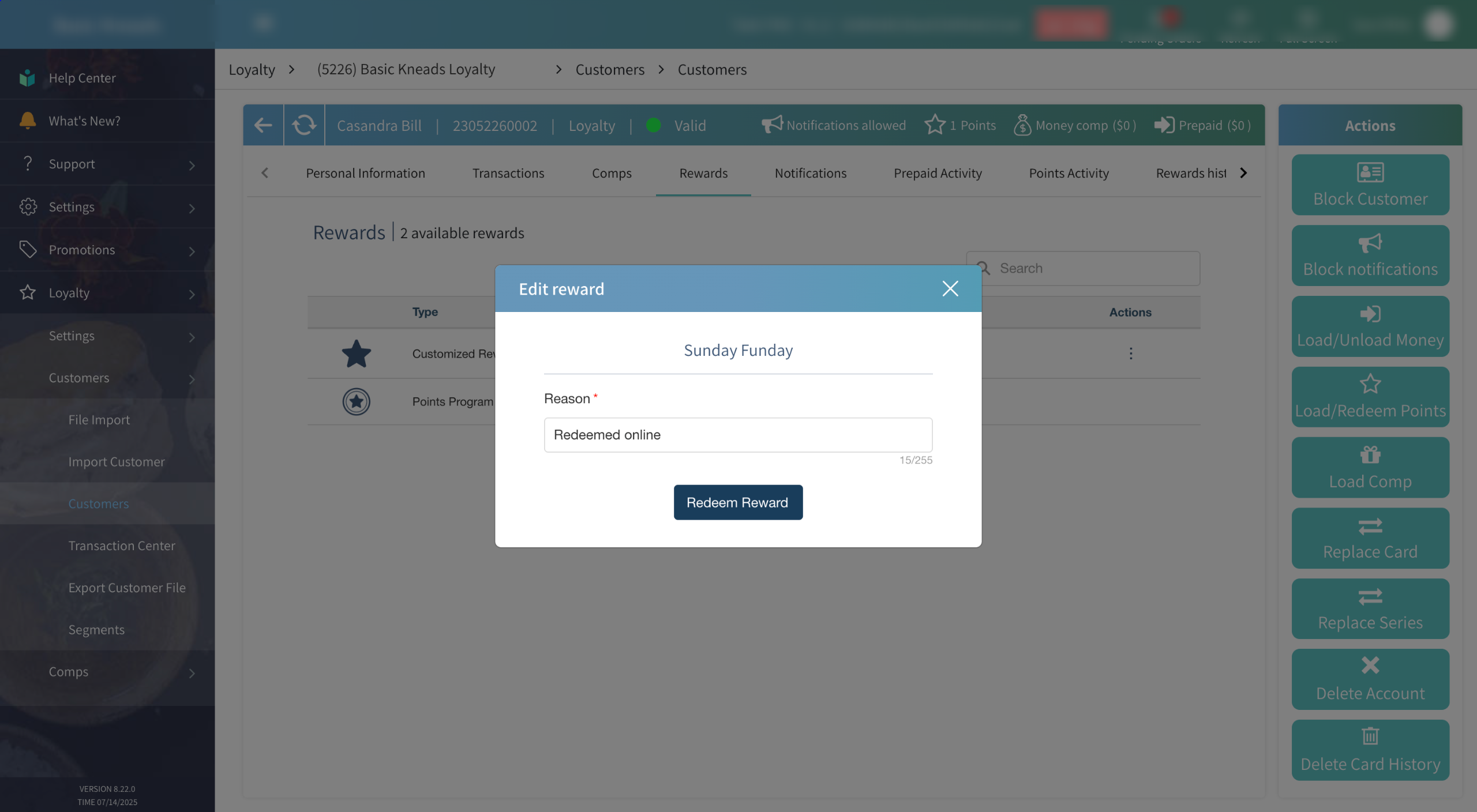
Rewards can be manually redeemed from within Tabit Office by customer service representatives to provide better service and ensure customer satisfaction.
Learn how to manually redeem rewards in Tabit Office below:
-
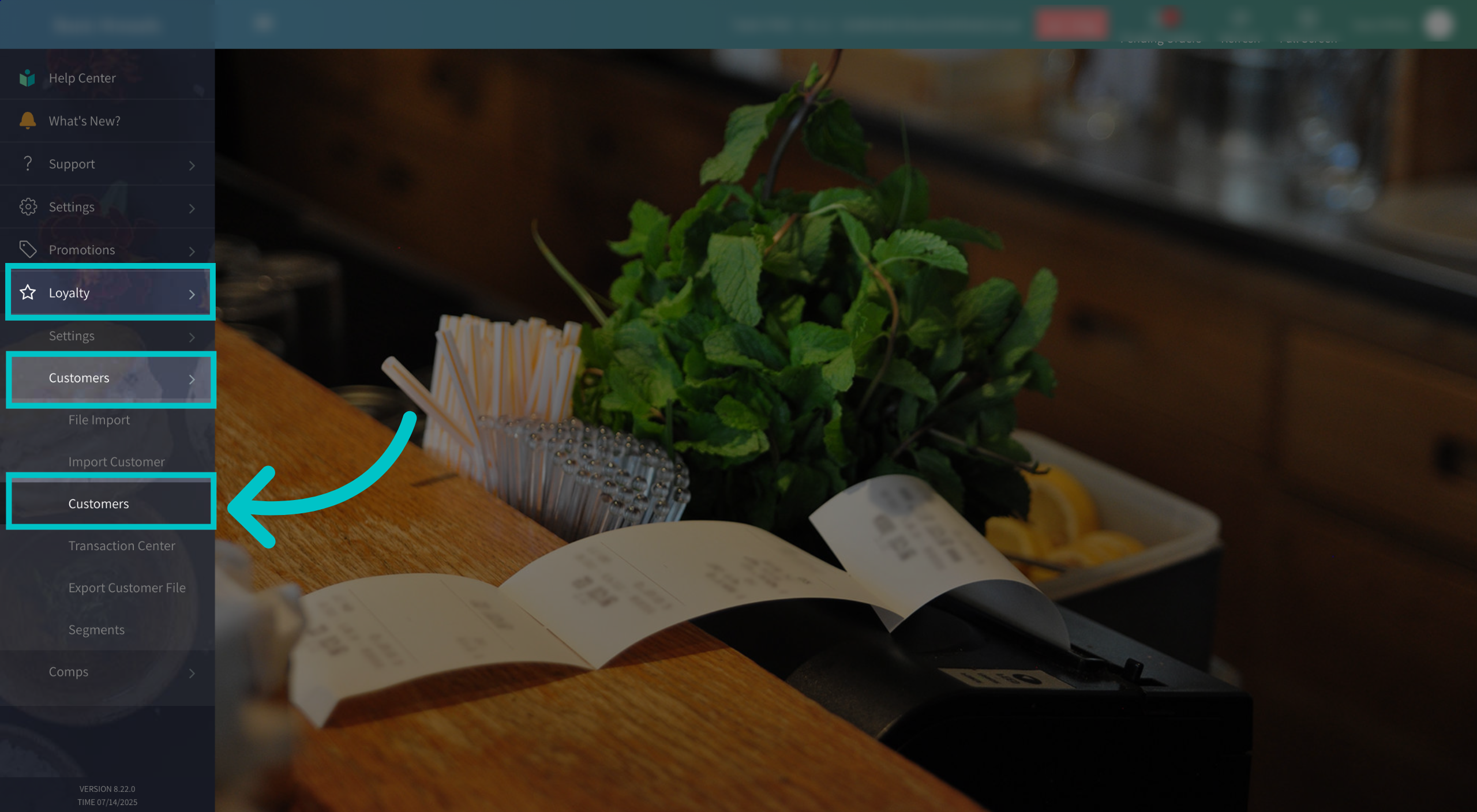
In Tabit Office, go to Loyalty > Customers > Customers
-
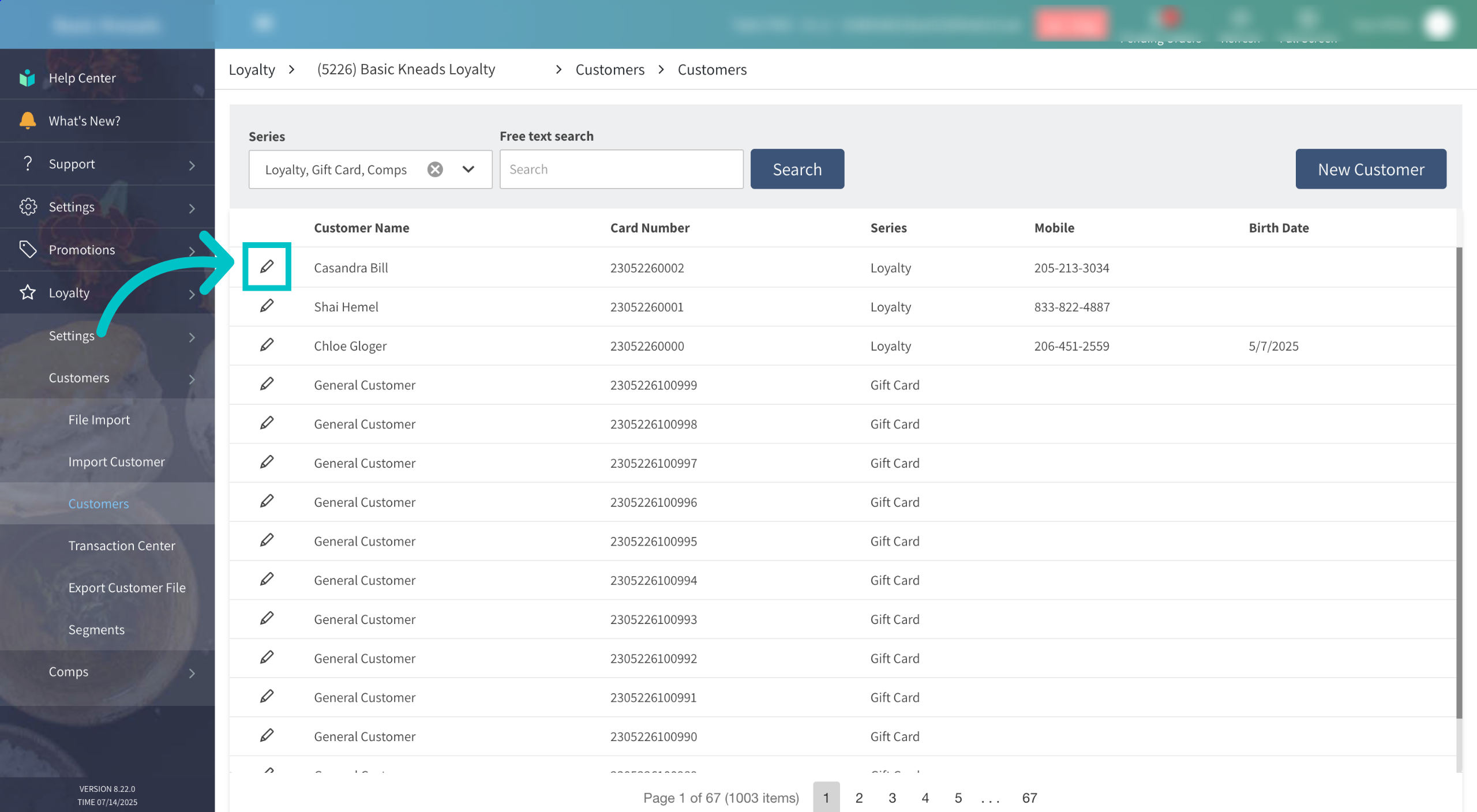
Select the pencil icon next to the relevant customer
-
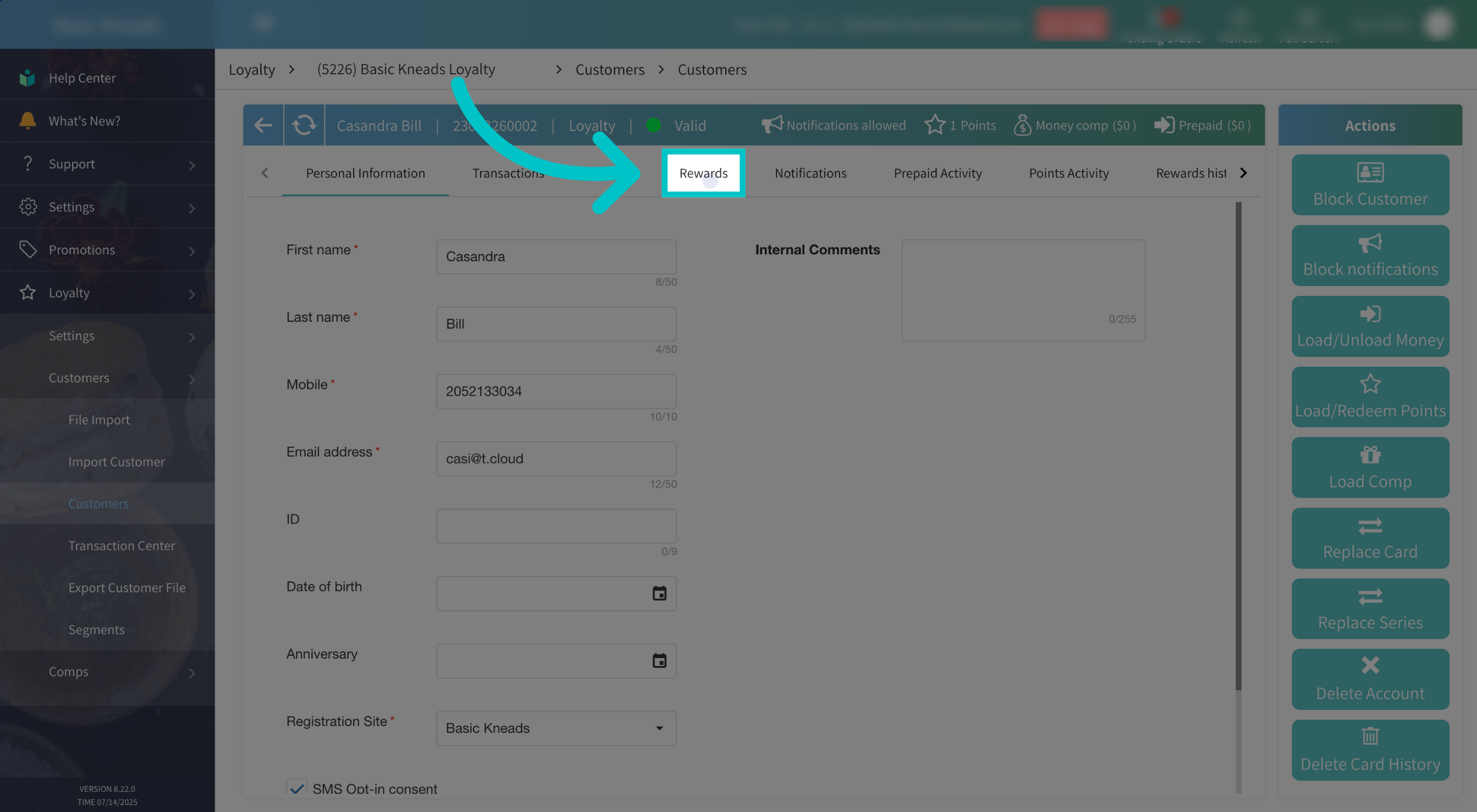
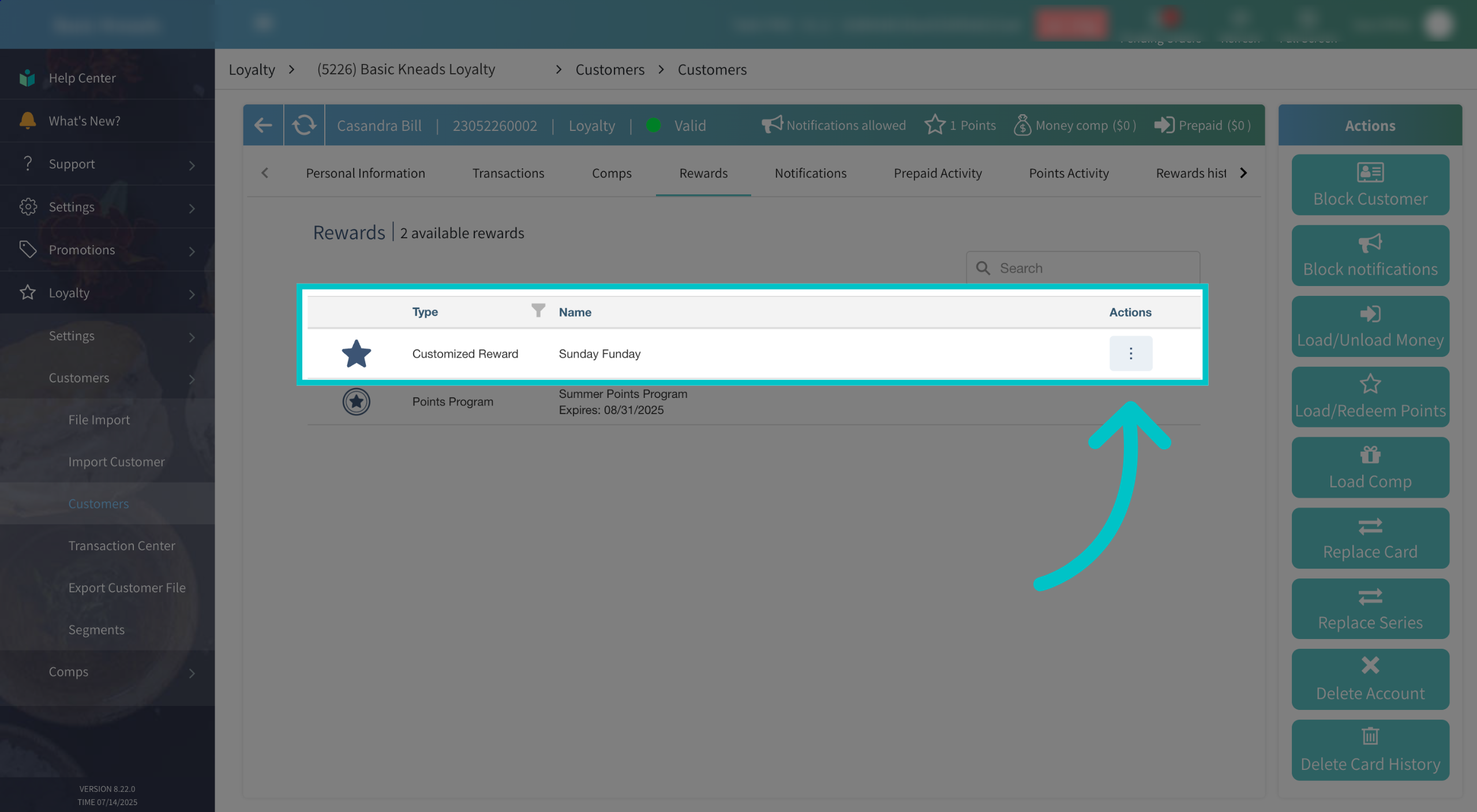
Select the Rewards tab to view the customer's rewards
-
Select the three dots under the Actions tab for the relevant reward
-
Any available actions will appear. This can include Redeem, Delete, or More Info. Select Redeem

-
Add a reason for why the reward was redeemed and then select Redeem Reward to complete the process