Time slots can be used to control when a menu is available in the PAD view, ensuring that only the right menus, such as lunch or happy hour, appear at specific times of the day.
Follow the steps below to create a time slot:
-
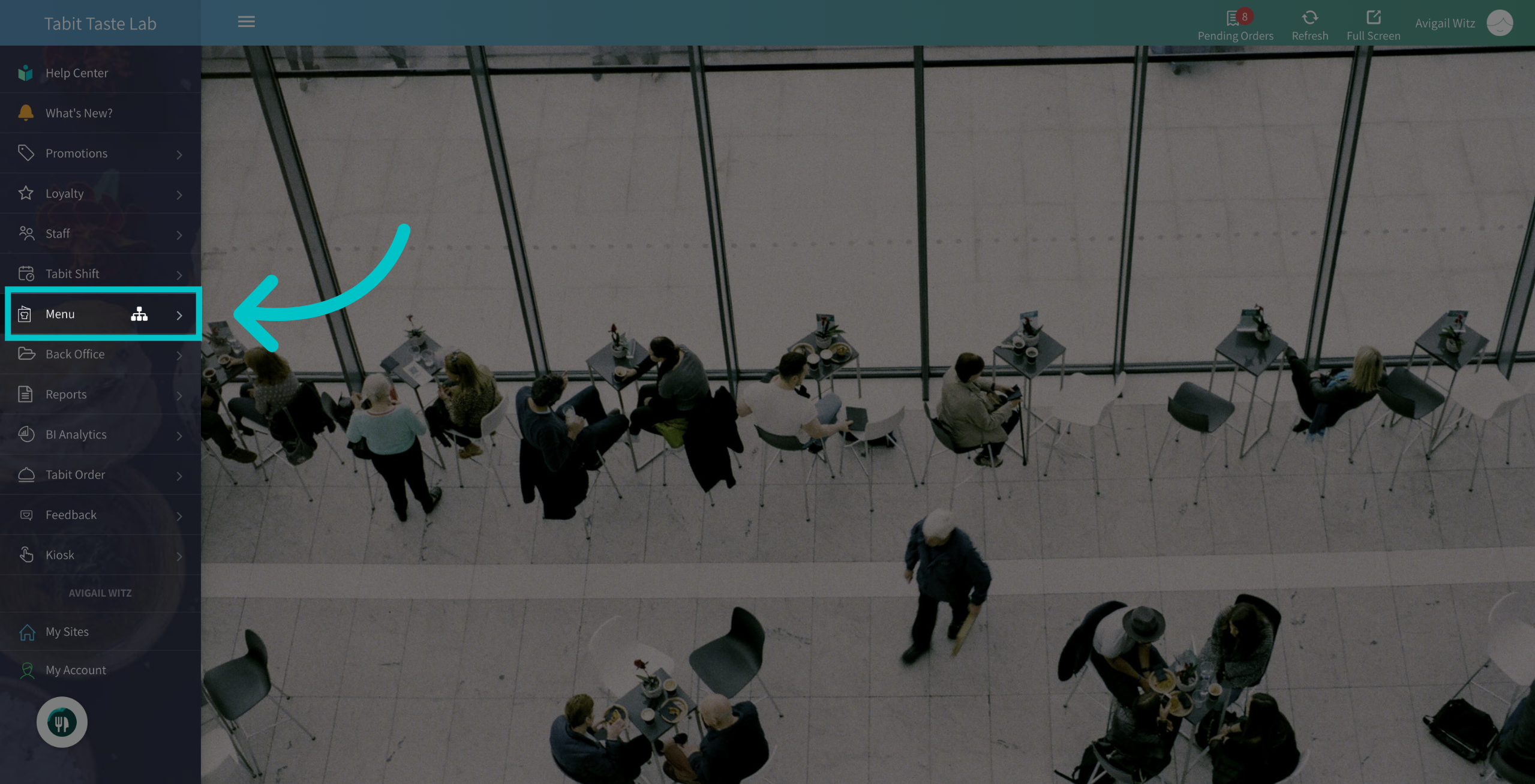
In Tabit Office, go to Menu
-
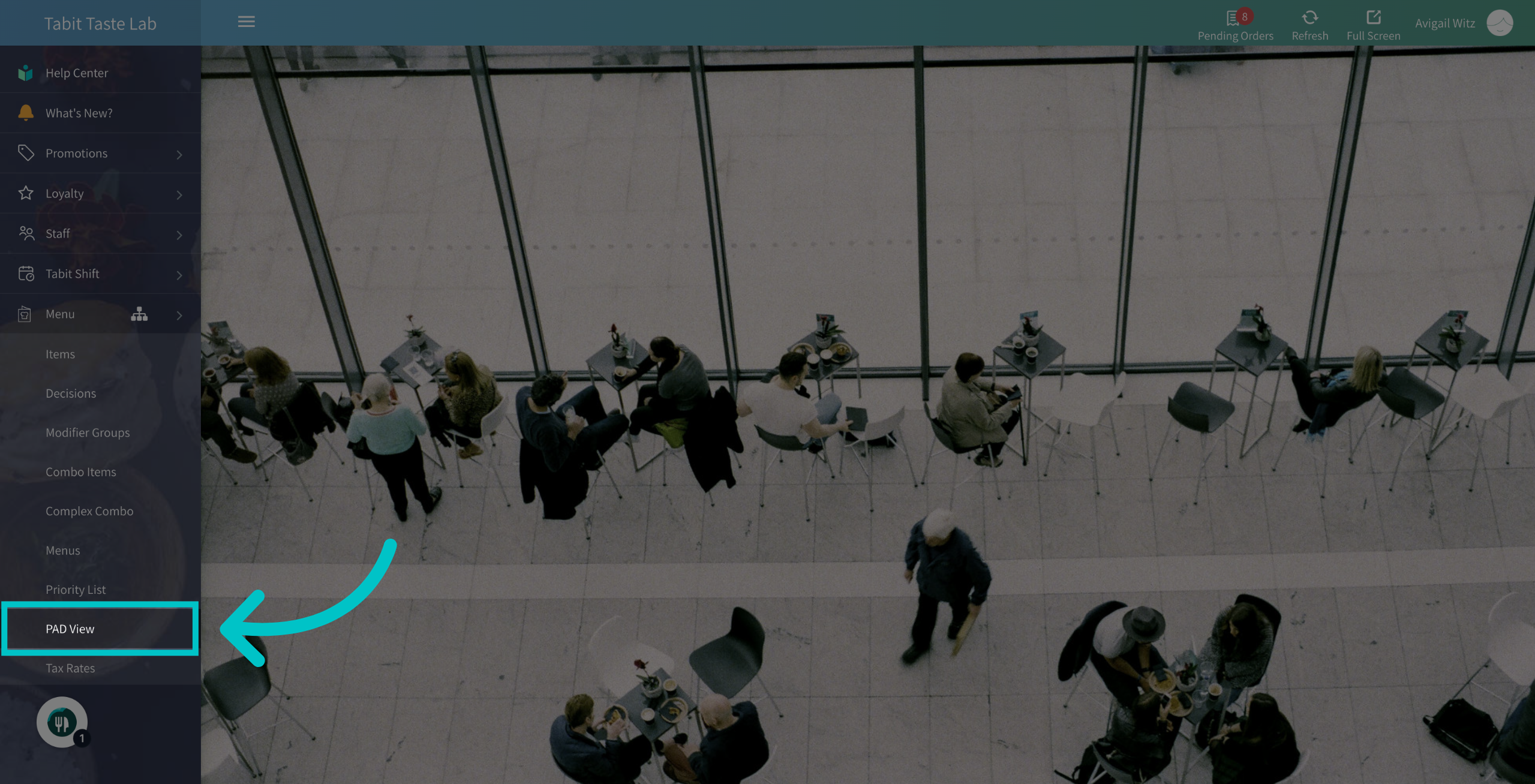
Navigate to the PAD View section
-
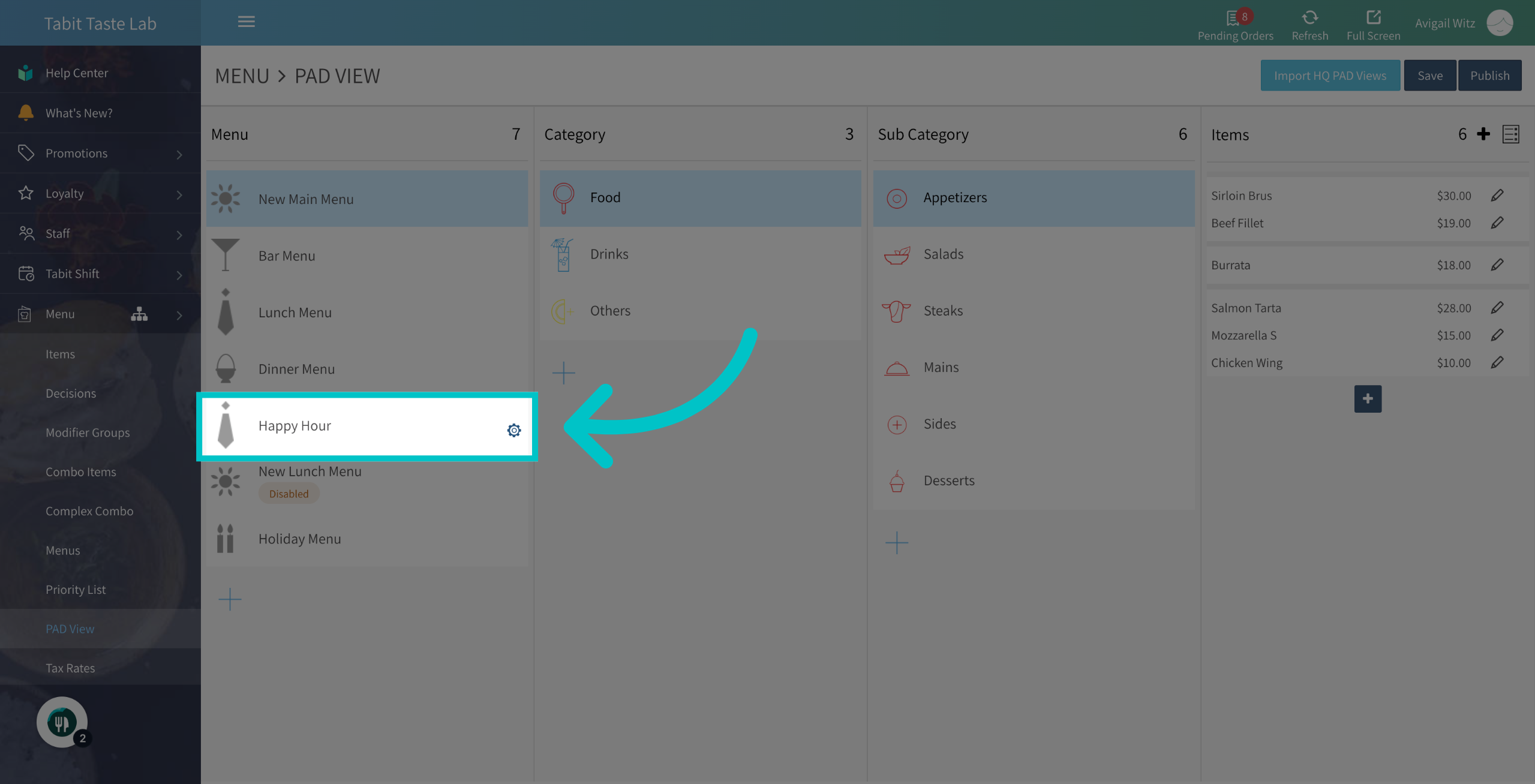
Hover over the relevant menu, and select the Gear icon next to it
-
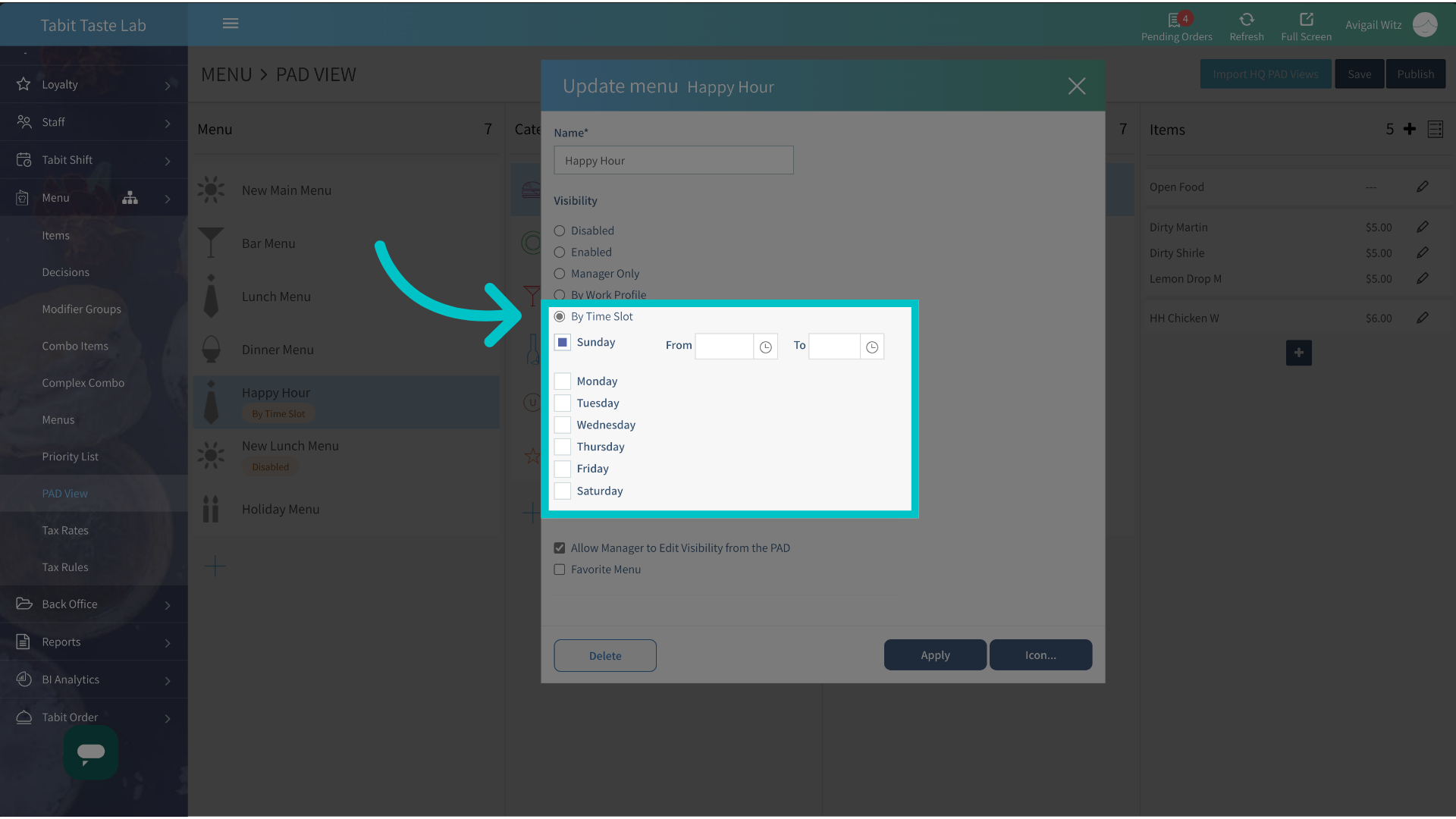
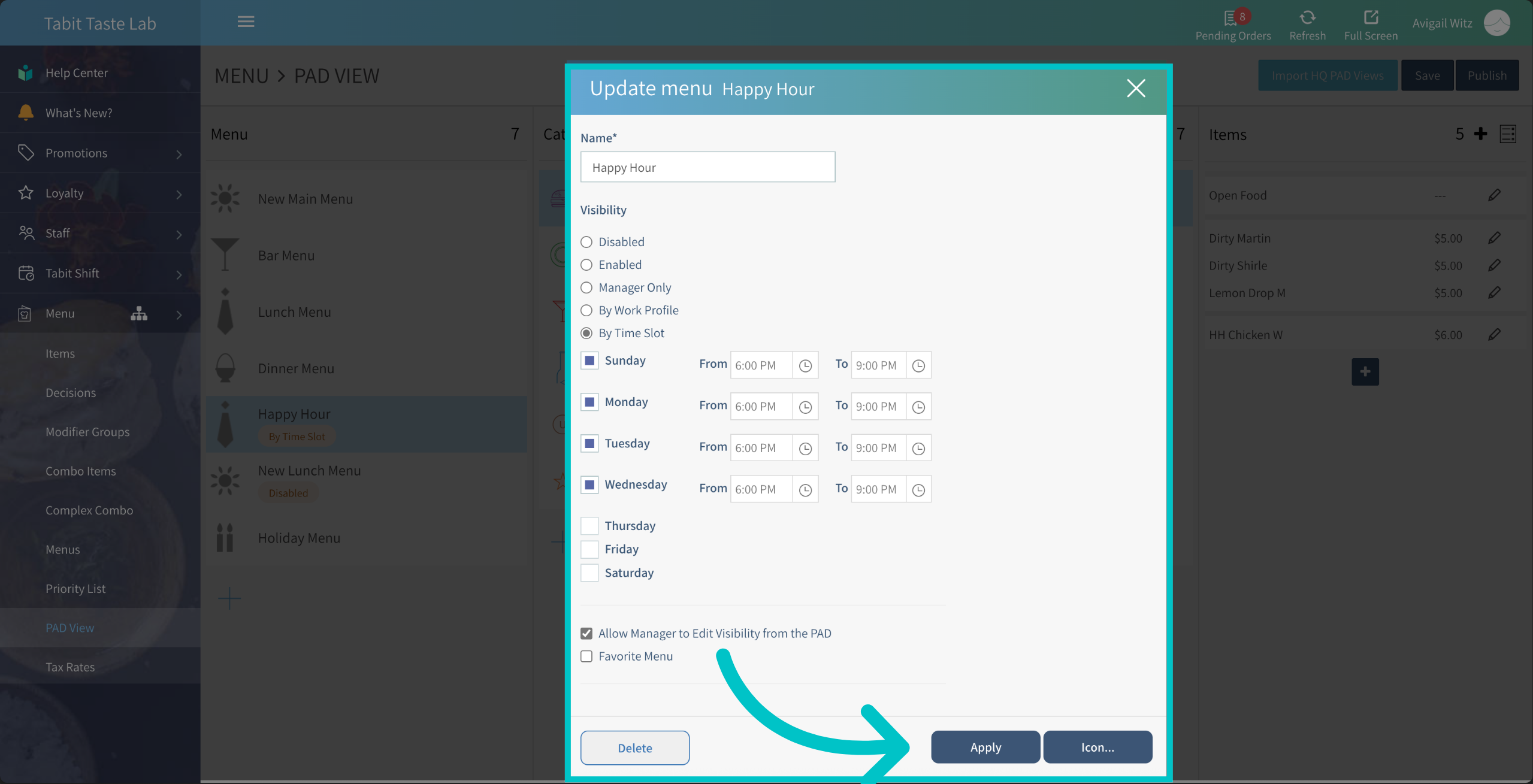
Now, enable the By Time Slot option and adjust the days and time as needed
-
Once everything is set, Apply your setup
-
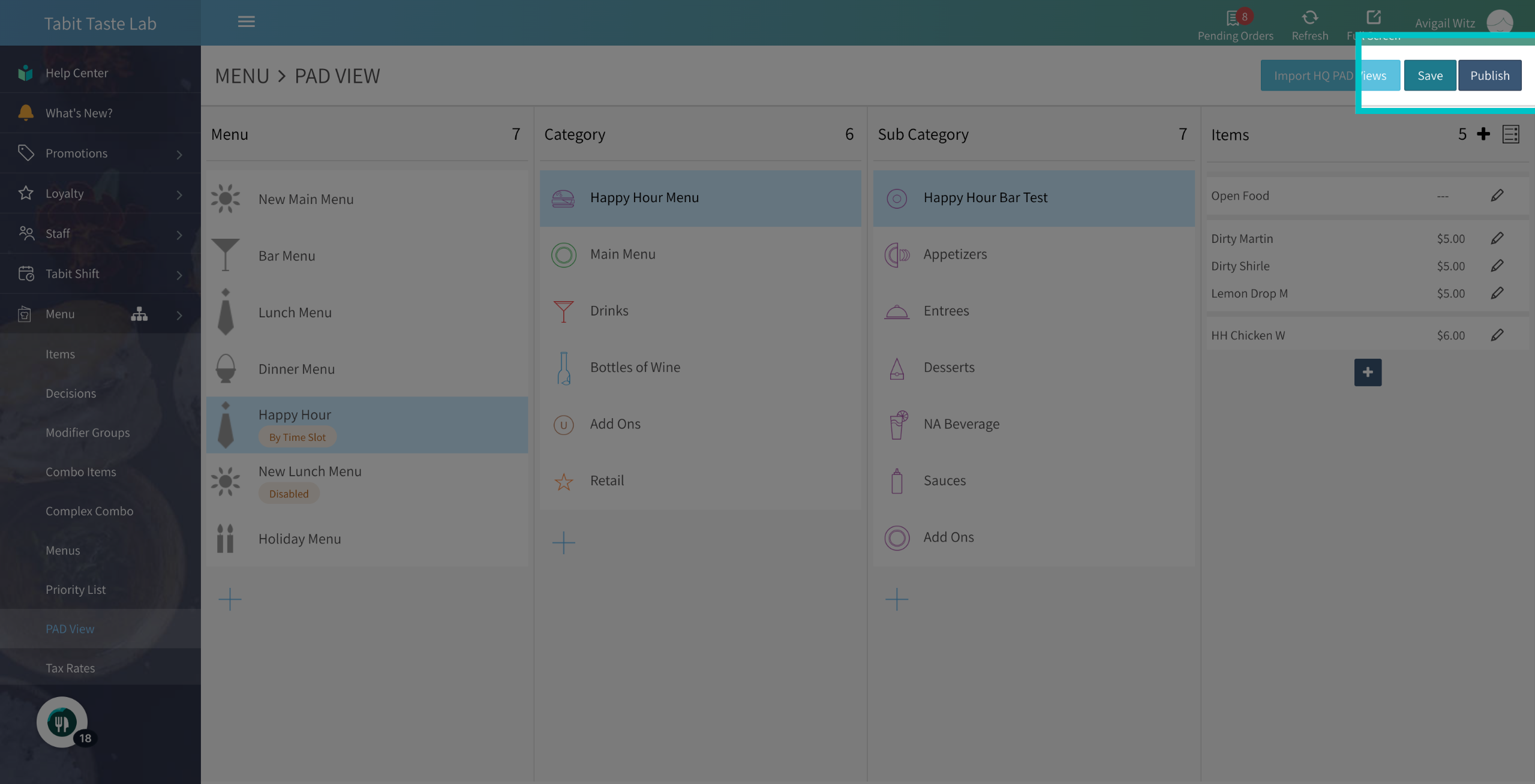
Then, Save and Publish the updates to the PAD
-
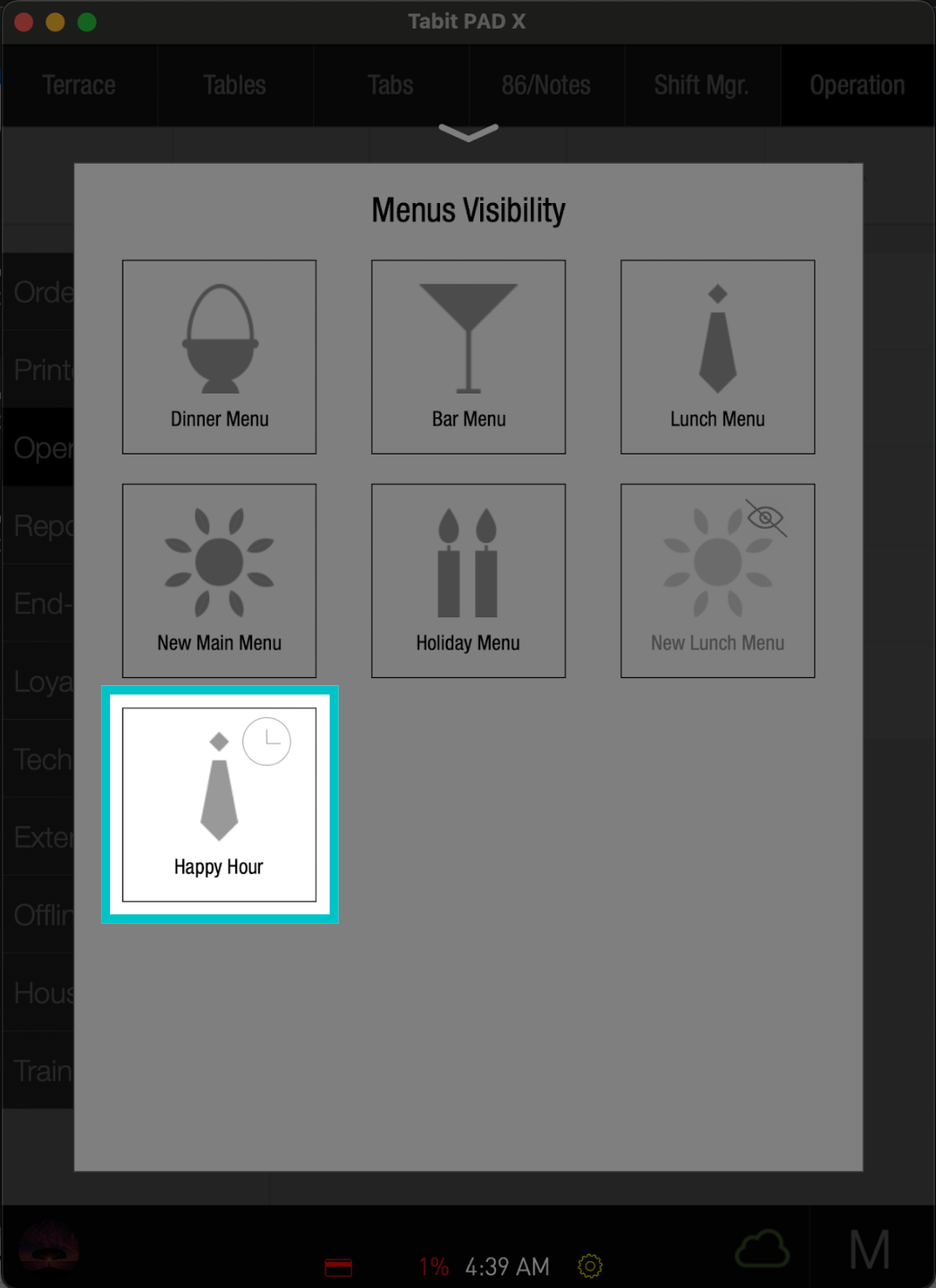
From a manager's profile on the PAD in the menu management section, you will now see a clock icon indicating the menu is restricted by a time slot
-
Now, the menu view will be limited according to these settings