This list will give you a complete, detailed view of all the offers in your catalog, including those that are not in the restaurant's PAD view.
Follow the steps below to export the menu offers list:
-
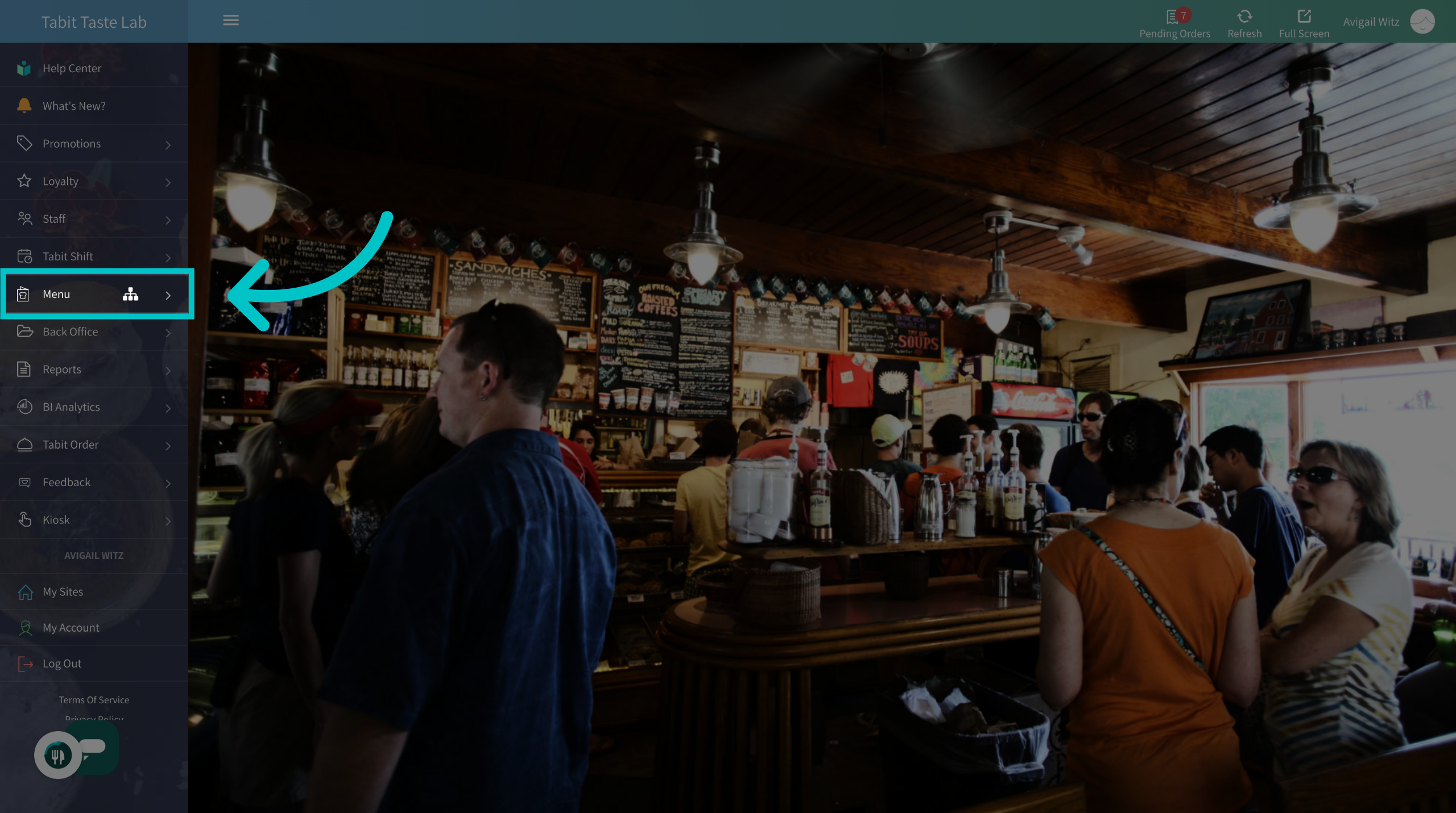
In Tabit Office, go to the Menu section
-
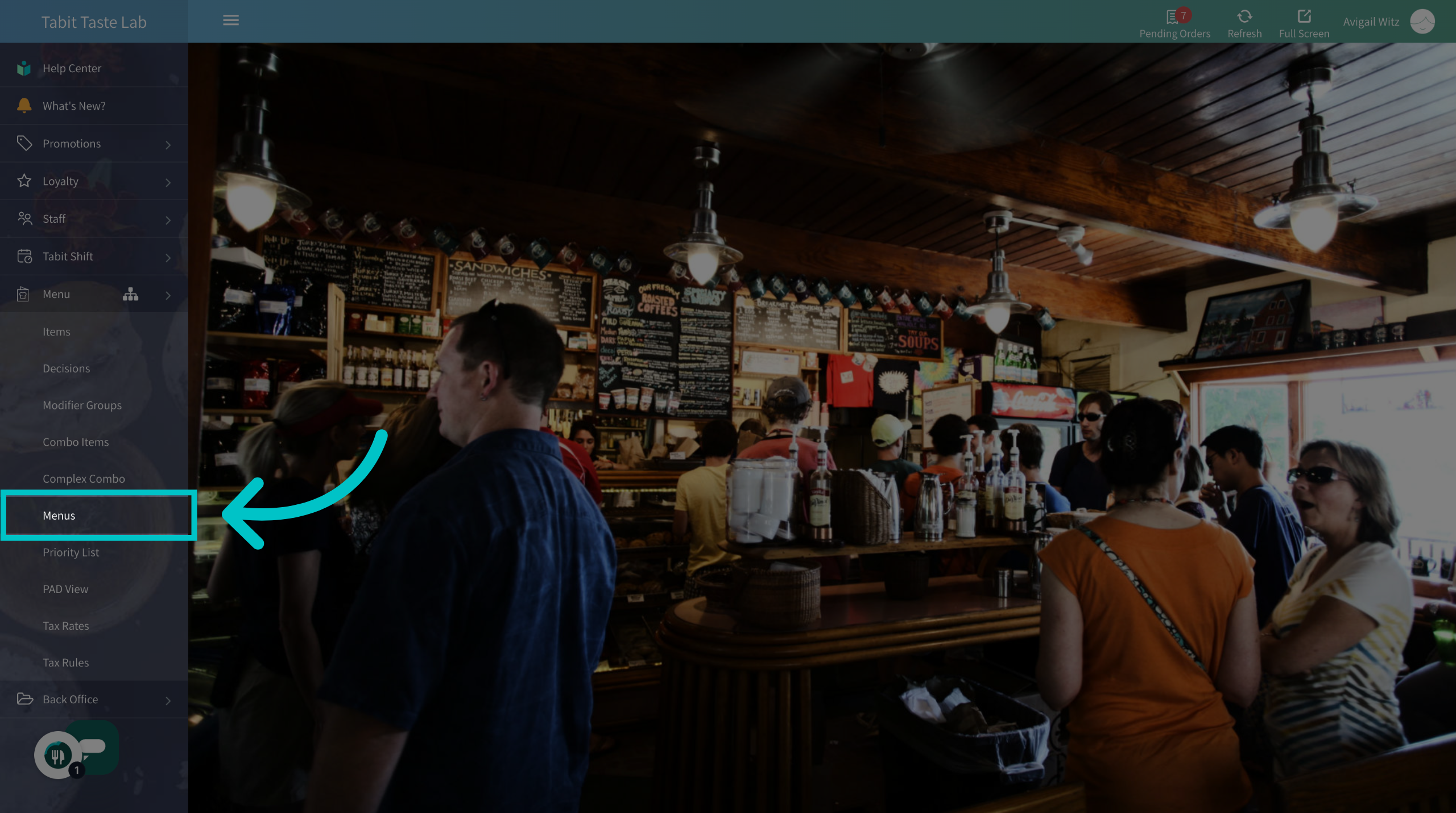
Navigate to the Menus tab
-
And select Export Offers to download the list
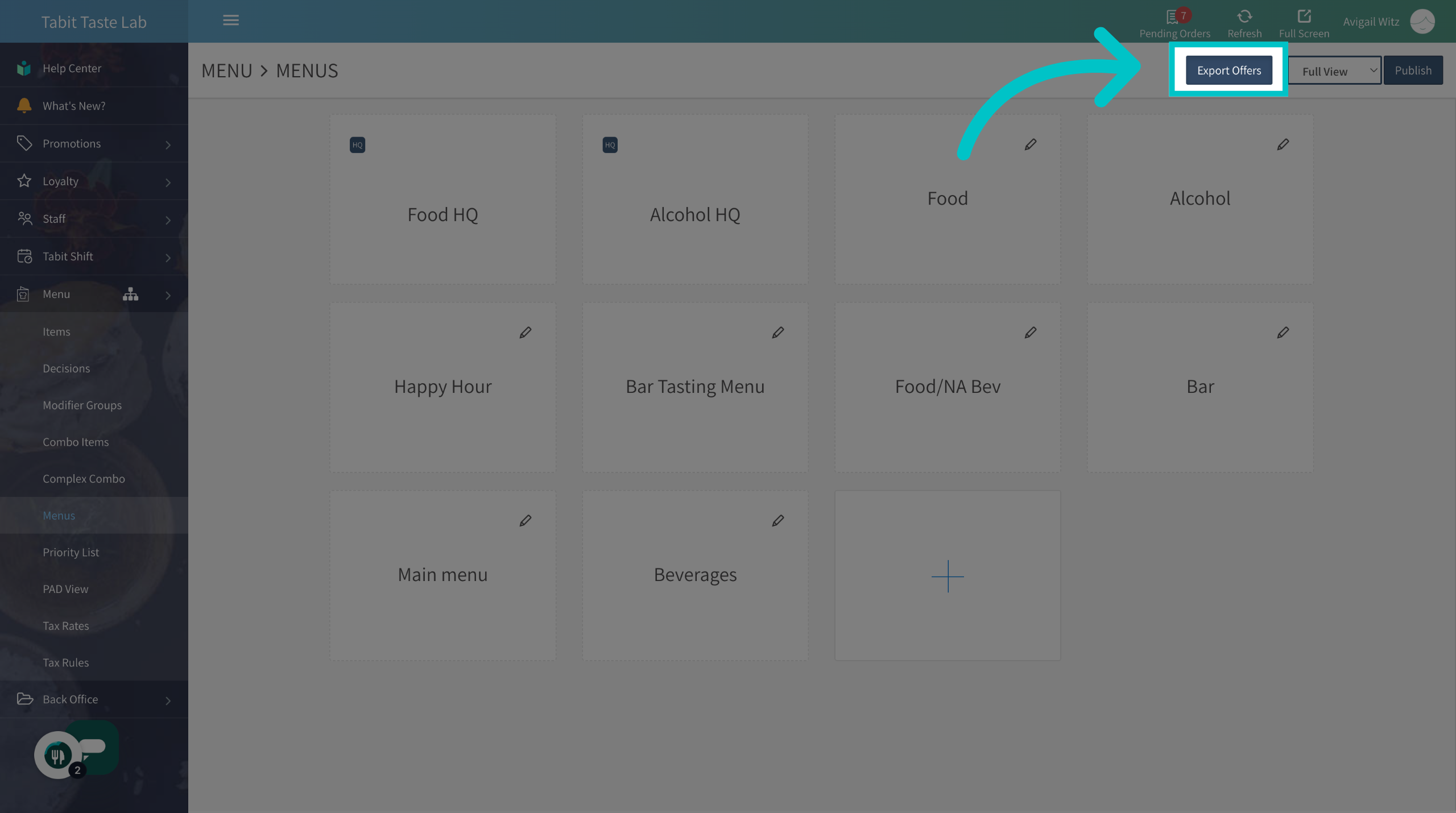
You will now find a detailed Excel sheet of all the offers saved to your computer