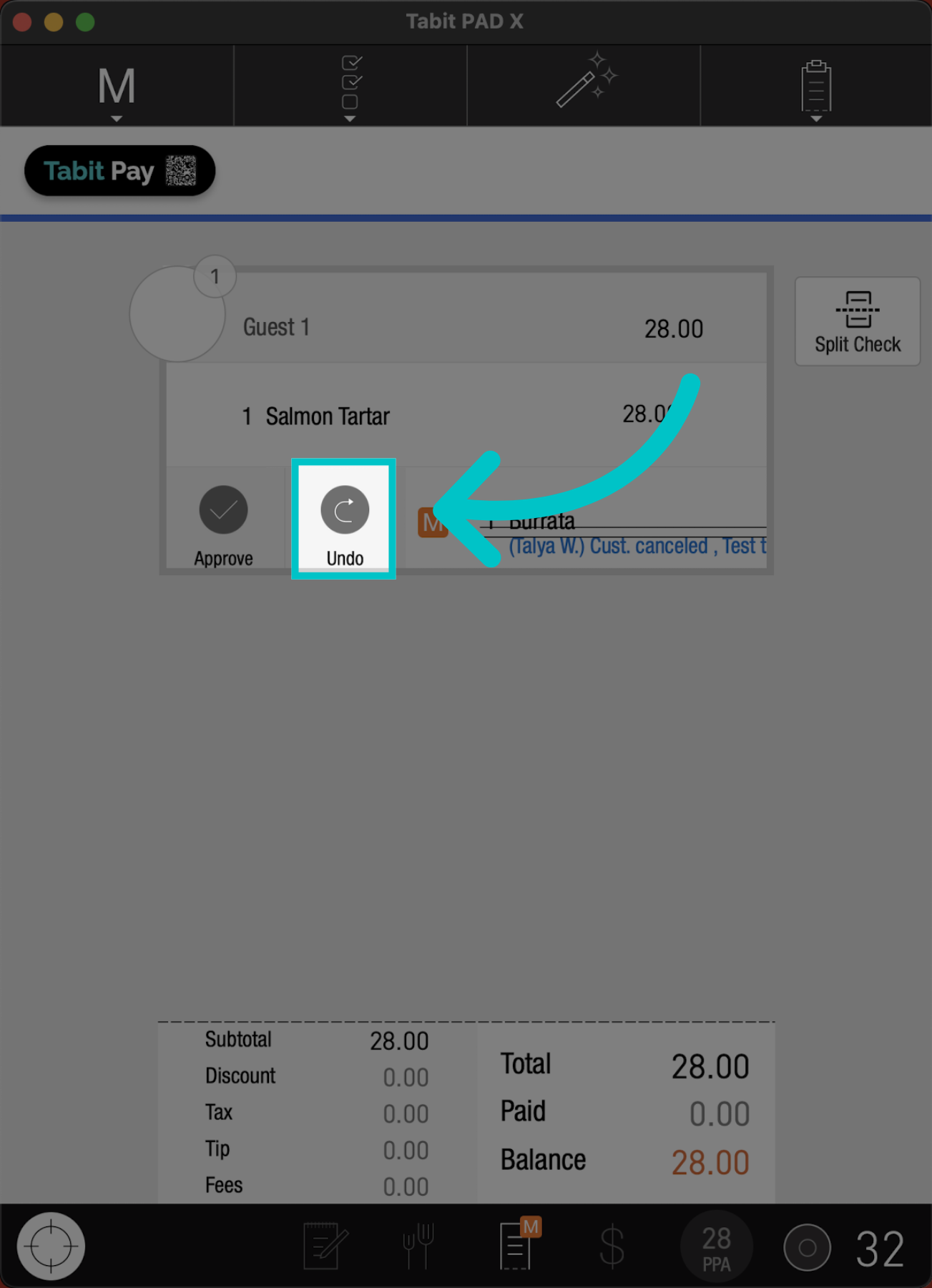
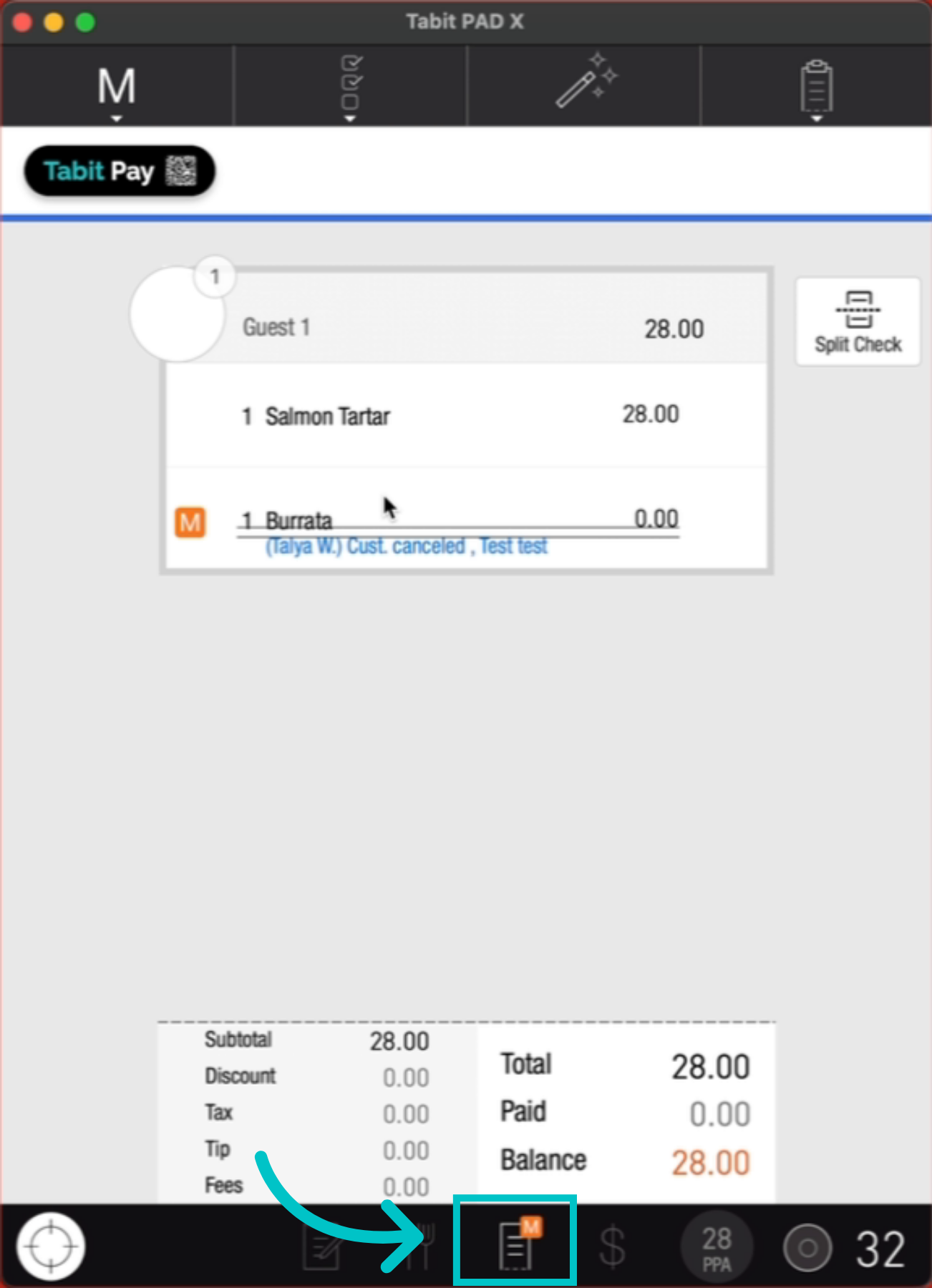
If an exception request needs to be canceled, you can quickly remove it.
Exceptions include voids & returns, discounts & comps (OTH), promotions, item transfers, open items, alcohol governance, and return transactions.
Follow the steps below to cancel an exception request: