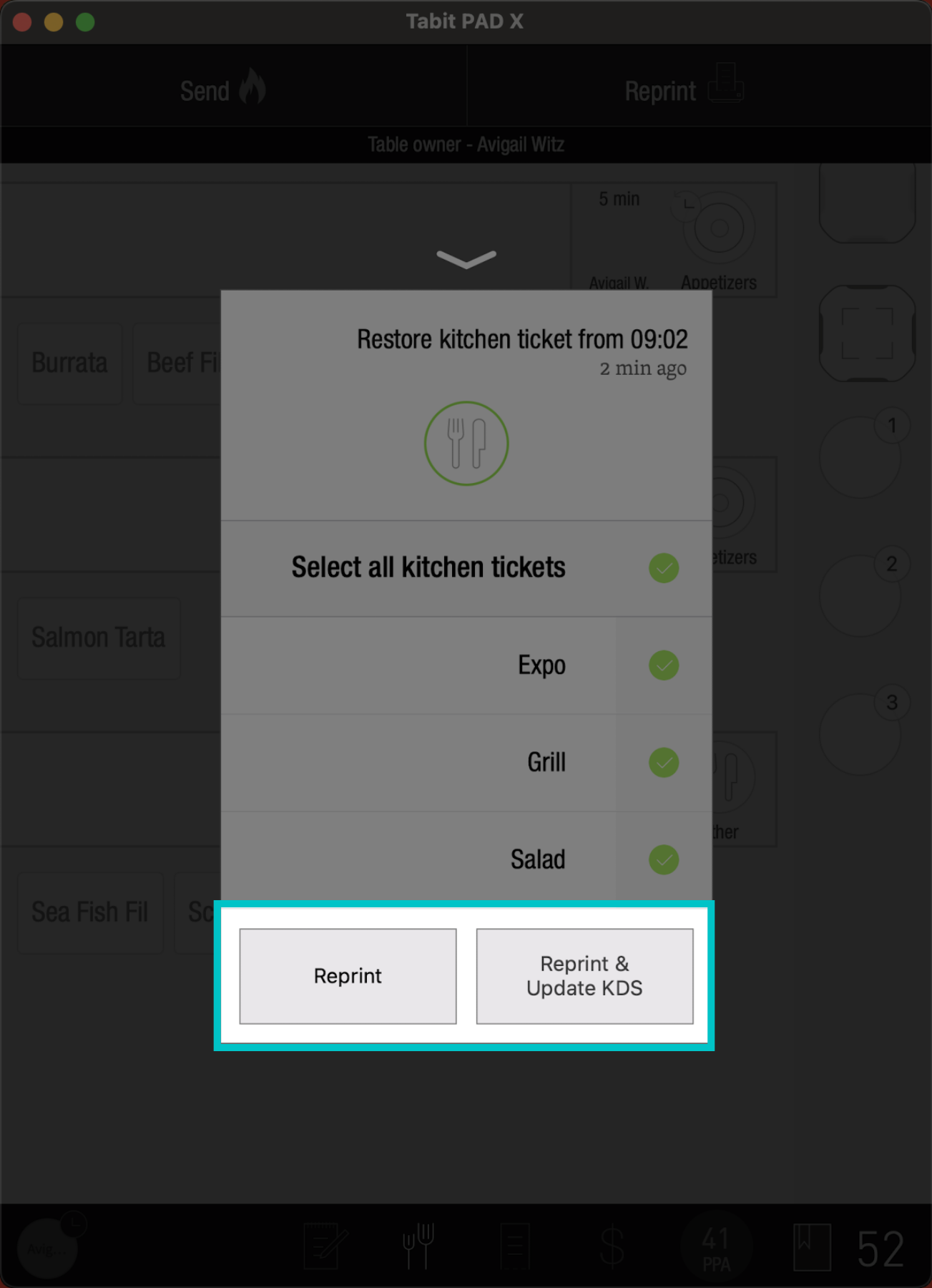
If a Kitchen Ticket falls into the fryer, slips into the grill, gets dirty and is illegible, doesn't print the first time, or if you just need to reprint it, it's easy to reprint a kitchen ticket from the PAD.
Follow the steps below to reprint a kitchen ticket:
-
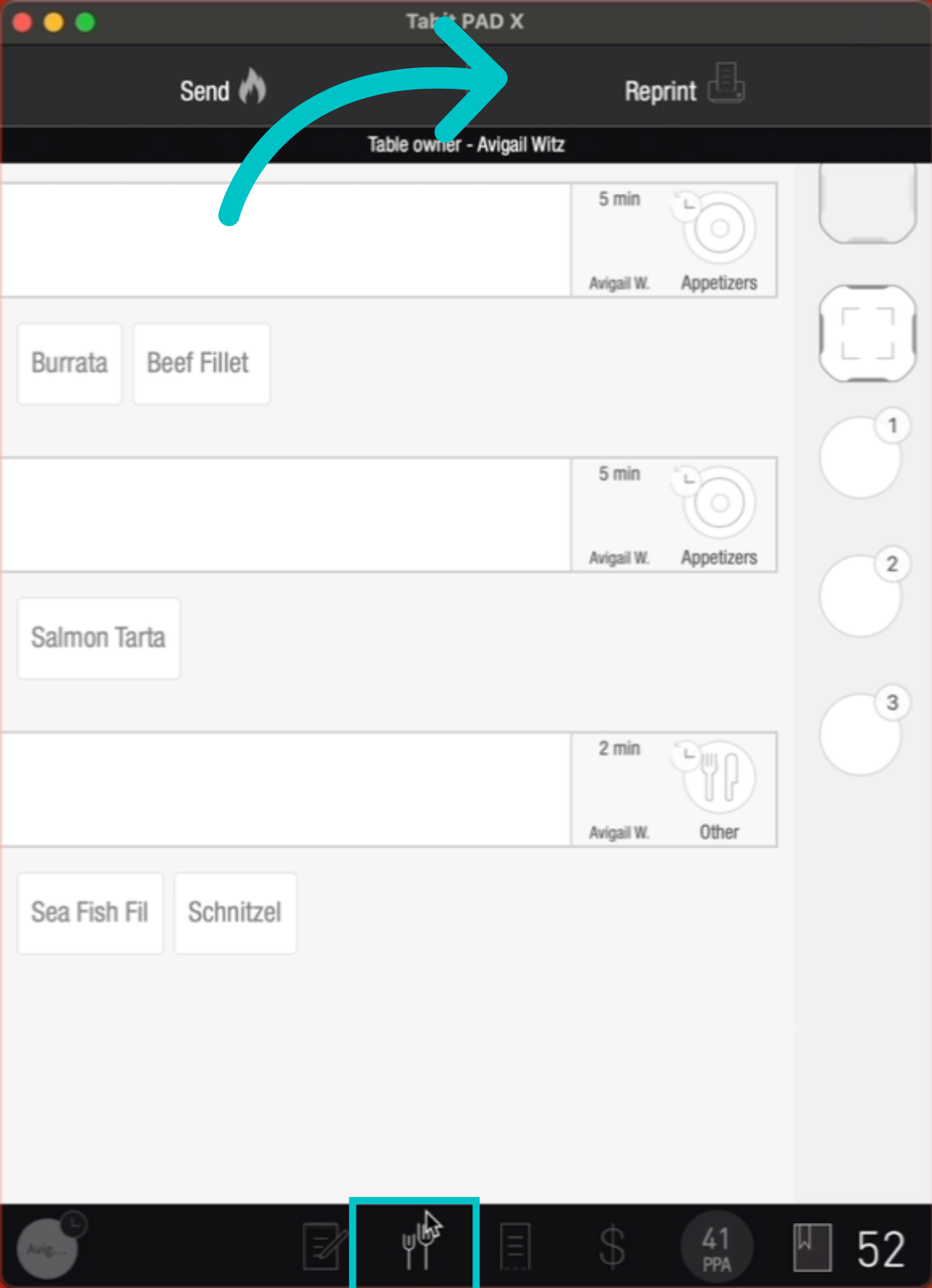
From the course screen, tap Reprint
-
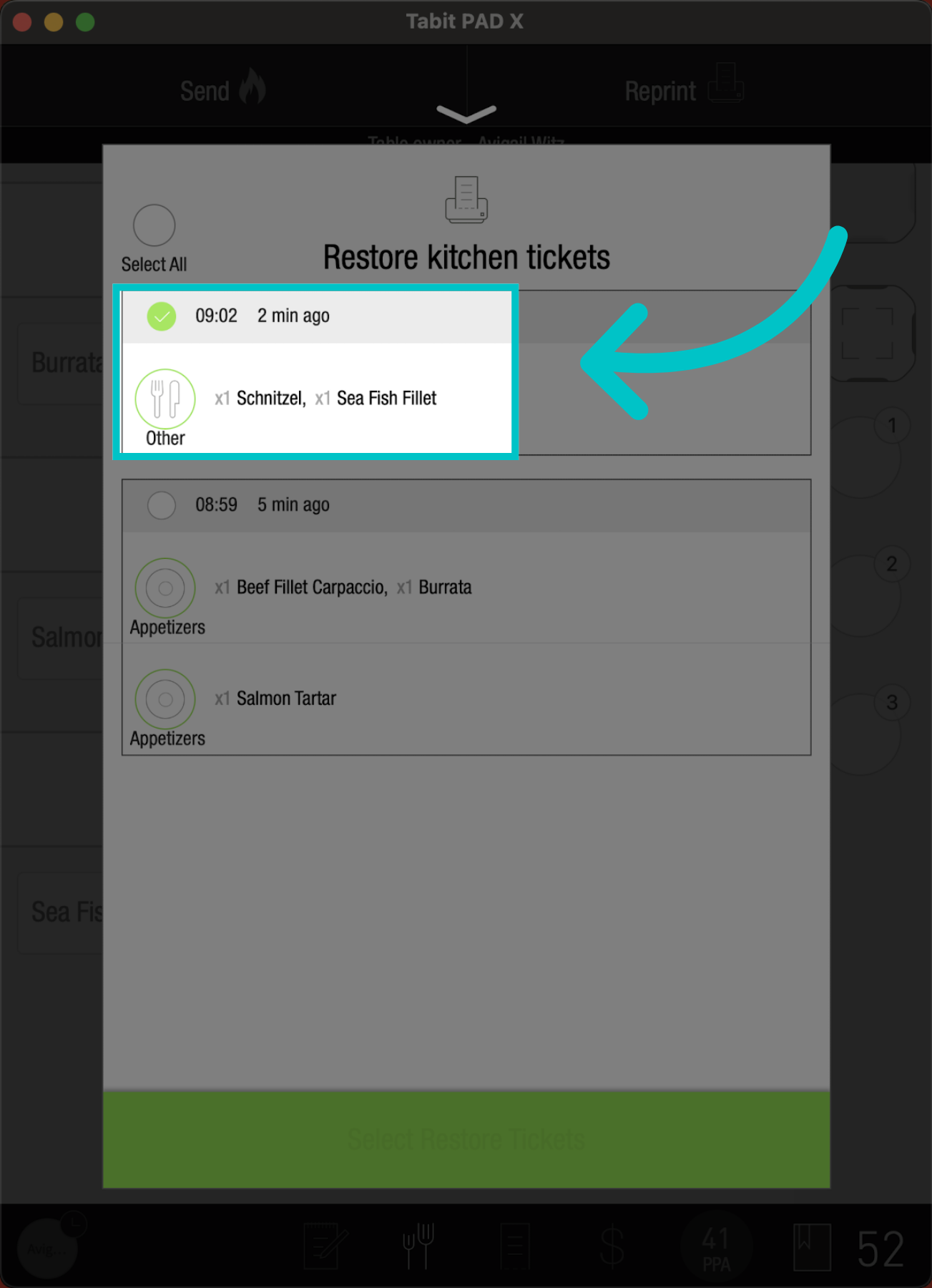
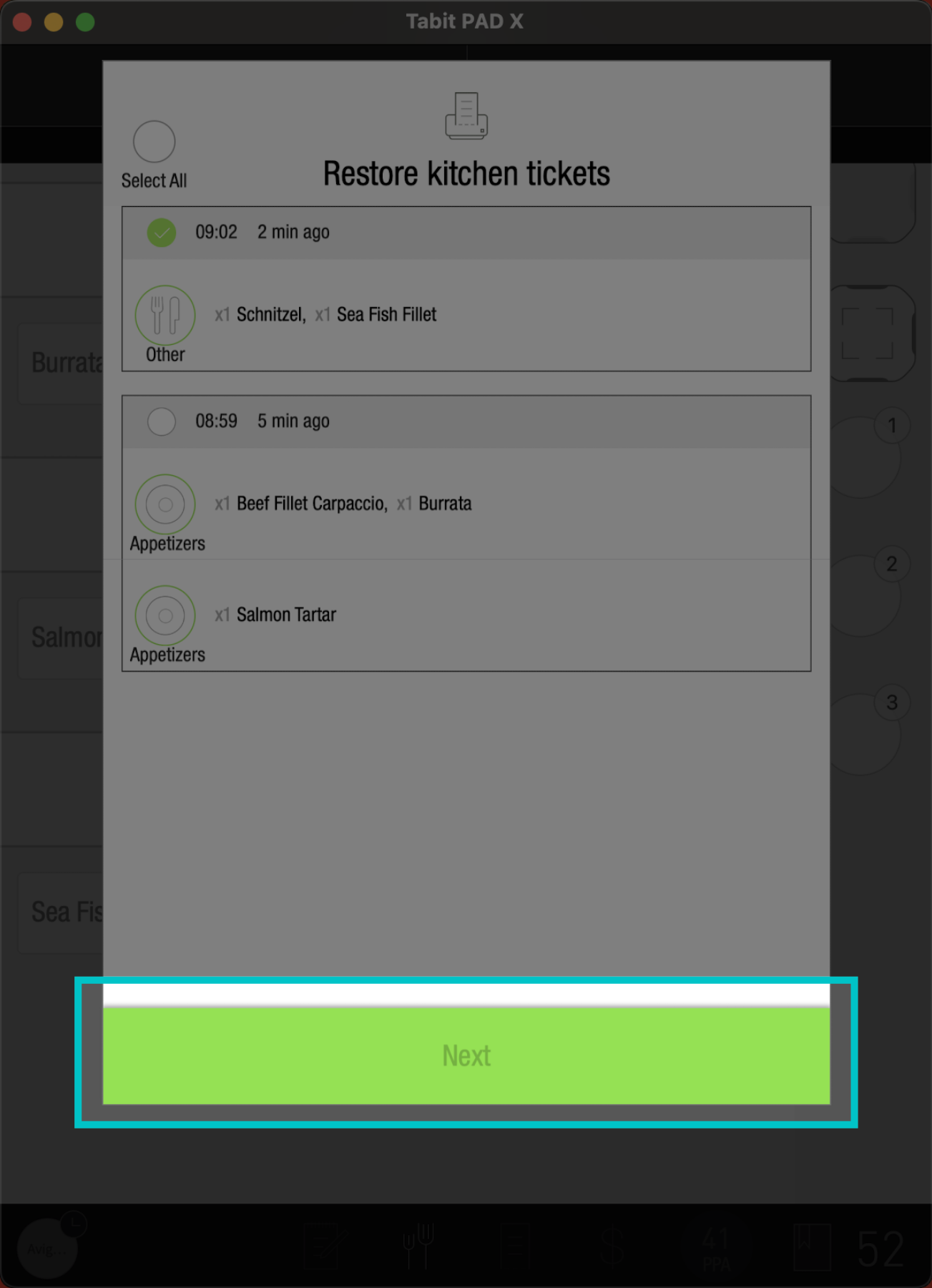
Check a specific course
-
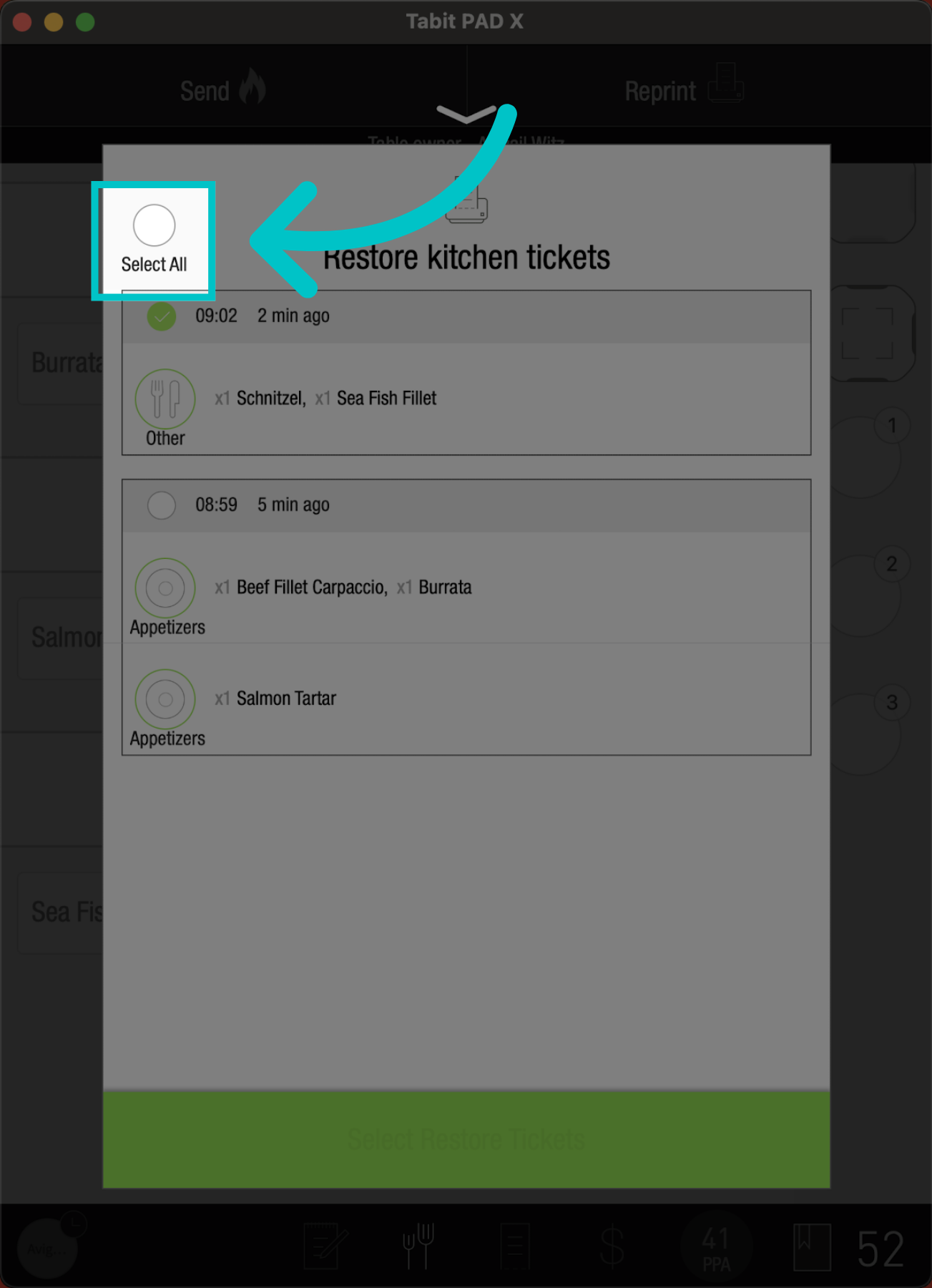
Or select all courses
-
Tap next
-
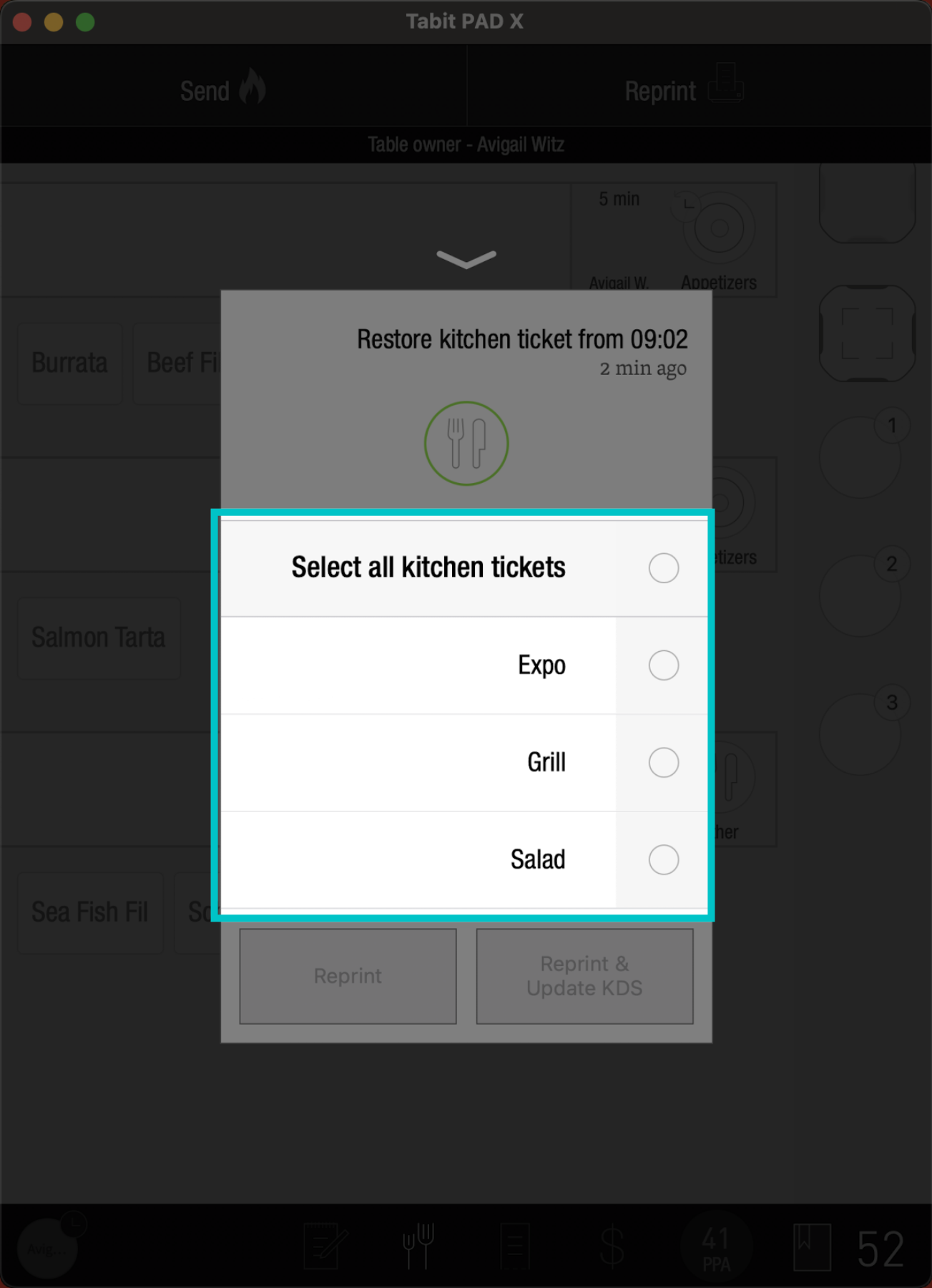
Then check the relevant printer
-
Select reprint or reprint & update KDS to complete the action