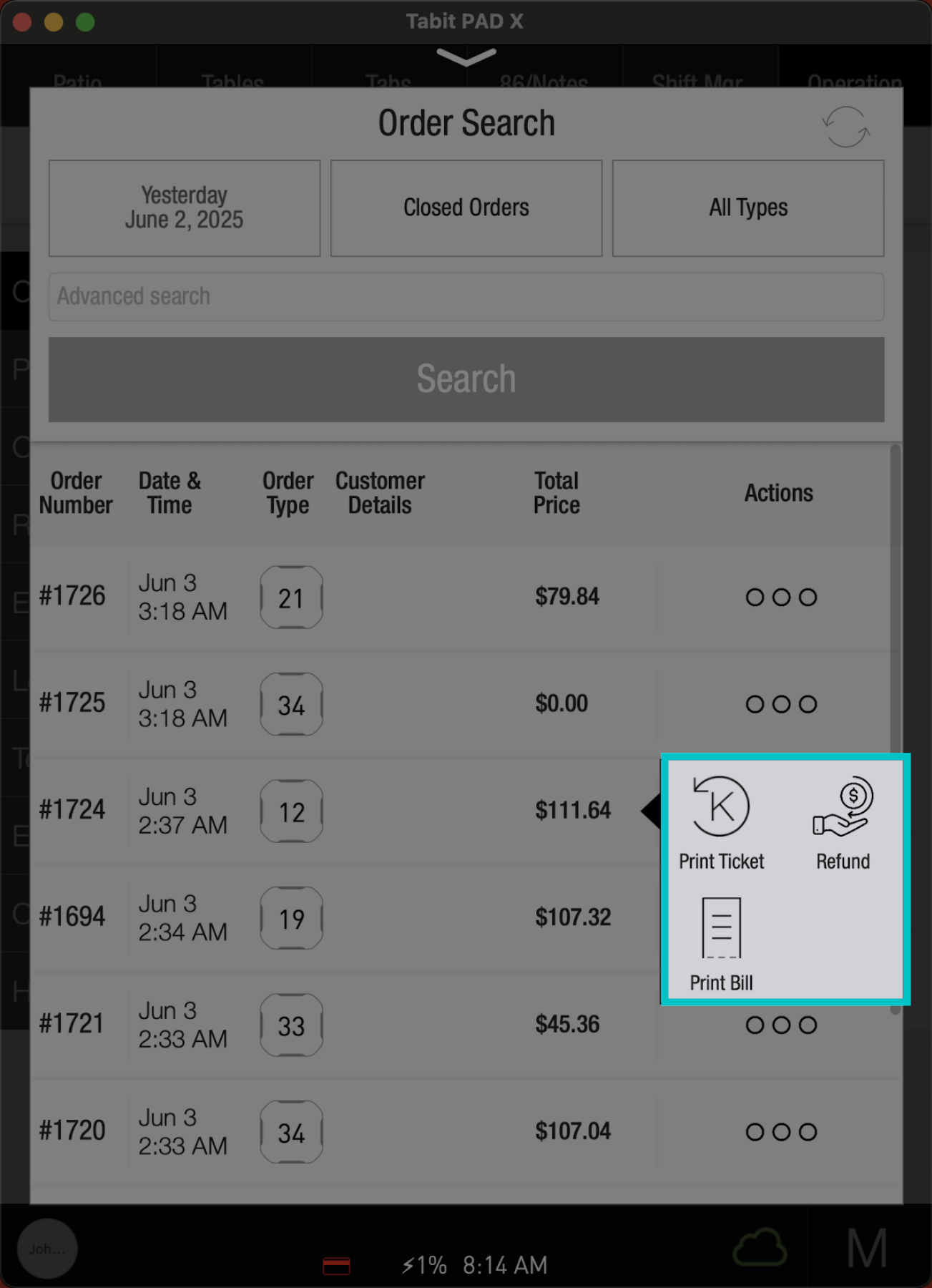
You can locate closed orders directly on the PAD to review or take action on past transactions. This is helpful for reprinting bills or kitchen tickets, processing refunds, and more. Order search can be done from both the server and manager profiles, but the available options will vary.
Closed orders are available on the PAD for up to 3 months. All orders are available to be viewed via Tabit Office
Follow the steps below to locate closed orders on the PAD:
Server profile
-
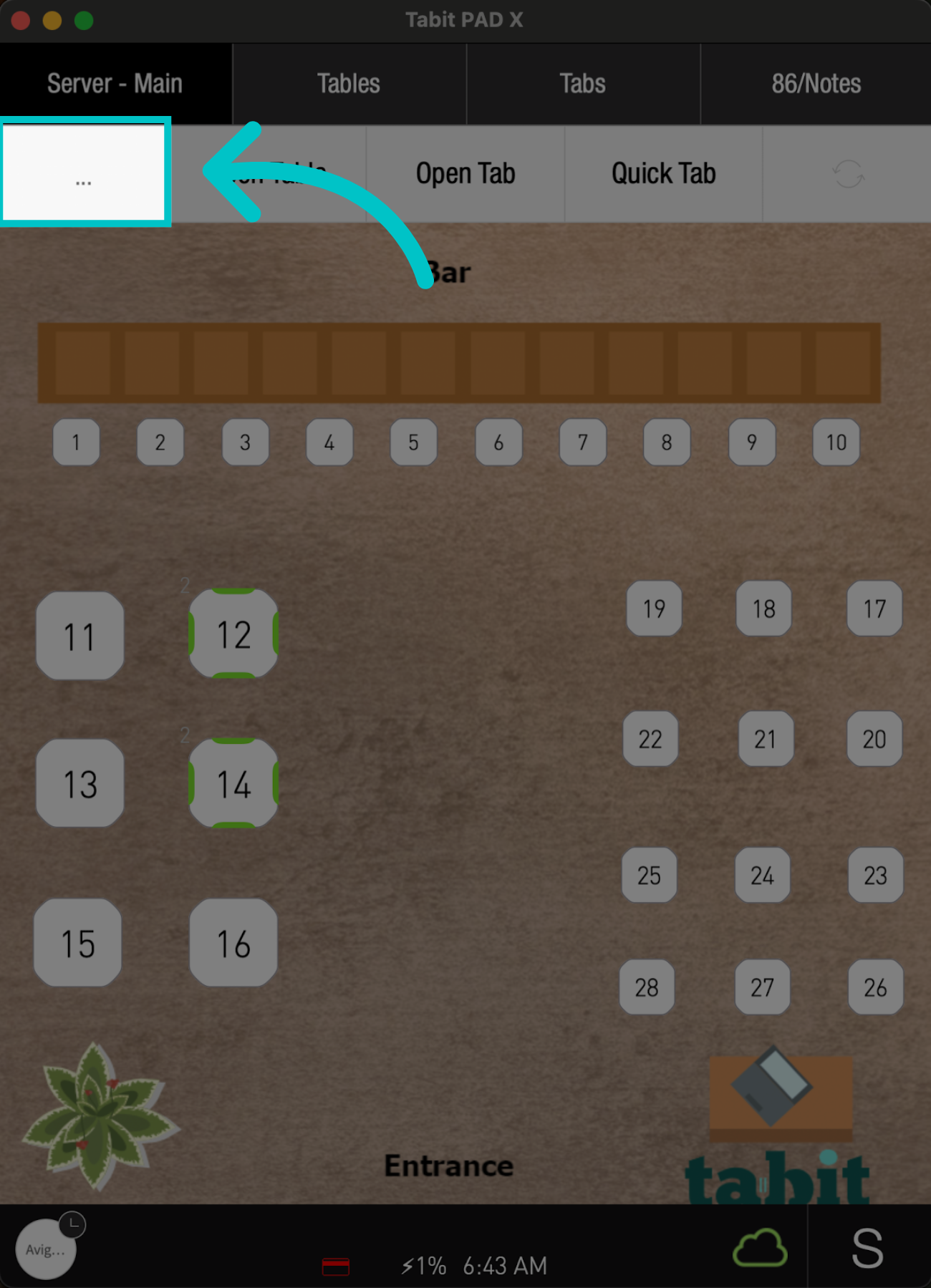
From any screen on the PAD, tap the Three Dots on the left
-
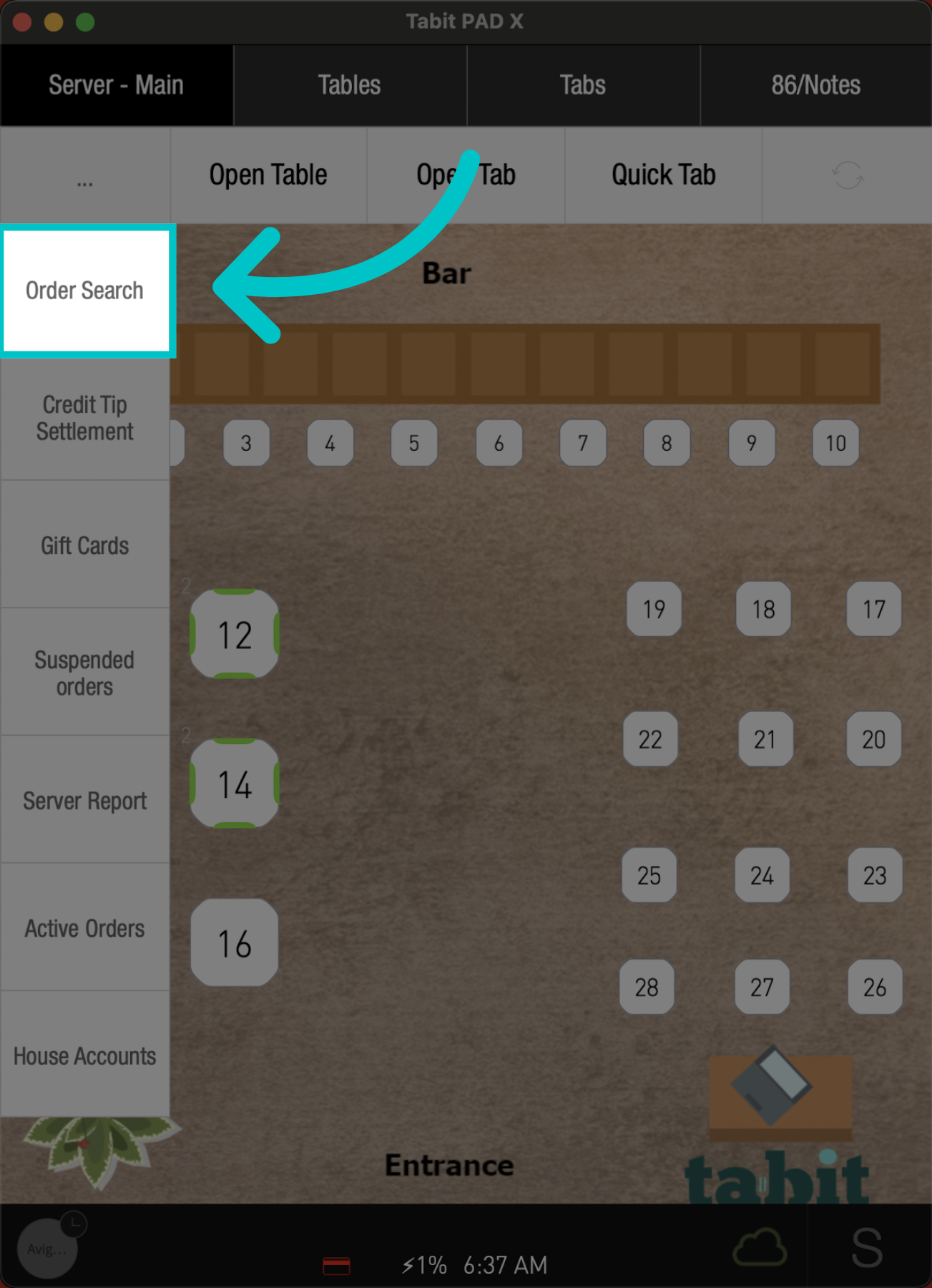
Select Order Search
-
Now, adjust the following Filters, and tap Search:
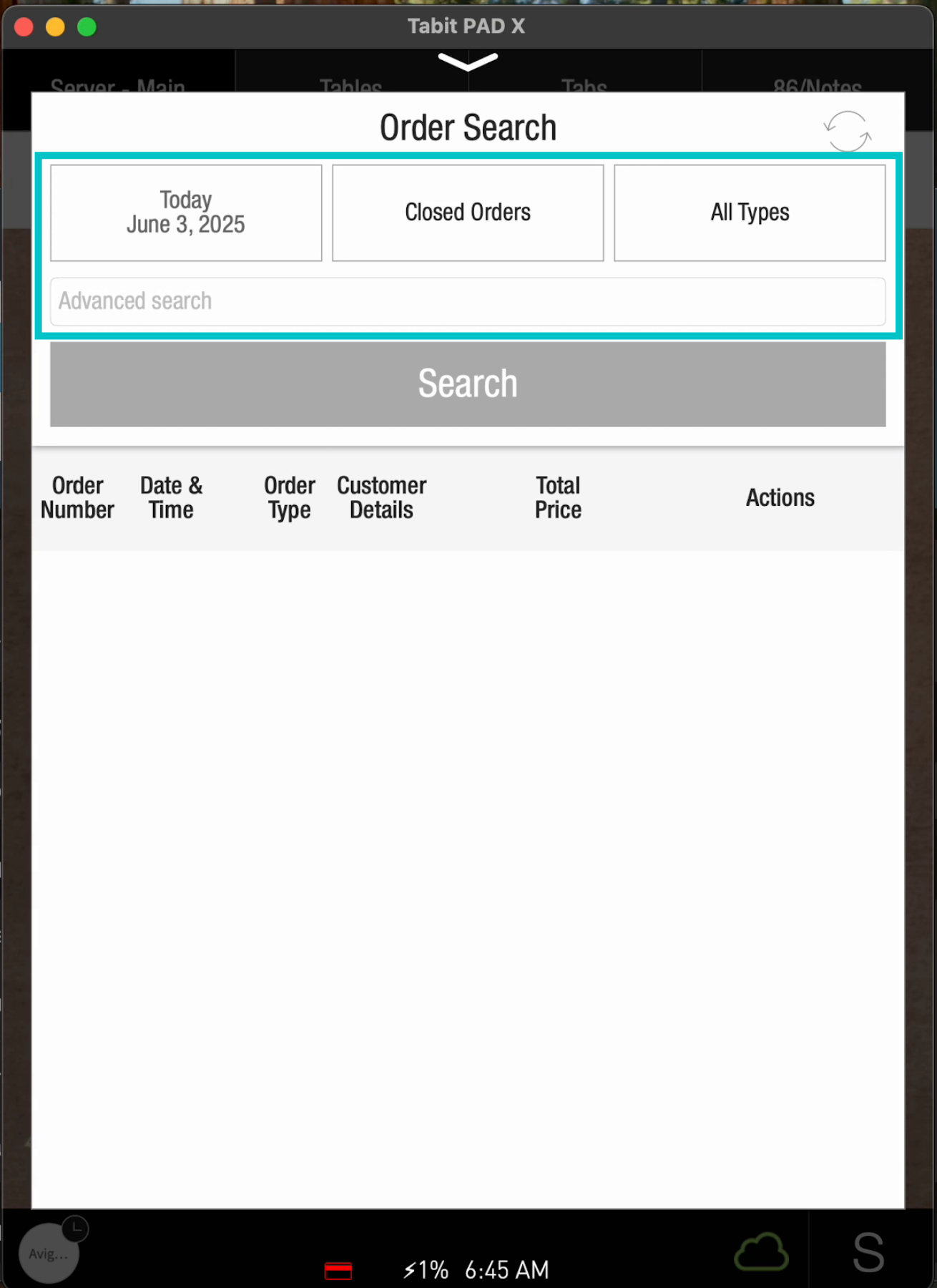
- Date or date range
- Closed/Open orders
- All types: Seated, take away, delivery, OTC, charge, and refund
- Advanced search: you can search by customer name, order number, phone number, last 4 digits of credit card, and room number (for hotels)
-
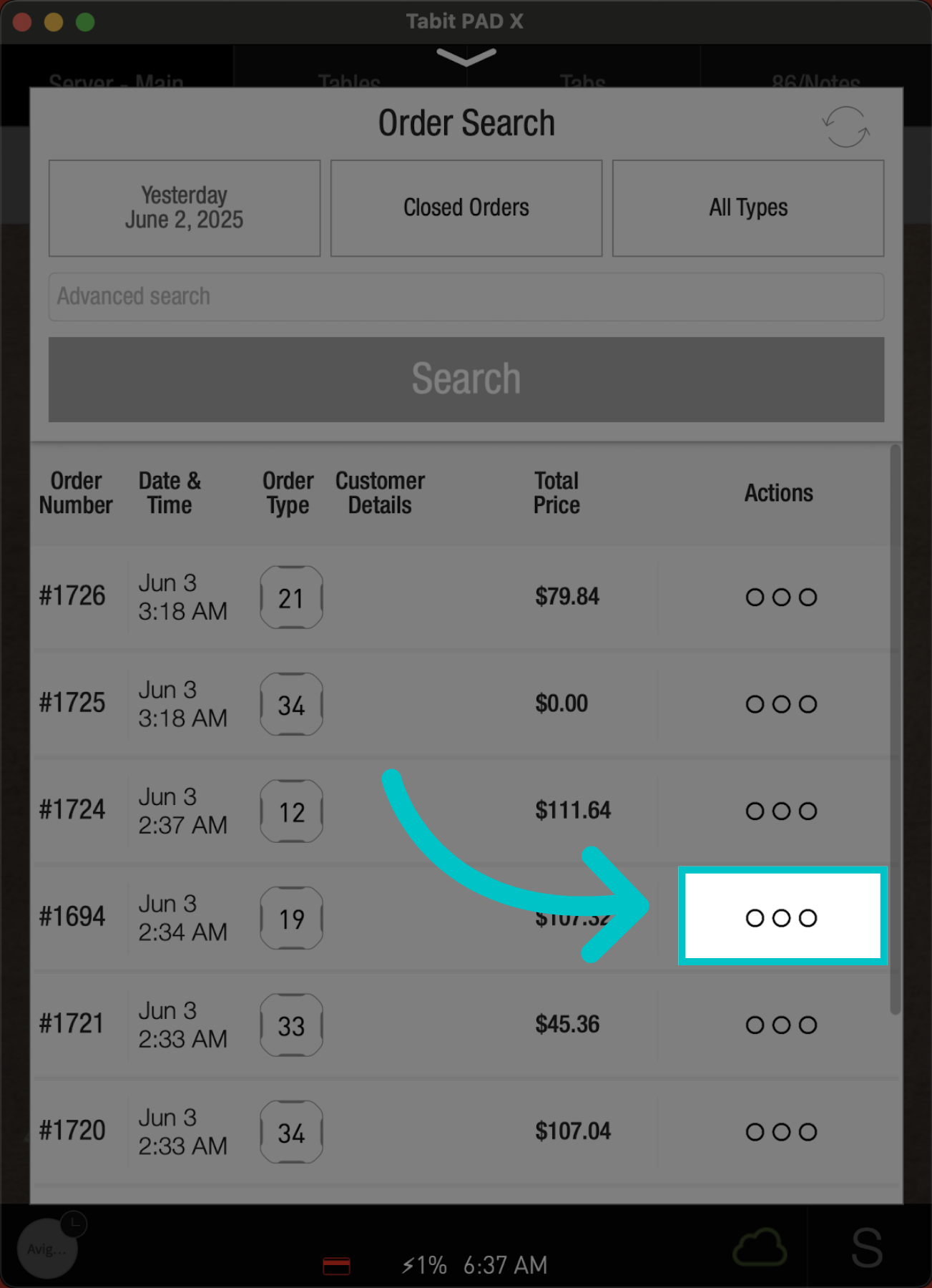
Locate the desired order, and continue to the three dots next to it for further actions
-
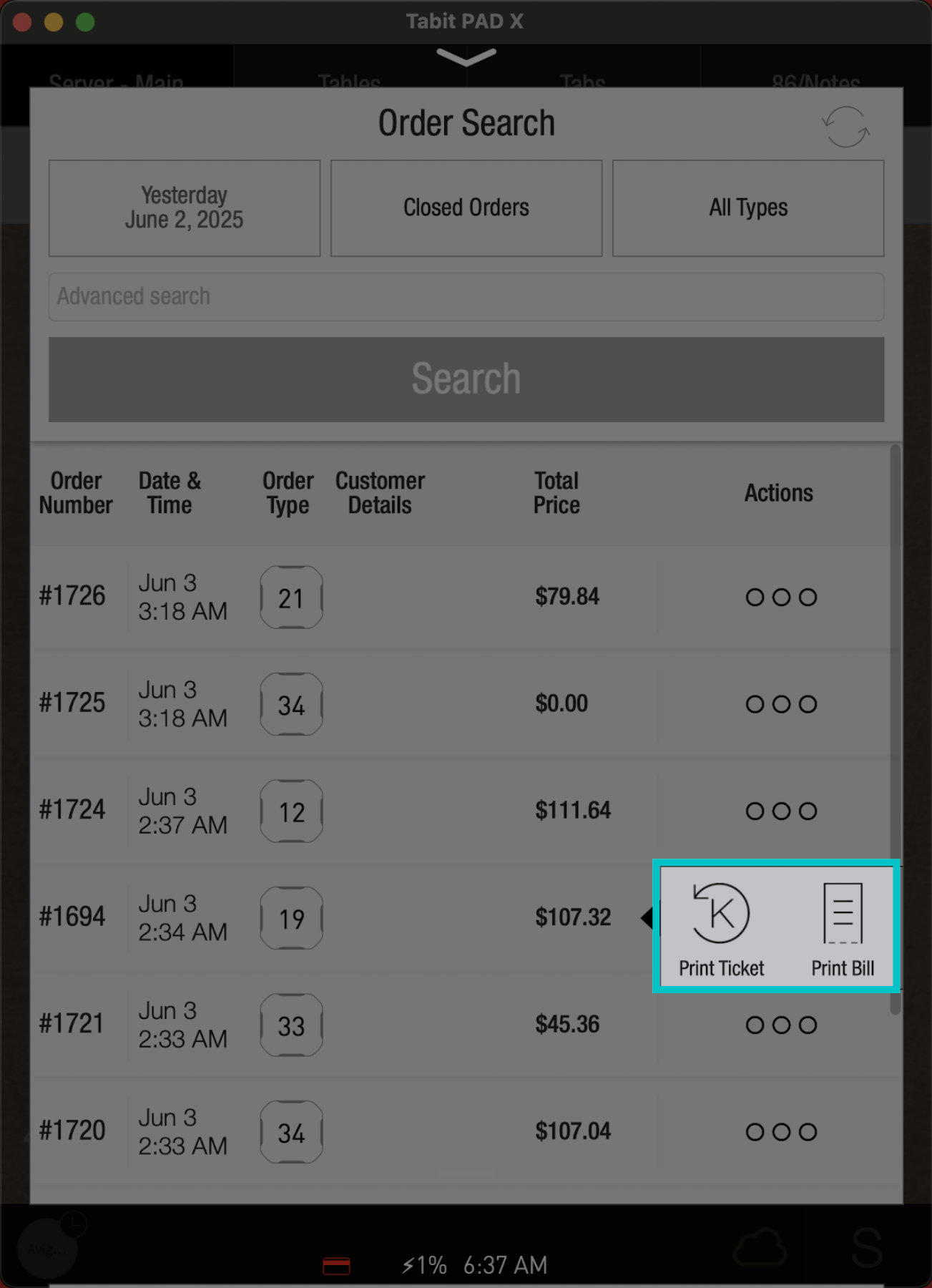
You will be able to reprint the kitchen tickets or the bill
Manager profile
-
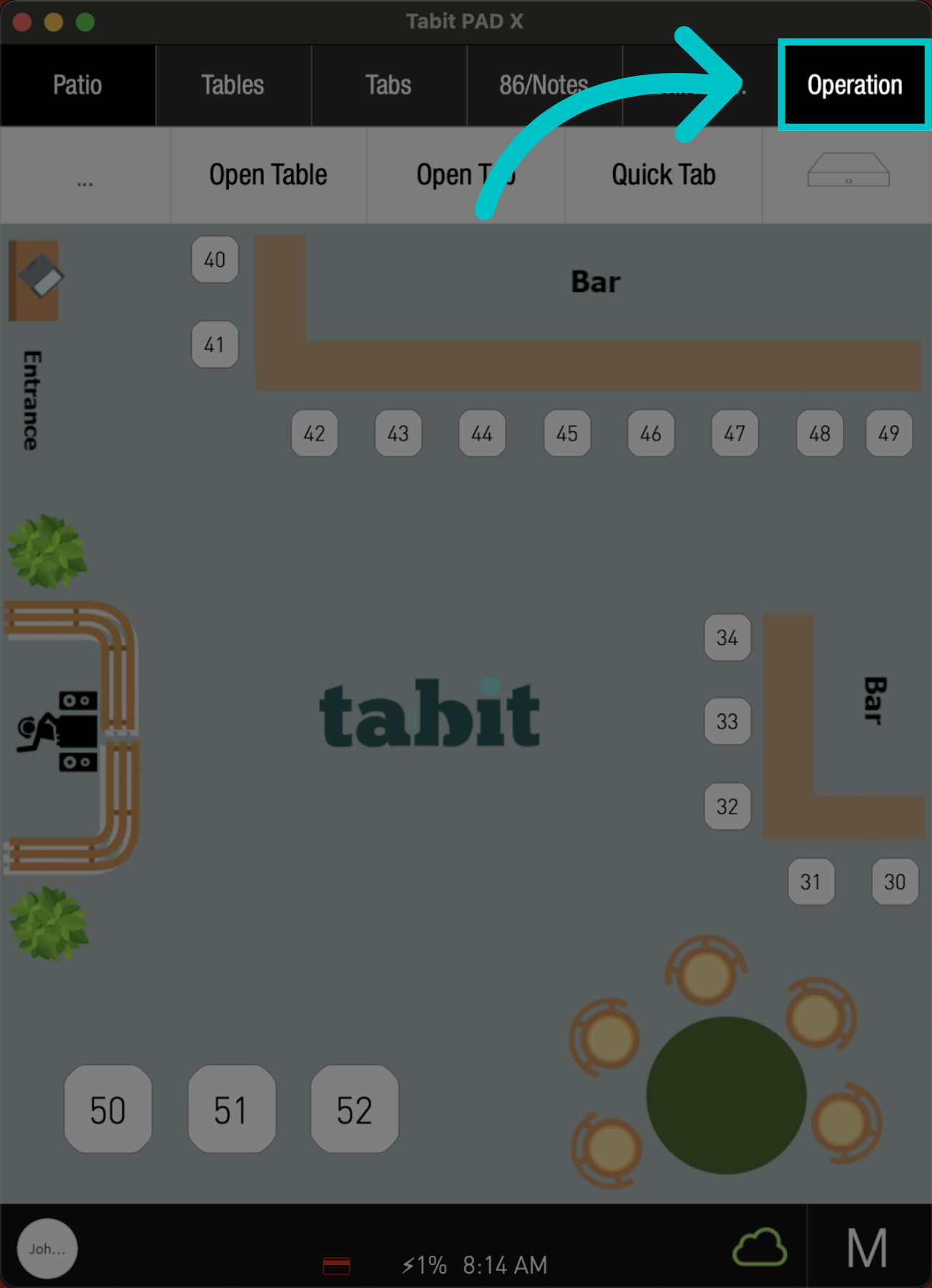
On the PAD, go to the Operation tab
-
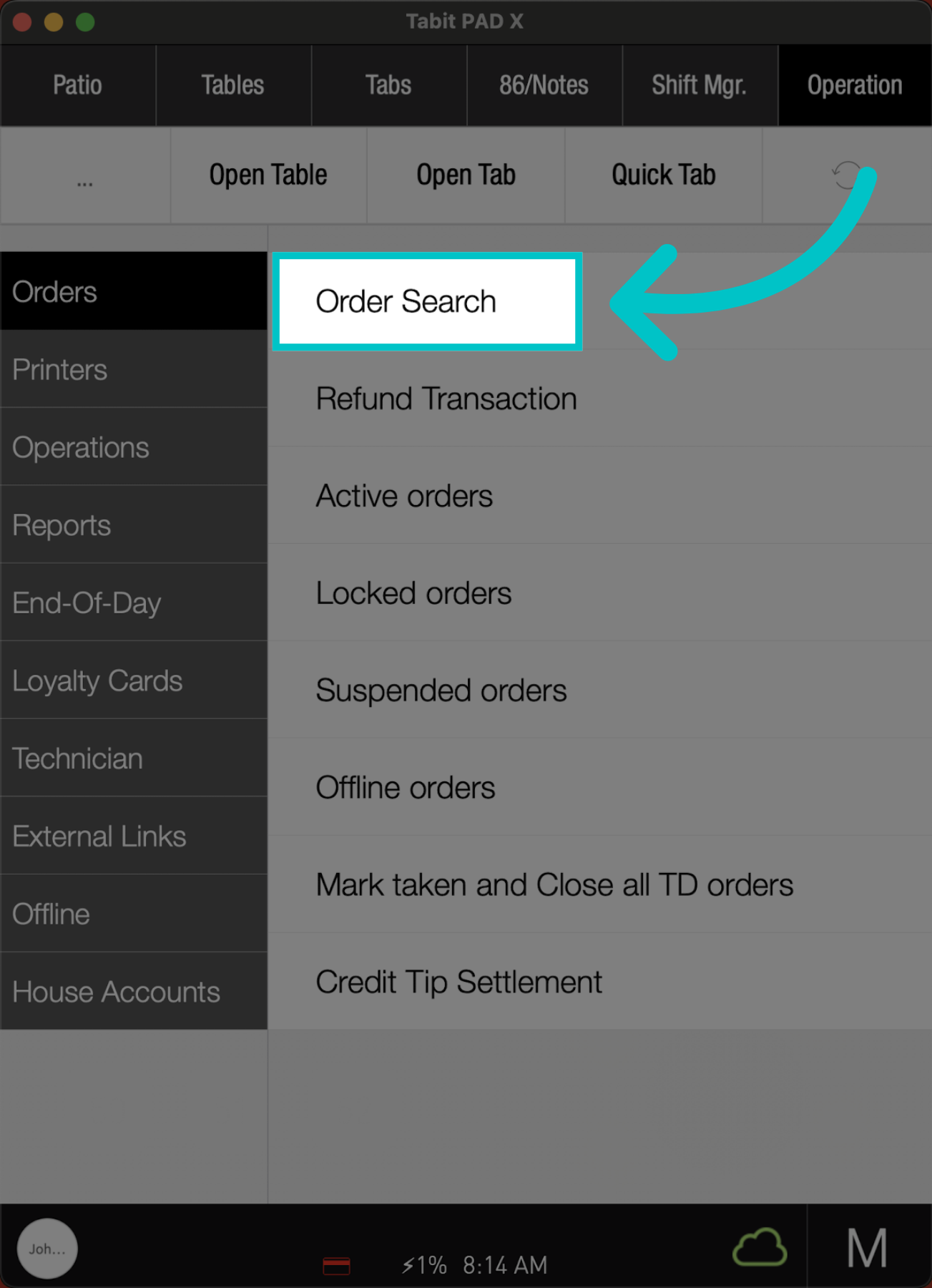
Tap Order Search
-
Adjust the following Filters, and tap Search:
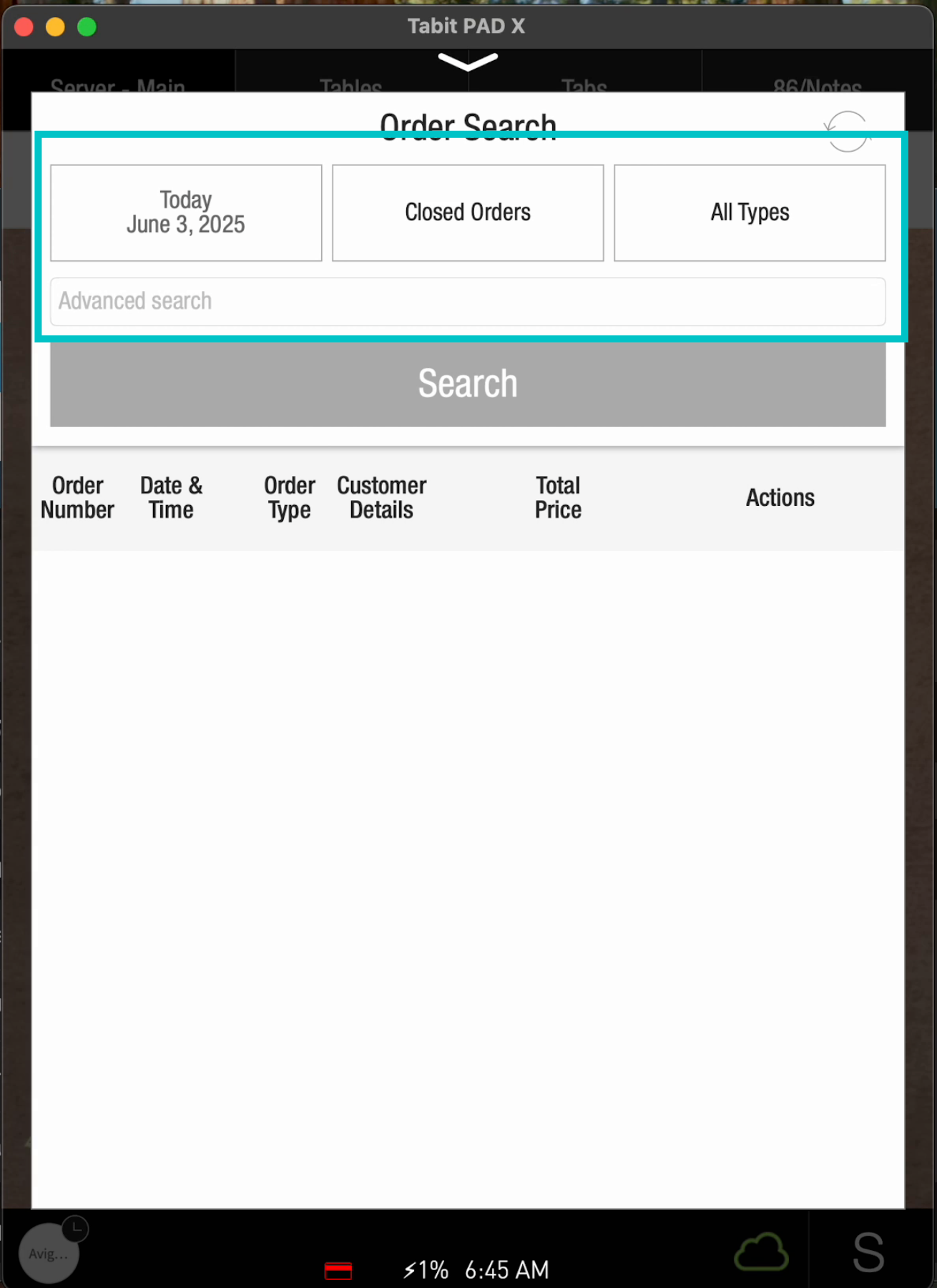
- Date or date range
- Closed/open orders
- All types: Seated, take away, delivery, OTC, charge, and refund
- Advanced search: you can search by customer name, order number, phone number, last 4 digits of credit card, and room number (for hotels)
-
Locate the desired order, and tap the Three Dots next to it for further actions
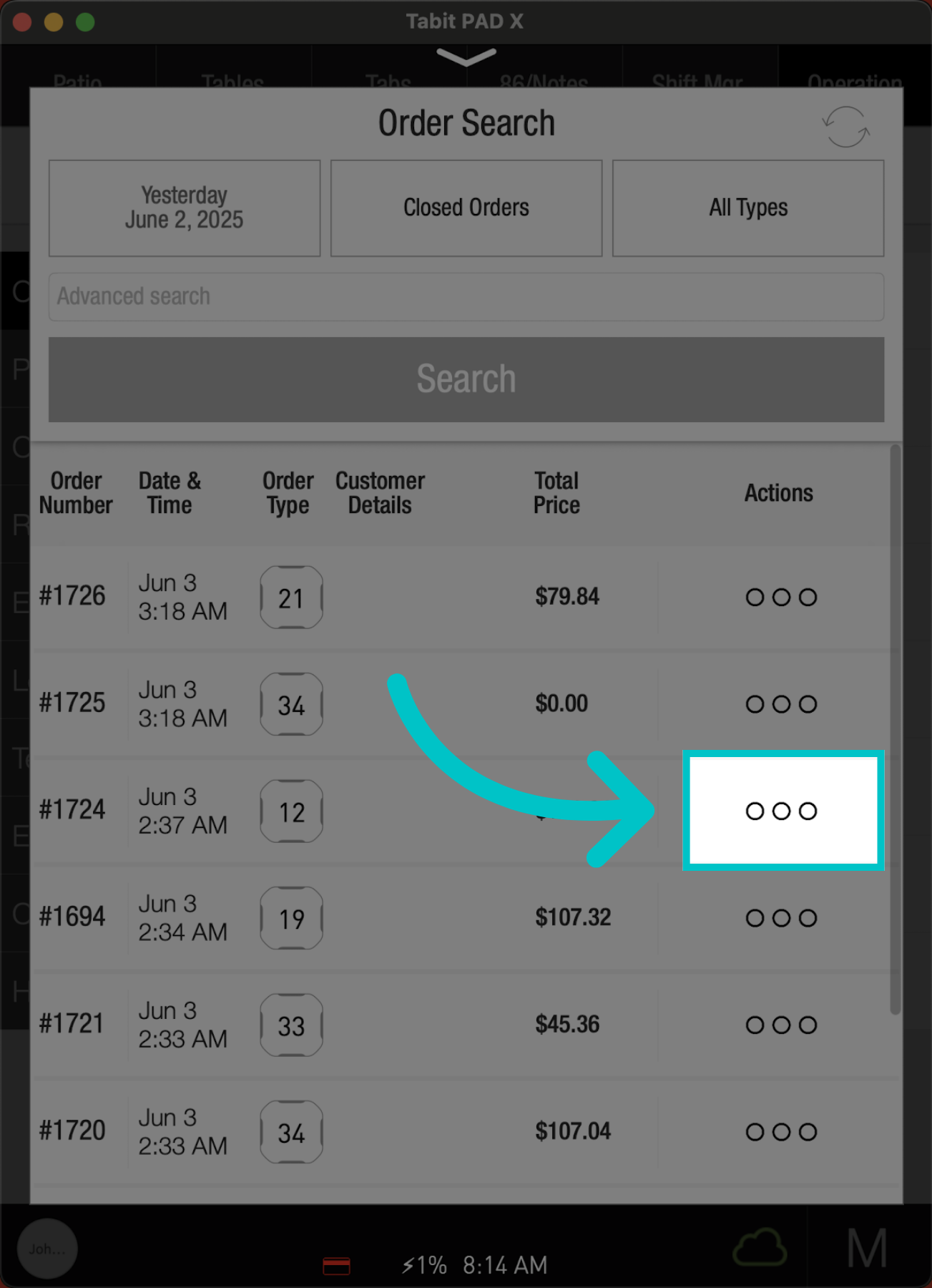
-
You will be able to reprint the kitchen tickets, refund order, or reprint the bill